
このページはアプリまたはその開発者の公式ページではなく、情報提供および論評を目的として作成された独立した編集出版物です。明示的に別段の記載がない限り、アプリおよびその開発者は、MWM、Apple、Google Play、アプリのパブリッシャー、またはアプリの開発者と提携、承認、後援、認可、またはその他の公式的な関係はなく、このページのいかなる内容も、アプリがMWMのサービスを使用して開発されたことを意味するものではありません。すべての商標、ロゴ、スクリーンショット、その他のコンテンツはそれぞれの所有者の財産です。

Teleprompter.com
クリエイターやリーダー向けの究極のビデオツールで、あなたのブランドを強化しましょう。AI音声スクロールでスクリプトを自然に配信し、高画質で録画し、どこでも、どのデバイスでも完璧なアイコンタクトを維持しましょう。
ダウンロード
2M+ユーザー評価
評価数
74K+開発元
カテゴリ
Productivity対応言語
28最新バージョン
9.0.12サイズ
77.9 MBリリース日
2018年8月23日自信を持ってカメラをコマンドする
クリエイターや企業のリーダー向けに設計されたプロフェッショナルグレードのツールで、ワークフローを合理化し、完璧なプレゼンテーションを提供します。
AI搭載音声追従
手動のペース設定のストレスを解消しましょう。インテリジェントなスクロールはあなたの自然な話し方に追従し、ビートを逃したり、アイコンタクトを失ったりすることはありません。
マルチデバイスリモートコントロール
Apple Watch、Bluetoothリモコン、または他のデバイスからスクリプトをシームレスに管理しましょう。カメラリグに触れることなく、レンズに集中しましょう。
よくある質問
について知っておくべきこと Teleprompter.com
Teleprompter.comアプリはどのデバイスに対応していますか?
Teleprompter.comアプリは、iPhone、iPad、Macデバイスに対応しています。これらのAppleプラットフォームでシームレスなテレプロンプター体験ができるように設計されています。
Teleprompter.com Proサブスクリプションの料金はいくらですか?
Teleprompter.com Proサブスクリプションは月額19.99ドルです。すべてのプレミアム機能をアンロックするための7日間の無料トライアルが含まれています。
Teleprompter.comアプリにスクリプトをインポートできますか?
はい、ユーザーはTXT、Word、PDFのスクリプトを、お気に入りのクラウドサービスから直接Teleprompter.comアプリにインポートして、簡単に管理できます。
Teleprompter.comはテレプロンプターリグ用の画面ミラーリングに対応していますか?
はい、Teleprompter.comは縦向きと横向きの両方のミラーリングオプションに対応しています。この機能により、ユーザーはアプリをテレプロンプターリグと統合できます。
Teleprompter.comはアプリ内で直接ビデオを録画できますか?
はい、Teleprompter.comでは、ユーザーはアプリ内で直接高品質のビデオを録画できます。また、録画中に前面カメラと背面カメラを切り替えることもサポートしています。
Teleprompter.comアプリのリモートコントロールはどのように機能しますか?
ユーザーは、アプリを搭載した別のデバイス、Apple Watch、Bluetoothキーボード、プレゼンテーションリモコン、ゲームコントローラー、またはフットペダルを使用して、Teleprompter.comの再生をリモートで制御できます。
Teleprompter.comは音声操作によるスクロール機能を提供していますか?
はい、Teleprompter.comは、ユーザーの声に合わせてシームレスに自動スクロールする機能を備えています。これにより、手動での調整なしに自然なデリバリーが可能です。
Teleprompter.comはビデオの背景を変更したり、ぼかしたりできますか?
はい、Teleprompter.comは、カスタム画像やビデオで背景を置き換えることができます。また、ポートレートモードで背景をぼかし、プレゼンターに焦点を当てることも可能です。
Teleprompter.comはスクリプトにAIアシスタントを提供していますか?
はい、Teleprompter.comは、スクリプト内の難しいセリフを瞬時に言い換えるためのAI搭載アシスタントを提供しています。これにより、ユーザーはコンテンツをスムーズにデリバリーできます。
Teleprompter.comはPro機能の無料トライアルを提供していますか?
はい、Teleprompter.comはProサブスクリプションの7日間の無料トライアルを提供しています。これにより、ユーザーは契約前にすべてのプレミアム機能をアンロックして体験できます。
以下のスクリーンショットと説明は、アプリの公式ストアリスティングから直接取得されたものであり、アプリ開発者の所有物です。
アプリストア
スクリーンショット
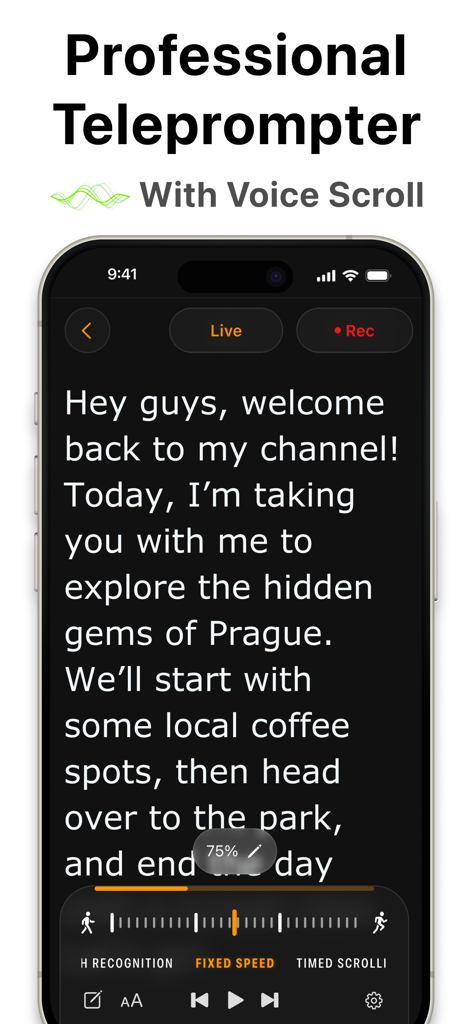
Teleprompterアプリのインターフェースを表示するiPhone、スクリプトと音声スクロール機能付き
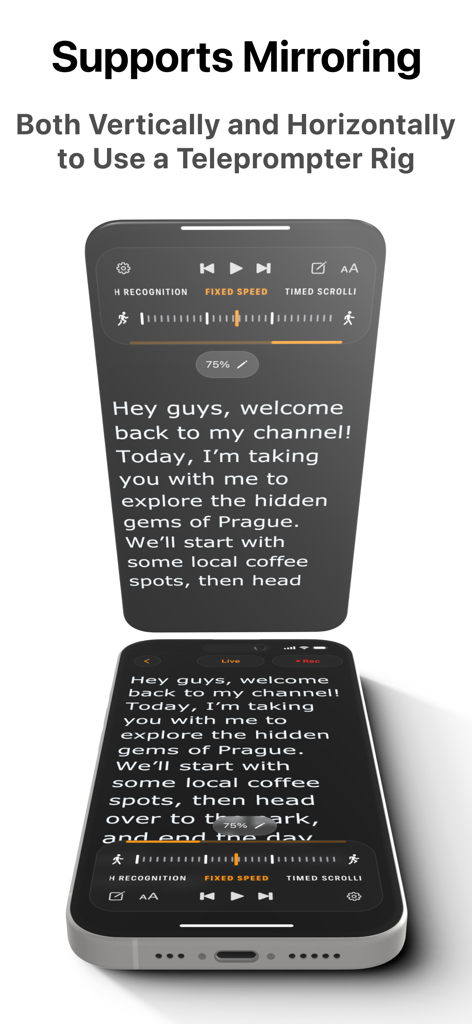
ハードウェアリグ用の縦横ミラーリングを備えたプロフェッショナルテレプロンターアプリ
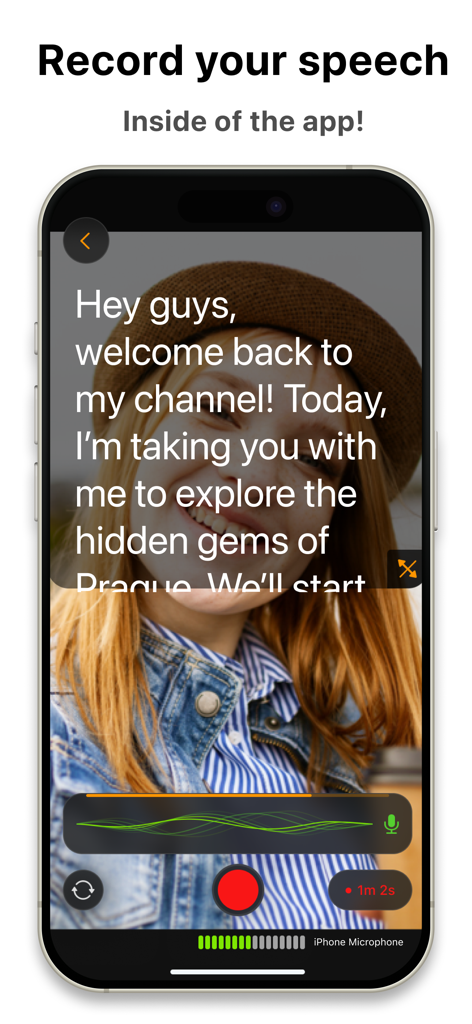
スクリプトオーバーレイ付きのTeleprompter.comアプリ録画インターフェースを表示するiPhone
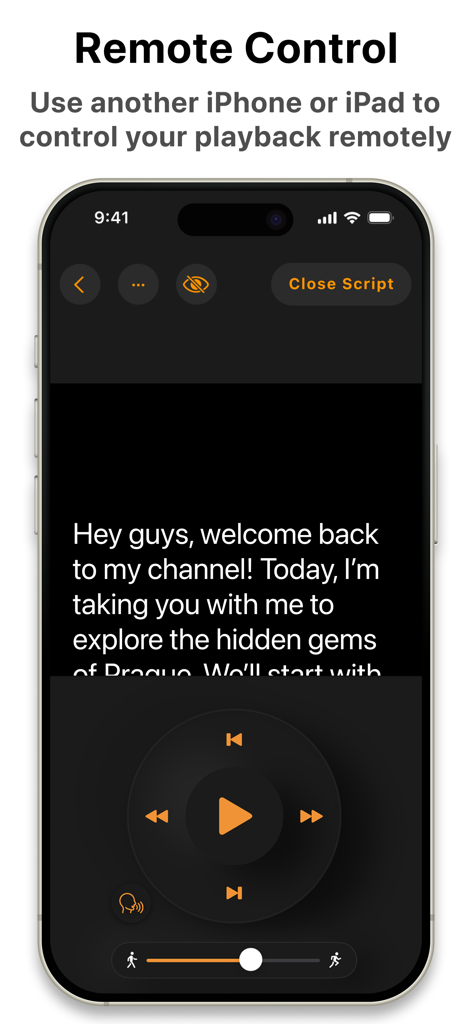
スクリプト再生ボタン付きのTeleprompterアプリのリモートコントロールインターフェースを示すスマートフォン画面
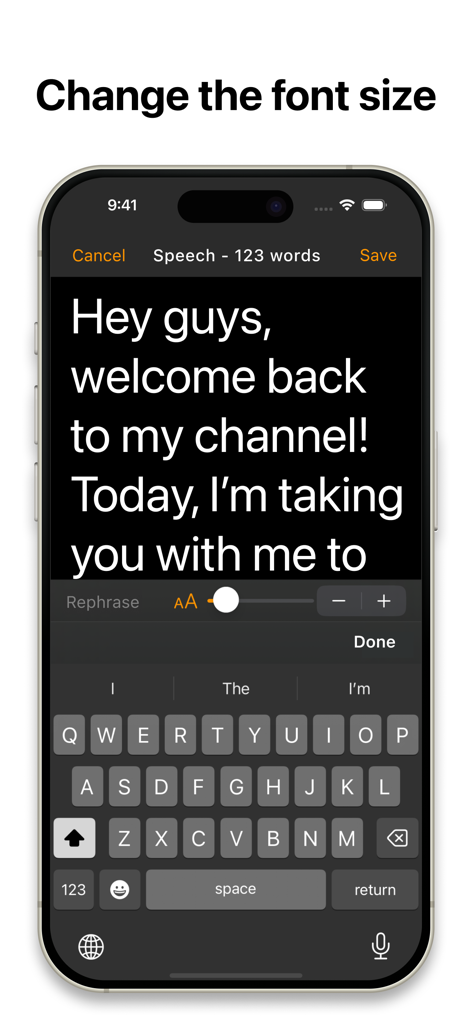
iPhone上のスクリプトエディタとフォントサイズスライダーコントロールを示すTeleprompterアプリのインターフェース
説明
Download
類似アプリ
似た機能とユーザー体験を持つアプリ

Teleprompter
Teleprompter Apps Ltd

BIGVU Teleprompter Captions AI
BIGVU INC

Teleprompter for Video
Norton Five Ltd

Vmake: AI Talking Video Editor
Starii Tech Pty Ltd

说得AI提词器相机-全能的脚本创作提词拍摄快速剪辑口播神器
Hangzhou Gaishi Technology Co., Ltd.

Teleprompter-Record Script
晨铭 李

Verba: Captions & Video Editor
Verba Creative Inc.

Teleprompter: Video Recording
志威 王

Teleprompter For Video - Pro
Liudmyla Yeromenko
このページはアプリまたはその開発者の公式ページではなく、情報提供および論評を目的として作成された独立した編集出版物です。明示的に別段の記載がない限り、アプリおよびその開発者は、MWM、Apple、Google Play、アプリのパブリッシャー、またはアプリの開発者と提携、承認、後援、認可、またはその他の公式的な関係はなく、このページのいかなる内容も、アプリがMWMのサービスを使用して開発されたことを意味するものではありません。すべての商標、ロゴ、スクリーンショット、その他のコンテンツはそれぞれの所有者の財産です。