
このページはアプリまたはその開発者の公式ページではなく、情報提供および論評を目的として作成された独立した編集出版物です。明示的に別段の記載がない限り、アプリおよびその開発者は、MWM、Apple、Google Play、アプリのパブリッシャー、またはアプリの開発者と提携、承認、後援、認可、またはその他の公式的な関係はなく、このページのいかなる内容も、アプリがMWMのサービスを使用して開発されたことを意味するものではありません。すべての商標、ロゴ、スクリーンショット、その他のコンテンツはそれぞれの所有者の財産です。

Teleprompter
400万人以上のクリエイターやプロフェッショナルが、完璧なアイコンタクトで完璧なスクリプトを配信しています。TikTok、YouTube、Zoom会議など、NetflixやBBCのような業界リーダーに信頼されるツールを手に入れましょう。
ダウンロード
4M+ユーザー評価
評価数
96K+開発元
カテゴリ
Productivity対応言語
10最新バージョン
3.57.0サイズ
59.2 MBリリース日
2015年2月17日画面上での存在感をマスター
権威と容易さをもってメッセージを届けましょう。バイラルショートフォームビデオから企業プレゼンテーションまで、テレプロンプターはあらゆるオーディエンスを魅了するために必要なプロフェッショナルなエッジを提供します。
数秒で録画して共有
スクリプトを読みながら高品質のビデオをキャプチャし、TikTok、Instagram、またはYouTubeに直接投稿して、コンテンツの流れを維持しましょう。
完璧なアイコンタクト
スクリプトを読みながらカメラレンズに視線を合わせ、Zoom通話やプロフェッショナルな録画中に自信があり、エンゲージしているように見えます。
よくある質問
について知っておくべきこと Teleprompter
Teleprompterアプリとは何ですか?
Teleprompterアプリは、あなたのデバイスを無料のテレプロンプターに変えます。Netflix、ABC、BBCのようなクリエイターやスタジオが使用しており、コンテンツ作成、制作、プレゼンテーションに不可欠なツールを提供します。
Teleprompterアプリは無料で使えますか?
はい、Teleprompterアプリは無料でダウンロードして使用できます。無制限のスクリプト管理、テキスト調整、ビデオ録画などのコア機能が含まれており、オプションのアップグレードで追加のPro機能も利用できます。
Teleprompterアプリ内で直接ビデオを録画できますか?
はい、Teleprompterアプリでは、テレプロンプターを読みながらデバイスのカメラを使用してビデオを録画できます。リアルタイムのビデオエフェクトを適用したり、録画を直接写真に保存したりすることもできます。
Teleprompterはプロフェッショナルなセットアップのためにテキストミラーリングをサポートしていますか?
はい、Teleprompterアプリはテキストのミラーリングまたは反転をサポートしています。この機能はProアップグレードで利用可能で、プロ仕様のオンカメラテレプロンプターリグでの使用を目的としています。
Teleprompterアプリはどのようなファイル形式をインポートできますか?
Teleprompterアプリの無料版では、Word、PDF、.txt、.rtf形式のドキュメントを最大5つまでインポートできます。Proアップグレードにより、これらの形式での無制限のドキュメントインポートが可能になります。
Teleprompterアプリをリモートで制御できますか?
はい、TeleprompterアプリはProアップグレードでさまざまなリモート制御オプションを提供しています。これには、Webブラウザ、Bluetooth経由の他のiOSデバイス、キーボード、フットペダル、ゲームコントローラー、Apple Watchからの制御が含まれます。
Teleprompterはスクリプトをどのように扱いますか?長さの制限はありますか?
Teleprompterアプリでは、文字数や長さの制限なしに、無制限のスクリプトを作成、編集、管理できます。また、スクリプトの設定を調整したり、キューポイントを追加したり、並べ替えたりすることもできます。
Teleprompter Proアップグレードはサブスクリプションですか、それとも買い切りですか?
Teleprompter Proアップグレードは、永続的なアクセスを可能にする買い切り型のアプリ内購入、またはオプションのサブスクリプションとして利用できます。サブスクリプションはいつでもキャンセルできます。
ZoomやGoogle Meetのようなビデオ通話中にTeleprompterを使用できますか?
はい、Teleprompterアプリはビデオ会議と連携します。ユーザーはZoomやGoogle Meetのようなビデオ会議に参加しながらTeleprompterを利用できます。
Teleprompterは複数のデバイス間でスクリプトを同期しますか?
はい、Teleprompterアプリはオプションのクラウド同期を提供しており、すべてのデバイス間でスクリプトを自動的に同期します。この機能は、iPhone、iPad、Mac間でスクリプトをシームレスに管理するのに役立ちます。
以下のスクリーンショットと説明は、アプリの公式ストアリスティングから直接取得されたものであり、アプリ開発者の所有物です。
アプリストア
スクリーンショット
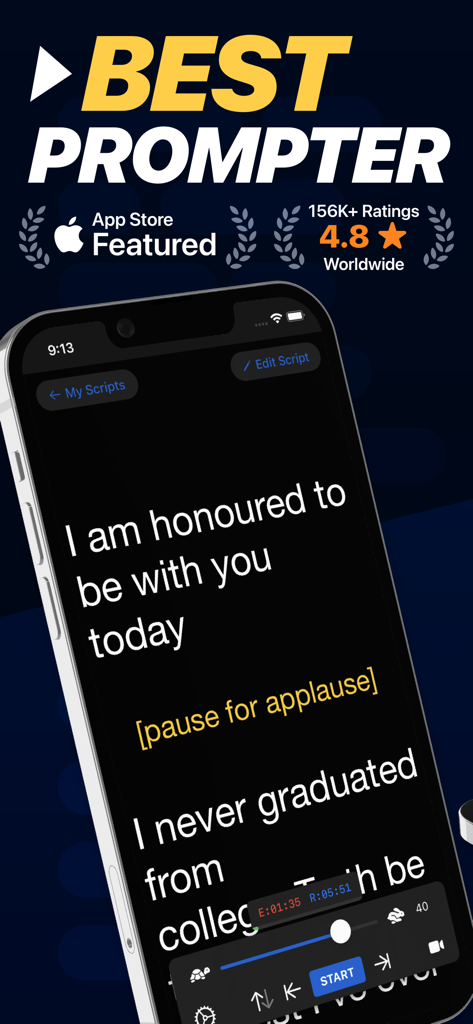
iPhone上のテレプロンプターアプリのインターフェイス。公開スピーチ用のスクリプトが表示され、スクロールと速度制御が可能です。
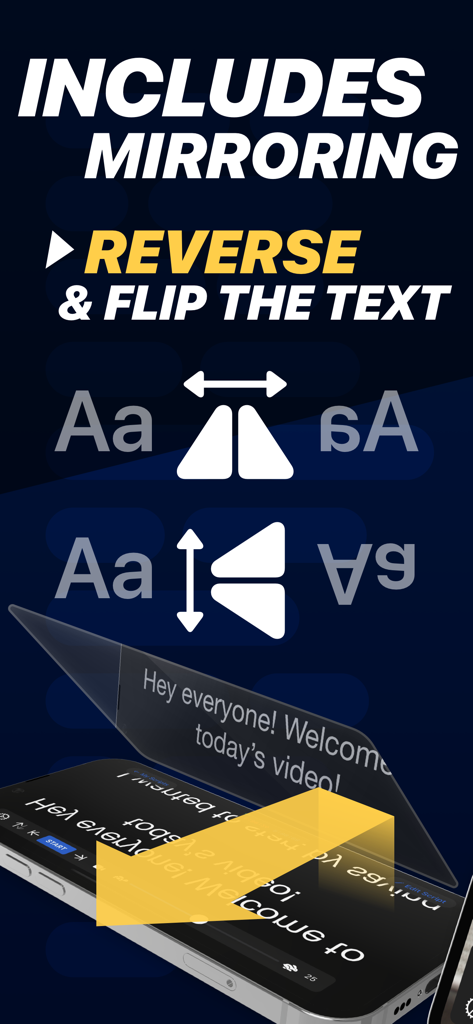
プロフェッショナルなカメラリグ用にテキストをミラーリングおよび反転するテレプロンプターアプリの機能
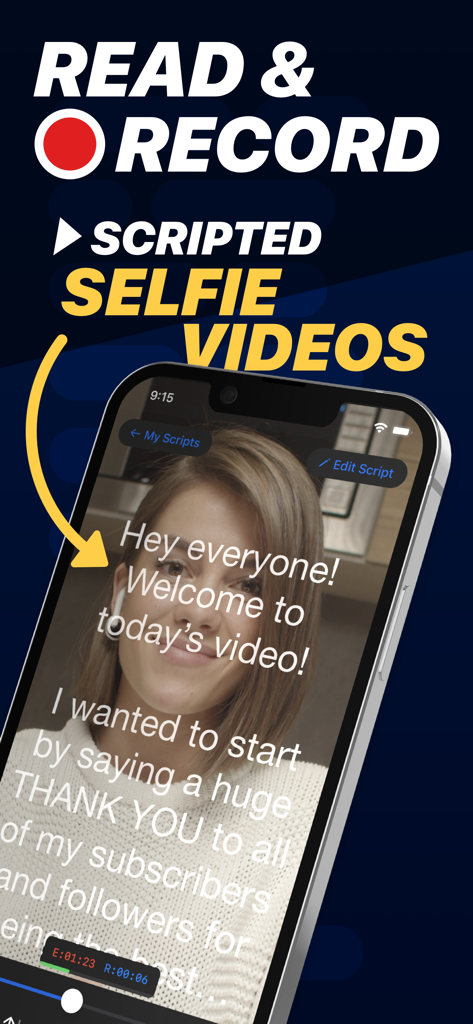
スクロールするテキストが表示されるテレプロンプターアプリのインターフェイスを使用して、スクリプト付きのセルフィービデオを録画している女性
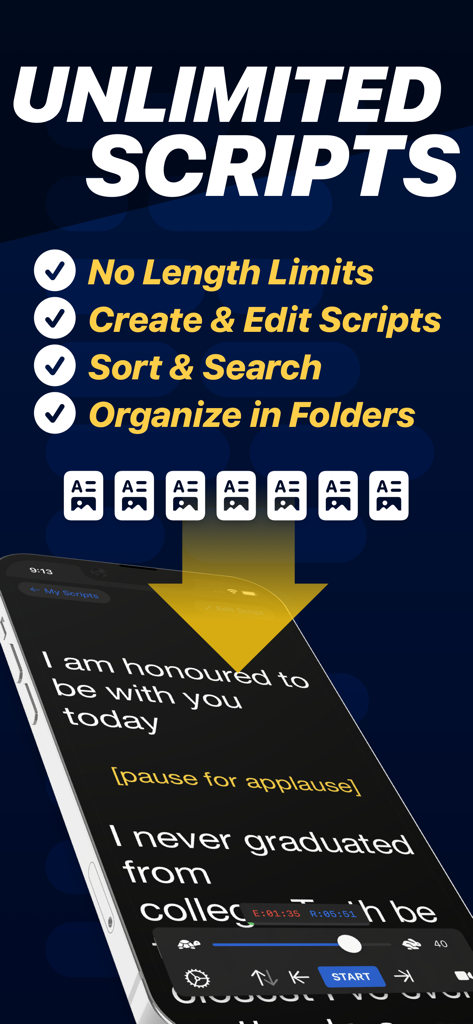
スクロールするスクリプトと無制限のスクリプトを管理するための機能が表示されているテレプロンプターアプリを搭載したスマートフォン
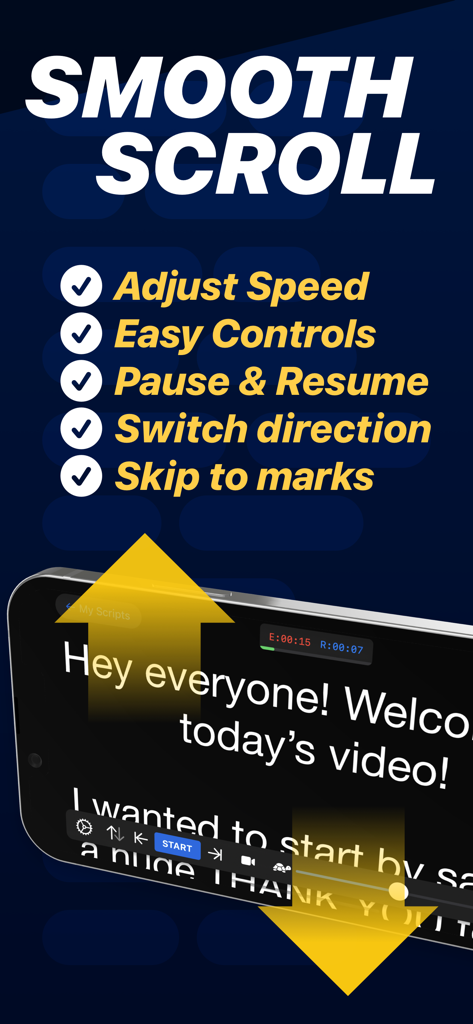
iPhone上のスムーズなスクロール機能とスクリプトコントロールを表示するテレプロンプターアプリのインターフェイス
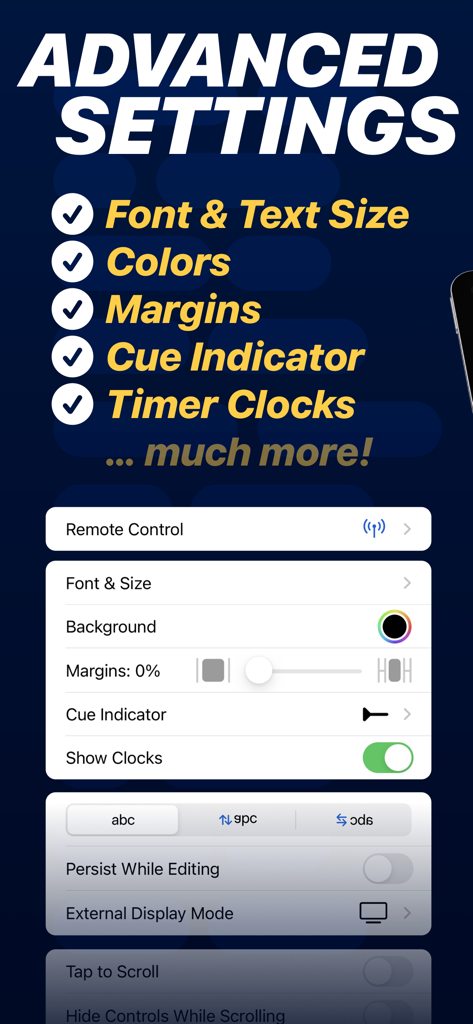
フォント、マージン、キューインジケーターのカスタマイズオプションを表示するテレプロンプターアプリの高度な設定メニュー
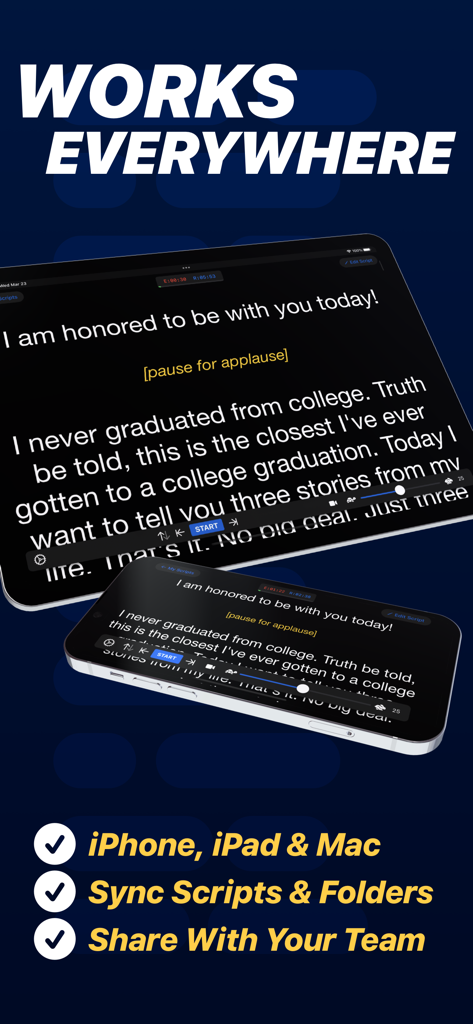
ビデオコンテンツ作成のためにiPhoneとiPad全体で同期されたスクリプトを表示するテレプロンプターアプリ
説明
Download
類似アプリ
似た機能とユーザー体験を持つアプリ

BIGVU Teleprompter Captions AI
BIGVU INC

Teleprompter for Video
Norton Five Ltd

Teleprompter.com
Teleprompter LLC

Vmake: AI Talking Video Editor
Starii Tech Pty Ltd

说得AI提词器相机-全能的脚本创作提词拍摄快速剪辑口播神器
Hangzhou Gaishi Technology Co., Ltd.

Teleprompter-Record Script
晨铭 李

Verba: Captions & Video Editor
Verba Creative Inc.

Teleprompter: Video Recording
志威 王

Teleprompter For Video - Pro
Liudmyla Yeromenko
このページはアプリまたはその開発者の公式ページではなく、情報提供および論評を目的として作成された独立した編集出版物です。明示的に別段の記載がない限り、アプリおよびその開発者は、MWM、Apple、Google Play、アプリのパブリッシャー、またはアプリの開発者と提携、承認、後援、認可、またはその他の公式的な関係はなく、このページのいかなる内容も、アプリがMWMのサービスを使用して開発されたことを意味するものではありません。すべての商標、ロゴ、スクリーンショット、その他のコンテンツはそれぞれの所有者の財産です。