Teleprompter for Video ۬
ダウンロード: App Store

このページはアプリまたはその開発者の公式ページではなく、情報提供および論評を目的として作成された独立した編集出版物です。明示的に別段の記載がない限り、アプリおよびその開発者は、MWM、Apple、Google Play、アプリのパブリッシャー、またはアプリの開発者と提携、承認、後援、認可、またはその他の公式的な関係はなく、このページのいかなる内容も、アプリがMWMのサービスを使用して開発されたことを意味するものではありません。すべての商標、ロゴ、スクリーンショット、その他のコンテンツはそれぞれの所有者の財産です。

ロゴ: Teleprompter for Video ۬
ダウンロード: App Store

Teleprompter for Video ۬

クリエイターとプロフェッショナル向けのオールインワンスタジオ。画面にスクリプトを表示して撮影し、完璧なアイコンタクトを維持し、キャプション付きで編集できます。すべてモバイルデバイスから。

主要数値

ダウンロード

32K+

ユーザー評価

4.4/5

評価数

100

開発元

AppQ Technology

カテゴリ

Photo & Video

対応言語

1

最新バージョン

1.1.0

サイズ

37.3 MB

リリース日

2023年7月26日
機能

カメラ映りをマスターする

何度も撮り直す時間を節約し、あらゆるプレゼンテーションで完璧にこなせるように設計されたツールでプロのように見せましょう。

完璧なアイコンタクトを維持

カメラレンズのすぐ隣にスクリプトを表示するので、視聴者はあなたが画面から目をそらさずに、直接的でプロフェッショナルなつながりを感じることができます。

あらゆるプラットフォームに最適化

TikTok用の9:16、LinkedIn用の1:1、YouTube用の16:9を切り替えて、あらゆるソーシャルフィードでネイティブに見えるようにコンテンツを調整します。

以下のスクリーンショットと説明は、アプリの公式ストアリスティングから直接取得されたものであり、アプリ開発者の所有物です。

アプリストア

スクリーンショット
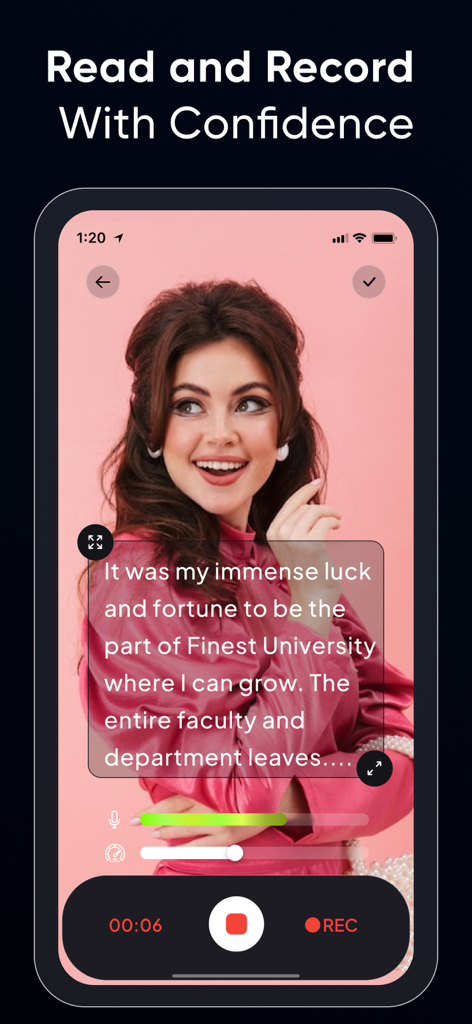
Teleprompter for Video ۬ - 女性のライブビデオ録画の上にスクリプトが表示されているテレプロンプターアプリのインターフェイス
女性のライブビデオ録画の上にスクリプトが表示されているテレプロンプターアプリのインターフェイス

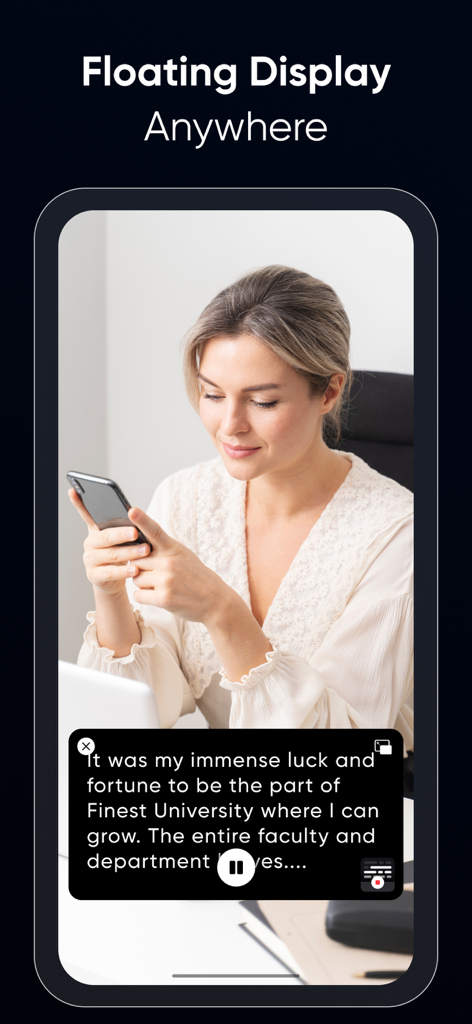
Teleprompter for Video ۬ - 女性がスマートフォンのテレプロンプターアプリでスクリプトを読むためにフローティングディスプレイ機能を使用している様子
女性がスマートフォンのテレプロンプターアプリでスクリプトを読むためにフローティングディスプレイ機能を使用している様子

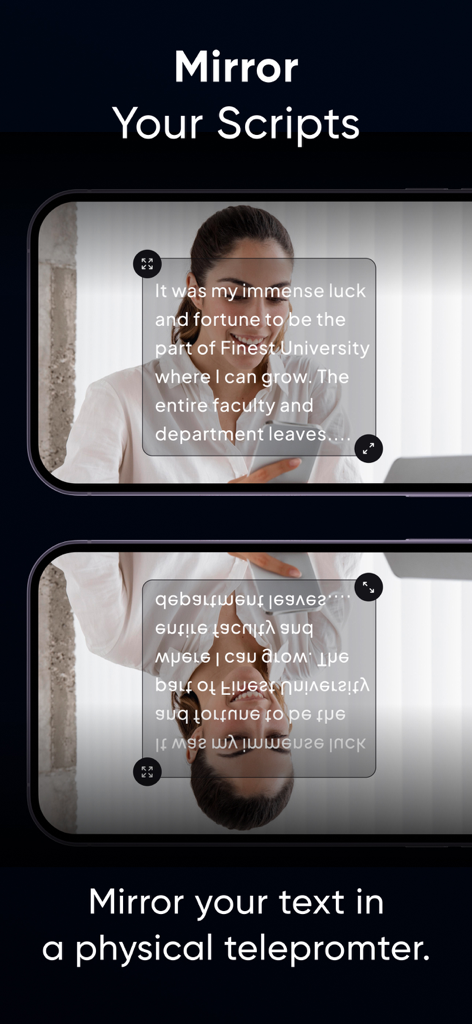
Teleprompter for Video ۬ - 物理的なテレプロンプターデバイスでアプリを使用するためのミラーリングスクリプト機能のデモンストレーション。
物理的なテレプロンプターデバイスでアプリを使用するためのミラーリングスクリプト機能のデモンストレーション。

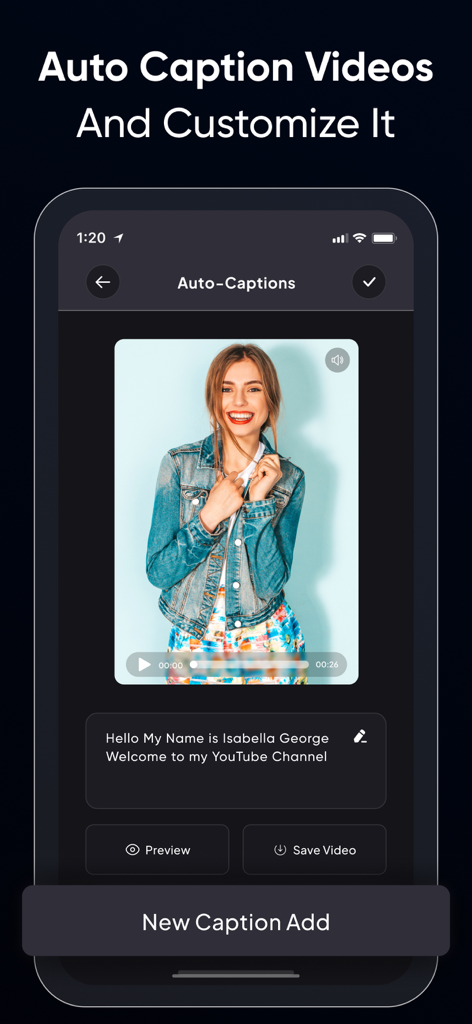
Teleprompter for Video ۬ - ビデオプレビューと編集可能なテキストボックスを備えた自動キャプション機能を示す、動画用テレプロンプターアプリのインターフェイス。
ビデオプレビューと編集可能なテキストボックスを備えた自動キャプション機能を示す、動画用テレプロンプターアプリのインターフェイス。

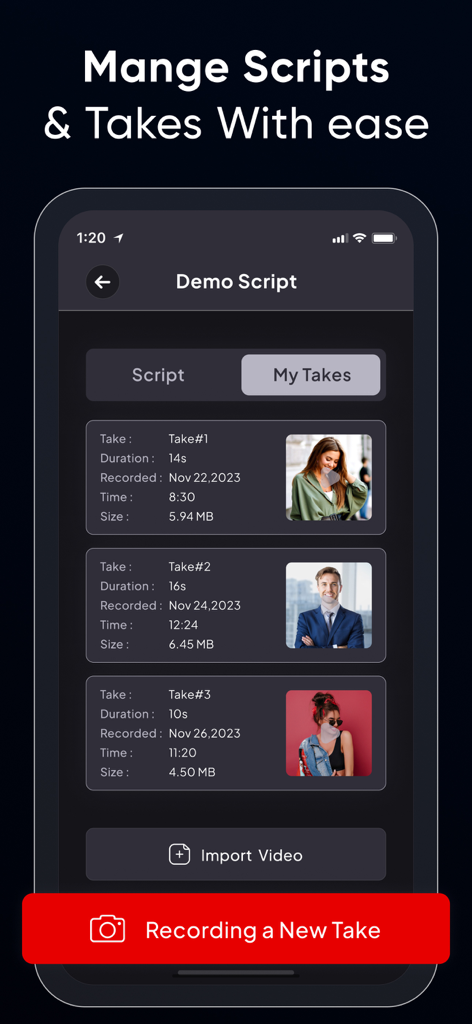
Teleprompter for Video ۬ - スクリプトの録画済みビデオテイクのリストと、期間やファイルサイズなどの詳細が表示されたモバイルアプリのインターフェイス。
スクリプトの録画済みビデオテイクのリストと、期間やファイルサイズなどの詳細が表示されたモバイルアプリのインターフェイス。

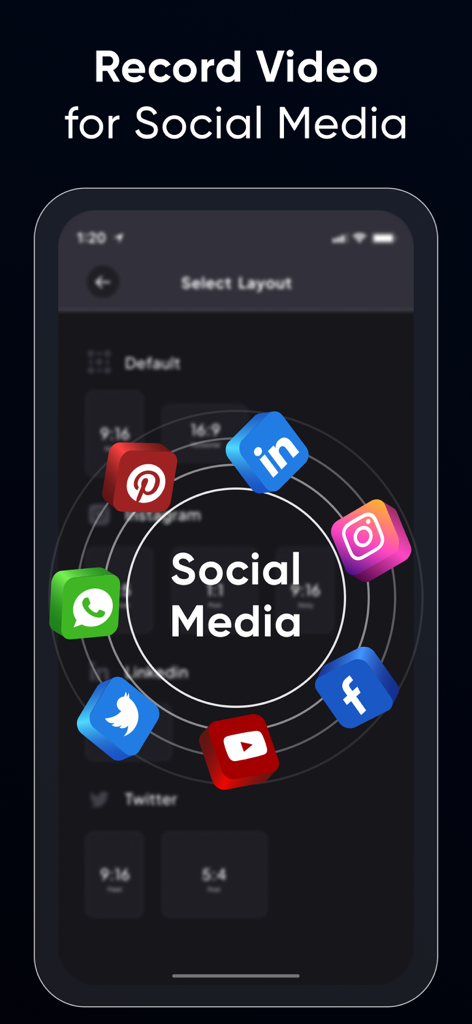
Teleprompter for Video ۬ - Instagram、TikTok、LinkedInなどのプラットフォームのさまざまなビデオアスペクト比とソーシャルメディアアイコンを表示する画面。
Instagram、TikTok、LinkedInなどのプラットフォームのさまざまなビデオアスペクト比とソーシャルメディアアイコンを表示する画面。

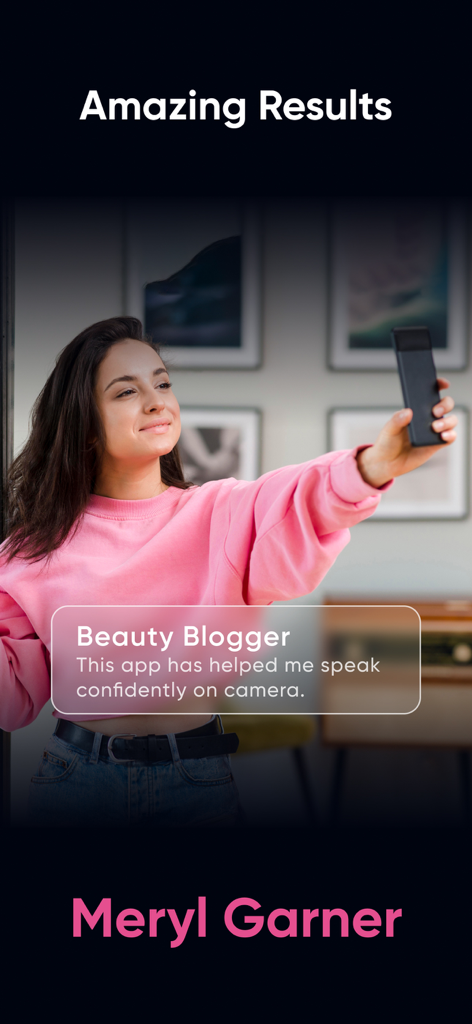
Teleprompter for Video ۬ - Meryl Garnerという美容ブロガーが、動画用テレプロンプターアプリを使用して自信を持って話したというユーザーの声

Meryl Garnerという美容ブロガーが、動画用テレプロンプターアプリを使用して自信を持って話したというユーザーの声

説明

Teleprompter Pro is yet another video teleprompter app that allows you to display your text script on your phone’s video recording screen, so you can always be sure of what you’re going to say. Whether you’re an influencer who wants to share your trip journey or makeup routine with your followers or are a teacher who is recording lessons for their students or needs a prompter for your public speaking sessions. The Teleprompter Pro app helps you look more confident and professional in your videos. Some salient features of Teleprompter Pro: • Record videos in multiple sizes: Teleprompter Pro supports the following aspect ratios: 16:9, 9:6, 4:5, 1:1, 9:4 which almost work for different social media platforms. • Optimize Teleprompt Text: Unlike other Teleprompter apps that just display the text on the recording screen, Teleprompter Pro actually allows you to change text alignment, style (bold, italic, underline) & increase/decrease font-size as per requirements. • Trim video: No video is perfect, in case you’ve made a blunder at a certain part, then you can actually trim your video and remove the unwanted part. • Multiple scripts: You can as many scripts as you want. However, adding more than 1 script is available for the Teleprompter Premium subscribers only. • Add Captions: Once your video is recorded and is finally ready, you can add captions for users who have hearing issues or anyone who prefers captions. Benefits of using Teleprompter Pro: • You’ll look more confident and your videos will feel professional. • You’ll know what you’re going to say. • People won’t feel like you’re reading text from elsewhere (which shall make you feel even more trustworthy and knowledgeable) • You’ll be able to avoid mistakes. • Your video will look live and engaging. • You'll be able to speak clearly and articulately. • You’ll be able to add captions to your videos and even optimize them as per the timing. If you're looking to improve your video presentations, a teleprompter for video is a great option. It's easy to use and can make a big difference in the quality of your videos. Here are some tips for using a teleprompter app: • Practice reading from the teleprompter before you record your video. • Make sure the text is large enough for you to read easily. • Use a slow and steady pace. • Look directly into the camera. • Keep practicing until you get it all right. With a little practice, you'll be able to use a Teleprompter app like a pro. And your videos will look and sound great! Here are some examples of how you can use a teleprompter app: • For business presentations: Use a teleprompter app to give presentations that are clear, concise, and professional. • For educational videos: Use a teleprompter app to create engaging and informative videos for your students. • For product demonstrations: Use a teleprompter app to create videos that show off your products in a clear and concise way. • For interviews: Use a teleprompter app to give interviews that are well-prepared and polished. • For vlogs: Use a teleprompter app to create vlogs that are interesting and engaging. No matter what you use it for, a Teleprompter Pro is a great way to improve the quality of your videos. The app is compatible with iPhone as well as iPad. So what are you waiting for? Start using one today. Privacy Policy : https://teleprompter.appstraw.com/privacy-policy Terms of Use : https://teleprompter.appstraw.com/terms-conditions

Download

ダウンロード: App Store

このページはアプリまたはその開発者の公式ページではなく、情報提供および論評を目的として作成された独立した編集出版物です。明示的に別段の記載がない限り、アプリおよびその開発者は、MWM、Apple、Google Play、アプリのパブリッシャー、またはアプリの開発者と提携、承認、後援、認可、またはその他の公式的な関係はなく、このページのいかなる内容も、アプリがMWMのサービスを使用して開発されたことを意味するものではありません。すべての商標、ロゴ、スクリーンショット、その他のコンテンツはそれぞれの所有者の財産です。








