
このページはアプリまたはその開発者の公式ページではなく、情報提供および論評を目的として作成された独立した編集出版物です。明示的に別段の記載がない限り、アプリおよびその開発者は、MWM、Apple、Google Play、アプリのパブリッシャー、またはアプリの開発者と提携、承認、後援、認可、またはその他の公式的な関係はなく、このページのいかなる内容も、アプリがMWMのサービスを使用して開発されたことを意味するものではありません。すべての商標、ロゴ、スクリーンショット、その他のコンテンツはそれぞれの所有者の財産です。

Termius - Modern SSH Client
どこからでもインフラストラクチャをコマンドできます。安全にサーバーを管理し、スニペットを実行し、デスクトップグレードのターミナルパワーでモバイルとデスクトップ全体でワークフロー全体を同期します。
ダウンロード
1M+ユーザー評価
評価数
69K+開発元
カテゴリ
Developer Tools対応言語
1最新バージョン
7.3.1サイズ
250.1 MBリリース日
2012年8月7日どこからでもインフラストラクチャをコマンドできます
モダンエンジニアのために設計された最も強力なSSHクライアントを体験してください。ディナー中にオンコールであっても、通勤中であっても、ゼロの摩擦でサーバーを管理します。
デスクトップグレードのモバイルターミナル
専門的な仮想キーボード、ジェスチャーサポート、プロフェッショナルな効率のために設計されたマルチタブインターフェースにより、外出先でCLIをマスターします。
シームレスなクロスデバイス同期
iOS、iPadOS、デスクトップ全体で接続と資格情報に安全にアクセスします。暗号化されたクラウドボルトにより、IPを再入力する必要がなくなります。
よくある質問
について知っておくべきこと Termius - Modern SSH Client
Termiusとは何ですか?
Termiusは、モバイルおよびデスクトップデバイスから接続できるSSHクライアントおよびターミナルです。SSH、Mosh、Telnet、ポートフォワーディング、SFTPをサポートしています。
Termiusは複数のデバイスから接続できますか?
はい、Termiusは任意のモバイルおよびデスクトップデバイスからの接続を許可します。Proプランでは、暗号化されたクラウドボールトを使用して無制限のデバイス同期を提供します。
Termiusはモバイル使用のために仮想キーボードを提供していますか?
はい、Termiusはターミナル操作に必要なすべての特殊キーをカバーするデスクトップグレードの仮想キーボードを提供しており、モバイルでの使用に最適化されています。
Termiusはどのような認証方法をサポートしていますか?
TermiusはハードウェアFIDO2キーを使用した認証をサポートしています。Proプランでは、Touch IDまたはFace ID、および二要素認証による保護も提供されます。
Termiusはコマンドを保存して実行できますか?
はい、Termiusでは、お気に入りのコマンドや頻繁に使用するコマンド、シェルスクリプトを保存できます。これらはワンタップで実行できます。
TermiusはSFTPをサポートしていますか?
はい、TermiusにはSFTP機能が含まれており、サーバー間での安全なファイル転送が可能です。
Termiusはどのようなプロトコルを接続にサポートしていますか?
Termiusは、モバイルおよびデスクトップデバイスからの接続のために、SSH、Mosh、Telnet、ポートフォワーディング、SFTPをサポートしています。
Termiusはマルチセッションをサポートしていますか?
はい、Termiusはマルチタブインターフェースとスプリットビューサポートにより、複数のセッションを同時に作業することをサポートしています。
Termiusをクラウドプロバイダーと統合できますか?
はい、Termius Proプランでは、AWSおよびDigitalOceanとTermiusを統合できます。
TermiusにはAIアシスタントがありますか?
はい、TermiusにはスマートターミナルアシスタントとしてAIウィジェットがあり、コマンドの生成や修正に役立ちます。
Termiusには無料プランがありますか?
はい、TermiusにはSSH、Mosh、Telnet、ポートフォワーディング、SFTPなどのコア機能を含む無料のStarterプランがあります。
Termius Proの機能はどのように入手できますか?
Termius Proの機能は、自動更新される年次または月次サブスクリプションを通じて利用できます。これらのサブスクリプションにより、すべてのPro特典にアクセスできます。
Termiusのサブスクリプションはどのように管理できますか?
Termiusのサブスクリプションは、購入後、iTunesアカウントの「アカウント設定」で管理できます。自動更新の無効化も可能です。
Termiusは資格情報のために暗号化されたクラウドボールトを使用していますか?
はい、Termius Proプランには、どのデバイスからでも安全に接続設定や資格情報にアクセスするための暗号化されたクラウドボールトが含まれています。
Termiusのプライバシーポリシーはどこで見られますか?
Termiusのプライバシーポリシーは termius.com/privacy_policy.html でご覧いただけます。詳細についてはそちらをご確認ください。
以下のスクリーンショットと説明は、アプリの公式ストアリスティングから直接取得されたものであり、アプリ開発者の所有物です。
アプリストア
スクリーンショット
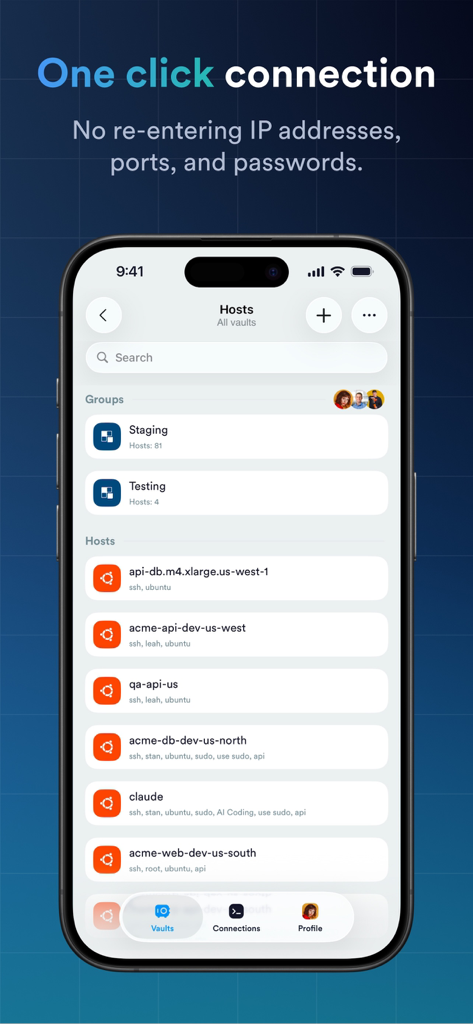
Termiusアプリのインターフェースに、ワンクリックSSH接続用のサーバーホストのリストが表示されています
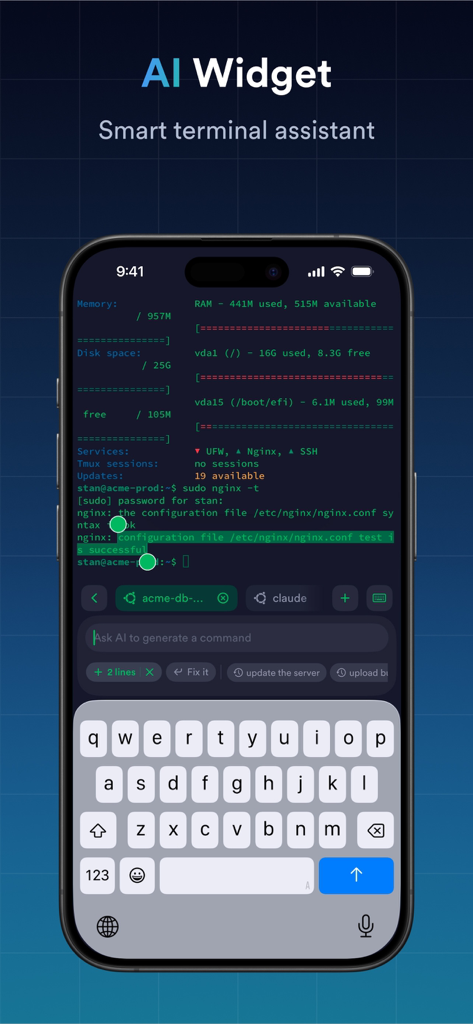
Termiusアプリのインターフェースに、コマンド生成のためのAIウィジェットスマートターミナルアシスタントが表示されています。
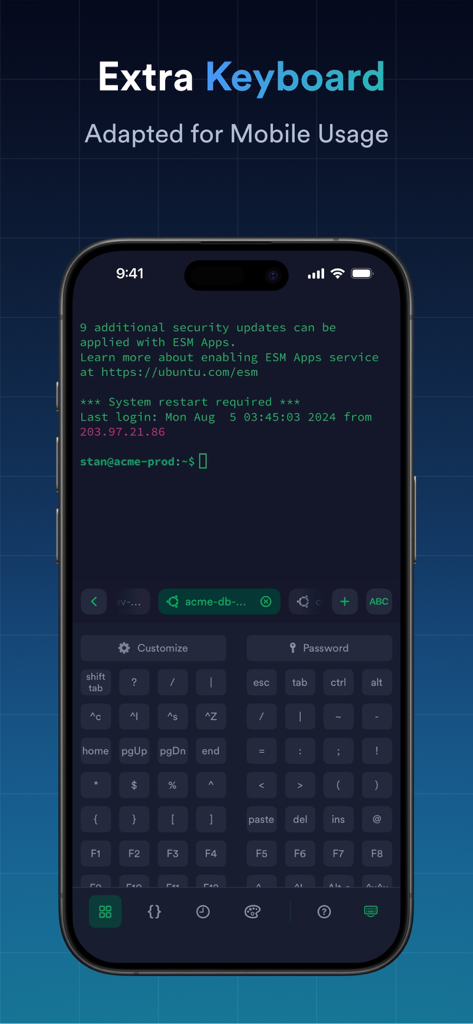
Termiusアプリのインターフェースに、特殊キーとコマンドラインターミナルを備えた特別な追加仮想キーボードがモバイルデバイスに表示されています。
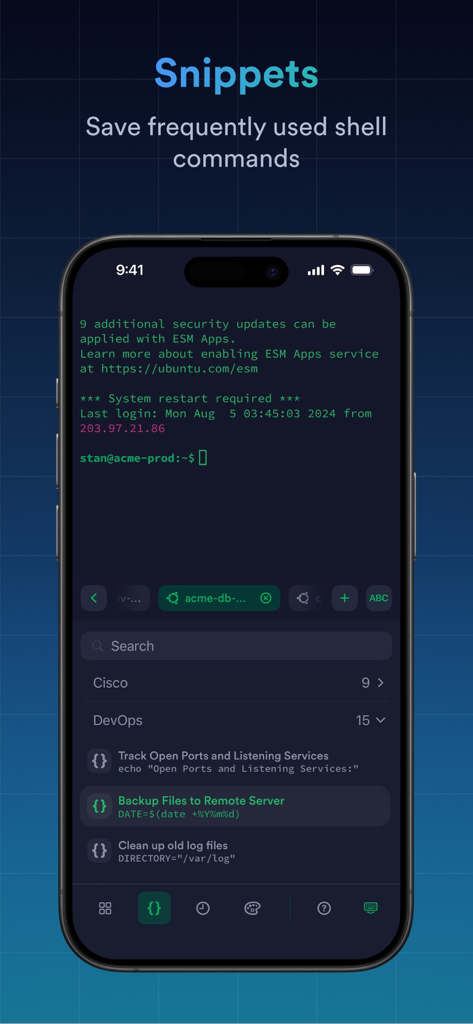
Termiusアプリのスクリーンショットで、ファイルのバックアップやログファイルのクリーンアップなどのDevOpsタスク用の保存されたシェルコマンドを含むスニペット機能が表示されています。
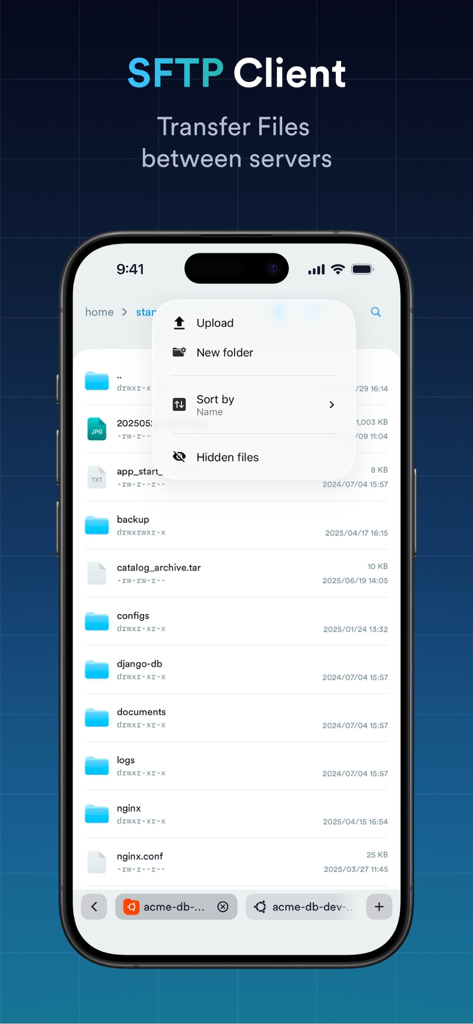
iPhoneのスクリーンショットに、ディレクトリのリストとアップロードおよびソート用のメニューを備えた、サーバー間でファイルを転送するためのTermius SFTPクライアントインターフェースが表示されています
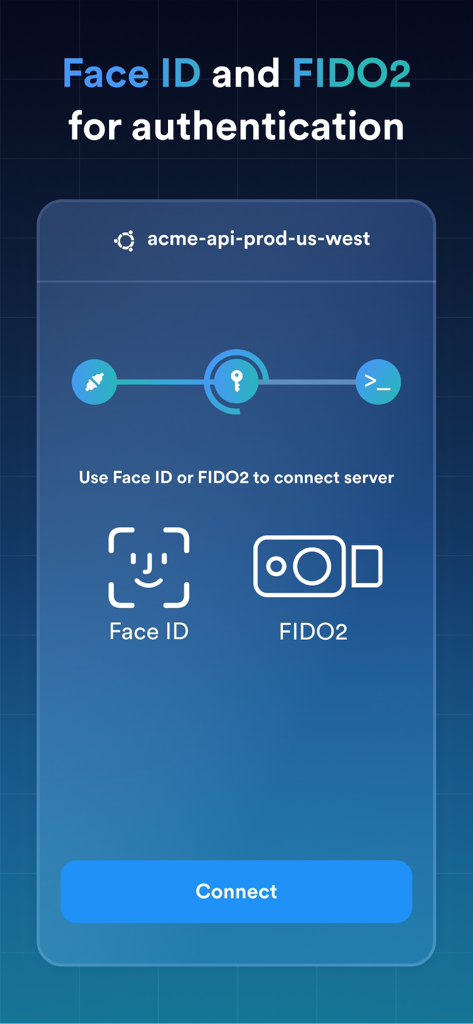
Termius SSHクライアントインターフェースに、安全なサーバー接続のためのFace IDおよびFIDO2認証オプションが表示されています
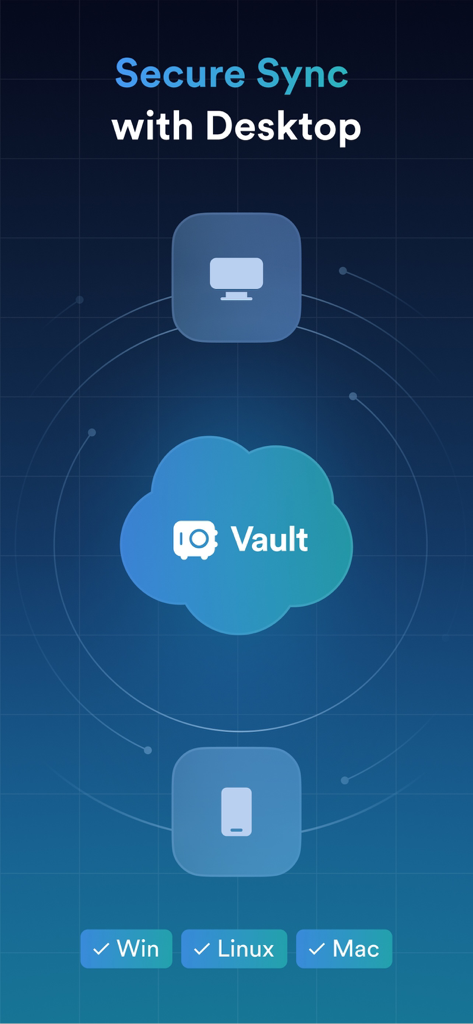
Termius Vaultを介したデスクトップおよびモバイルデバイス間の安全なデータ同期を示すイラスト。
説明
Download
類似アプリ
似た機能とユーザー体験を持つアプリ

向日葵远程控制-Sunlogin remotecontrol
Shanghai best oray information s&t co.,ltd

UU远程-远程办公/游戏串流
Guangzhou NetEase Computer System Co.Ltd

AweSun Remote Desktop
AWERAY PTE. LTD.

AnyDesk Remote Desktop
AnyDesk Software GmbH

TeamViewer Remote Control
TeamViewer Germany GmbH

ToDesk远程控制
Hainan Youqu Technology Co., Ltd.

DeskIn Remote Desktop
ZULER TECHNOLOGY PTE. LTD.

RealVNC Viewer: Remote Desktop
RealVNC Limited

LogMeIn Pro & Central
GoTo Group, Inc.
このページはアプリまたはその開発者の公式ページではなく、情報提供および論評を目的として作成された独立した編集出版物です。明示的に別段の記載がない限り、アプリおよびその開発者は、MWM、Apple、Google Play、アプリのパブリッシャー、またはアプリの開発者と提携、承認、後援、認可、またはその他の公式的な関係はなく、このページのいかなる内容も、アプリがMWMのサービスを使用して開発されたことを意味するものではありません。すべての商標、ロゴ、スクリーンショット、その他のコンテンツはそれぞれの所有者の財産です。