The Spreadsheet App. - Sheets
ダウンロード: App Store

このページはアプリまたはその開発者の公式ページではなく、情報提供および論評を目的として作成された独立した編集出版物です。明示的に別段の記載がない限り、アプリおよびその開発者は、MWM、Apple、Google Play、アプリのパブリッシャー、またはアプリの開発者と提携、承認、後援、認可、またはその他の公式的な関係はなく、このページのいかなる内容も、アプリがMWMのサービスを使用して開発されたことを意味するものではありません。すべての商標、ロゴ、スクリーンショット、その他のコンテンツはそれぞれの所有者の財産です。


ロゴ: The Spreadsheet App. - Sheets
ダウンロード: App Store

The Spreadsheet App. - Sheets

小さなセルでの格闘はもうやめましょう。ドラッグ&ドロップの数式、インタラクティブなグラフ、即時PDFレポートを、登録やセットアップ時間ゼロで利用できるタッチファーストインターフェースを体験してください。

主要数値

ダウンロード

13K+

ユーザー評価

4.5/5

評価数

1K+

開発元

Henrik Kjær

カテゴリ

Productivity

対応言語

10

最新バージョン

1.26.4

サイズ

54.8 MB

リリース日

2023年3月8日
機能

スマートフォン向けに構築されたパワフルなスプレッドシート

小さなセルや複雑なデスクトップソフトウェアはもう不要です。直感的でタッチファーストなインターフェースで、外出先でも予算管理、売上追跡、データ可視化が可能です。

タッチファーストの効率性

小さなセルを覗き込む必要はもうありません。マウスではなく、あなたの親指のために設計されたインターフェースで、ドラッグ、ドロップ、タップでデータ入力を進めましょう。

スマートカスタム数式

コーディング不要で、プロのように再利用可能な関数を作成しましょう。一度作成すれば、どこでも使用でき、独自のワークフローを自動化できます。

以下のスクリーンショットと説明は、アプリの公式ストアリスティングから直接取得されたものであり、アプリ開発者の所有物です。

アプリストア

スクリーンショット
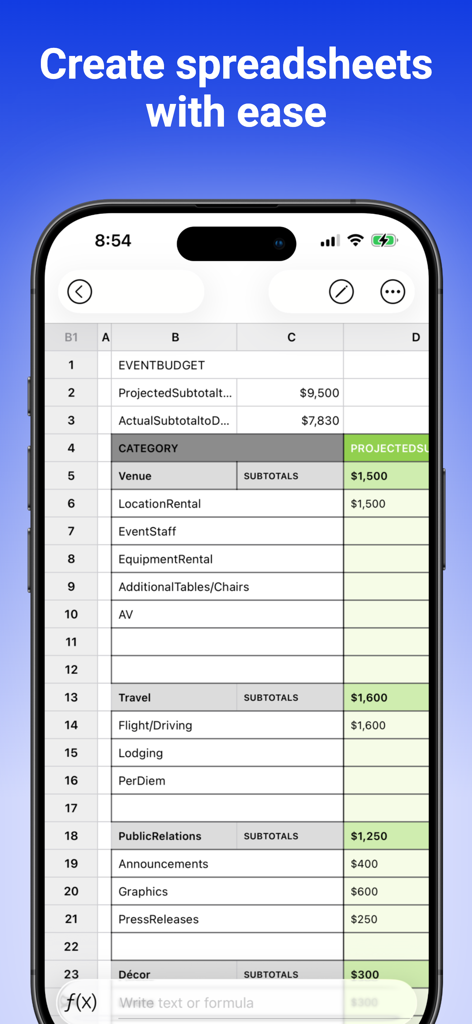
The Spreadsheet App. - Sheets - イベント予算トラッカーの様々な支出カテゴリを示すスプレッドシートアプリのモバイルインターフェース
イベント予算トラッカーの様々な支出カテゴリを示すスプレッドシートアプリのモバイルインターフェース

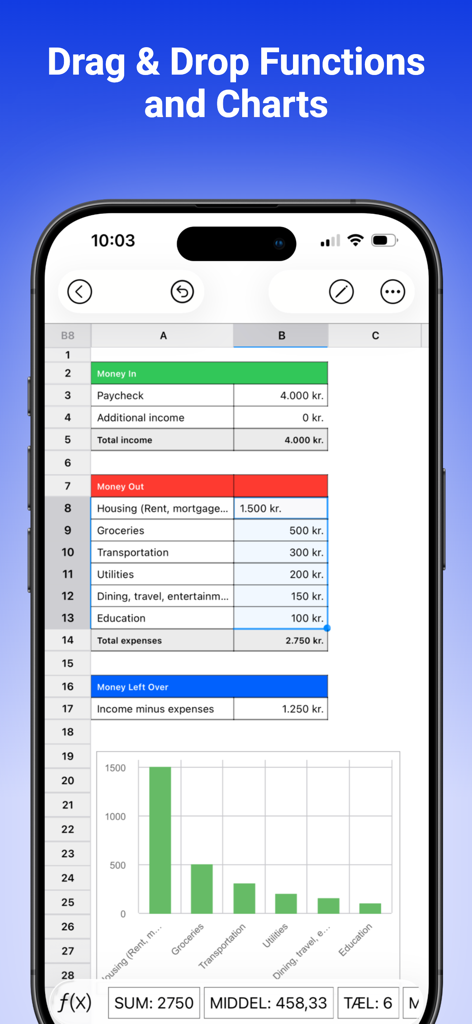
The Spreadsheet App. - Sheets - 支出の対応する棒グラフとともに、個人の予算表を示すモバイルスプレッドシートインターフェース
支出の対応する棒グラフとともに、個人の予算表を示すモバイルスプレッドシートインターフェース

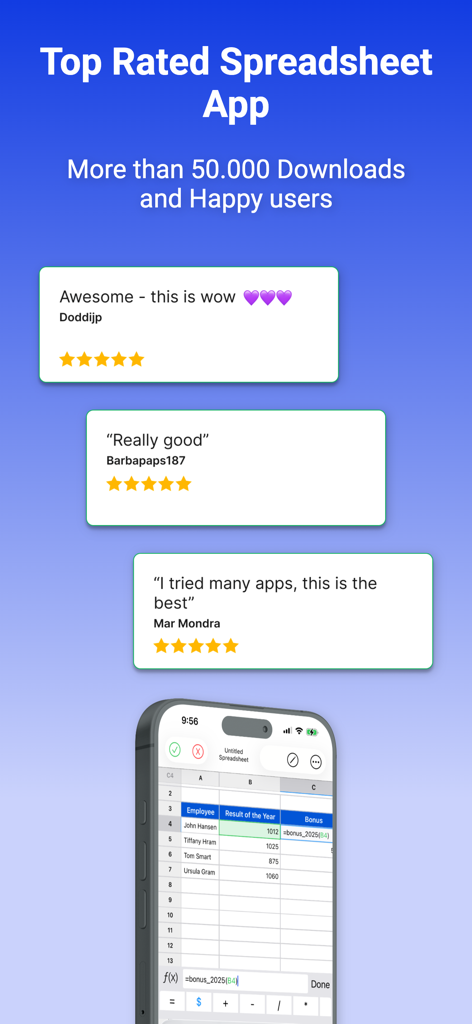
The Spreadsheet App. - Sheets - ユーザーレビューと評価、および50,000以上のダウンロードを示すThe Spreadsheet App
ユーザーレビューと評価、および50,000以上のダウンロードを示すThe Spreadsheet App

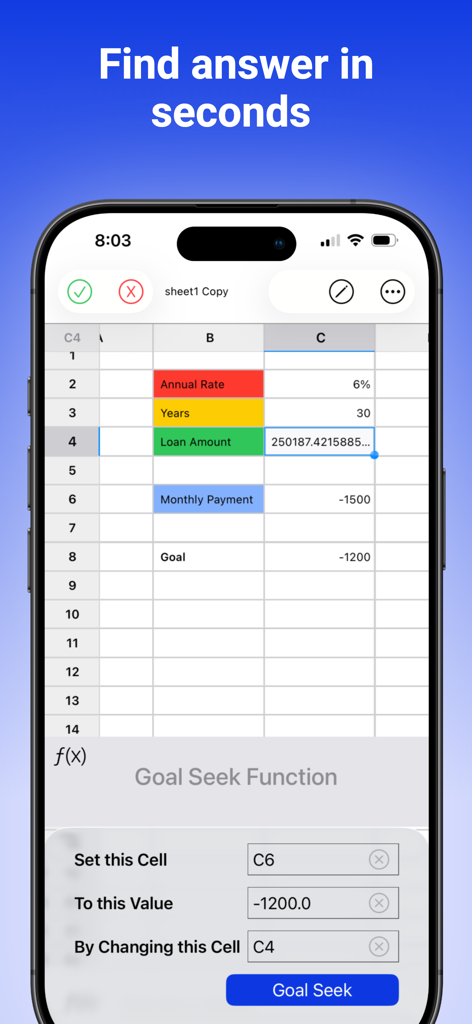
The Spreadsheet App. - Sheets - iPhoneでの財務計算のためのゴールシーク機能を示すThe Spreadsheet Appインターフェース
iPhoneでの財務計算のためのゴールシーク機能を示すThe Spreadsheet Appインターフェース

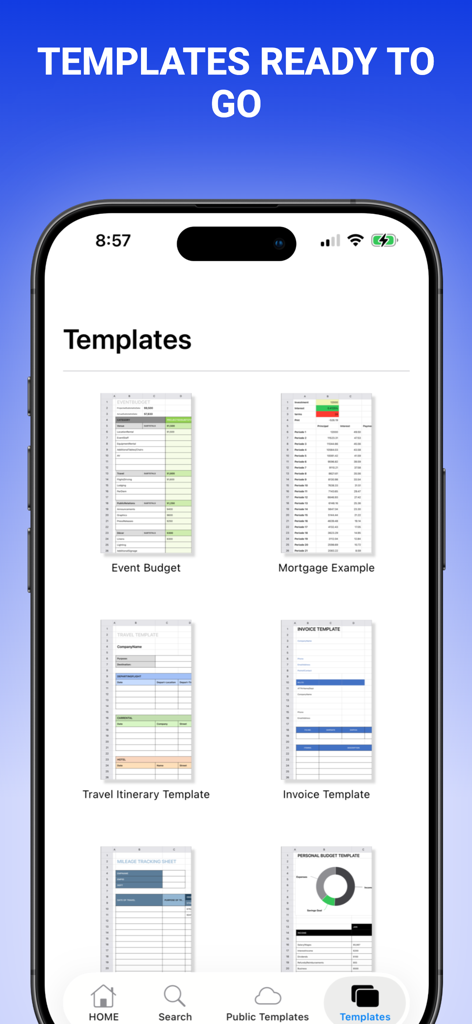
The Spreadsheet App. - Sheets - 予算や請求書を含む、すぐに使えるさまざまなスプレッドシートテンプレートを示すモバイルアプリ画面
予算や請求書を含む、すぐに使えるさまざまなスプレッドシートテンプレートを示すモバイルアプリ画面

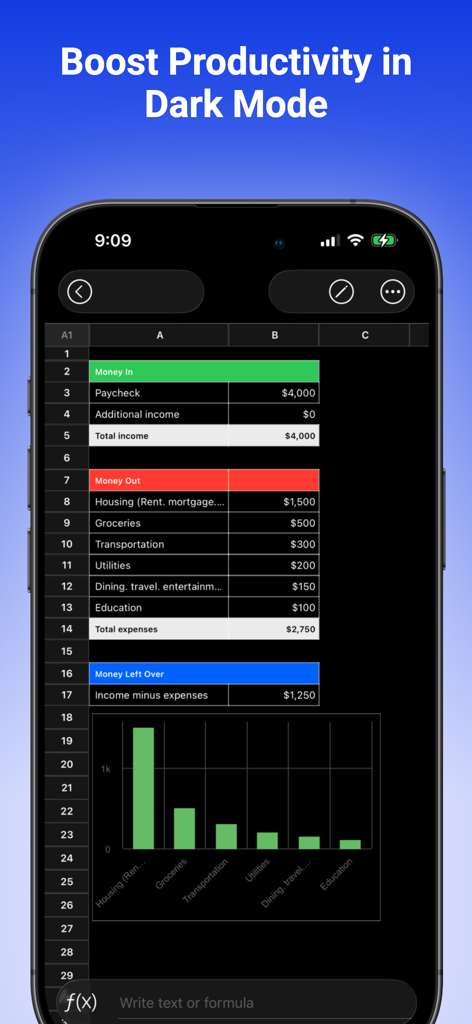
The Spreadsheet App. - Sheets - 棒グラフ付きの月次予算トラッカーを示す、ダークモードのスプレッドシートアプリのモバイルインターフェース
棒グラフ付きの月次予算トラッカーを示す、ダークモードのスプレッドシートアプリのモバイルインターフェース

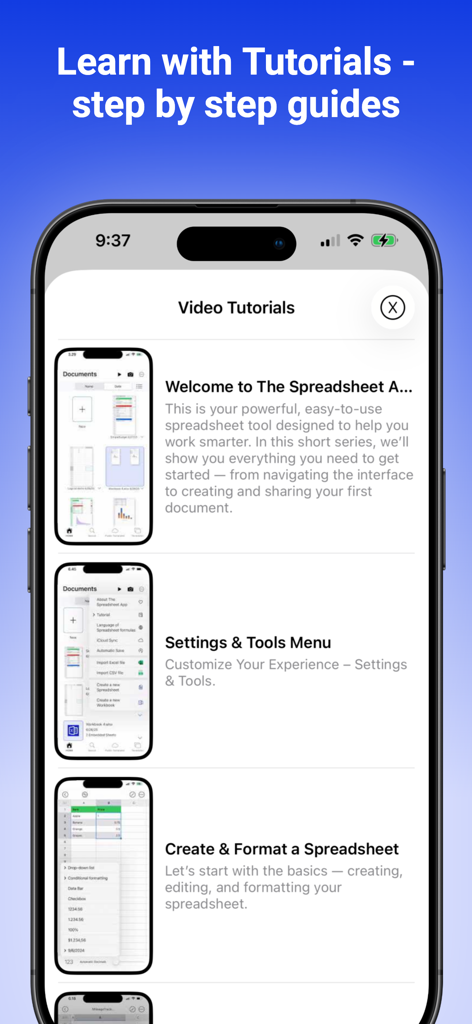
The Spreadsheet App. - Sheets - The Spreadsheet Appの使用方法に関するビデオチュートリアルとステップバイステップガイドを示すiPhone画面
The Spreadsheet Appの使用方法に関するビデオチュートリアルとステップバイステップガイドを示すiPhone画面

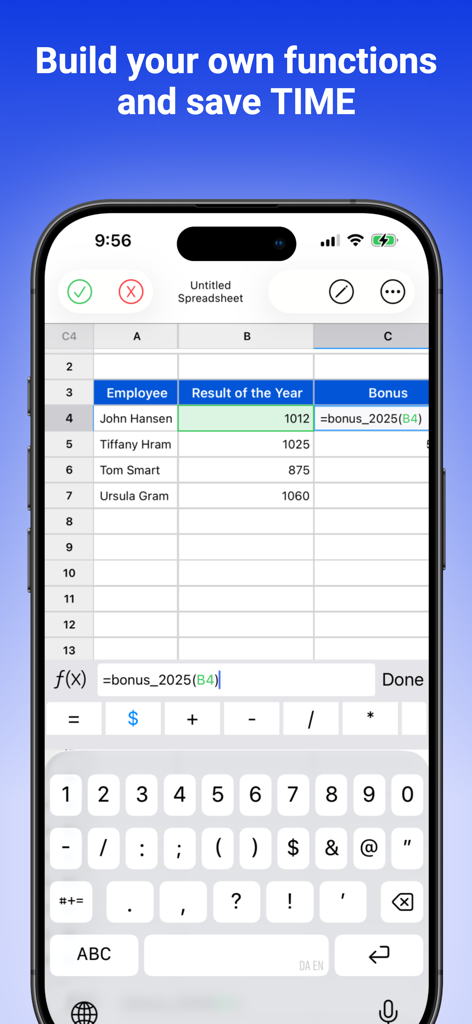
The Spreadsheet App. - Sheets - 時間を節約するためにカスタム関数を構築しているユーザーを示すThe Spreadsheet AppのiPhoneインターフェース
時間を節約するためにカスタム関数を構築しているユーザーを示すThe Spreadsheet AppのiPhoneインターフェース

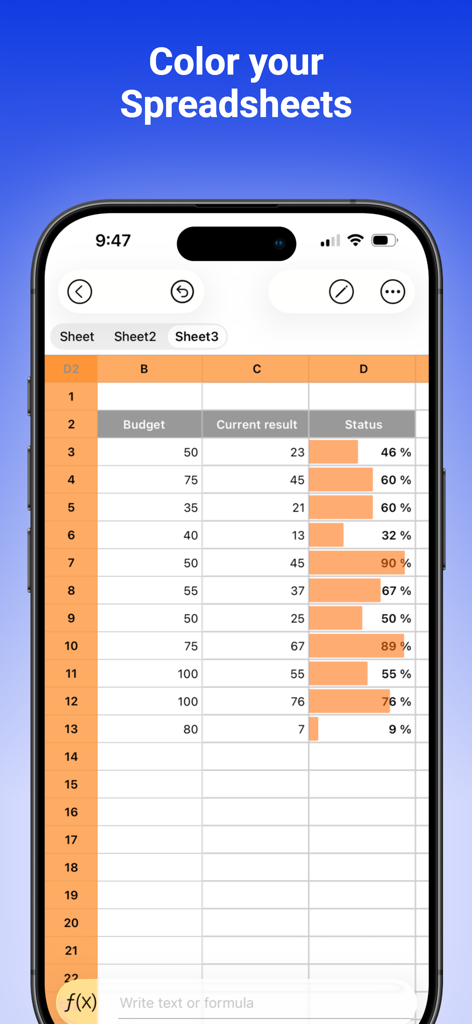
The Spreadsheet App. - Sheets - iPhone上のスプレッドシートに予算データとセルのオレンジ色の進捗バーが表示されています
iPhone上のスプレッドシートに予算データとセルのオレンジ色の進捗バーが表示されています

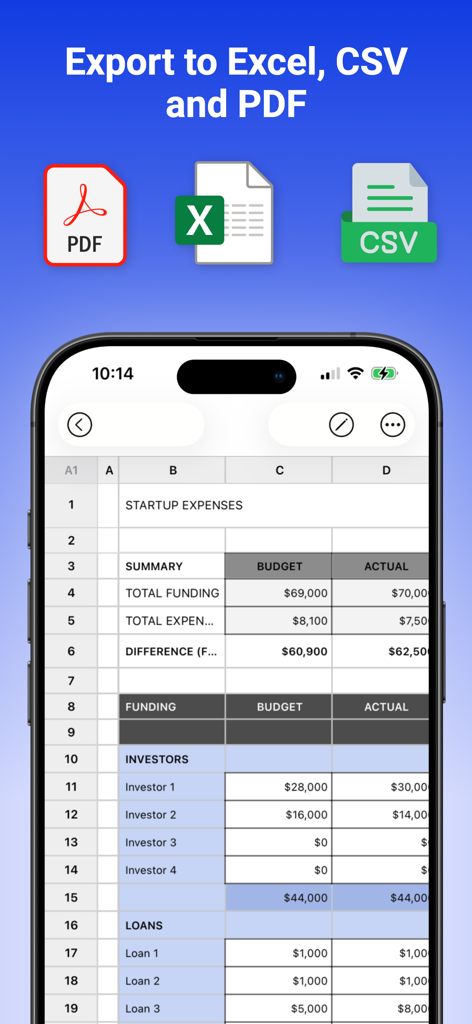
The Spreadsheet App. - Sheets - データをExcel、CSV、PDF形式でエクスポートするオプションを示すThe Spreadsheet Appを搭載したiPhone

データをExcel、CSV、PDF形式でエクスポートするオプションを示すThe Spreadsheet Appを搭載したiPhone

説明

The Spreadsheet App has all you need for a Spreadsheet. It is easy to use and has all the basic funtionality you will need for working with data and presenting your results. Its user interface and calculation technology saves you a lot of time and difficulties. It has the ease of touch with no setup time for data, calculation, visualizing data in charts, and exporting reports into PDF. Create Your Own Spreadsheet Functions Take your spreadsheets to the next level with our new User-Defined Functions. Build custom formulas just once, then reuse them anywhere — no coding required. Example: Make a “Pythagoras” function to instantly calculate the hypotenuse from two values, using a simple formula like: =sqrt(A1^2 + B1^2) Your custom functions work just like the built-in ones — but they’re yours. USERS USE THE SPREADSHEET APP TO: • Make budgets • Track expenses • Add charts for data • Make analytical reports incl. sales analysis, scientific modelling • Make weekly to-do lists • Make work calendars • Add memos and notes • Perform math calculation • Do almost everything UNIQUE FEATURES: • Easy drag and drop features for calculations and charts • Interactive Visual Analyses through many graph types • Intuitive & smooth User Interface • Fast recalculations • Undo/Redo • Exports to PDF • Share on social media • No registration is required! WHY SHOULD YOU USE The Spreadsheet App? It is easy to use. There is no need to write formulas and to select tiny cells on the mobile device anymore. Your workflow, no matter it is sales, logic, memos, products, supplies, BI, or anything else that you want to work on an iPhone can never be so efficient. With The Spreadsheet App you can make budgets, split costs, manage your travel expenses, do "what if" scenarios. It has never been more easy and secure to enter data into a spreadsheet app and more easy to make calculations. It is your perfect expense tracker & calculator. The Spreadsheet App is a feature-rich app specially designed for iPhone users. By downloading this app, you agree to the Apple Standard End User License Agreement (EULA), available here: https://www.apple.com/legal/internet-services/itunes/dev/stdeula/

Download

ダウンロード: App Store

このページはアプリまたはその開発者の公式ページではなく、情報提供および論評を目的として作成された独立した編集出版物です。明示的に別段の記載がない限り、アプリおよびその開発者は、MWM、Apple、Google Play、アプリのパブリッシャー、またはアプリの開発者と提携、承認、後援、認可、またはその他の公式的な関係はなく、このページのいかなる内容も、アプリがMWMのサービスを使用して開発されたことを意味するものではありません。すべての商標、ロゴ、スクリーンショット、その他のコンテンツはそれぞれの所有者の財産です。








