Tire Calculator (Offset&Speed)
ダウンロード: App Store

このページはアプリまたはその開発者の公式ページではなく、情報提供および論評を目的として作成された独立した編集出版物です。明示的に別段の記載がない限り、アプリおよびその開発者は、MWM、Apple、Google Play、アプリのパブリッシャー、またはアプリの開発者と提携、承認、後援、認可、またはその他の公式的な関係はなく、このページのいかなる内容も、アプリがMWMのサービスを使用して開発されたことを意味するものではありません。すべての商標、ロゴ、スクリーンショット、その他のコンテンツはそれぞれの所有者の財産です。


ロゴ: Tire Calculator (Offset&Speed)
ダウンロード: App Store

Tire Calculator (Offset&Speed)

推測はやめ、擦れを避けましょう。スタンスを調整する場合でも、オフロードタイヤをサイズアップする場合でも、正確なホイールオフセットとスピードメーター誤差を計算して、ビルドをロード対応にし、チケットフリーに保ちましょう。

主要数値

ダウンロード

17K+

ユーザー評価

4.8/5

評価数

200

開発元

Satoshi Mori

カテゴリ

Utilities

対応言語

2

最新バージョン

3.3.2

サイズ

7.5 MB

リリース日

2017年2月14日
機能

あらゆる改造のための精密計算

推測はやめ、測定を始めましょう。当社の計算機は、完璧なホイールフィッティングと正確な速度測定に必要な正確なデータを提供します。

オフセットをマスターする

推測を排除します。リム幅とバックスペースを計算して、新しいホイールがサスペンションとフェンダーに完全にクリアすることを確認します。

正確な速度キャリブレーション

より大きなタイヤに交換しますか?スピードメーターのエラー率を即座に確認して、高額な高速道路のスピードトラップを回避します。

以下のスクリーンショットと説明は、アプリの公式ストアリスティングから直接取得されたものであり、アプリ開発者の所有物です。

アプリストア

スクリーンショット
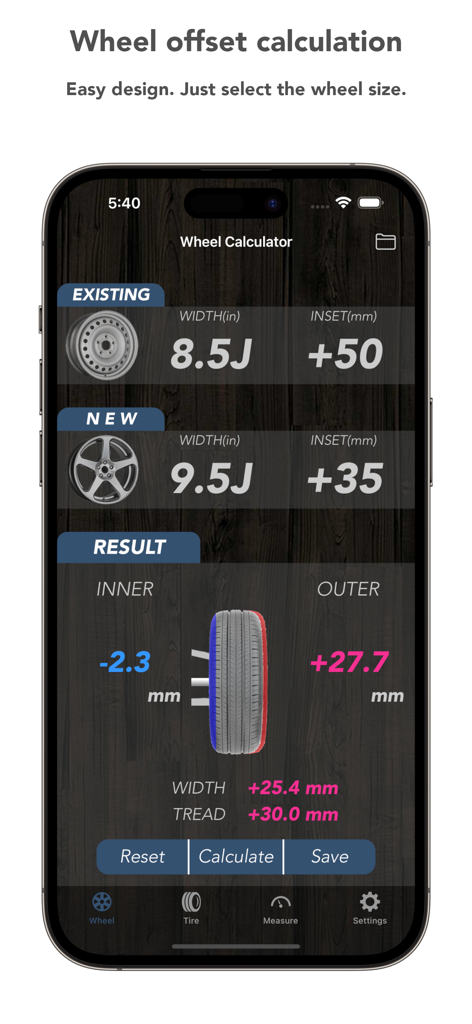
Tire Calculator (Offset&Speed) - 内側と外側のリムの変更を含むホイールオフセット計算を表示するモバイルアプリインターフェース
内側と外側のリムの変更を含むホイールオフセット計算を表示するモバイルアプリインターフェース

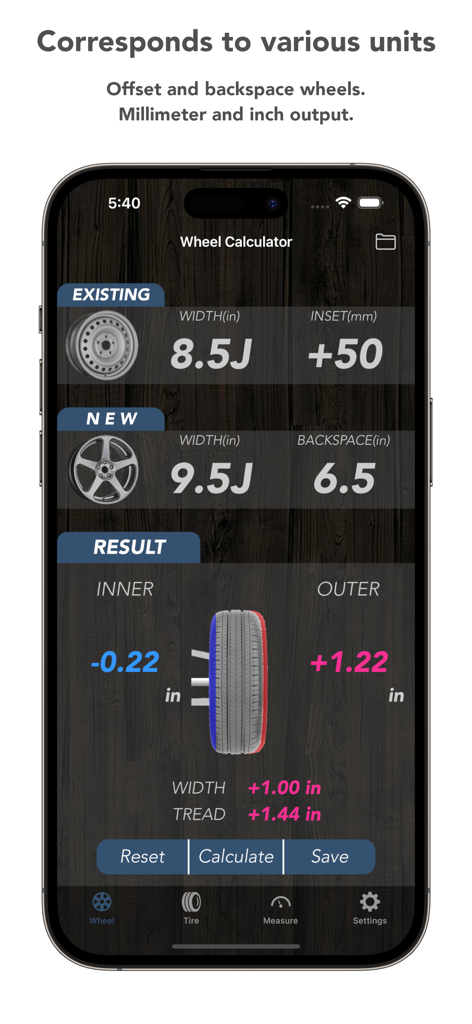
Tire Calculator (Offset&Speed) - 車のフィッティングのためのホイールオフセットとバックスペースの比較を示すタイヤ計算機アプリインターフェース
車のフィッティングのためのホイールオフセットとバックスペースの比較を示すタイヤ計算機アプリインターフェース

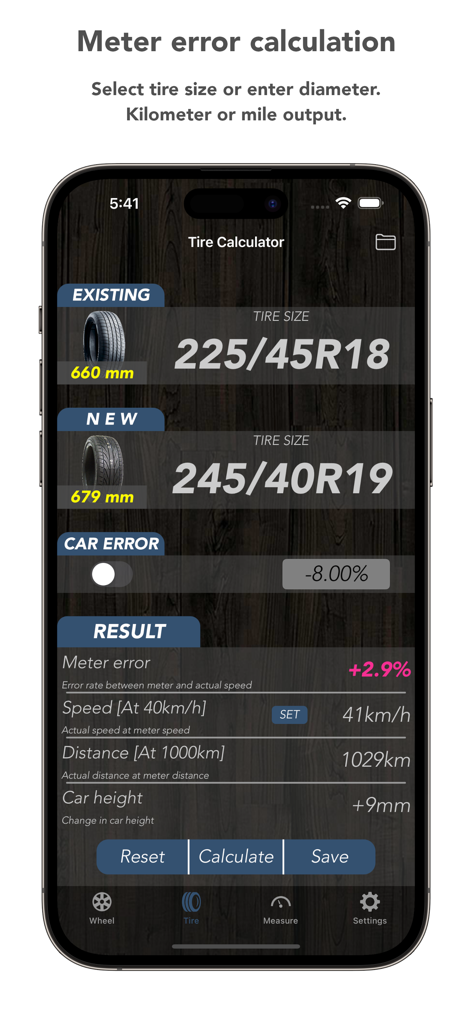
Tire Calculator (Offset&Speed) - スピードメーターのエラーとタイヤサイズの比較結果を示すタイヤ計算機アプリ画面
スピードメーターのエラーとタイヤサイズの比較結果を示すタイヤ計算機アプリ画面

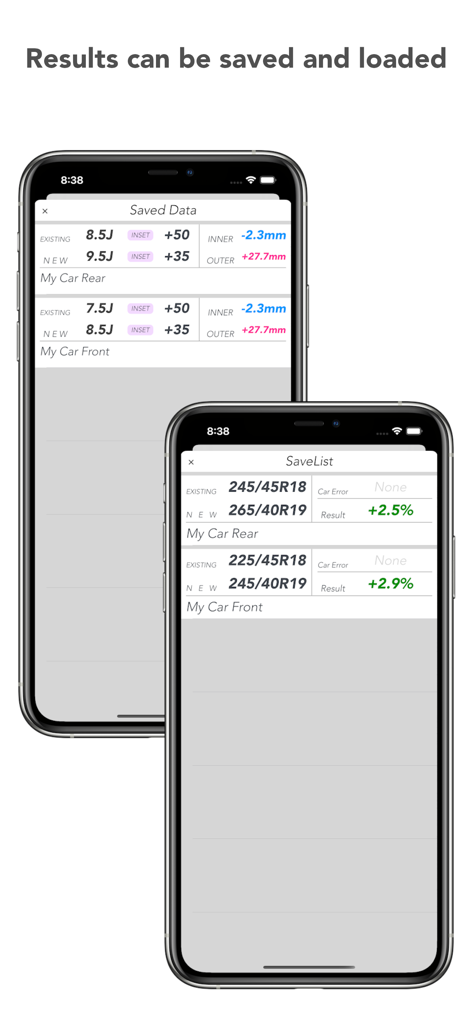
Tire Calculator (Offset&Speed) - 前後タイヤのホイールオフセットデータとスピードメーター誤差計算の保存リストを表示するモバイル画面
前後タイヤのホイールオフセットデータとスピードメーター誤差計算の保存リストを表示するモバイル画面

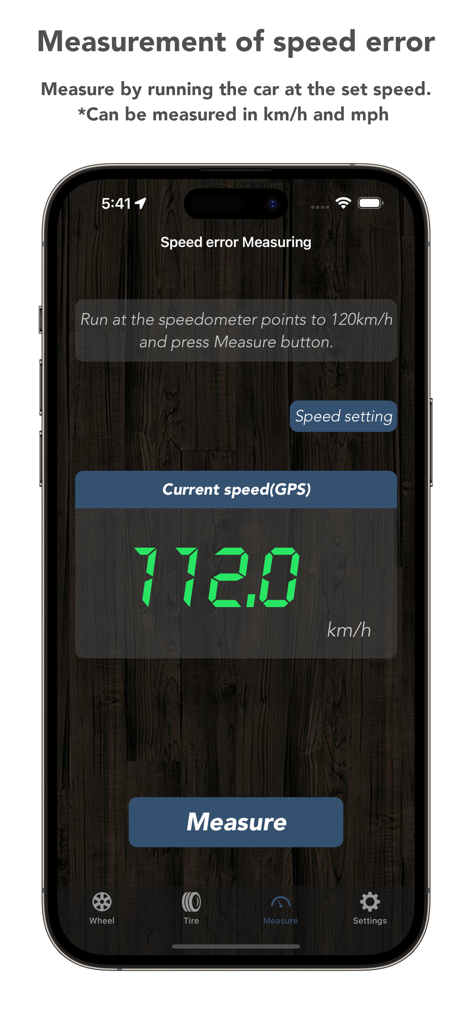
Tire Calculator (Offset&Speed) - スピードメーター誤差補正のためのリアルタイムGPS速度測定を表示するタイヤ計算機アプリインターフェース
スピードメーター誤差補正のためのリアルタイムGPS速度測定を表示するタイヤ計算機アプリインターフェース

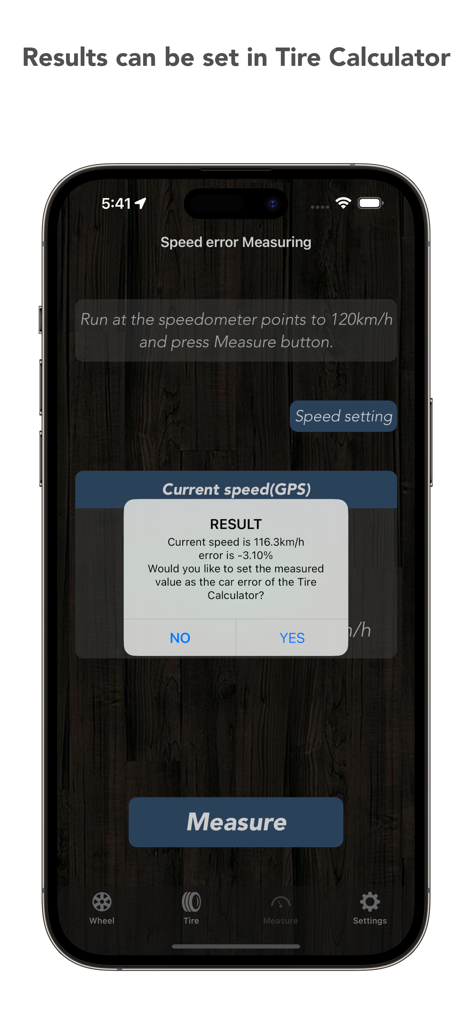
Tire Calculator (Offset&Speed) - タイヤ計算機モバイルアプリに表示されるGPSスピードメーター誤差測定結果

タイヤ計算機モバイルアプリに表示されるGPSスピードメーター誤差測定結果

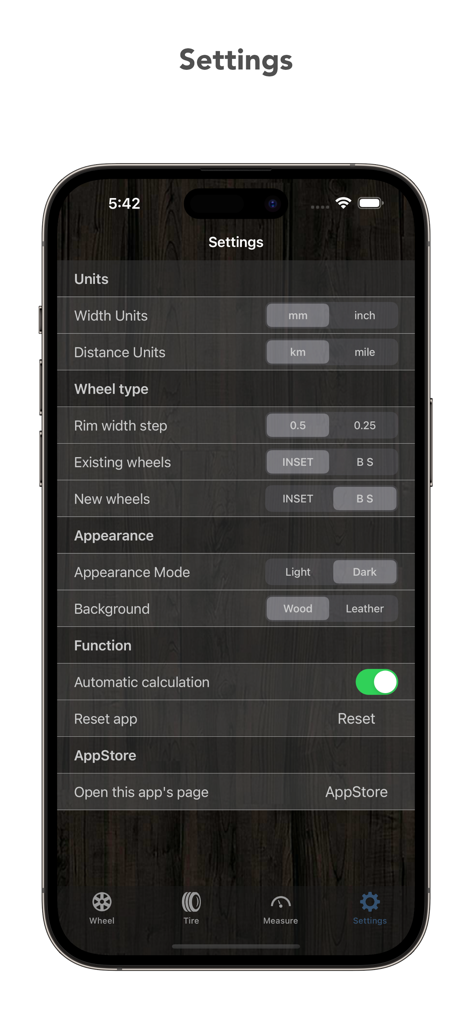
Tire Calculator (Offset&Speed) - 暗い木製の背景に測定単位とカスタマイズオプションを示すタイヤ計算機アプリの設定メニュー

暗い木製の背景に測定単位とカスタマイズオプションを示すタイヤ計算機アプリの設定メニュー

説明

Please leave the troublesome calculation of wheel tire change to Tire Calculator! [Function] ① Wheel offset calculation (select rim width and offset or backspace) · Inner and outer rim position change amount (inch or mm) · Rim width change (inch or mm) · Change amount of tread (inch or mm) ② Speedometer ​​error calculation (Select tire size or directly input outer diameter) Automatic calculation of tire outer diameter before and after replacement · Speed ​​error(%) Real speed to meter display · Actual speed at 40(mph or km/h) display  *40 can be changed · Actual travel distance when traveling 1000 (mile or km) distance · Change in vehicle height (inch or mm) *The error of the car can also be added to the speed error calculation ③ Speedometer error measurement (GPS use) Actually run the vehicle, compare the GPS measurement value with the speedometer and measure the error *Results will cause errors depending on the measurement environment. [Features] · Easy-to-understand screen design! · Simple and easy operation! [Specification] Settable range ○ Offset calculation · Rim width 3.5 J to 16 J · offset (mm) -60 to +70 · backspace (in) 3" to 13" ○ Speed ​​error calculation · Tire width (mm) 135 to 405 · Profile (%) 20 to 85,82(R) · Wheel diameter (inch) 10 to 32 · Tire outer diameter direct input range 100 to 2000(mm) or 5-100(inch) · Vehicle side error correction (%) -30 to +30 ○ Speedometer error measurement · Measurable speed (km / h or mph) 10 ~ 300 [Notes] An error arises in the calculation result depending on the wheel brand and the brand of the tire. Be sure to consult experts before actually changing the specifications. Application creator assumes absolutely no responsibility.

Download

ダウンロード: App Store

このページはアプリまたはその開発者の公式ページではなく、情報提供および論評を目的として作成された独立した編集出版物です。明示的に別段の記載がない限り、アプリおよびその開発者は、MWM、Apple、Google Play、アプリのパブリッシャー、またはアプリの開発者と提携、承認、後援、認可、またはその他の公式的な関係はなく、このページのいかなる内容も、アプリがMWMのサービスを使用して開発されたことを意味するものではありません。すべての商標、ロゴ、スクリーンショット、その他のコンテンツはそれぞれの所有者の財産です。