Total Command
Total Command
ダウンロード: App Store

このページはアプリまたはその開発者の公式ページではなく、情報提供および論評を目的として作成された独立した編集出版物です。明示的に別段の記載がない限り、アプリおよびその開発者は、MWM、Apple、Google Play、アプリのパブリッシャー、またはアプリの開発者と提携、承認、後援、認可、またはその他の公式的な関係はなく、このページのいかなる内容も、アプリがMWMのサービスを使用して開発されたことを意味するものではありません。すべての商標、ロゴ、スクリーンショット、その他のコンテンツはそれぞれの所有者の財産です。

ロゴ: Total Command
ダウンロード: App Store

Total Command

信頼性の高いシングルスクリーンデジタルボードで指揮力を強化。ユニットを追跡し、PARタイマーを管理し、インシデントログを自動化します。現場で絶対的な信頼性を必要とする大隊長および初期対応者向けに設計されています。

主要数値

ダウンロード

400

ユーザー評価

1.0/5

評価数

0

開発元

EMERGENCY RESPONSE STRATEGIES LLC

カテゴリ

Productivity

対応言語

1

最新バージョン

1.1.34

サイズ

2.6 MB

リリース日

2016年4月10日
機能

絶対的な明瞭さをもって指揮する

グリース鉛筆とクリップボードはもう不要です。Total Commandは、認知負荷を軽減し、あらゆる秒が重要である場合に人員のアカウンタビリティを向上させるために設計された、シングルスクリーンデジタルコマンドボードを提供します。

シングルスクリーン状況認識

重要な詳細を見落とすリスクを排除します。直感的なドラッグアンドドロップインターフェイスにより、すべてのユニット、部門、割り当てが1つの画面に表示されます。インシデント中にタブを切り替える必要はありません。

自動人員アカウンタビリティ

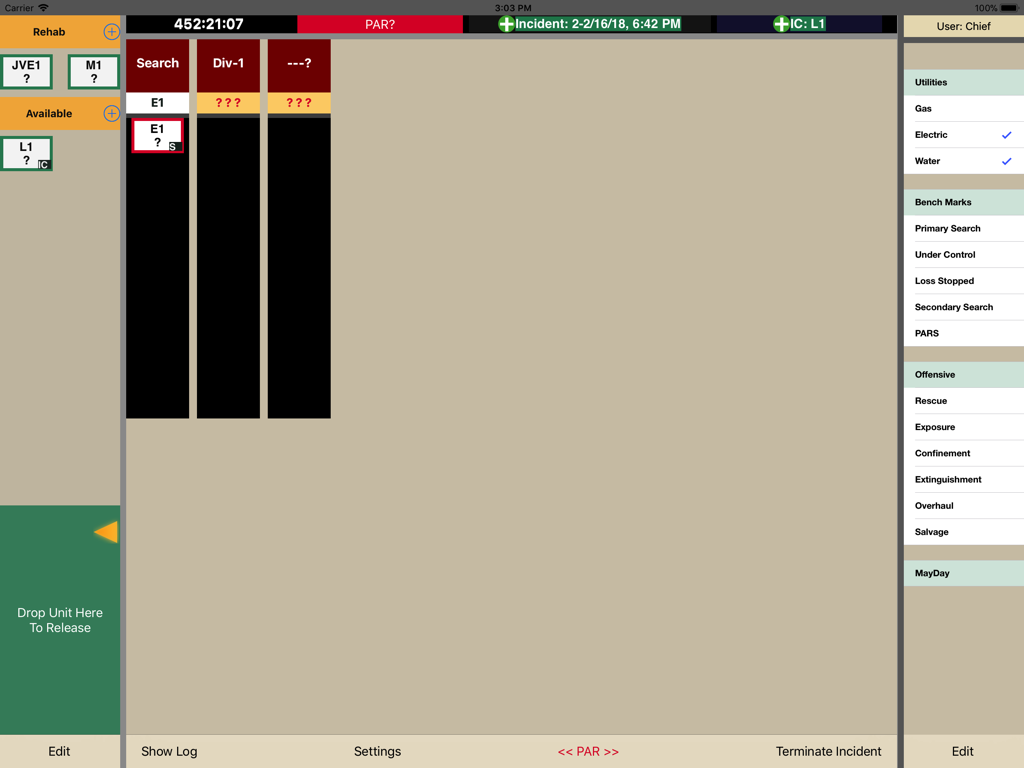
統合されたPARタイマーでクルーを保護します。色分けされたステータスアップデートは、ユニットの作業時間に関する即時の視覚的な合図を提供し、すべての操作は正確なログ記録のために自動的にタイムスタンプが付けられます。

以下のスクリーンショットと説明は、アプリの公式ストアリスティングから直接取得されたものであり、アプリ開発者の所有物です。

アプリストア

スクリーンショット
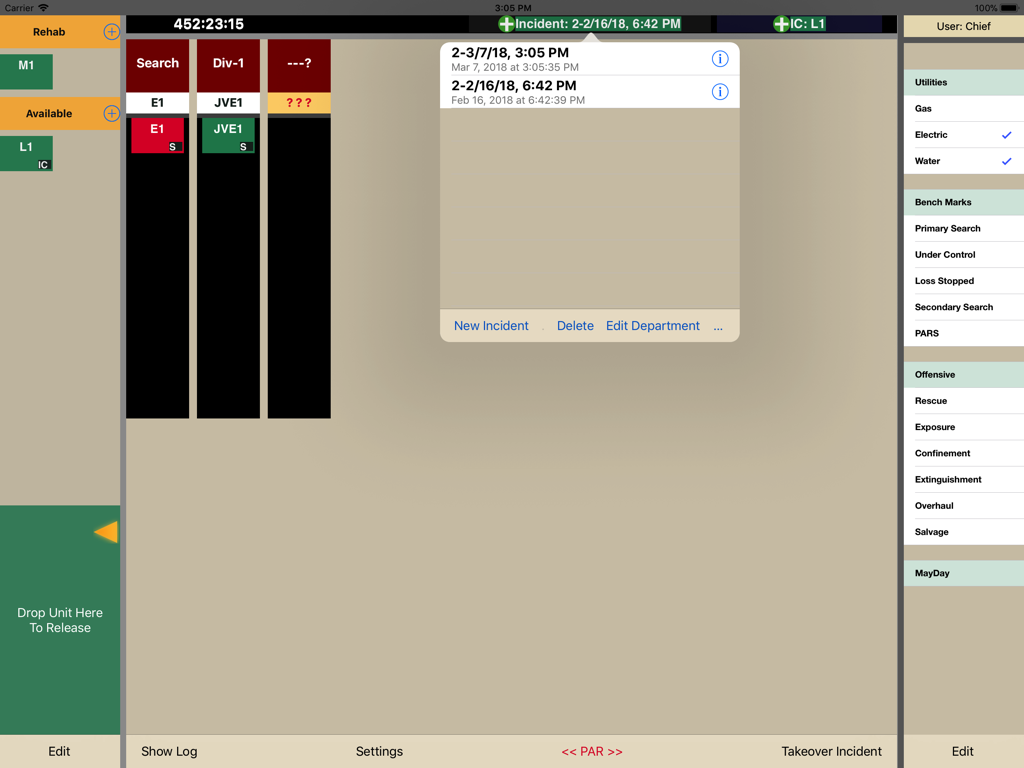
Total Command - ユニットの割り当てと緊急対応チェックリストを表示するデジタルインシデントコマンドボード
ユニットの割り当てと緊急対応チェックリストを表示するデジタルインシデントコマンドボード

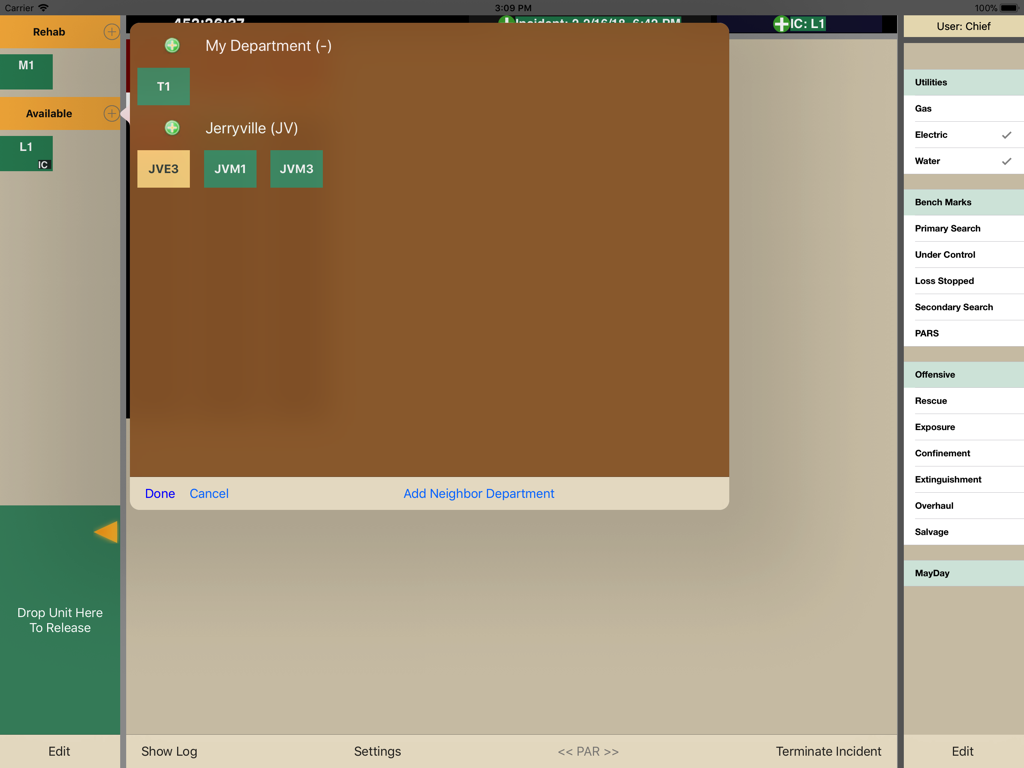
Total Command - インシデントコマンダー向けのユニット追跡と部門管理を示すiPad上のTotal Commandアプリダッシュボード
インシデントコマンダー向けのユニット追跡と部門管理を示すiPad上のTotal Commandアプリダッシュボード

Total Command - ユニットと安全基準を追跡する緊急サービス向けのデジタルインシデントコマンドボード。
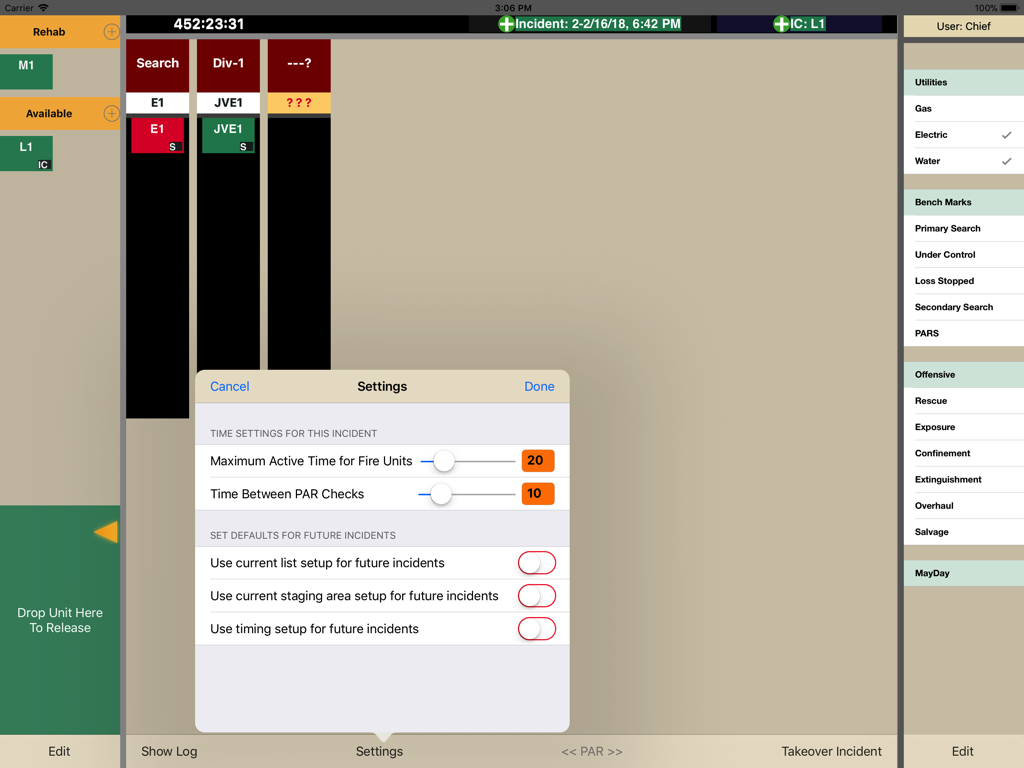
ユニットと安全基準を追跡する緊急サービス向けのデジタルインシデントコマンドボード。

Total Command - インシデントダッシュボードでアクティブユニット時間とPARチェック間隔を設定するためのTotal Commandアプリの設定メニュー。
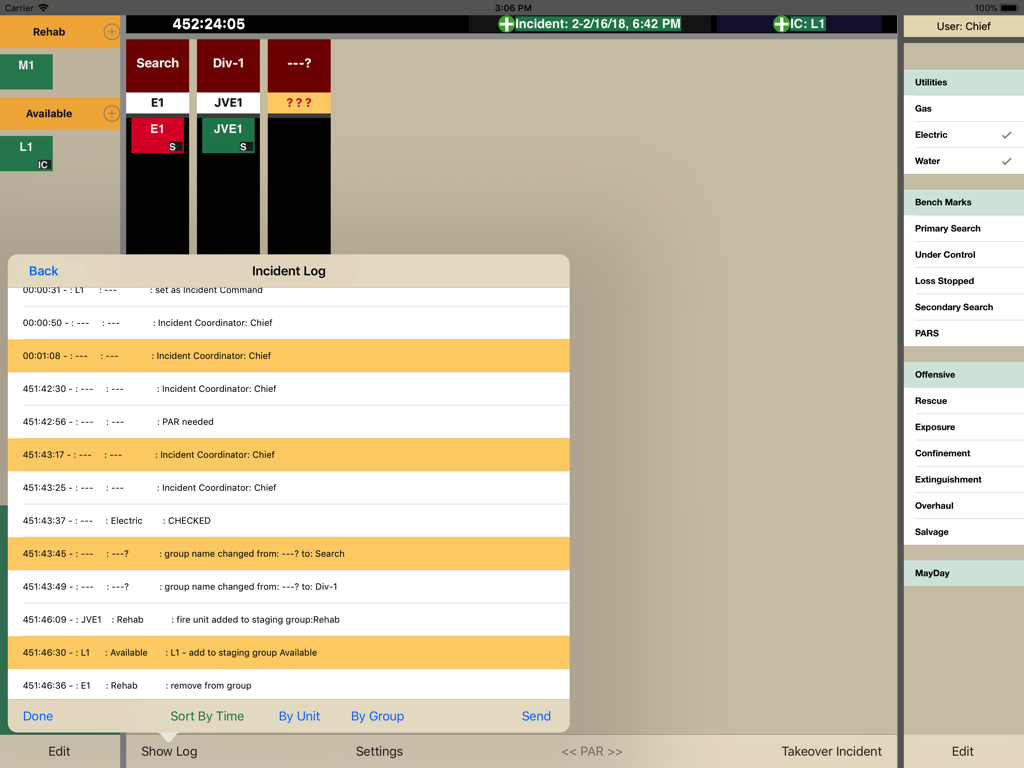
インシデントダッシュボードでアクティブユニット時間とPARチェック間隔を設定するためのTotal Commandアプリの設定メニュー。

Total Command - 戦術的な決定とユニットのステータスアップデートの自動タイムスタンプを示すインシデントログインターフェイス
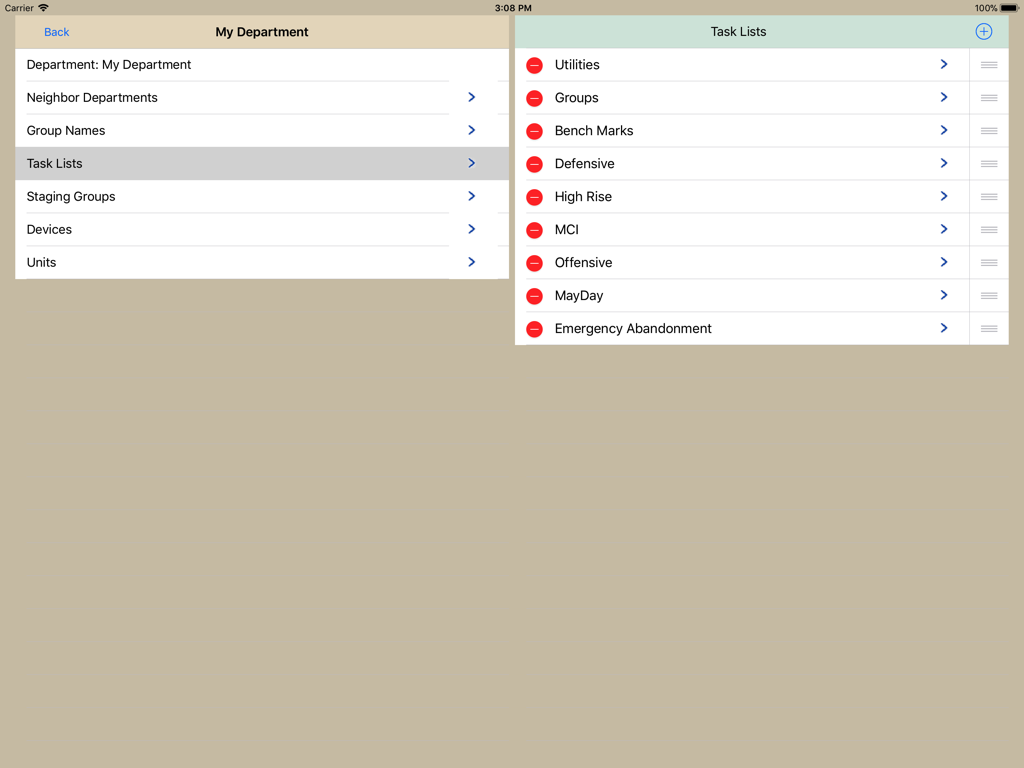
戦術的な決定とユニットのステータスアップデートの自動タイムスタンプを示すインシデントログインターフェイス

Total Command - カスタマイズ可能なインシデントタスクリストと部門設定を示すTotal Commandアプリのインターフェイス。

カスタマイズ可能なインシデントタスクリストと部門設定を示すTotal Commandアプリのインターフェイス。

説明

Gain Total Command of Your Incident Right At Your Fingertips Watch the app in action. https://emergencyresponsestrategies.com/totalcommand-app/ Take your TotalCommand simulation training to the next level with the TotalCommand app. The app assists with commanding incidents, assigning and tracking units. With departments getting larger and incidents becoming more complex, using a pen and paper to accurately manage incidents has become cumbersome with more room for errors. TotalCommand app allows the incident commander to see everything at once by keeping all relevant information on the same page. No need to switch between pages to check the status of an incident! Features Live Syncing -- planned Design TotalCommand app uses a simple and intuitive single screen design to allow commanders to effectively manage incidents. Using drag and drop technology, assigning units and creating divisions and groups is made simple. Time Tracking TotalCommand app accurately tracks and logs incident times. An incident clock is visible at all times. TotalCommand app also has an integrated customizable PAR timer. Using deteriorating colors for assigned units, the incident commander knows the working times of units with a quick look. Every action made by the incident commander is automatically time stamped and logged. Logs can be viewed and emailed at any time during or after an incident. Easily Customized TotalCommand app is fully customizable to a specific department – from creating time stamped check lists to adding department specific groups and divisions. Configure To Your Needs TotalCommand app can be configured to any department’s needs. The user can add or change units, assignments, checklists, and adjust timers for PAR’s and assigned units. Reliability TotalCommand app was designed with reliability and dependability as a priority. TotalCommand app logs all interactions instantly on a backup file. If a crash or equipment failure should occur, TotalCommand app will reload and continue from the last recorded point. The app does not require the use of a web connection, and can be used at any time without a connection.

Download

ダウンロード: App Store

このページはアプリまたはその開発者の公式ページではなく、情報提供および論評を目的として作成された独立した編集出版物です。明示的に別段の記載がない限り、アプリおよびその開発者は、MWM、Apple、Google Play、アプリのパブリッシャー、またはアプリの開発者と提携、承認、後援、認可、またはその他の公式的な関係はなく、このページのいかなる内容も、アプリがMWMのサービスを使用して開発されたことを意味するものではありません。すべての商標、ロゴ、スクリーンショット、その他のコンテンツはそれぞれの所有者の財産です。








