
This page is not an official page of the app or its developer, but an independent editorial publication created for informational and commentary purposes. Unless expressly stated otherwise, neither the app nor its developer is affiliated with, endorsed by, sponsored by, authorized by, or otherwise officially connected with MWM, Apple, Google Play, the app publisher, or the app's developer, and nothing on this page implies that the app was developed using MWM's services. Any trademarks, logos, screenshots, and other content remain the property of their respective owners.


Trader AI - Chart Analysis
Snap a photo of any stock or crypto chart to unlock professional technical insights. Skip the manual work and trade with the confidence of an expert, powered by AI.
Downloads
15K+User Rating
Total Ratings
100Publisher
Category
BusinessLocales
12Latest Version
1.0.9Size
55.7 MBFirst Released
Jan 1, 2025Master the Markets with AI-Powered Clarity
Bridge the gap between data and profit. Our AI analyzes any chart you see—whether on your monitor, TV, or social feed—giving you a professional edge in seconds.
Snap & Analyze
Capture any stock or crypto chart with your camera for an instant, deep-dive technical breakdown.
AI-Driven Indicators
Automatically detect patterns and trends that the human eye might miss, from Fibonacci levels to RSI.
Frequently Asked Questions
Everything you need to know about Trader AI - Chart Analysis
What is Trader AI - Chart Analysis?
Trader AI - Chart Analysis is an application that provides instant technical analysis and insights for stock and crypto charts. Users upload a picture of a chart to receive detailed reports.
How does Trader AI analyze charts?
Trader AI analyzes charts by allowing users to upload a photo or take a picture of a stock or crypto chart. The app then generates instant analysis and insights from the image.
Can Trader AI analyze stock and crypto charts?
Yes, Trader AI can analyze both stock and crypto charts. The app description specifies its capability for analyzing these types of financial charts.
Does Trader AI - Chart Analysis offer advanced features?
Yes, Trader AI - Chart Analysis offers advanced features through "Chart AI Pro." This pro version is available via an auto-renewable subscription within the application.
Can I save my analysis history in Trader AI?
Yes, Trader AI allows users to save their analysis history. The app features a dedicated "History" tab where previous technical analyses are stored and accessible.
How do I get detailed reports in Chart AI?
To get detailed reports in Chart AI, upload an image of a stock or crypto chart by taking a photo, choosing from your gallery, or selecting a file. The app processes the image and provides instant analysis.
The following screenshots and description are sourced directly from the app's official store listing and are the property of the app developer.
App Store
Screenshots
Trader AI app screen featuring the text Technical Chart Analysis in seconds with a fast AI TA badge and an upward trending arrow icon.
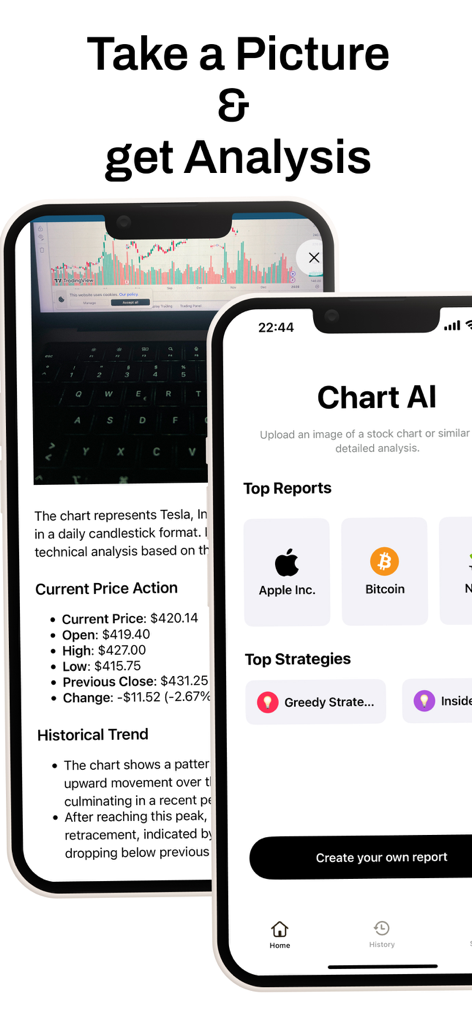
Trader AI mobile app screens showing automated stock chart analysis and top market reports.
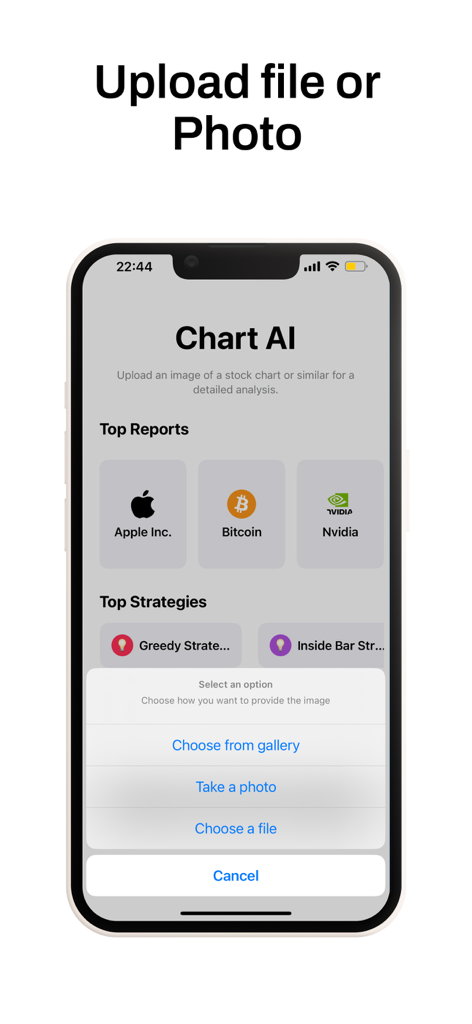
Trader AI mobile interface showing options to upload or take a photo of a trading chart for AI analysis
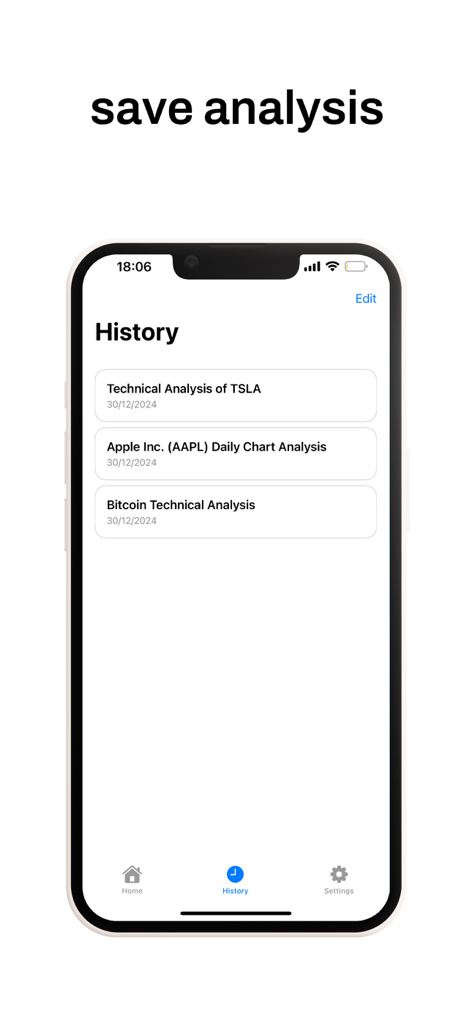
History screen of Trader AI app displaying saved stock and crypto chart analyses
Description
Download
More Like This
Top-ranked apps in the same category

Microsoft Teams
Microsoft Corporation

Zoom Workplace
Zoom Communications, Inc.

WhatsApp Business
WhatsApp Inc.

Indeed Job Search
Indeed Inc.

LinkedIn: Network & Job Finder
LinkedIn Corporation

Adobe Acrobat Reader: Sign PDF
Adobe Inc.

DingDing - Redefine Work in AI
DingTalk Technology Co., Ltd.

WeCom-Work Communication&Tools
Tencent Technology (Shenzhen) Company Limited

BOSS直聘-招聘求职找工作神器
Beijing China Product Bo Farce Network Technology Co., Ltd.
This page is not an official page of the app or its developer, but an independent editorial publication created for informational and commentary purposes. Unless expressly stated otherwise, neither the app nor its developer is affiliated with, endorsed by, sponsored by, authorized by, or otherwise officially connected with MWM, Apple, Google Play, the app publisher, or the app's developer, and nothing on this page implies that the app was developed using MWM's services. Any trademarks, logos, screenshots, and other content remain the property of their respective owners.