TTS Reader : Read Text Aloud
ダウンロード: App Store

このページはアプリまたはその開発者の公式ページではなく、情報提供および論評を目的として作成された独立した編集出版物です。明示的に別段の記載がない限り、アプリおよびその開発者は、MWM、Apple、Google Play、アプリのパブリッシャー、またはアプリの開発者と提携、承認、後援、認可、またはその他の公式的な関係はなく、このページのいかなる内容も、アプリがMWMのサービスを使用して開発されたことを意味するものではありません。すべての商標、ロゴ、スクリーンショット、その他のコンテンツはそれぞれの所有者の財産です。

ロゴ: TTS Reader : Read Text Aloud
ダウンロード: App Store

TTS Reader : Read Text Aloud

忙しい専門家や学生のための究極の生産性向上ツール。PDF、ウェブ記事、紙の文書を高音質オーディオに変換し、AI要約で完全にハンズフリーな体験を実現します。

主要数値

ダウンロード

600

ユーザー評価

4.1/5

評価数

0

開発元

Khandker Tafiqul Islam

カテゴリ

Productivity

対応言語

17

最新バージョン

4.5

サイズ

39.0 MB

リリース日

2024年12月20日
機能

耳で読み、一日を制覇する

あらゆる文書、ウェブページ、または紙の本をプレミアムオーディオ体験に変えましょう。移動中に学習し、画面の疲労を軽減したいハイパフォーマーのために設計されています。

AI駆動の要約

無駄な部分に時間を浪費するのはやめましょう。長文レポートやPDFの「要点」を即座に把握し、最も重要なことに集中できます。

自然で人間らしい声

ロボットのような音はもうやめましょう。高品質なポッドキャストのように読書を感じさせる、人間らしいAIナレーションを体験してください。

以下のスクリーンショットと説明は、アプリの公式ストアリスティングから直接取得されたものであり、アプリ開発者の所有物です。

アプリストア

スクリーンショット
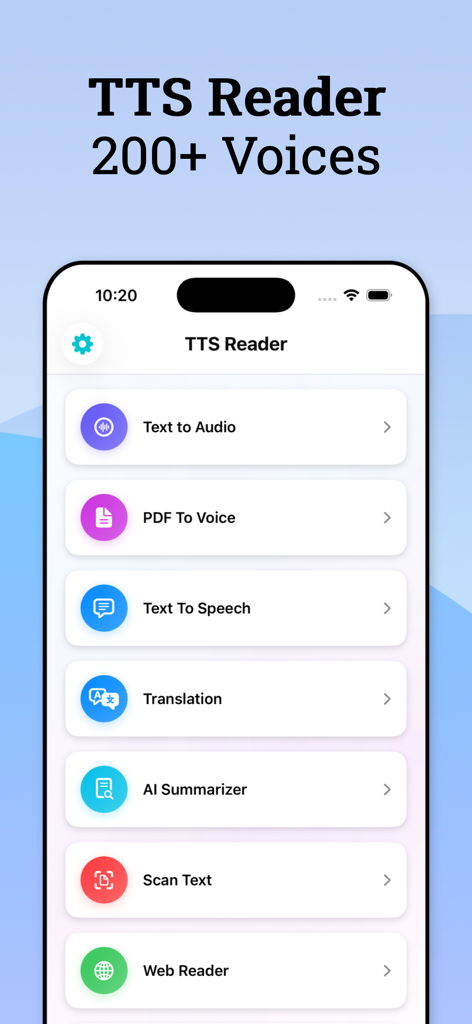
TTS Reader : Read Text Aloud - TTS Readerアプリのメインメニュー。テキスト読み上げ、PDFから音声へ、AIサマライザー、テキストスキャンなどの機能が表示されています。
TTS Readerアプリのメインメニュー。テキスト読み上げ、PDFから音声へ、AIサマライザー、テキストスキャンなどの機能が表示されています。

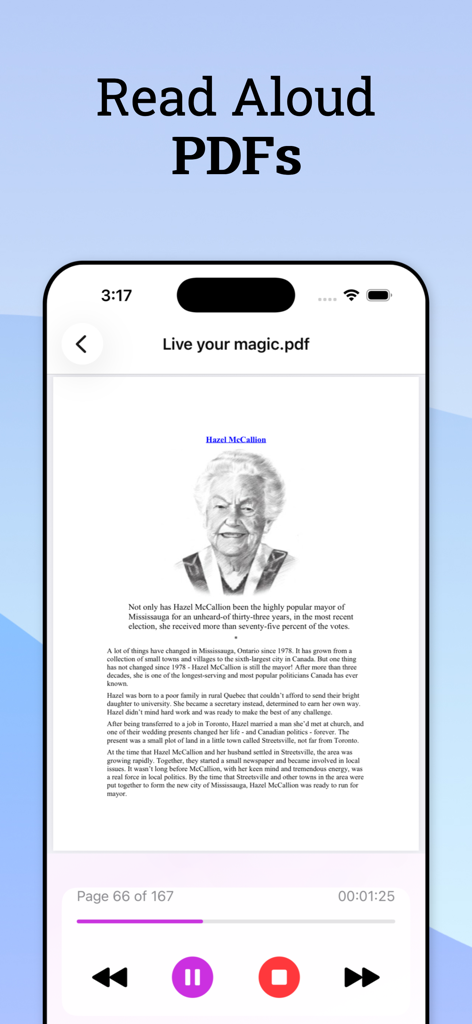
TTS Reader : Read Text Aloud - TTS Readerアプリのインターフェース。PDF文書が音声再生コントロール付きでiPhoneで読み上げられている様子が表示されています。
TTS Readerアプリのインターフェース。PDF文書が音声再生コントロール付きでiPhoneで読み上げられている様子が表示されています。

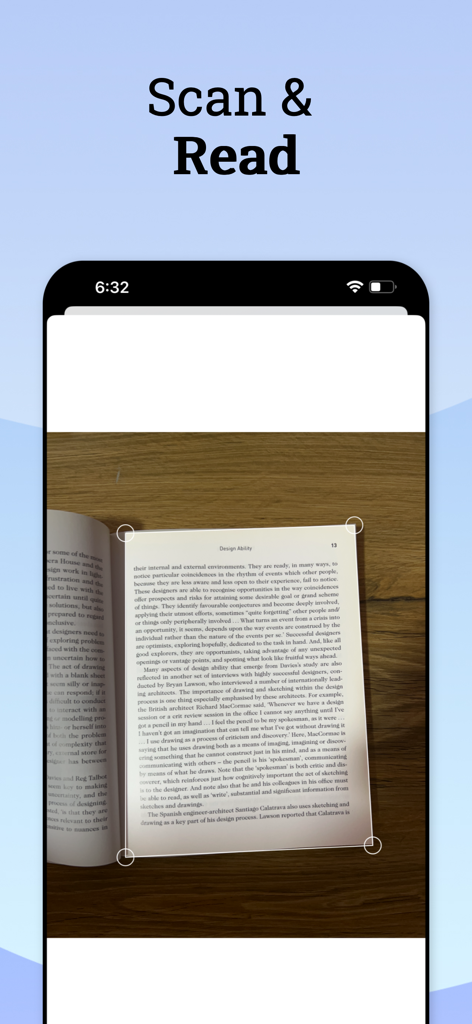
TTS Reader : Read Text Aloud - OCR技術を使用して紙の本のページをスキャンし、テキスト読み上げに変換するスマートフォン。
OCR技術を使用して紙の本のページをスキャンし、テキスト読み上げに変換するスマートフォン。

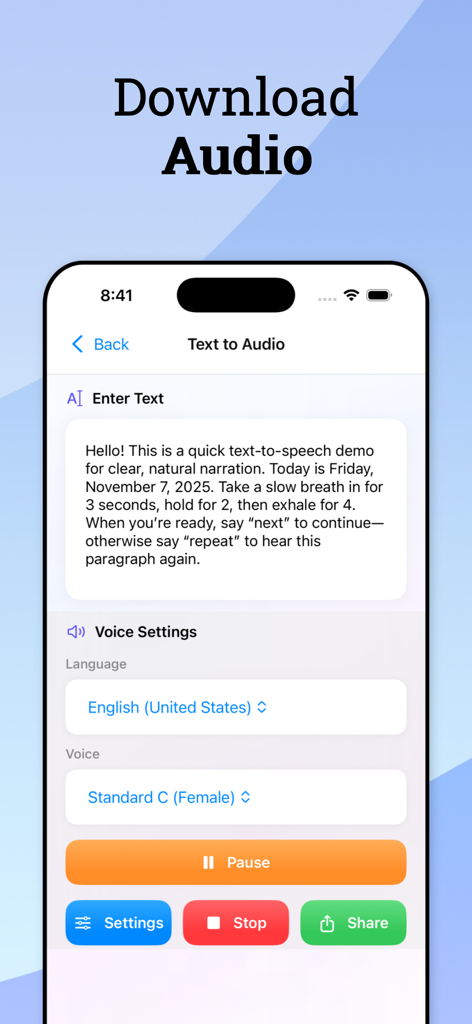
TTS Reader : Read Text Aloud - TTS Readerのモバイルアプリインターフェース。言語や自然な声を選択できるオプション付きのテキスト読み上げ設定が表示されています。
TTS Readerのモバイルアプリインターフェース。言語や自然な声を選択できるオプション付きのテキスト読み上げ設定が表示されています。

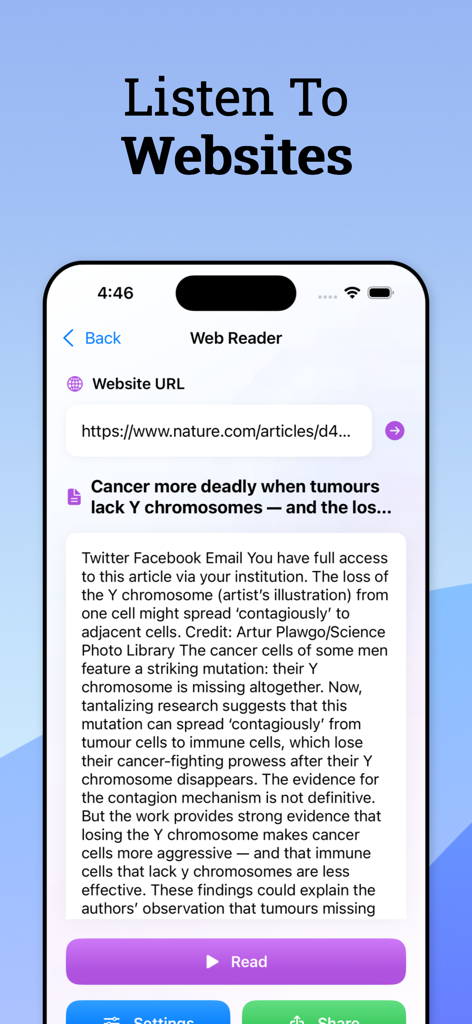
TTS Reader : Read Text Aloud - TTS Readerアプリのウェブリーダー機能。ウェブサイトを聞くための機能が表示されています。
TTS Readerアプリのウェブリーダー機能。ウェブサイトを聞くための機能が表示されています。

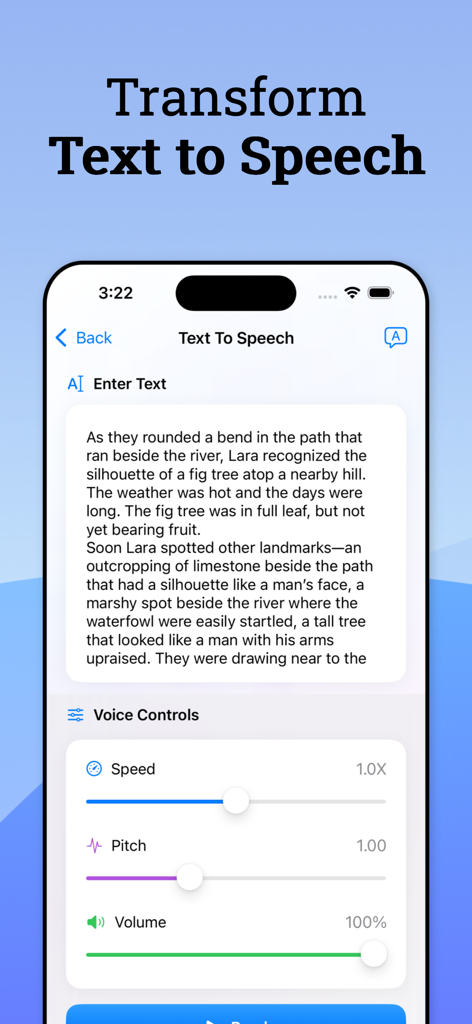
TTS Reader : Read Text Aloud - 速度、ピッチ、音量調整機能付きの音声コントロールを備えたテキスト読み上げ変換を示すモバイルアプリインターフェース。
速度、ピッチ、音量調整機能付きの音声コントロールを備えたテキスト読み上げ変換を示すモバイルアプリインターフェース。

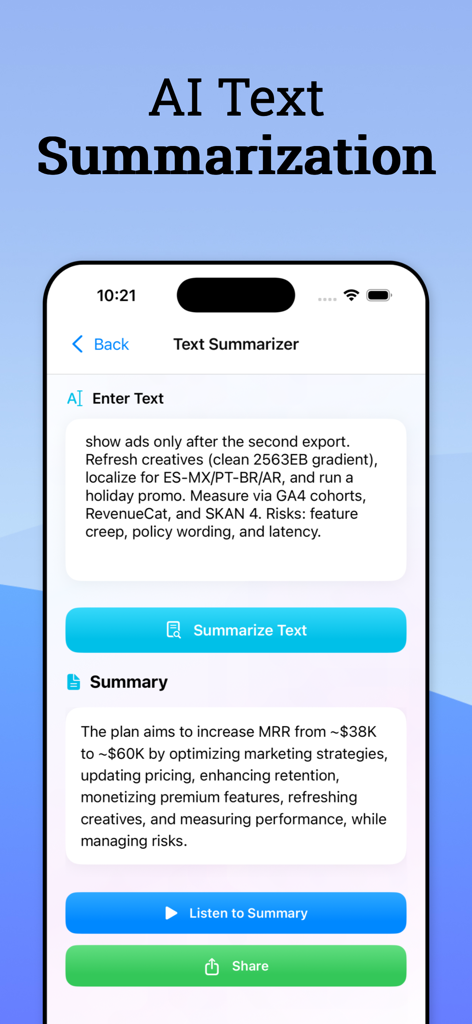
TTS Reader : Read Text Aloud - TTS ReaderアプリのAIテキスト要約機能を示すインターフェース。ビジネス文書の要約が表示されています。
TTS ReaderアプリのAIテキスト要約機能を示すインターフェース。ビジネス文書の要約が表示されています。

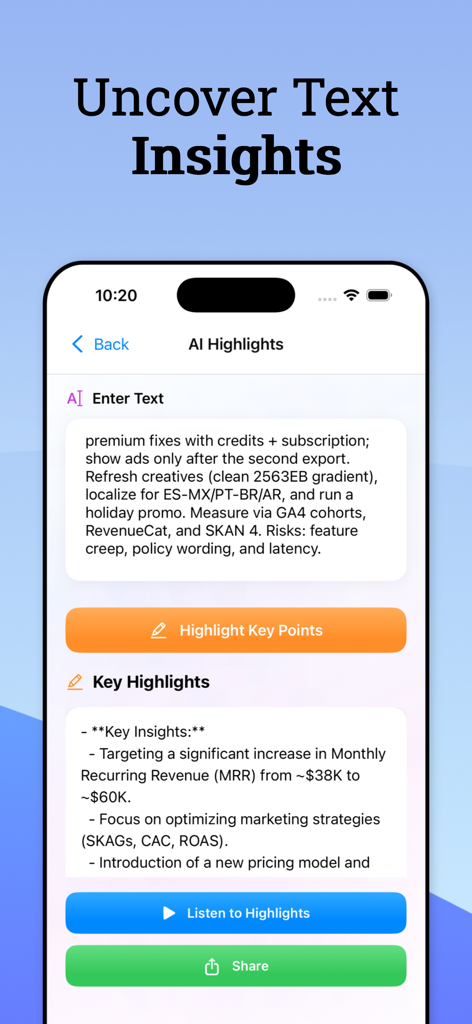
TTS Reader : Read Text Aloud - TTS ReaderアプリのAIハイライト機能を示すスマートフォンの画面。テキストを要点に要約します。

TTS ReaderアプリのAIハイライト機能を示すスマートフォンの画面。テキストを要点に要約します。

説明

Bring text to life with "TTS Reader" — a modern, multilingual app that turns your PDFs, webpages, and written content into lifelike audio. Learn, multitask, and stay accessible with premium voices and smart AI features designed for real-world productivity. What You Can Do: - Text to Speech that feels real: Choose from a rich library of natural, human‑like voices across many languages and accents. - Read PDFs hands‑free: Listen to documents with smooth playback and helpful read‑along highlighting for better focus. - Web Reader: Paste a link and hear web articles read aloud — stay informed without staring at your screen. - AI Summarizer: Condense long content into concise, digestible summaries to grasp key ideas faster. - Translation with speech: Translate text into multiple languages and listen to the results — ideal for learning and communication. - Scan text and listen: Capture printed text with your camera and hear it instantly. - Save small texts: Store frequently used snippets like quotes or notes and replay them anytime. - Pronunciation Guide: Practice words and hear accurate pronunciation to build language confidence. - Customize your sound: Tune pitch, speed, and volume; preview voices before you listen. Why It’s Better: - Human‑like voices and multilingual support make listening more engaging. - Thoughtful design with clean controls and read‑along cues improves comprehension. - Built‑in usage tracking and smart paywall timing create a respectful, user‑friendly experience. - Trusted by students, professionals, and learners worldwide. Who It’s For: - Professionals staying informed on the go - Language learners practicing pronunciation and translation - Students studying long readings - Anyone who prefers listening or needs greater accessibility Free vs Premium - Free plan includes limited daily usage across features. - Upgrade to Pro for an ad‑free experience, premium voices, and unlimited access to features. - Weekly and yearly subscriptions available. A free trial may be offered in your region. Download now and transform how you interact with text — listen smarter, learn faster, and make reading truly hands‑free. • Subscription Plan: Weekly & Yearly. Both have 3 days free trial. • You can manage your subscriptions and turn off auto-renewal from your Account Settings after the purchase. • Your payment will be charged to your iTunes Account. • Subscriptions will renew automatically. • Turn off auto-renew at least 24 hours before the end of the current period. • Your account 24 hours before the end of the current period while renewal. • When canceling a subscription, your subscription will stay active until the end of the period. • Auto-renewal will be disabled, but the current subscription will not be refunded. • Any unused portion of a free trial period, if offered, will be forfeited when purchasing a subscription. Terms of service: https://sites.google.com/view/lexi-ai/terms-of-service Privacy policy: https://sites.google.com/view/lexi-ai/privacy-policy

Download

ダウンロード: App Store

このページはアプリまたはその開発者の公式ページではなく、情報提供および論評を目的として作成された独立した編集出版物です。明示的に別段の記載がない限り、アプリおよびその開発者は、MWM、Apple、Google Play、アプリのパブリッシャー、またはアプリの開発者と提携、承認、後援、認可、またはその他の公式的な関係はなく、このページのいかなる内容も、アプリがMWMのサービスを使用して開発されたことを意味するものではありません。すべての商標、ロゴ、スクリーンショット、その他のコンテンツはそれぞれの所有者の財産です。








