
このページはアプリまたはその開発者の公式ページではなく、情報提供および論評を目的として作成された独立した編集出版物です。明示的に別段の記載がない限り、アプリおよびその開発者は、MWM、Apple、Google Play、アプリのパブリッシャー、またはアプリの開発者と提携、承認、後援、認可、またはその他の公式的な関係はなく、このページのいかなる内容も、アプリがMWMのサービスを使用して開発されたことを意味するものではありません。すべての商標、ロゴ、スクリーンショット、その他のコンテンツはそれぞれの所有者の財産です。


TTSpeech: Text to Speech Audio
集中力を解き放つ。このアプリはテキストを音声に、音声をテキストに瞬時に変換し、ユーザーに聞く、話す、そして理解する自由を与える。
ダウンロード
100k+ユーザー評価
評価数
161開発元
カテゴリ
Productivity対応言語
22最新バージョン
1.2.0サイズ
48.7 MBリリース日
2024年11月7日生産性、アクセシビリティ、学習向上を目的とした本アプリの革新的な特徴を評価します。
TTSpeech: Text to Speech Audio — テックアナリストによる主要機能分析
識字障害、ADHD、アクセシビリティへの対応
本ツールは、識字障害、ADHD、または読書困難を抱える利用者に特化したサポートを提供し、明確で自然な音声ナレーションによりテキストを音声に、音声をノートに変換します。
高品質なテキスト読み上げと音声認識エンジン
このアプリは、テキストを音声に、音声をテキストにシームレスに変換する高品質なエンジンを提供し、生産性とアクセシビリティを大幅に向上させます。
高速かつ正確な音声テキスト変換
利用者は、高速かつ正確な音声テキスト変換機能により、リアルタイムで考えをテキストに変換したり、会議を記録したり、移動中にメッセージを作成したりすることが可能です。
自然な音声読み上げとオーディオ変換
本ツールは、複数の自然な声とアクセントから選択でき、スムーズで聞き取りやすいリスニング体験を提供することで、利用者は画面を見つめることなく集中を維持できます。
多様な形式の文書読み上げ(PDF、書籍、ウェブページなど)
利用者は、メモ、PDF、電子書籍、ウェブページ、スキャンされたページなど、さまざまな形式のテキストを読み上げさせることができ、デジタルコンテンツ消費における柔軟性を享受できます。
読み上げ箇所のテキストハイライト表示
読み上げ中にテキストがハイライト表示されることで、利用者の理解度と集中力が向上し、学習や情報の追跡が容易になります。
多言語とアクセントのサポート
このアプリは、多言語と複数のアクセントをサポートしており、世界中の多様な利用者層に対応し、よりパーソナライズされた体験を可能にします。
音声および文字起こしファイルのオフライン保存
利用者は、お気に入りの読み上げや文字起こしをオフラインで保存および再生できるため、インターネット接続がない場所でも生産性を維持できます。
音声の速度、ピッチ、トーン調整
本ツールは、利用者が最も快適な読書体験を得られるよう、音声の速度、ピッチ、トーンを調整する機能を提供します。
シンプルなインターフェースとモダンな再生コントロール
このアプリは、シンプルで直感的なインターフェースとモダンな再生コントロールを備えており、すべての利用者にとって使いやすく、スムーズな操作体験を保証します。
よくある質問
について知っておくべきこと TTSpeech: Text to Speech Audio
What is TTSpeech: Text to Speech Audio?
TTSpeech is a text-to-speech and speech-to-text application. It converts any text, document, or eBook into natural audio and transforms voice into text instantly, enhancing productivity, focus, and accessibility for users.
Can TTSpeech convert web pages into audio?
Yes, TTSpeech can convert web pages to audio. Users input a web page URL, and the app reads its content aloud, offering a hands-free listening experience for articles and online content.
Does TTSpeech offer real-time voice to text transcription?
Yes, TTSpeech supports real-time voice to text transcription. This feature accurately converts spoken words into text instantly, making it suitable for dictation, note-taking, and recording meetings.
Can I adjust the voice speed and tone in TTSpeech?
Yes, TTSpeech allows users to adjust the voice speed, pitch, and tone. This customization ensures the most comfortable reading experience, with options to listen up to 3 times faster.
Does TTSpeech support multiple languages for text and speech conversion?
Yes, TTSpeech offers support for multiple languages and accents. It converts text to speech and speech to text in various global languages, providing a versatile communication tool.
Is TTSpeech beneficial for accessibility needs like dyslexia or ADHD?
Yes, TTSpeech is designed to support accessibility needs. It benefits individuals with dyslexia, ADHD, or reading difficulties by providing clear, natural voice narration that transforms text into sound.
Can TTSpeech save audio and transcription files for offline use?
Yes, TTSpeech saves audio and transcription files for offline access. This feature allows users to conveniently replay their favorite readings or transcriptions anytime, without an internet connection.
以下のスクリーンショットと説明は、アプリの公式ストアリスティングから直接取得されたものであり、アプリ開発者の所有物です。
アプリストア
スクリーンショット
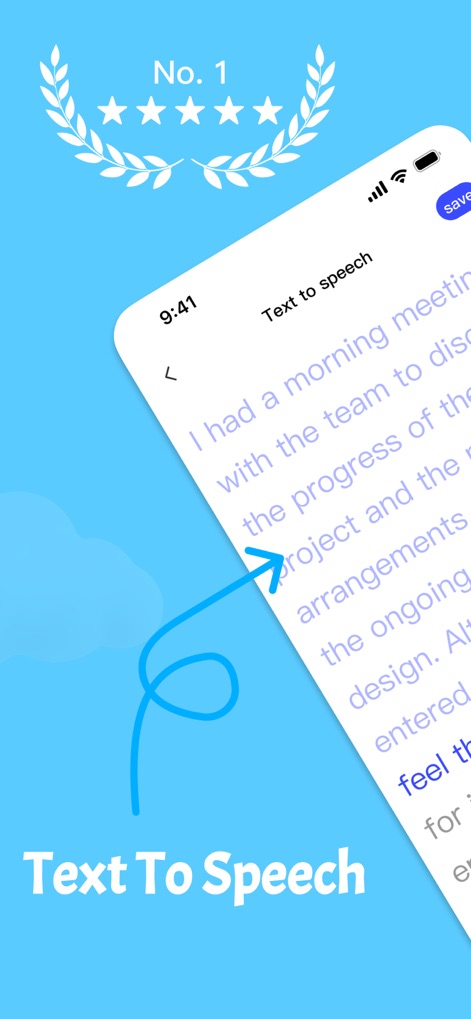
このアプリは、入力されたテキストをスムーズな音声に変換します。画面上にはリアルタイムで表示される変換対象のテキストと、高い評価を誇る「No.1」バッジが確認できます。
自然な音声へ
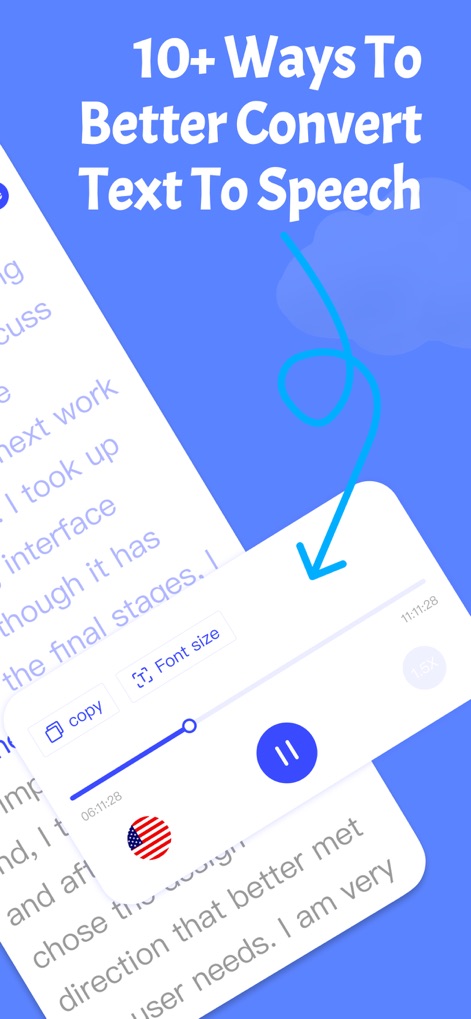
音声変換されたコンテンツの再生を細かくコントロールできます。画面には再生速度を調整するスライダーと、テキスト表示のフォントサイズ変更機能が明瞭に示されています。
再生を最適化

このアプリは、ウェブページの情報を音声で聞くことを可能にします。画面にはウェブページのURL入力欄と、読み上げられる記事のテキストコンテンツが明確に表示されています。
ウェブを音声で

ユーザーは話した内容をリアルタイムでテキストに変換できます。画面には即座に表示される文字起こしされたテキストと、異なる言語間で切り替えるための言語選択ドロップダウンメニューが確認できます。
音声の自動文字起こし

このアプリは、テキストを多言語で音声に変換する機能を備えています。画面には多言語対応を示す多様な国旗が地球のイラスト上に描かれており、複数の言語でテキストが処理される様子が示唆されています。
世界言語を話す

ユーザーは音声再生速度を自由に調整し、読書効率を向上させることができます。画面には細かく調整可能な速度スライダーと、2.0x、2.5xといった複数の速度プリセットがはっきりと示されています。
読書速度を加速
説明
Download
類似アプリ
似た機能とユーザー体験を持つアプリ

iConv - Video & PDF Converter
琛 王

Convert PDF to Word OCR
Tu Phan

PDF Converter – Photos to PDF
SMDA GROUP SP. Z OO

Toolbox by Paperclip
WuHan Paperclip Technology Co., Ltd.

Video Converter and Compressor
Inverse.AI

Video Converter & Compressor
WEBDIA INC.

全能格式转换王-视频音频转换图片文件格式处理
大为 方

PDF Converter: Convert to PDFㅤ
Roberto Hayes

The Document Converter
Float Tech, LLC
このページはアプリまたはその開発者の公式ページではなく、情報提供および論評を目的として作成された独立した編集出版物です。明示的に別段の記載がない限り、アプリおよびその開発者は、MWM、Apple、Google Play、アプリのパブリッシャー、またはアプリの開発者と提携、承認、後援、認可、またはその他の公式的な関係はなく、このページのいかなる内容も、アプリがMWMのサービスを使用して開発されたことを意味するものではありません。すべての商標、ロゴ、スクリーンショット、その他のコンテンツはそれぞれの所有者の財産です。