
このページはアプリまたはその開発者の公式ページではなく、情報提供および論評を目的として作成された独立した編集出版物です。明示的に別段の記載がない限り、アプリおよびその開発者は、MWM、Apple、Google Play、アプリのパブリッシャー、またはアプリの開発者と提携、承認、後援、認可、またはその他の公式的な関係はなく、このページのいかなる内容も、アプリがMWMのサービスを使用して開発されたことを意味するものではありません。すべての商標、ロゴ、スクリーンショット、その他のコンテンツはそれぞれの所有者の財産です。

Turn Off the Lights for Safari
気を散らすものを消し、お気に入りの動画に没頭しましょう。Safariのパワーユーザーのために作られた、目の保護、自動HD、ナイトモードを備えたプレミアムシアター体験をお楽しみください。
ダウンロード
200K+ユーザー評価
評価数
1K+開発元
カテゴリ
Productivity対応言語
28最新バージョン
4.6.3サイズ
33.9 MBリリース日
2017年9月19日視聴体験を向上させる
Turn Off the Lightsは、Safariブラウザにプロのシネマ雰囲気をもたらし、邪魔のない集中力と高度なデジタルウェルネスツールを組み合わせています。
シネマティックフォーカスモード
ワンクリックでウェブページ全体を暗くし、動画を際立たせ、邪魔なものを排除し、瞬時に劇場のような雰囲気を作り出します。
デジタルウェルネス&ナイトモード
高度な目の保護フィルターと、明るいウェブサイトを心地よいダークテーマに変えるスマートナイトモードで視覚を保護しましょう。
よくある質問
について知っておくべきこと Turn Off the Lights for Safari
Turn Off the Lights for Safariとは何ですか?
Turn Off the Lights for Safariはブラウザ拡張機能です。ウェブページを暗くすることで、動画プレーヤーを際立たせ、映画のような視聴体験を提供します。これにより、オンライン動画コンテンツに集中できます。
Turn Off the Lights for Safariでライトを切り替えるにはどうすればよいですか?
Turn Off the Lights for Safariでライトを切り替えるには、黒いレイヤーをクリックするか、キーボードショートカットCtrl + Shift + Lを使用します。動画が再生されると、拡張機能が自動的にページを暗くします。
Turn Off the Lights for Safariはどの動画プラットフォームをサポートしていますか?
Turn Off the Lights for Safariは、YouTube、Dailymotion、Vimeo、Twitchなど、複数の動画プラットフォームをサポートしています。この拡張機能は、これらの人気サイトでの視聴体験を向上させます。
Turn Off the Lights for SafariでYouTubeの体験をカスタマイズできますか?
はい、Turn Off the Lights for SafariではYouTubeのカスタマイズが可能です。動画の画質を設定するAuto HD、より広い再生画面にするAuto Wide、60 FPSをブロックして30 FPSの動画品質にする機能などがあります。
Turn Off the Lights for Safariはナイトモードを提供していますか?
はい、Turn Off the Lights for Safariにはナイトモード機能が含まれています。Google検索やWikipediaなどのすべてのウェブサイトを、目の疲れを軽減するために個人のダークモードテーマに変換します。
Turn Off the Lights for Safariに目の保護機能はありますか?
はい、Turn Off the Lights for Safariは目の保護機能を提供しています。夜間のブラウジング中にすべてのウェブサイトに画面の色合いを追加し、パーソナライズされた使用のためのホワイトリスト/ブラックリストフィルターも備えています。
Turn Off the Lights for Safariは動画の自動再生を防止しますか?
はい、Turn Off the Lights for SafariにはAutoStop機能があります。これにより、新しいウェブページを開いたときにHTML5動画の再生が自動的に防止され、メディア再生を完全に制御できます。
Turn Off the Lights for Safariの主なキーボードショートカットは何ですか?
Turn Off the Lights for Safariは、さまざまなキーボードショートカットを提供しています。主な例としては、ライトの切り替えにCtrl + Shift + L、目の保護にAlt + F10、不透明度の調整にAlt + 上/下矢印があります。
Turn Off the Lights for Safariは雰囲気照明を提供していますか?
はい、Turn Off the Lights for Safariには雰囲気照明機能が含まれています。これにより、動画プレーヤーの周りに微妙な光が生じ、どのウェブページでも没入感のある映画のような視聴体験が向上します。
Turn Off the Lights for Safariは動画の画質をどのように向上させますか?
Turn Off the Lights for Safariは、YouTubeのAuto HD機能により動画の画質を向上させます。動画がお好みのHD解像度で再生されるように自動的に設定し、144pから8Kまでのオプションをサポートしています。
Turn Off the Lights for Safariは公式な評価を受けていますか?
はい、Turn Off the Lights for Safariは公式な評価を受けています。Product Huntで「注目の新アプリ」として紹介され、Appleからは「注目のSafari拡張機能」として認められました。
以下のスクリーンショットと説明は、アプリの公式ストアリスティングから直接取得されたものであり、アプリ開発者の所有物です。
アプリストア
スクリーンショット
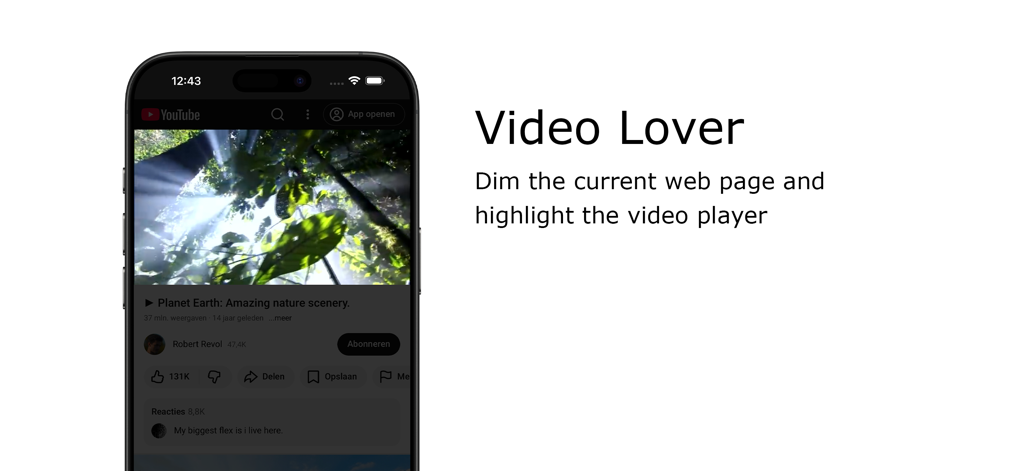
Turn Off the Lights Safari拡張機能が背景を暗くしてiPhone上の動画プレーヤーを強調表示
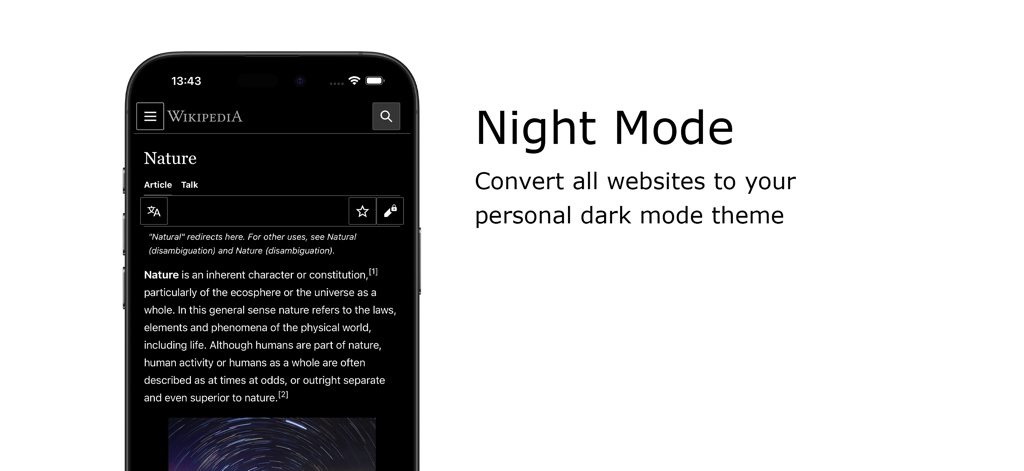
Turn Off the Lights Safari拡張機能を使用してダークモードでウィキペディアを表示するスマートフォン
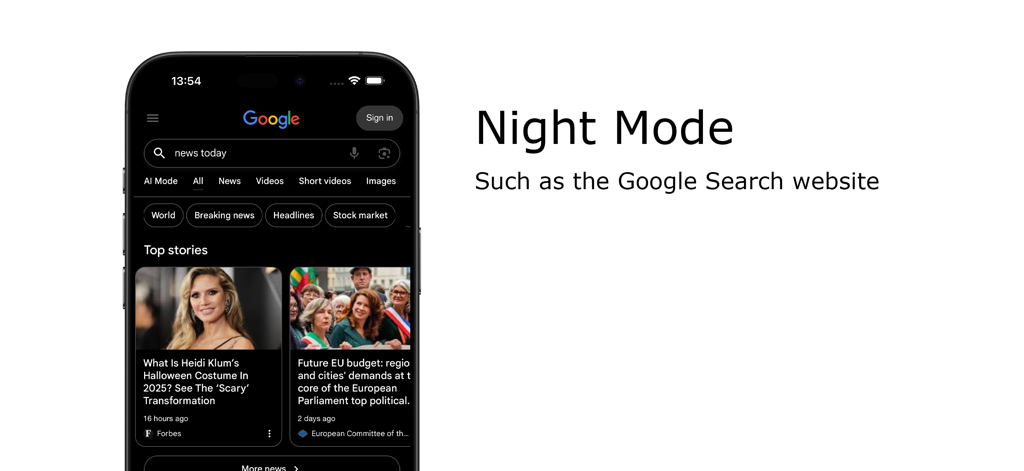
Turn Off the Lights Safari拡張機能を使用してiPhoneでGoogle検索をダークモードで表示
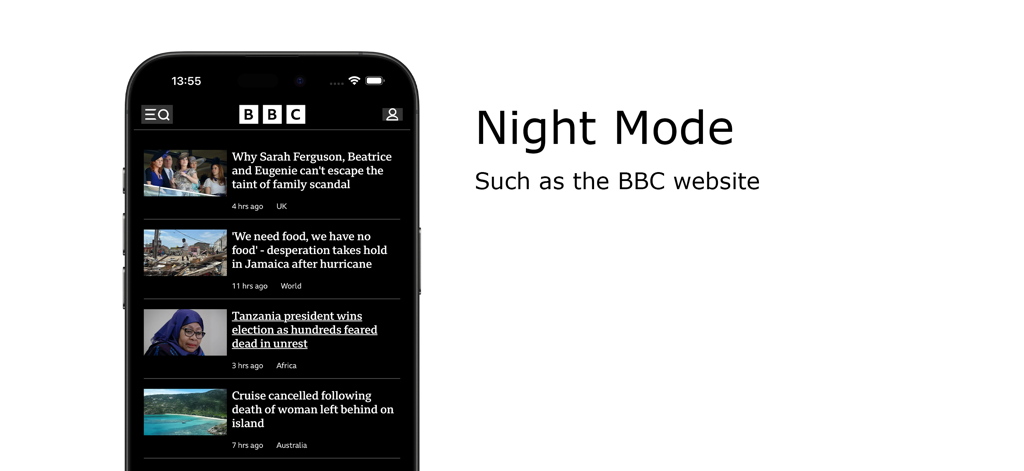
Turn Off the Lights Safari拡張機能のナイトモード機能。iPhone上のBBCウェブサイトをダークモードで表示
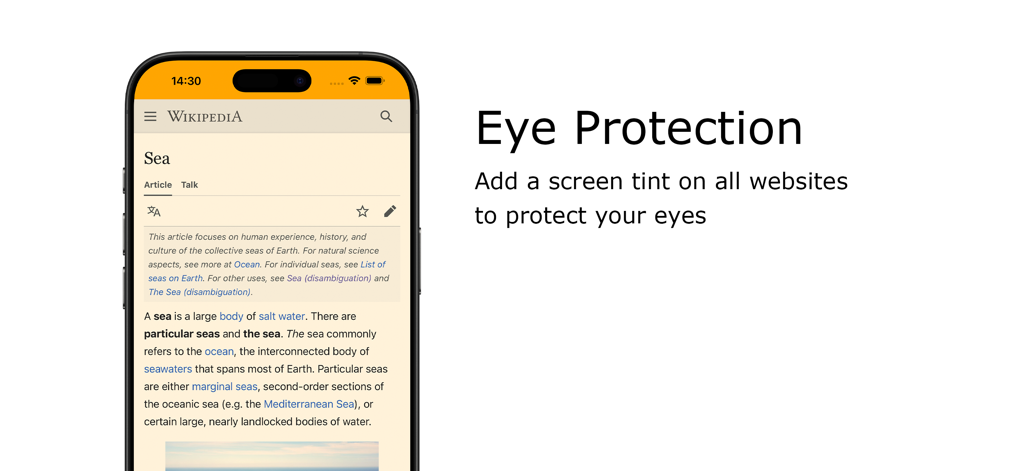
Wikipediaページで暖かい画面の色合いを持つ目の保護機能を示すiPhone
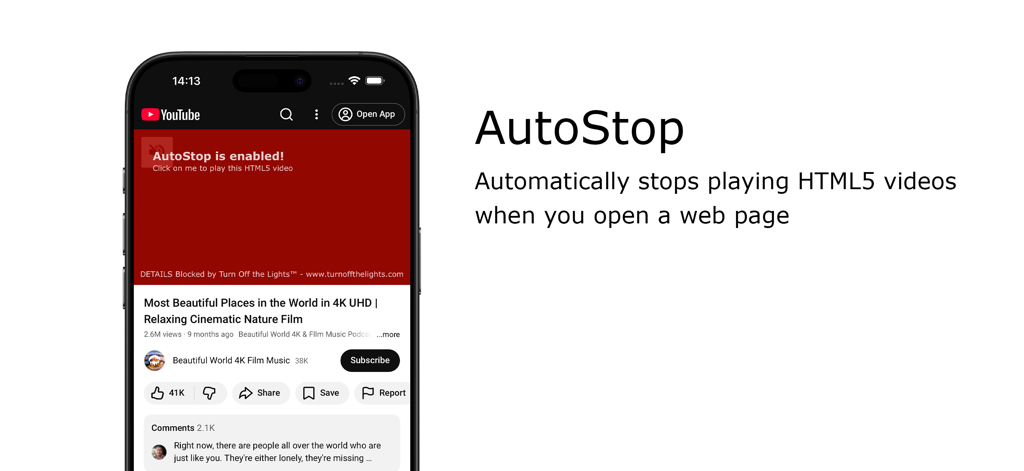
Turn Off the Lights for Safari拡張機能のAutoStop機能が自動再生動画をブロック
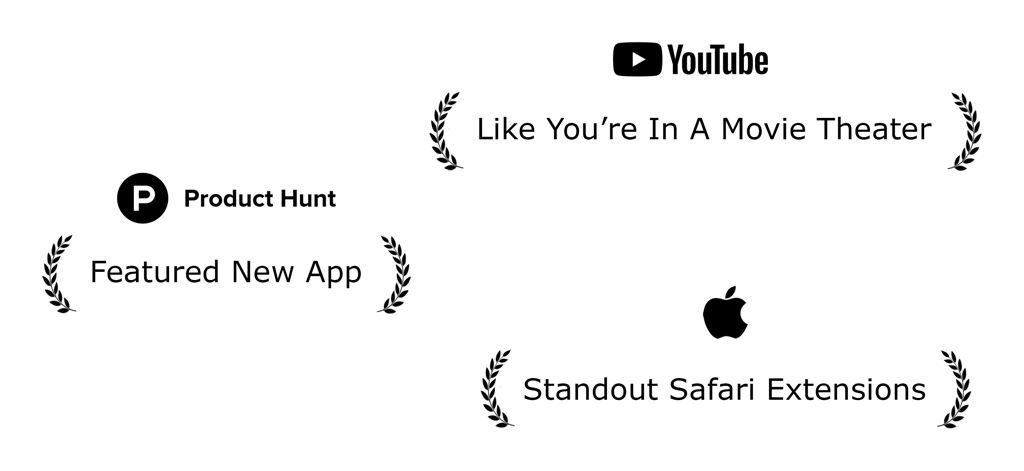
Turn Off the Lights for Safari拡張機能の功績。AppleやProduct Huntからの表彰を含む
説明
Download
類似アプリ
同じカテゴリのトップランクアプリ

ChatGPT
OpenAI OpCo, LLC

Google Gemini
Google LLC

Grok
X.AI Corporation

Gmail - Email by Google
Google LLC

千问 - 阿里最强大模型官方AI助手
Shanghai Zhixin Puhui Technology Co., Ltd.

Google Drive
Google LLC

Microsoft Authenticator
Microsoft Corporation

Google Sheets
Google LLC

Google Docs
Google LLC
このページはアプリまたはその開発者の公式ページではなく、情報提供および論評を目的として作成された独立した編集出版物です。明示的に別段の記載がない限り、アプリおよびその開発者は、MWM、Apple、Google Play、アプリのパブリッシャー、またはアプリの開発者と提携、承認、後援、認可、またはその他の公式的な関係はなく、このページのいかなる内容も、アプリがMWMのサービスを使用して開発されたことを意味するものではありません。すべての商標、ロゴ、スクリーンショット、その他のコンテンツはそれぞれの所有者の財産です。