Turn Photo To Picture Coloring
ダウンロード: App Store

このページはアプリまたはその開発者の公式ページではなく、情報提供および論評を目的として作成された独立した編集出版物です。明示的に別段の記載がない限り、アプリおよびその開発者は、MWM、Apple、Google Play、アプリのパブリッシャー、またはアプリの開発者と提携、承認、後援、認可、またはその他の公式的な関係はなく、このページのいかなる内容も、アプリがMWMのサービスを使用して開発されたことを意味するものではありません。すべての商標、ロゴ、スクリーンショット、その他のコンテンツはそれぞれの所有者の財産です。

ロゴ: Turn Photo To Picture Coloring
ダウンロード: App Store

Turn Photo To Picture Coloring

高度なスケッチフィルターとカスタム塗り絵ツールで、あなたの中のアーティストを呼び覚ましましょう。どんな写真もユニークなカートゥーンやデジタルペインティングに変えて、ストレスを解消し、自分だけのアート作品を世界に共有しましょう。

主要数値

ダウンロード

50K+

ユーザー評価

4.5/5

評価数

2K+

開発元

Revosoft Technologies PTY LTD

カテゴリ

Photo & Video

対応言語

1

最新バージョン

1.7.5

サイズ

43.6 MB

リリース日

2016年12月14日
機能

色彩豊かに再構築されるあなたの世界

現代のクリエイター向けに設計されたプロ仕様のスケッチフィルターと瞑想的な塗り絵ツールで、お気に入りの思い出をカスタムアートワークに変身させます。

瞬時のスケッチマジック

自撮り写真、ペットの写真、旅行の思い出を、ワンタップで高品質なスケッチやカートゥーンの輪郭に変換できます。

プロレベルのクリエイティブツール

カスタムテクスチャブラシと高度な編集ツールで、ストロークやシェードを完全にコントロールし、アートをマスターしましょう。

以下のスクリーンショットと説明は、アプリの公式ストアリスティングから直接取得されたものであり、アプリ開発者の所有物です。

アプリストア

スクリーンショット
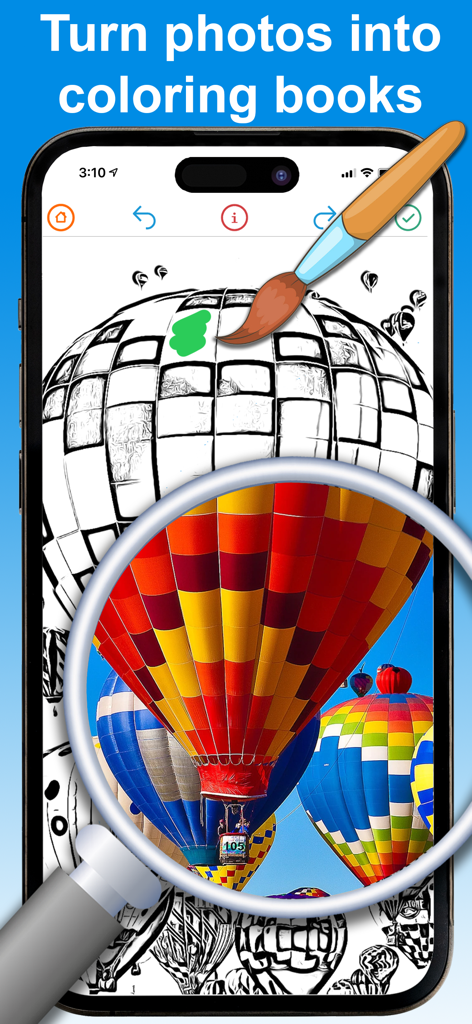
Turn Photo To Picture Coloring - 熱気球の写真を塗り絵用のスケッチに変換するスマートフォンアプリ

熱気球の写真を塗り絵用のスケッチに変換するスマートフォンアプリ

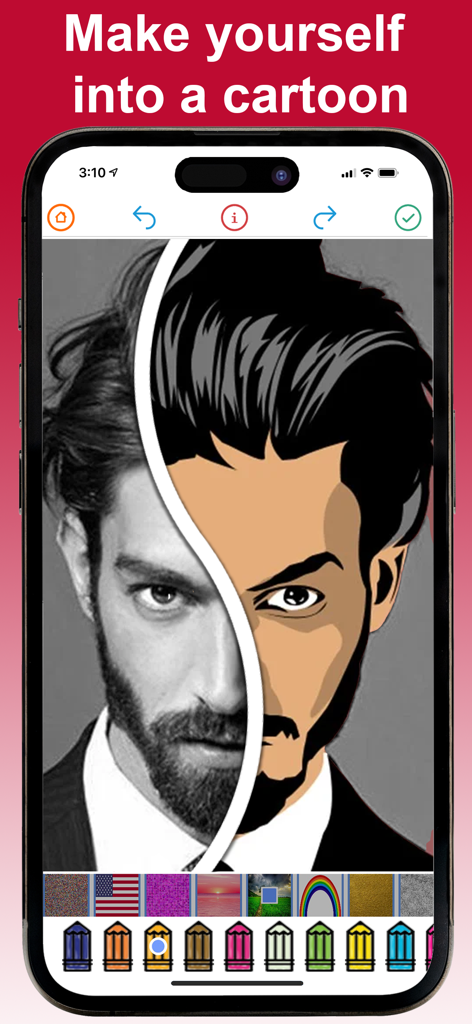
Turn Photo To Picture Coloring - 実際の写真が塗り絵ツールを使ってカートゥーンイラストに変換される分割画面ビューを表示するモバイルアプリのインターフェース。
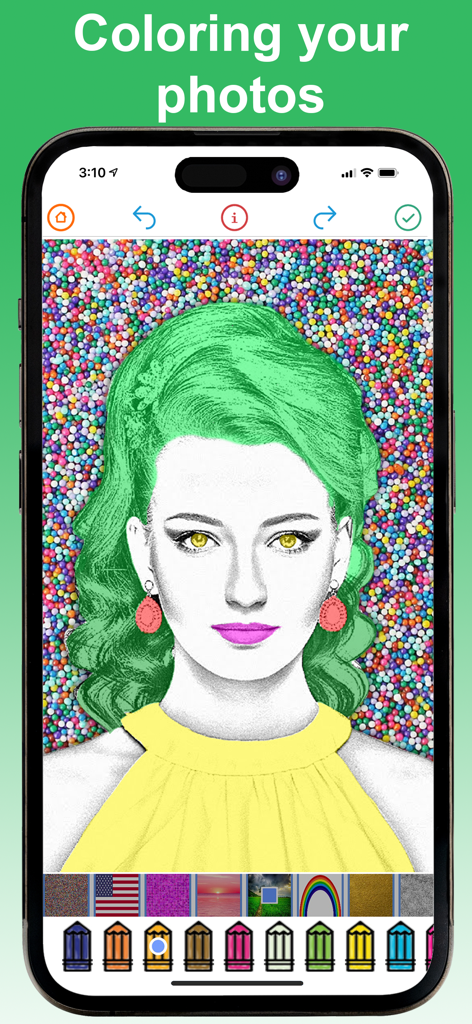
実際の写真が塗り絵ツールを使ってカートゥーンイラストに変換される分割画面ビューを表示するモバイルアプリのインターフェース。

Turn Photo To Picture Coloring - スケッチに変換された写真がデジタル鉛筆とテクスチャで塗られている様子を示すアプリインターフェース
スケッチに変換された写真がデジタル鉛筆とテクスチャで塗られている様子を示すアプリインターフェース

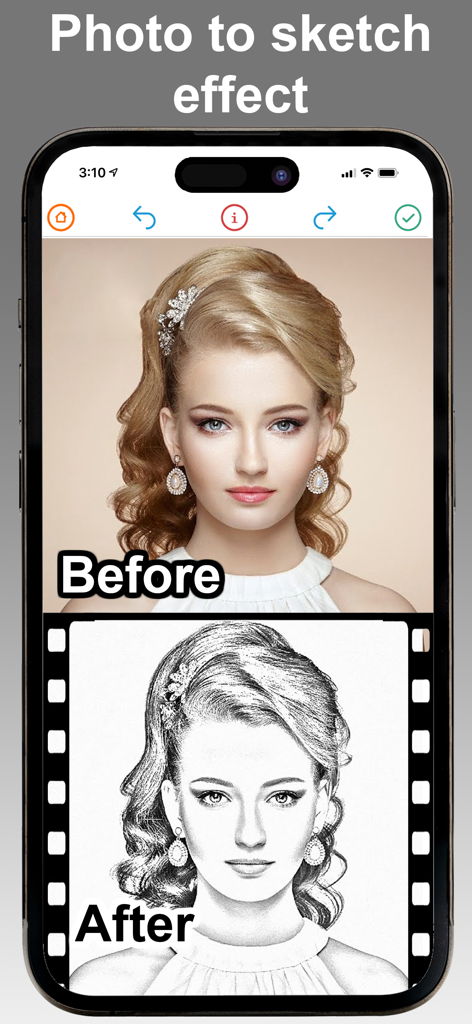
Turn Photo To Picture Coloring - 鉛筆スケッチに変換されたポートレートのビフォーアフターの並列比較

鉛筆スケッチに変換されたポートレートのビフォーアフターの並列比較

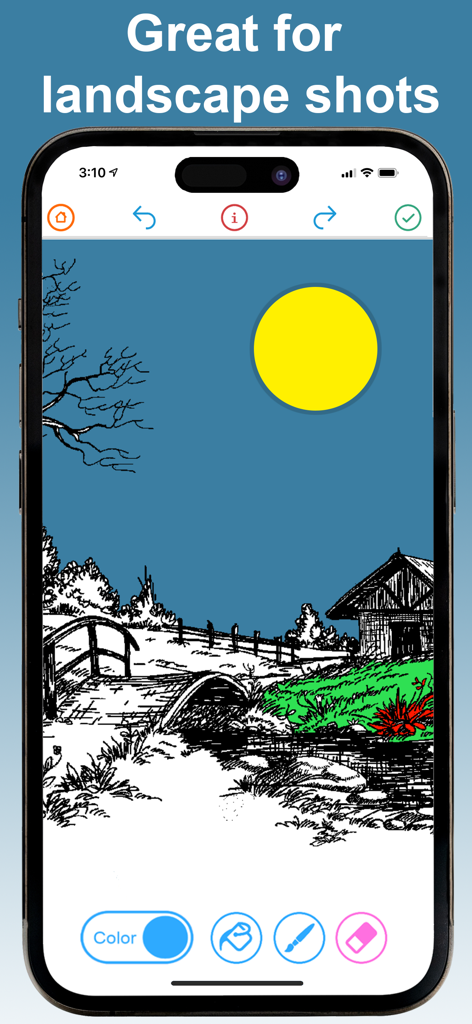
Turn Photo To Picture Coloring - デジタルツールで風景スケッチに色を塗っている様子を表示するiPhoneの画面

デジタルツールで風景スケッチに色を塗っている様子を表示するiPhoneの画面

説明

Turn your yourself into a cartoon using our amazing filters and advanced editing tools. You can add color to any photo you like, or choose from heaps of pre-loaded photos then share your amazing creation with your friends and family. Top Free Photo Cartoon Coloring Editor features : ● Real-time sketch filter ● Turn any photo into a sketch ● Take a photo of artwork, and then color it in ● Turn any sketch into a work-of-art ● Custom texture art brushes ● Advanced coloring tools ● Advanced sketch editing tools ● Tones of pre-loaded coloring book pages ● Complete control over how the images is edited Premium Upgrade Features ----------------------- - Unlock all colors - Unlock all filters - Add unlimited texture brushes - Remove ads - Remove watermarks - Save hi-resolution photos * Choose the length of subscription: 1 Month / 3 Months / 1 Year. * Choose from different subscription options. * Subscription with a free trial period will automatically renew to a paid subscription. You can cancel your subscription in the iTunes settings at least 24-hours before the end of the free trial period. Subscription payments will be charged to your iTunes account at confirmation of your purchase and upon commencement of each renewal term. * Please note: any unused portion of a free trial period (if offered) will be forfeited when you purchase a premium subscription during the free trial period. * You can cancel a free trial or subscription anytime by cancelling your subscription through your iTunes account settings. This must be done 24 hours before the end of a free trial or subscription period to avoid being charged. The cancellation will take effect the day after the last day of the current subscription period, and you will be downgraded to the free service. Please read our Privacy Policy here http://www.revosoft.com.au/uploads/8/2/0/2/82026220/2015.10_revosoft_privacy_policy.pdf Please read Terms of Use here http://www.revosoft.com.au/uploads/8/2/0/2/82026220/terms_of_use.pdf

Download

ダウンロード: App Store

このページはアプリまたはその開発者の公式ページではなく、情報提供および論評を目的として作成された独立した編集出版物です。明示的に別段の記載がない限り、アプリおよびその開発者は、MWM、Apple、Google Play、アプリのパブリッシャー、またはアプリの開発者と提携、承認、後援、認可、またはその他の公式的な関係はなく、このページのいかなる内容も、アプリがMWMのサービスを使用して開発されたことを意味するものではありません。すべての商標、ロゴ、スクリーンショット、その他のコンテンツはそれぞれの所有者の財産です。