Two Factor Authenticator 2FA

Two Factor Authenticator 2FA

ダウンロード: App Store
ロゴ: Two Factor Authenticator 2FA

Two Factor Authenticator 2FA:アカウントセキュリティを完全に保護するプライベートボールト

AES-256暗号化されたオフライン専用認証で、あなたのデジタルアイデンティティを保護します。安全なバックアップ、生体認証保護、完全なプライバシーのためのプロフェッショナルな選択肢。

ダウンロード: App Store

開発元

Nikung Goyani

カテゴリ

Productivity

ダウンロード

100

ユーザー評価

1.0/5

評価数

0

対応言語

1

妥協のないセキュリティ

このインターフェースを利用する 100 人のユーザー.

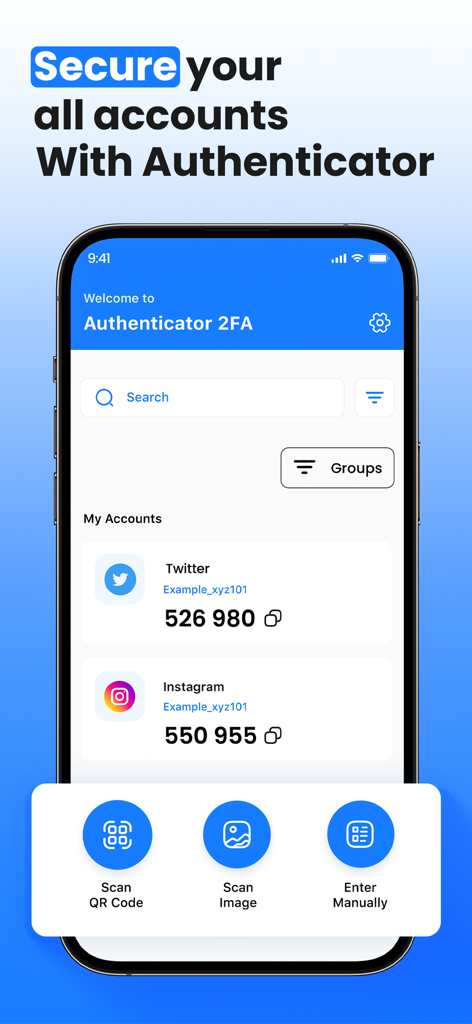
Two factor authenticatorアプリの画面。ソーシャルメディアプラットフォームの安全なログインコードが表示されています。
Two factor authenticatorアプリの画面。ソーシャルメディアプラットフォームの安全なログインコードが表示されています。

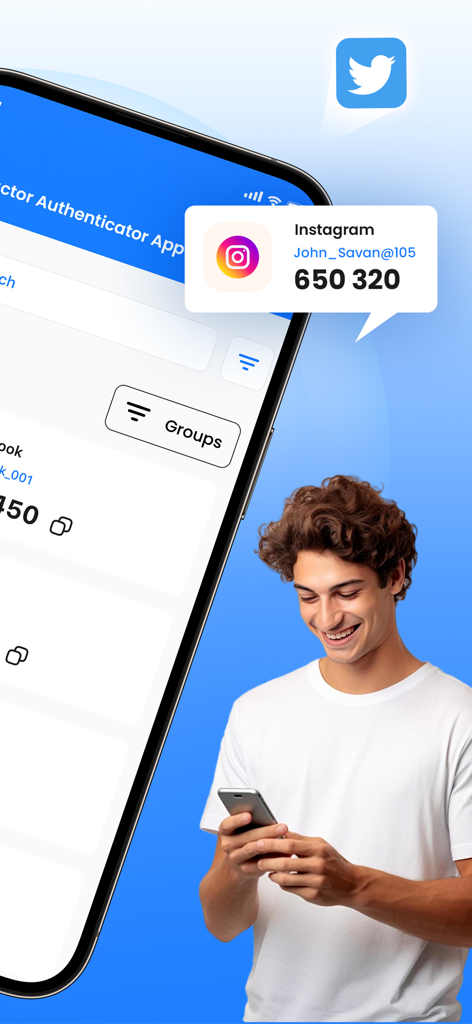
Two Factor AuthenticatorアプリにInstagramのセキュリティコードが表示されているスマートフォンの画面。
Two Factor AuthenticatorアプリにInstagramのセキュリティコードが表示されているスマートフォンの画面。

Two Factor Authenticator 2FAアプリのダッシュボードにアカウントセキュリティコードが表示されています。
Two Factor Authenticator 2FAアプリのダッシュボードにアカウントセキュリティコードが表示されています。

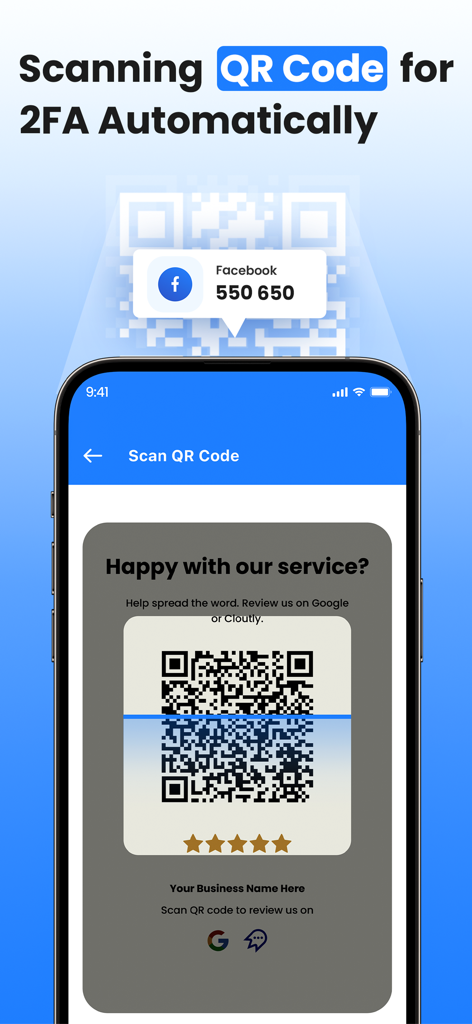
QRコードをスキャンして、スマートフォンで2要素認証を自動設定しています。
QRコードをスキャンして、スマートフォンで2要素認証を自動設定しています。

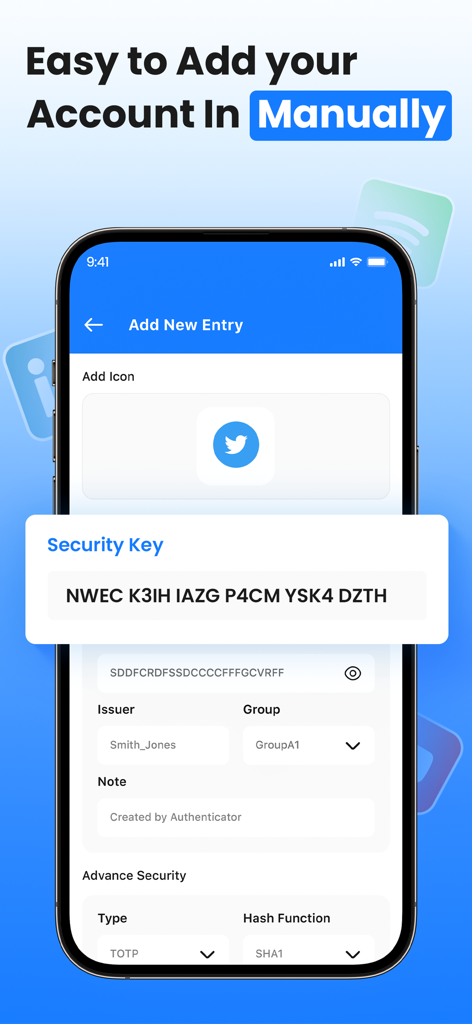
Two Factor Authenticatorアプリのインターフェース。セキュリティキー入力フィールドが表示されている手動アカウント設定画面。
Two Factor Authenticatorアプリのインターフェース。セキュリティキー入力フィールドが表示されている手動アカウント設定画面。

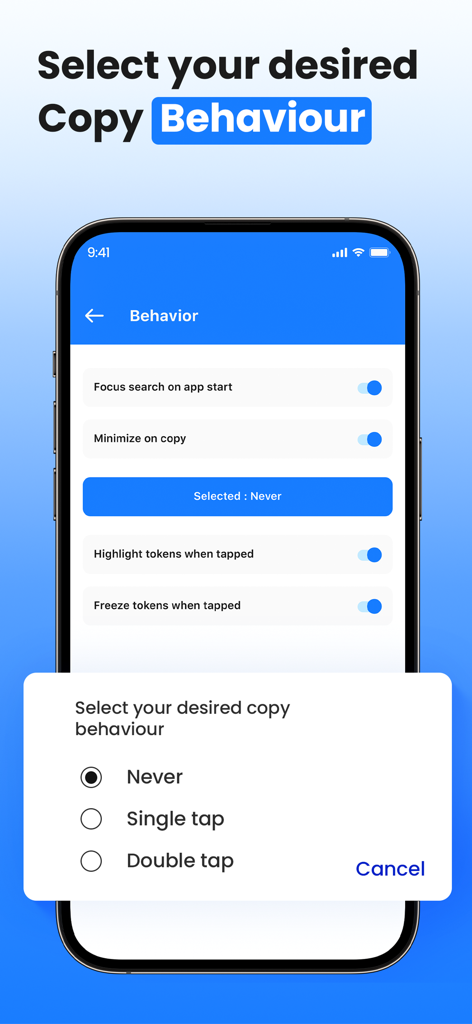
Two Factor Authenticatorアプリのインターフェース。シングルタップまたはダブルタップなどのコピー動作を選択するオプションが表示されています。

Two Factor Authenticatorアプリのインターフェース。シングルタップまたはダブルタップなどのコピー動作を選択するオプションが表示されています。

プロフェッショナルなアイデンティティのための究極のセキュリティ

このアプリを際立たせるツール、 100 人のユーザーが選択.

🔒

真のオフラインプライバシー

機密性の高いトークンは、本来あるべき場所、つまりデバイス上に保持されます。100%オフラインで動作することで、クラウドベースのデータ漏洩やリモートハッキングのリスクを排除します。

👤

生体認証ボールトアクセス

Face IDとTouch IDの統合により、摩擦のないセキュリティを体験してください。高度な生体認証で認証コードを保護し、瞬時に、承認されたアクセスのみを可能にします。

🔄

暗号化されたバックアップと同期

アカウントからロックアウトされることを二度と恐れないでください。完全な安心のために設計された暗号化されたバックアップで、すべてのiOSデバイス間でOTPを安全に同期できます。

アプリについて

について知っておくべきこと Two Factor Authenticator 2FA.

説明

Protect your online accounts with Two Factor Authenticator, a secure, offline two-factor authentication (2FA) app that enhances account security using industry-standard TOTP (Time-Based One-Time Password) and HOTP (HMAC-Based One-Time Password) algorithms. Why Choose Two Factor Authenticator? No Internet Required – Works completely offline, keeping your data private and secure. AES-256 Encryption – All OTP secrets are stored securely on your device. Biometric & PIN Protection: For extra security, Lock the app with Face ID, Touch ID, or a PIN. Secure Backup & Restore – Export encrypted backups to keep your OTPs safe. Auto-Lock Feature – Prevent unauthorized access after inactivity. Secure Clipboard Handling – Automatically clears copied OTPs after a few seconds. Multi-Device Support – Sync OTPs securely across multiple devices. Dark Mode & Customization – Choose from different themes and customize the app to match your style. How It Works:- Scan a QR code or manually enter a secret key. Get time-based or counter-based OTPs for secure logins. Copy the OTP and use it to authenticate your accounts. Privacy First:- We do not collect, store, or share any personal data. Your OTPs never leave your device, ensuring maximum security and privacy. Stay Secure & Take Control of Your Digital Identity with Two Factor Authenticator! If you subscribe to Two Factor Authenticator 2FA via iTunes, payment will be charged to your iTunes Account at confirmation of purchase and your membership will automatically renew unless turned off at least 24 hours before the end of the current period. Subscription will be renewed within 24-hours before the end of each period at the rate of your selected plan. Turn off auto-renewal anytime through iTunes. Privacy policy: https://sites.google.com/view/splitpay-privacy-policy/home Terms of use: https://sites.google.com/view/subscription-terms-use/home

最新バージョン

1.0.3

サイズ

73.8 MB

リリース日

2025年3月9日

オンラインセキュリティを完全に管理する

当社のオフライン、AES-256暗号化ボールトを信頼するセキュリティ意識の高いプロフェッショナルたちに加わり、完全なプライバシーと生体認証による安心を手に入れましょう。

ダウンロード: App Store

App information, icons, screenshots, and descriptions displayed on this page are sourced from the Apple App Store and are the property of their respective developers. Download estimates and rankings are based on MWM's proprietary models and may not reflect actual figures. This page is provided for informational and analytical purposes only.

Believe this page infringes your intellectual property? File a dispute