TypeIt4Me Touch
TypeIt4Me Touch
ダウンロード: App Store

このページはアプリまたはその開発者の公式ページではなく、情報提供および論評を目的として作成された独立した編集出版物です。明示的に別段の記載がない限り、アプリおよびその開発者は、MWM、Apple、Google Play、アプリのパブリッシャー、またはアプリの開発者と提携、承認、後援、認可、またはその他の公式的な関係はなく、このページのいかなる内容も、アプリがMWMのサービスを使用して開発されたことを意味するものではありません。すべての商標、ロゴ、スクリーンショット、その他のコンテンツはそれぞれの所有者の財産です。


ロゴ: TypeIt4Me Touch
ダウンロード: App Store

TypeIt4Me Touch

カスタムショートカットでモバイル生産性を劇的に向上させましょう。iCloud経由でMacのスニペットを同期し、あらゆるアプリでより速く入力し、タイポをなくし、時間を節約しましょう。

主要数値

ダウンロード

65K+

ユーザー評価

2.9/5

評価数

100

開発元

Riccardo Ettore

カテゴリ

Productivity

対応言語

1

最新バージョン

3.5.16

サイズ

61.1 MB

リリース日

2009年1月17日
機能

モバイルワークフローを高速化

モバイルタイピングの摩擦を解消しましょう。TypeIt4Me Touchは、強力なカスタムテキスト展開により、デスクトップレベルのスピードをiPhoneとiPadにもたらします。

デスクトップとモバイルの連携

Macのショートカット略語ライブラリ全体をiOSデバイスで利用できます。iCloud経由で同期し、プロフェッショナルなスニペットをエコシステム全体で一貫させましょう。

システム全体での展開

カスタムキーボード拡張機能を使用して、あらゆるアプリで展開をトリガーできます。Mail、Slack、Safariなど、パーソナライズされたショートカットは常に指先にあります。

以下のスクリーンショットと説明は、アプリの公式ストアリスティングから直接取得されたものであり、アプリ開発者の所有物です。

アプリストア

スクリーンショット
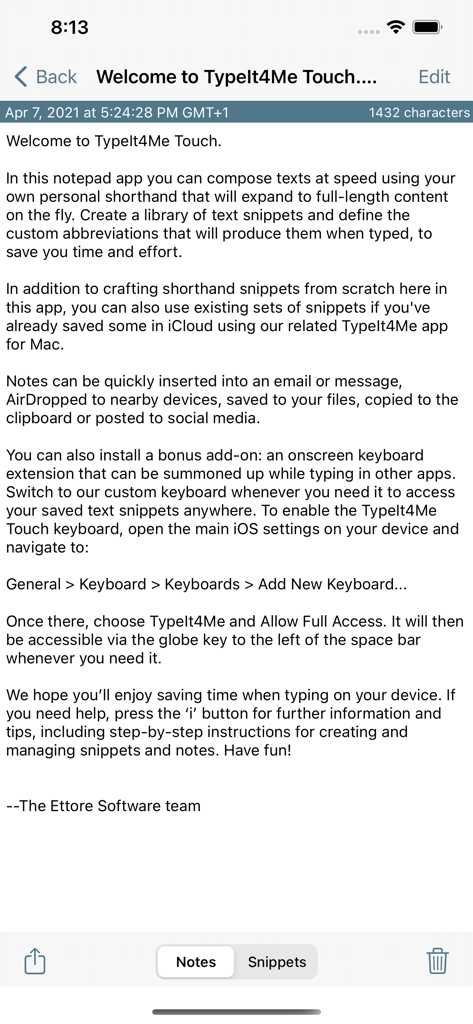
TypeIt4Me Touch - TypeIt4Me Touchアプリのウェルカム画面。テキスト展開機能の紹介を表示しています。
TypeIt4Me Touchアプリのウェルカム画面。テキスト展開機能の紹介を表示しています。

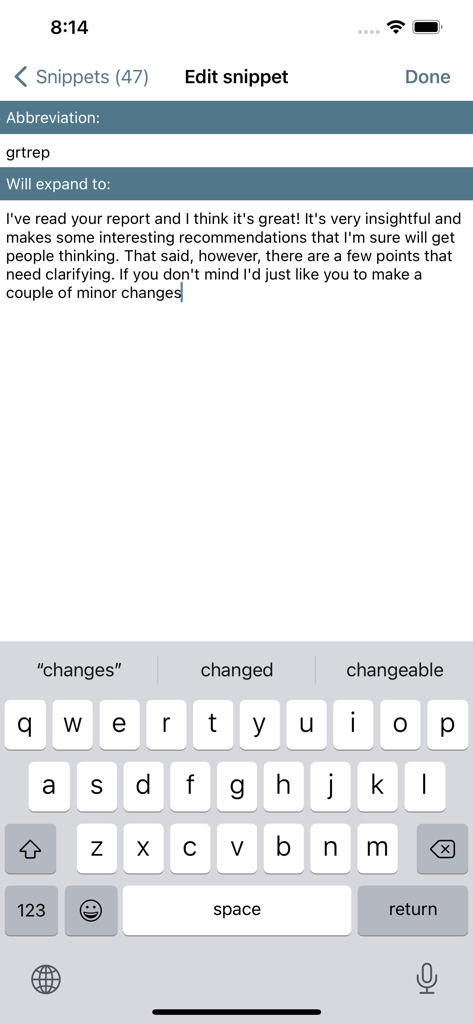
TypeIt4Me Touch - TypeIt4Me Touchアプリの画面。テキスト展開用のカスタムショートカット略語の作成を示しています。
TypeIt4Me Touchアプリの画面。テキスト展開用のカスタムショートカット略語の作成を示しています。

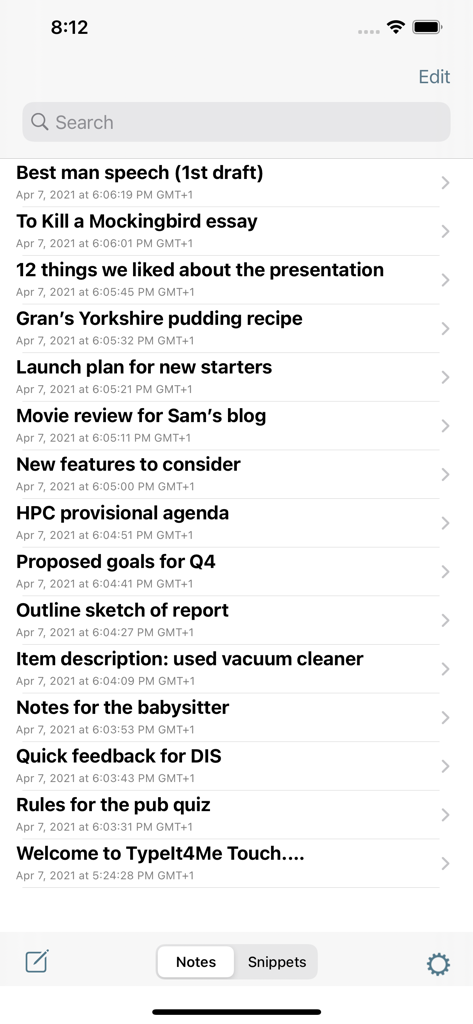
TypeIt4Me Touch - TypeIt4Me Touchアプリに保存されたノートのリスト。スピーチドラフトやエッセイなどのタイトルが表示されています。
TypeIt4Me Touchアプリに保存されたノートのリスト。スピーチドラフトやエッセイなどのタイトルが表示されています。

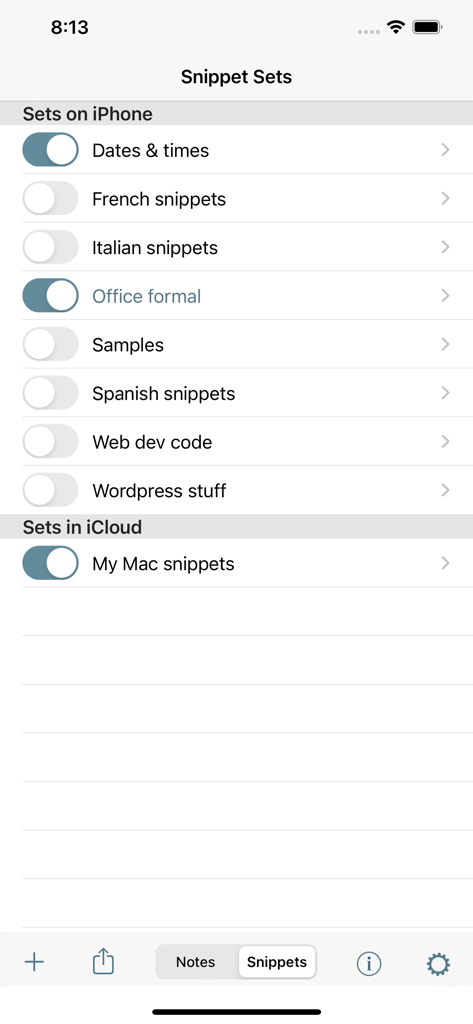
TypeIt4Me Touch - TypeIt4Me Touchスニペットセット管理インターフェース。ローカルおよびiCloud同期のショートカットを表示しています。
TypeIt4Me Touchスニペットセット管理インターフェース。ローカルおよびiCloud同期のショートカットを表示しています。

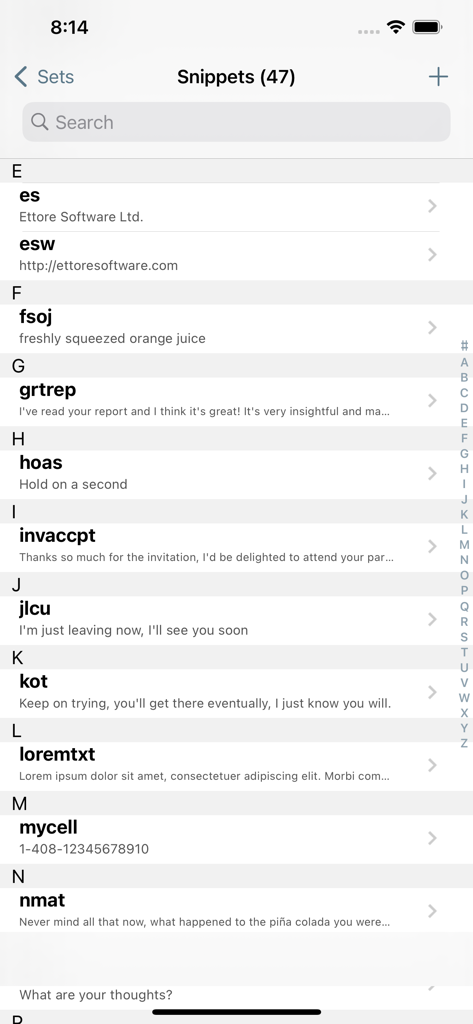
TypeIt4Me Touch - TypeIt4Me Touchアプリのテキスト展開スニペットとショートカット略語のリスト。
TypeIt4Me Touchアプリのテキスト展開スニペットとショートカット略語のリスト。

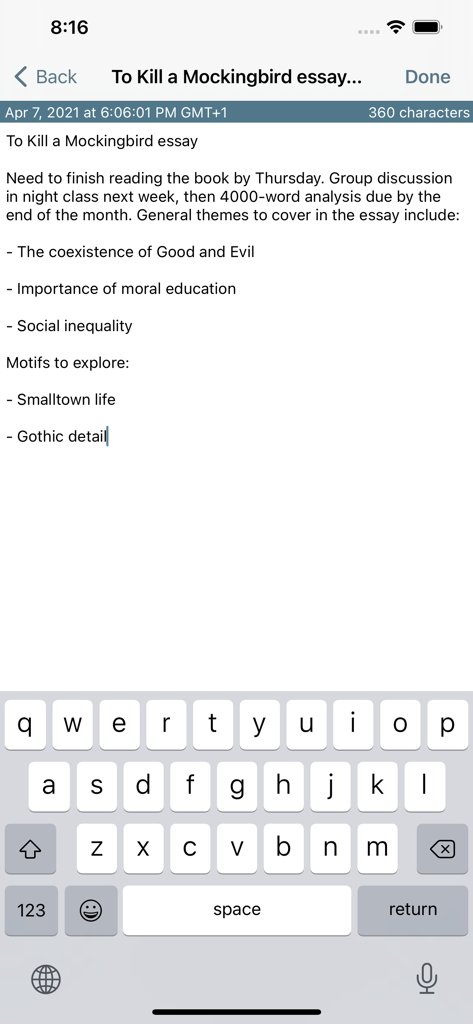
TypeIt4Me Touch - TypeIt4Me Touchモバイルインターフェースとキーボードを使用したエッセイノートの作成。

TypeIt4Me Touchモバイルインターフェースとキーボードを使用したエッセイノートの作成。

説明

TypeIt4Me Touch is a simple notepad app with built-in text expansion for swiftly composing notes and messages. Define your own custom shorthand abbreviations and they’ll instantly be replaced as you type with the longer texts they represent, saving you time and effort. Create and store snippet abbreviations on your iPhone or iPad and gradually build up your own custom shorthand library for quickly jotting things down. Store as many notes as you like to use and reuse later. These can be emailed, messaged and shared straight from within the app, or copied to the clipboard in a couple of taps. Install the bundled TypeIt4Me Touch keyboard extension and quickly bring it up in any app to access long snippets of frequently used text. Addresses, email signatures and boilerplate paragraphs stored locally or in iCloud will always be right at your fingertips. Use them in Mail, Safari, Messages or anywhere else you can type. (NB: the keyboard extension is for on-screen typing only. Bluetooth hardware support is limited to composing notes in the app itself.) Ever wished you could use your Mac TypeIt4Me abbreviations in iOS? This is the app for you. If you use TypeIt4Me 6 (or TypeIt4Me 5.4.x from the Mac App Store) and you keep your abbreviations in iCloud, you can use them on your iPhone and iPad. They will be available in the TypeIt4Me Touch app and keyboard as long as you’re signed in to iCloud. You can also add new snippets and sync them across all your Macs and iDevices. If you’re still using TypeIt4Me 5.5.3 (or earlier versions for Mac) downloaded directly from the Ettore Software website, automatic iCloud syncing of your abbreviations between Mac and iOS is not available. However, you can still use snippets created on your Mac. Just email your Mac TypeIt4Me snippet set files to yourself and open the attachments in TypeIt4Me Touch on your iPhone or iPad to import your abbreviations. With TypeIt4Me Touch installed on your iPhone or iPad, greetings, common phrases, boilerplate texts, URLs or even large chunks of programming code can all be just a couple of prods away. Enjoy :)

Download

ダウンロード: App Store

このページはアプリまたはその開発者の公式ページではなく、情報提供および論評を目的として作成された独立した編集出版物です。明示的に別段の記載がない限り、アプリおよびその開発者は、MWM、Apple、Google Play、アプリのパブリッシャー、またはアプリの開発者と提携、承認、後援、認可、またはその他の公式的な関係はなく、このページのいかなる内容も、アプリがMWMのサービスを使用して開発されたことを意味するものではありません。すべての商標、ロゴ、スクリーンショット、その他のコンテンツはそれぞれの所有者の財産です。








