ULar
ULar
ダウンロード: App Store

このページはアプリまたはその開発者の公式ページではなく、情報提供および論評を目的として作成された独立した編集出版物です。明示的に別段の記載がない限り、アプリおよびその開発者は、MWM、Apple、Google Play、アプリのパブリッシャー、またはアプリの開発者と提携、承認、後援、認可、またはその他の公式的な関係はなく、このページのいかなる内容も、アプリがMWMのサービスを使用して開発されたことを意味するものではありません。すべての商標、ロゴ、スクリーンショット、その他のコンテンツはそれぞれの所有者の財産です。

ロゴ: ULar
ダウンロード: App Store

ULar

高度なAIとIoTテクノロジーを使用して、最も大切なものをプレミアム価格なしで保護するグローバルコミュニティに参加しましょう。家を監視し、デバイスを接続し、より心豊かに暮らしましょう。

主要数値

ダウンロード

1K+

ユーザー評価

1.9/5

評価数

0

開発元

Shenzhen Yihang Information Technology Co., Ltd.

カテゴリ

Photo & Video

対応言語

18

最新バージョン

2.9.6

サイズ

72.8 MB

リリース日

2018年8月24日
機能

安心のためのスマートセキュリティ

最も大切なものとのつながりを保ちます。ULarは、スマートホームカメラとIoTデバイスの信頼性が高く手頃な価格のハブを提供します。

ライブHDビデオストリーミング

いつでもどこからでも、高解像度の鮮明さで、家、ペット、配達をリアルタイムで確認できます。

柔軟なクラウドストレージ

SecurityProプランでビデオ履歴を保護しましょう。最大30日間の映像を安全にクラウドに保存してレビューできます。

以下のスクリーンショットと説明は、アプリの公式ストアリスティングから直接取得されたものであり、アプリ開発者の所有物です。

アプリストア

スクリーンショット
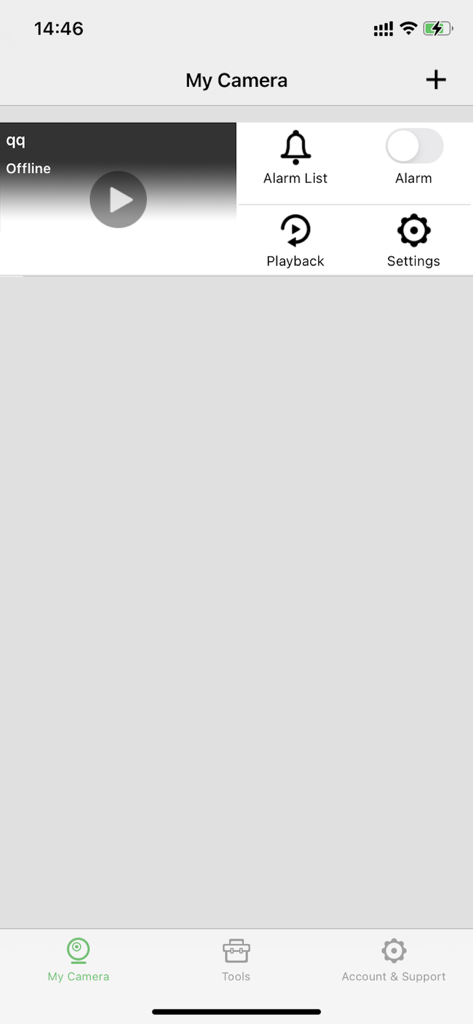
ULar - ULarモバイルアプリのインターフェイス。オフラインのカメラデバイスと、アラーム再生および設定のコントロールを示す「マイカメラ」ダッシュボードが表示されます。
ULarモバイルアプリのインターフェイス。オフラインのカメラデバイスと、アラーム再生および設定のコントロールを示す「マイカメラ」ダッシュボードが表示されます。

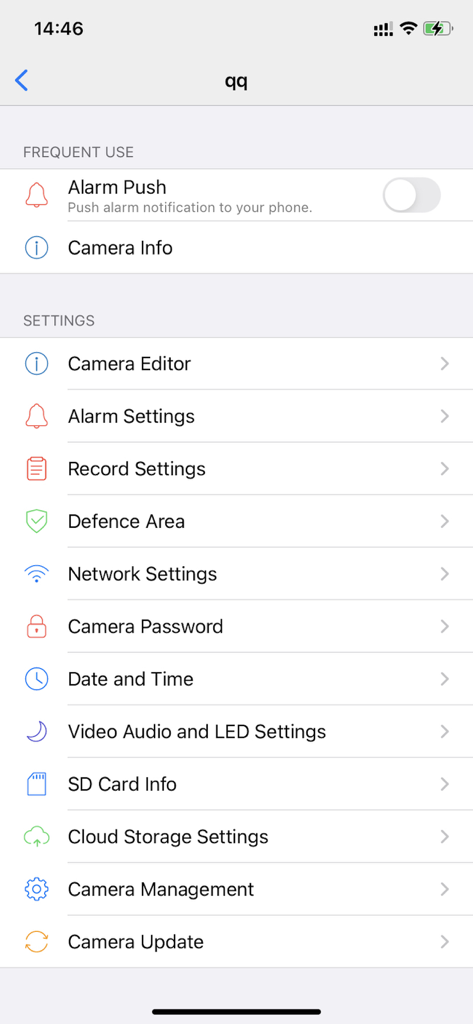
ULar - ULarアプリのカメラ設定メニュー。アラームと録画オプションを示す設定および構成オプションが表示されます。
ULarアプリのカメラ設定メニュー。アラームと録画オプションを示す設定および構成オプションが表示されます。

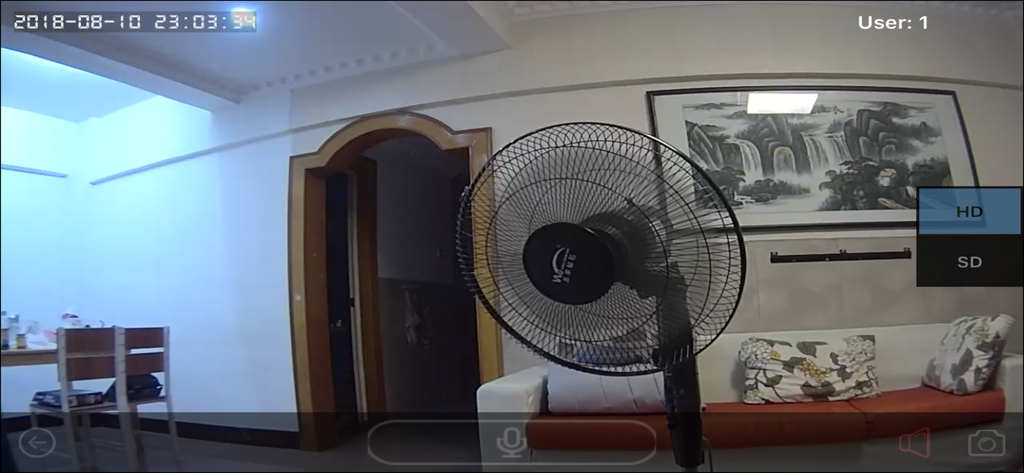
ULar - ULarセキュリティカメラからのライブビデオフィード。扇風機とソファのあるリビングルームの内部が表示されます。

ULarセキュリティカメラからのライブビデオフィード。扇風機とソファのあるリビングルームの内部が表示されます。

説明

ULar is a free APP for ULar community. It is one of the platform of ULar community serving the world. With this APP, you can access to ULar's SmartHome (smart video, intelligent home, IoT devices etc.) series products and services. ULar strives to develop the application with advanced high technologies (mobile Internet, cloud computing, AI and IoT etc.) to benefit human beings. ULar believes that these technologies can make our life more happy and full of love, not materialistic. About Subscription Plan Details and Information, 1. After confirming the purchase, your iTunes account will process the payment. Your Apple account will automatically renew the service for one month, three months or one year. 2. Subscription Service Name, Price and Duration: 3 Months SecurityPro 7 ,Price: 12.99$ ,Duration: 3 Months 12 Months SecurityPro 7 ,Price: 45.99$ ,Duration: 12 Months 3 Months SecurityPro 30 ,Price: 28.99$ ,Duration: 3 Months 12 Months SecurityPro 30 ,Price: 106.99$ ,Duration: 12 Months 3. When Auto Renewal is activated in your App Store account, the service fee will be charged 24 hours before service the plan expiration, via the App Store account. Once charged successfully, the service plan will be extended one more period. 4. You can disable Auto Renewal anytime in your Apple ID account in your phone settings, most of time: go to settings of the phone —>iTunes & App Store –>click on your Apple ID on the top –> Click View Apple ID and sign in if prompted –> Subscriptions –> Find and tap the subscription you would like to cancel. Privacy Policy(including about Auto-renewable subscriptions) https://privacy.leadcam.com/declaration Terms of use https://privacy.leadcam.com/terms-of-use/

Download

ダウンロード: App Store

このページはアプリまたはその開発者の公式ページではなく、情報提供および論評を目的として作成された独立した編集出版物です。明示的に別段の記載がない限り、アプリおよびその開発者は、MWM、Apple、Google Play、アプリのパブリッシャー、またはアプリの開発者と提携、承認、後援、認可、またはその他の公式的な関係はなく、このページのいかなる内容も、アプリがMWMのサービスを使用して開発されたことを意味するものではありません。すべての商標、ロゴ、スクリーンショット、その他のコンテンツはそれぞれの所有者の財産です。








