US NOAA Radars 3D Pro
ダウンロード: App Store

このページはアプリまたはその開発者の公式ページではなく、情報提供および論評を目的として作成された独立した編集出版物です。明示的に別段の記載がない限り、アプリおよびその開発者は、MWM、Apple、Google Play、アプリのパブリッシャー、またはアプリの開発者と提携、承認、後援、認可、またはその他の公式的な関係はなく、このページのいかなる内容も、アプリがMWMのサービスを使用して開発されたことを意味するものではありません。すべての商標、ロゴ、スクリーンショット、その他のコンテンツはそれぞれの所有者の財産です。

ロゴ: US NOAA Radars 3D Pro
ダウンロード: App Store

US NOAA Radars 3D Pro

没入型3Dで高精度なNOAAレーダーを体験。iPhone、Apple Watch、Apple TV間でのシームレスな統合とリアルタイムデータで、激しい嵐を追跡します。

主要数値

ダウンロード

42K+

ユーザー評価

1.7/5

評価数

0

開発元

Jufen Chang

カテゴリ

Weather

対応言語

1

最新バージョン

23.30

サイズ

18.4 MB

リリース日

2016年1月21日
機能

3Dの精度で空をマスターする

Appleのエコシステム全体に統合されたプロ仕様のNOAAレーダーデータを体験してください。3D都市フライオーバーからリアルタイム衛星画像まで、準備を整えるために必要な気象インテリジェンスを入手できます。

没入型3Dフライオーバー

主要都市の上空で気象パターンを3次元でナビゲートし、これまでにない嵐の深さと動きを可視化します。

プロ仕様のNOAAデータ

調整可能な透明度とリアルタイム更新を備えた高解像度レーダー画像に、国立気象局から直接アクセスします。

以下のスクリーンショットと説明は、アプリの公式ストアリスティングから直接取得されたものであり、アプリ開発者の所有物です。

アプリストア

スクリーンショット
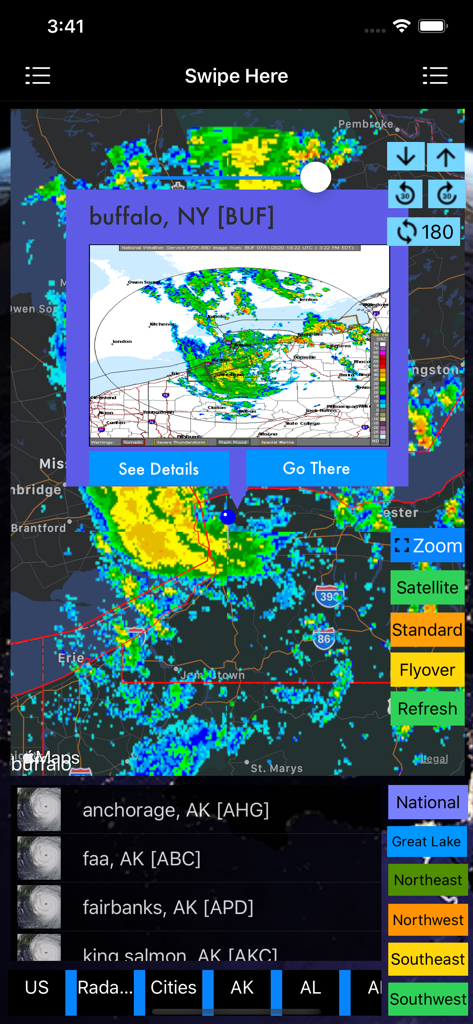
US NOAA Radars 3D Pro - US NOAA Radars 3D Proアプリケーション内のニューヨーク州バッファローの気象レーダーマップ
US NOAA Radars 3D Proアプリケーション内のニューヨーク州バッファローの気象レーダーマップ

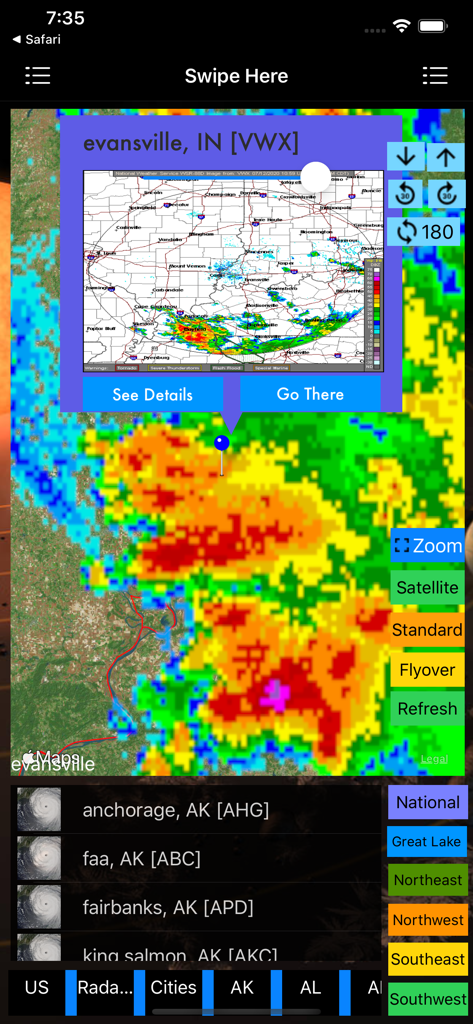
US NOAA Radars 3D Pro - インディアナ州エバンズビル上空の嵐のセルを表示する、US NOAA Radars 3D Proアプリの詳細な気象レーダーマップ
インディアナ州エバンズビル上空の嵐のセルを表示する、US NOAA Radars 3D Proアプリの詳細な気象レーダーマップ

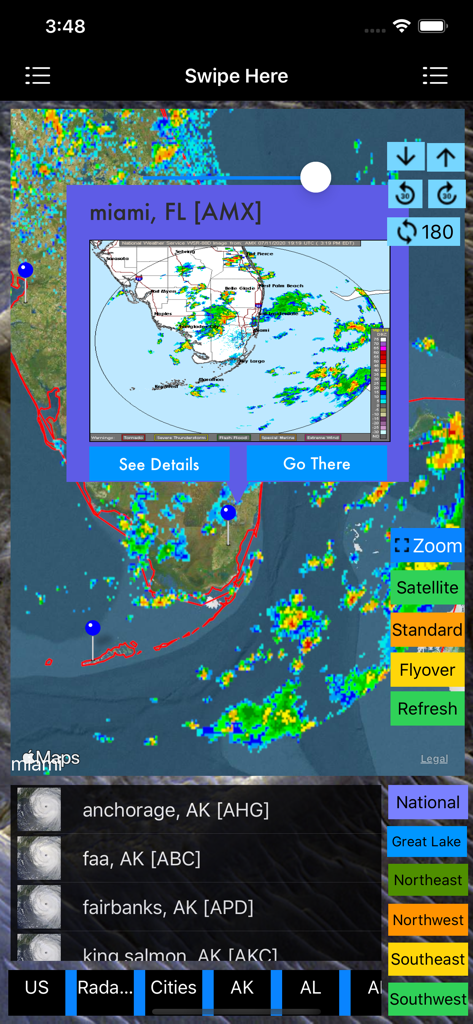
US NOAA Radars 3D Pro - 嵐追跡オーバーレイを備えたマイアミの気象レーダーマップを表示するUS NOAA Radars 3D Proアプリ
嵐追跡オーバーレイを備えたマイアミの気象レーダーマップを表示するUS NOAA Radars 3D Proアプリ

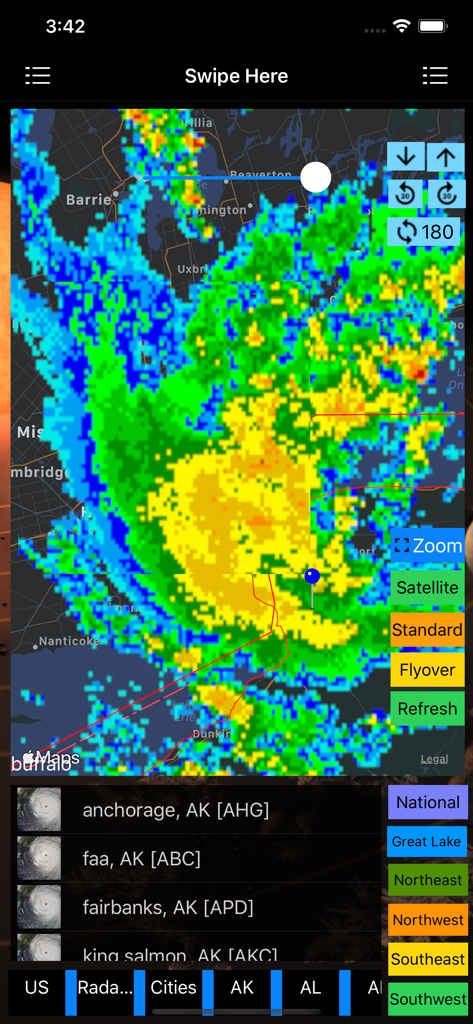
US NOAA Radars 3D Pro - ナビゲーションおよびズームツールを備えた、地図上にカラフルな嵐レーダーオーバーレイを表示するUS NOAA Radars 3D Proアプリのインターフェース
ナビゲーションおよびズームツールを備えた、地図上にカラフルな嵐レーダーオーバーレイを表示するUS NOAA Radars 3D Proアプリのインターフェース

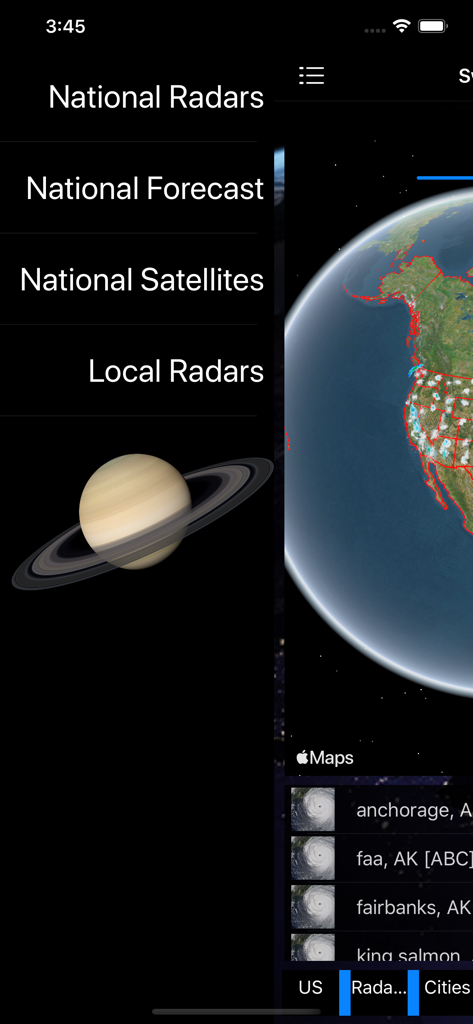
US NOAA Radars 3D Pro - US NOAA Radars 3D Proアプリのメインメニューと3D地球儀の視覚化。
US NOAA Radars 3D Proアプリのメインメニューと3D地球儀の視覚化。

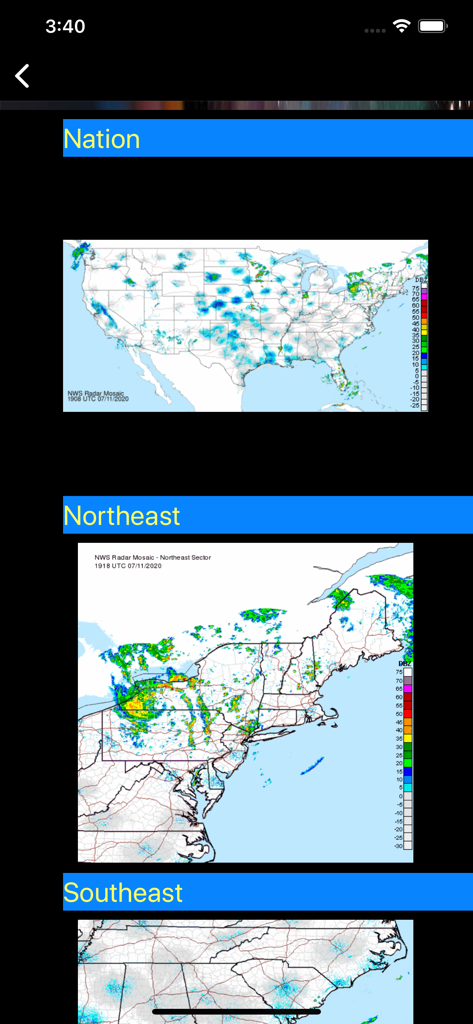
US NOAA Radars 3D Pro - アメリカ合衆国の全国および地域のNOAA気象レーダーマップ。

アメリカ合衆国の全国および地域のNOAA気象レーダーマップ。

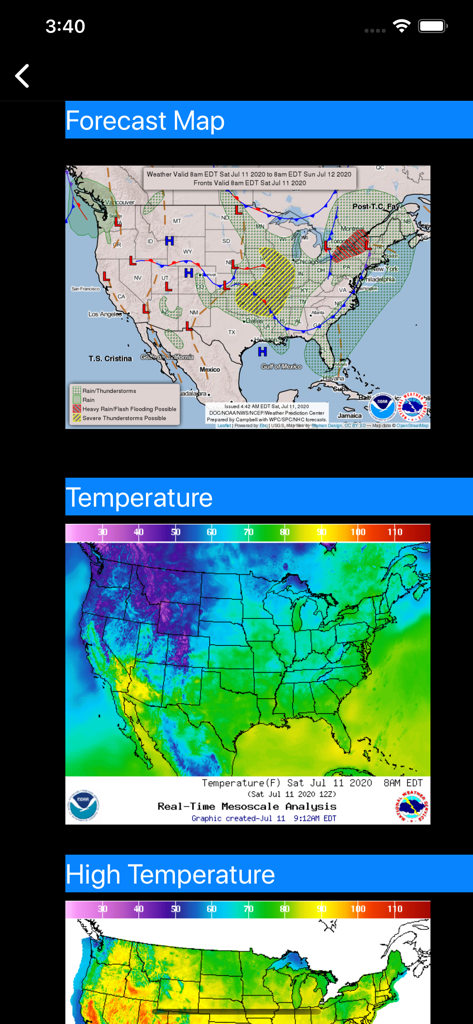
US NOAA Radars 3D Pro - アメリカ合衆国の天気予報と気温レーダーマップ

アメリカ合衆国の天気予報と気温レーダーマップ

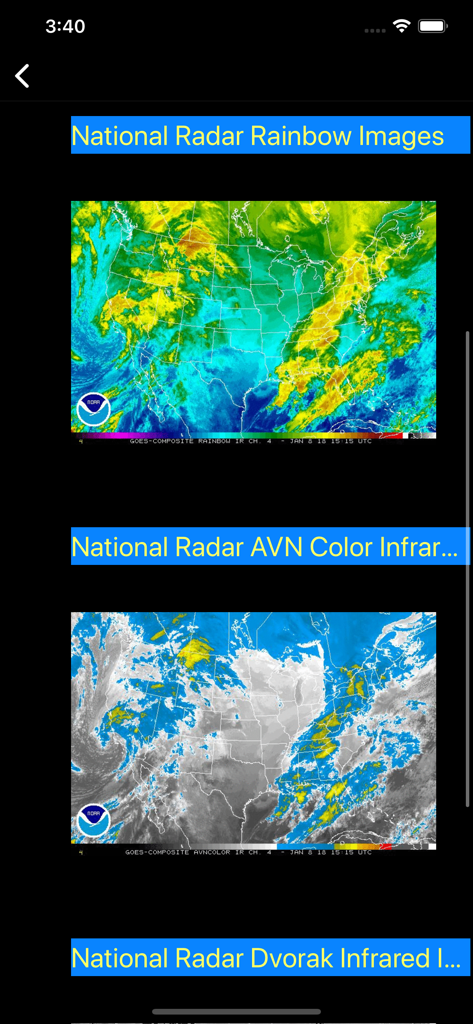
US NOAA Radars 3D Pro - レインボーおよび赤外線ビューの全国NOAA衛星レーダー画像

レインボーおよび赤外線ビューの全国NOAA衛星レーダー画像

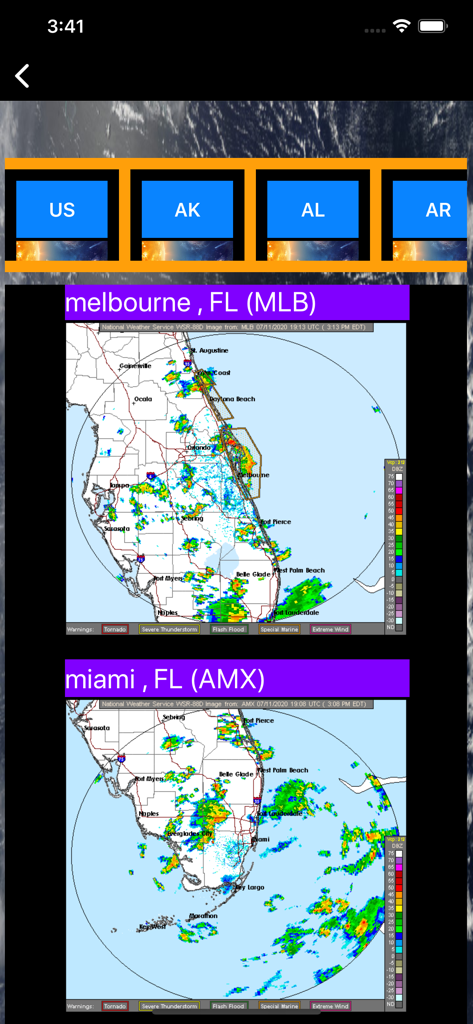
US NOAA Radars 3D Pro - US NOAA Radars 3D Proアプリインターフェース内のフロリダ州メルボルンとマイアミの気象レーダーマップ

US NOAA Radars 3D Proアプリインターフェース内のフロリダ州メルボルンとマイアミの気象レーダーマップ

説明

The Next Generation of Weather Radar app is here. iOS App Quick Started: > Radar images will be loaded when the app is launched and will be refreshed every 10 minutes. And you are ready to see the latest real time radar images on the map. Zoom in and out to see the whether across multiple states. Click on the "Radar" button to enable/disable radar images. Slide the slider to change the transparency of radar images. You can also select any radar from menu, radar stations on the map and right sidebar to switch to a different radar station. > To see the major city 3D View, follow the steps below: 1. Select "Flyover" on the top to enable 3D View 2. Select "Major Cities" from the left sidebar to see the major cities on the map. Click on any major city and you are ready to see 3D City View (use two-fingers gesture to change viewing angles: zoom in/out, rotate, swipe up/down). You can also zoom in to a major city manually. Watch App Quick Started: > Launch the Watch App and the app will communicate with the iOS App to get the nearest Radar information and also notify the iOS App to select and view the Radar. The radar image will also be sent back to Watch App for display. Click on the "Nearest" button if you would like to search the nearest radar again. This app is the Next Generation of Weather Radar app by integrating the following technologies and data together: - The latest Apple MapKit features such as Traffic, Buildings, POI and 3D View - Apple Watch Integration with iPhone. - Apple TV integration (Universal Purchase) - Real Time NOAA Radar - National, Regional and Individual Radar View with the easiest ways to access the radars (right sidebar, menu or map pins) - 3D Radar View - Transparent Radar View - Radar Image - Major cities layer and weather forecast (***Full Version*** Tap a city and the flyover view will be enabled and zoomed into the selected city). - Radar Stations layer and weather forecast (Full Version) - Radar Images (Full Version) - Apple Watch Integration. - Databases with built in information. - Weather Alerts (Under development) This app provides the following features: - The first app integrates the latest national Radar, Regional Radar and Individual Radars together. - The first app provides Radar images in 3D view by selecting Flyover map mode on the top. - Quick access to radars: > One click Radar switch by selecting the right sidebar and click on a radar. > One click Radar switch by selecting an item on the top menu. > One click Radar switch by selecting radar on the map (Full Version) - One click feature/layer switch by selecting the left sidebar and click on a feature/layer > Radar Image based upon the selected state > Radar Stations layer on/off > Major cities layer on/off - One click theme switch by selecting the left sidebar and click on a theme to have the look you want. - This app provides the Apple Watch Integration to control iPhone to select and display the nearest Radar Image. - This app provides Apple TV integration (Universal Purchase)

Download

ダウンロード: App Store

このページはアプリまたはその開発者の公式ページではなく、情報提供および論評を目的として作成された独立した編集出版物です。明示的に別段の記載がない限り、アプリおよびその開発者は、MWM、Apple、Google Play、アプリのパブリッシャー、またはアプリの開発者と提携、承認、後援、認可、またはその他の公式的な関係はなく、このページのいかなる内容も、アプリがMWMのサービスを使用して開発されたことを意味するものではありません。すべての商標、ロゴ、スクリーンショット、その他のコンテンツはそれぞれの所有者の財産です。