UWACAM
UWACAM
ダウンロード: App Store

このページはアプリまたはその開発者の公式ページではなく、情報提供および論評を目的として作成された独立した編集出版物です。明示的に別段の記載がない限り、アプリおよびその開発者は、MWM、Apple、Google Play、アプリのパブリッシャー、またはアプリの開発者と提携、承認、後援、認可、またはその他の公式的な関係はなく、このページのいかなる内容も、アプリがMWMのサービスを使用して開発されたことを意味するものではありません。すべての商標、ロゴ、スクリーンショット、その他のコンテンツはそれぞれの所有者の財産です。

ロゴ: UWACAM
ダウンロード: App Store

UWACAM

UWACOLORによるリアルタイム色処理、マニュアルプロコントロール、Vizalyzer AIによる海洋生物識別で、海の真の色を蘇らせましょう。すべてDIVEVOLKケースに最適化されています。

主要数値

ダウンロード

200

ユーザー評価

4.7/5

評価数

0

開発元

Bumbayaya GmbH

カテゴリ

Photo & Video

対応言語

5

最新バージョン

2.4.7

サイズ

46.4 MB

リリース日

2025年1月10日
機能

水面下でのプロフェッショナルな成果

iPhoneをプログレードの水中カメラに変えましょう。深海向けに設計されたツールで、鮮やかな、実物に近い色をキャプチャし、海洋生物を即座に識別します。

リアルタイム色復元

UWACOLORテクノロジーで青緑色の色かぶりを排除し、記録中またはポストプロダクションで、鮮やかな赤と自然なコントラストを即座に復元します。

ディープダイブに最適化

DIVEVOLKケースと水中環境のために特別に設計された、大きく触りやすいコントロールで、グローブを着用していても楽に操作できます。

以下のスクリーンショットと説明は、アプリの公式ストアリスティングから直接取得されたものであり、アプリ開発者の所有物です。

アプリストア

スクリーンショット
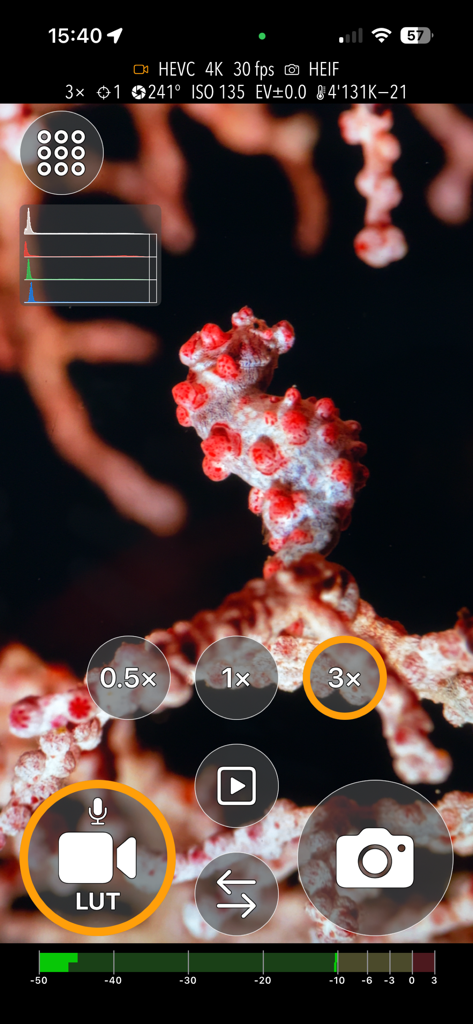
UWACAM - タツノオトシゴのマクロ撮影とプロの写真撮影コントロールを備えたUWACAMアプリインターフェース
タツノオトシゴのマクロ撮影とプロの写真撮影コントロールを備えたUWACAMアプリインターフェース

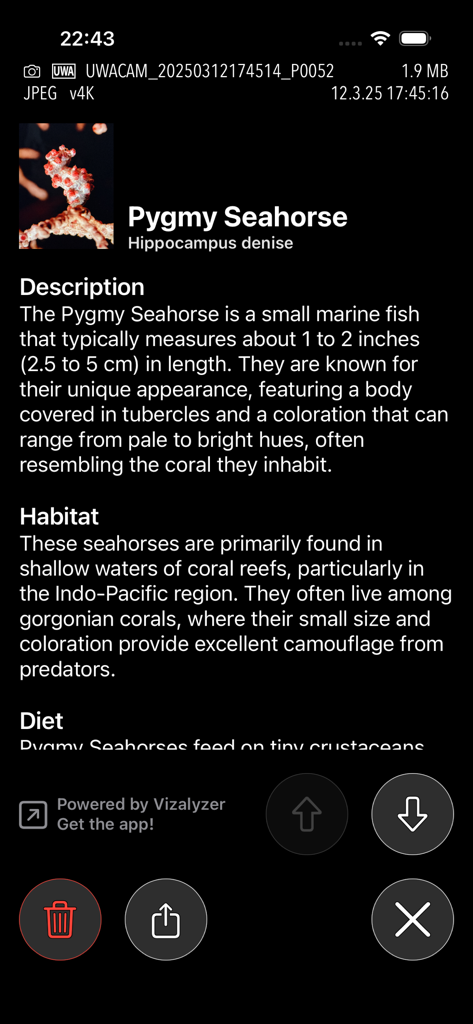
UWACAM - Vizalyzer AIを使用してピグミーシーホースの海洋生物識別を表示するUWACAMアプリ画面
Vizalyzer AIを使用してピグミーシーホースの海洋生物識別を表示するUWACAMアプリ画面

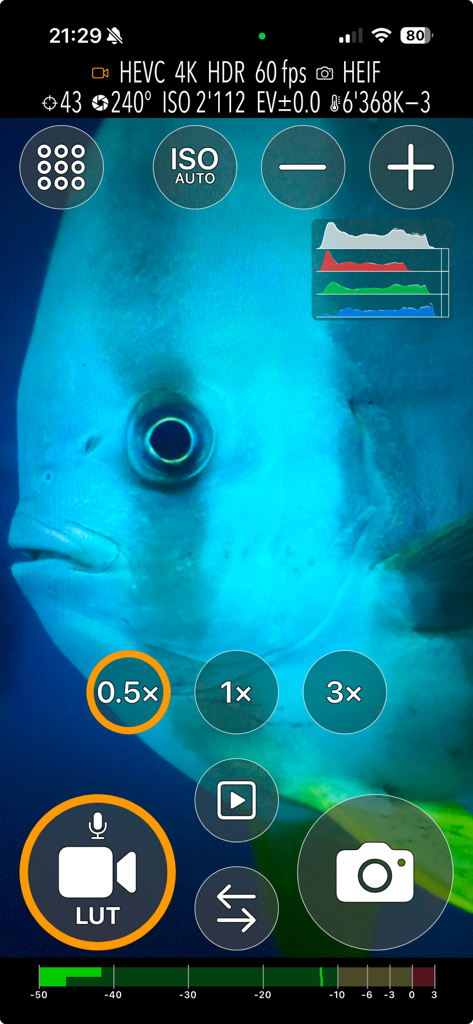
UWACAM - プロのビデオおよび写真コントロールを備えた魚のクローズアップを表示するUWACAMアプリインターフェース
プロのビデオおよび写真コントロールを備えた魚のクローズアップを表示するUWACAMアプリインターフェース

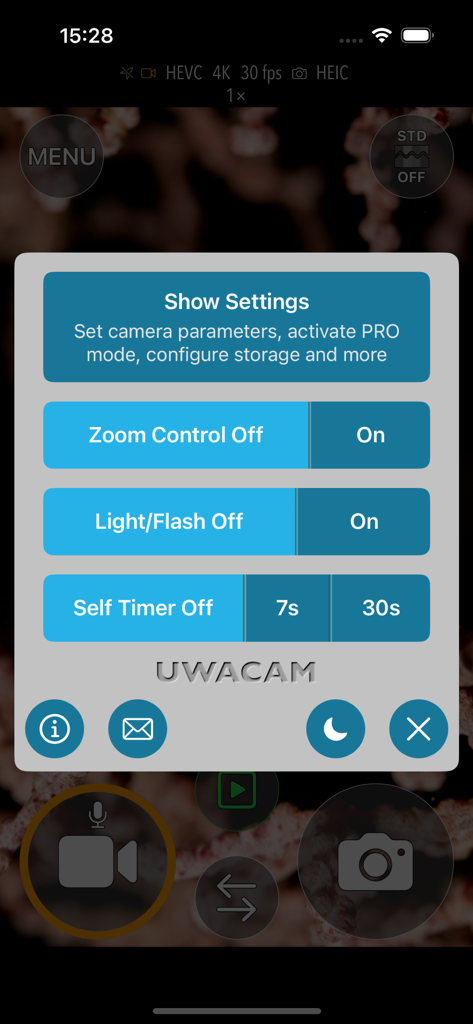
UWACAM - ズーム、フラッシュ、タイマーコントロールを備えたUWACAMアプリ設定メニュー
ズーム、フラッシュ、タイマーコントロールを備えたUWACAMアプリ設定メニュー

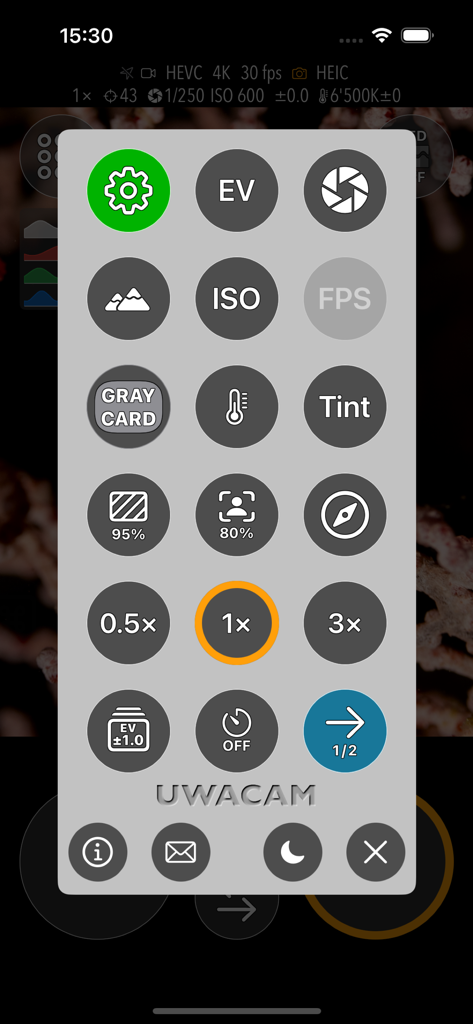
UWACAM - 水中使用のために設計された大きな円形のアイコンを備えたマニュアルカメラコントロールを表示するUWACAMアプリ設定メニュー
水中使用のために設計された大きな円形のアイコンを備えたマニュアルカメラコントロールを表示するUWACAMアプリ設定メニュー

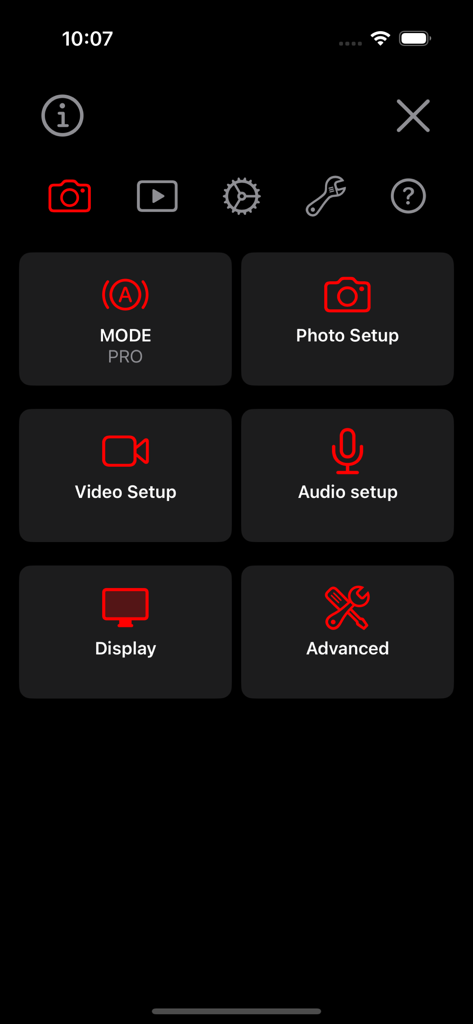
UWACAM - 暗い背景に、写真設定、ビデオ設定、オーディオ設定、および高度なコントロール用の大きな赤いアイコンを備えたUWACAMアプリ設定画面。
暗い背景に、写真設定、ビデオ設定、オーディオ設定、および高度なコントロール用の大きな赤いアイコンを備えたUWACAMアプリ設定画面。

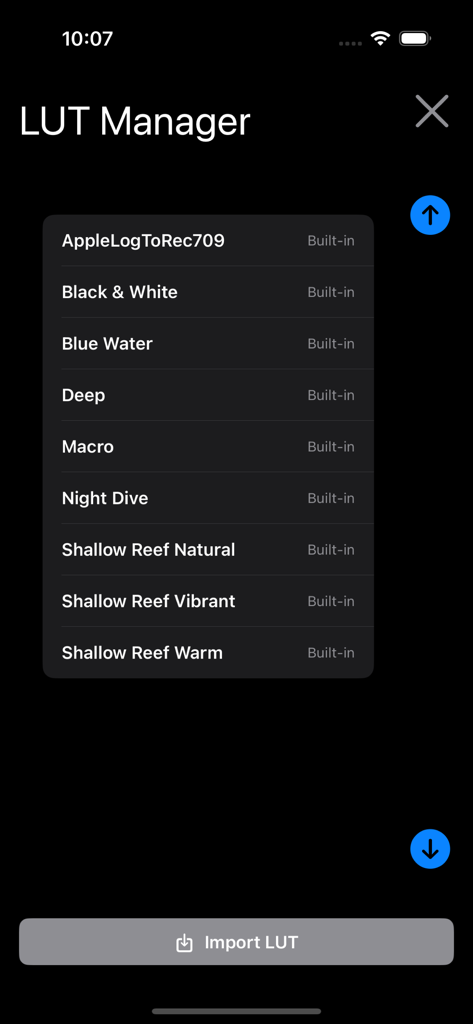
UWACAM - Blue WaterやShallow Reefなどの組み込み水中カラーグレーディングプリセットを表示するUWACAMアプリLUTマネージャー画面。
Blue WaterやShallow Reefなどの組み込み水中カラーグレーディングプリセットを表示するUWACAMアプリLUTマネージャー画面。

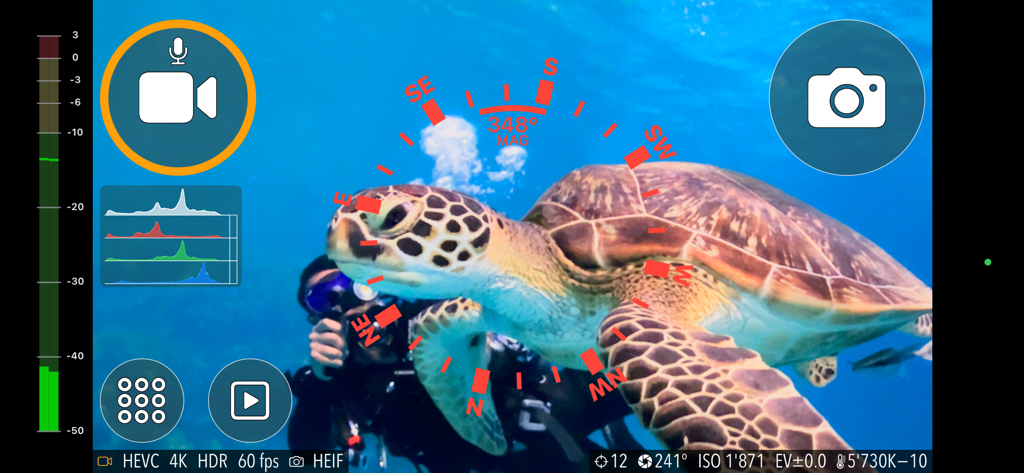
UWACAM - ウミガメがいるUWACAMプロ水中カメラアプリインターフェース。

ウミガメがいるUWACAMプロ水中カメラアプリインターフェース。

説明

UWACAM is the leading professional app for underwater photo and video, now available in Version 2.4 Designed for DIVEVOLK Seatouch cases and developed in collaboration with award-winning underwater cinematographer Matthias Lebo, this app is easy to use, featuring large, clear controls that enable effortless, stunning video and photo captures. It is packed with professional features typically found in DSLR cameras, provides automatic UWACOLOR* processing for videos and photos either real-time or postprocessed to enhance colors in captures, supports LOG format for enhanced color grading, includes built-in color lookup tables (LUTs), and provides manual mode capturing, user presets, histogram, focus peaking, zebra, and much more. Integrated Vizalyzer AI technology allows you to analyze your video and photo captures, retrieving valuable information on marine life forms (internet connection and subscription required) Feature highlights: • User interface specifically designed for use underwater, action sports or other challenging environments • Easy to use in DIVEVOLK Seatouch cases, or when using touchscreen-compatible gloves • Perfect for scuba diving, snorkelling, watersports and sports action use • Choose between AUTO Mode (great for casual users and beginners) and PRO Mode with full manual control • Automatic UWACOLOR dynamically adaptive color processing gives your underwater video and photo captures more realistic color and beautiful contrast – either real-time during capture or later on by postprocessing directly in the app - also with 4k resolution, high frame rates and HDR/Rec.2020 • Includes optional built-in compass overlay for navigation, even while filming • Easy to use Zoom functionality with three different zooming speeds • Supports Video in all resolutions, frame rates and color spaces of the device • Supports Photo in all resolutions and formats of the device • Focus peaking for focus check • Zebra for exposure check • Record in LOG format for easier color grading in post production • Built-in color lookup tables (LUTs) • Import your own custom LUTs • Manual control of exposure, focus, white balance, tint and more • Magnifier to zoom into the preview imag, e.g. for macro captures • Customizable shooting parameters and user interface with easy-to use menus • User Presets to store complete setups for quick access • Histogram in various sizes. Position, peak hold, limit configurable • Wide variety of configurable overlays: center point, rule of thirds, safe area, and more • Store captures to photo library, files, or in-app • Use sleep mode to conserve battery while not capturing Free download – no capture feature limitations. Subscribe to turn off watermarking for captures you make after subscribing (captures made or processed with UWACOLOR without subscription have a permanent non-removable watermark imprinted) and to enable Vizalyzer AI image analysis. If you have feedback, questions, or experience an issue with the app, please contact us right away by email at support@uwacam.com - we're happy to help! *Please note that no color processing or filter can fully restore colors lost due to spectral absorption. For best results we recommend using a video light if available. End-User License Agreement: https://www.apple.com/legal/internet-services/itunes/dev/stdeula/

Download

ダウンロード: App Store

このページはアプリまたはその開発者の公式ページではなく、情報提供および論評を目的として作成された独立した編集出版物です。明示的に別段の記載がない限り、アプリおよびその開発者は、MWM、Apple、Google Play、アプリのパブリッシャー、またはアプリの開発者と提携、承認、後援、認可、またはその他の公式的な関係はなく、このページのいかなる内容も、アプリがMWMのサービスを使用して開発されたことを意味するものではありません。すべての商標、ロゴ、スクリーンショット、その他のコンテンツはそれぞれの所有者の財産です。








