uWeb Server2
uWeb Server2
ダウンロード: App Store

このページはアプリまたはその開発者の公式ページではなく、情報提供および論評を目的として作成された独立した編集出版物です。明示的に別段の記載がない限り、アプリおよびその開発者は、MWM、Apple、Google Play、アプリのパブリッシャー、またはアプリの開発者と提携、承認、後援、認可、またはその他の公式的な関係はなく、このページのいかなる内容も、アプリがMWMのサービスを使用して開発されたことを意味するものではありません。すべての商標、ロゴ、スクリーンショット、その他のコンテンツはそれぞれの所有者の財産です。


ロゴ: uWeb Server2
ダウンロード: App Store

uWeb Server2

iPhoneを軽量ローカルサーバーに変身。アカウントもパスワードも不要で、あらゆるデバイスのブラウザからファイルにアクセス、転送、管理。

主要数値

ダウンロード

0

ユーザー評価

1.0/5

評価数

0

開発元

斌 虞

カテゴリ

Productivity

対応言語

1

最新バージョン

1.0.10

サイズ

3.5 MB

リリース日

2024年4月10日
機能

ローカルファイル共有をシンプルに

iPhoneをパワフルなファイルハブに変える超軽量Webサーバー。クラウドもアカウントも不要、純粋なスピードだけ。

手間いらずのセットアップ

ログイン画面や複雑な設定はスキップ。数秒でローカルサーバーを起動し、ファイルを即座にアップロードまたはダウンロード。

クロスプラットフォームの自由

Windows、Linux、Androidのどのブラウザからでもデバイスにアクセス。マルチデバイスエコシステムに最適なブリッジ。

以下のスクリーンショットと説明は、アプリの公式ストアリスティングから直接取得されたものであり、アプリ開発者の所有物です。

アプリストア

スクリーンショット
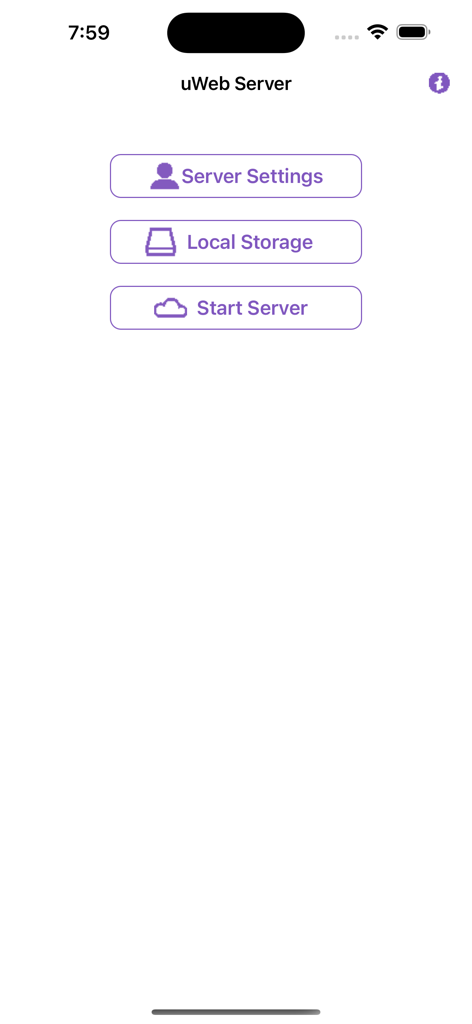
uWeb Server2 - uWeb Serverアプリのメインホーム画面、サーバー設定と開始ボタンが表示されている
uWeb Serverアプリのメインホーム画面、サーバー設定と開始ボタンが表示されている

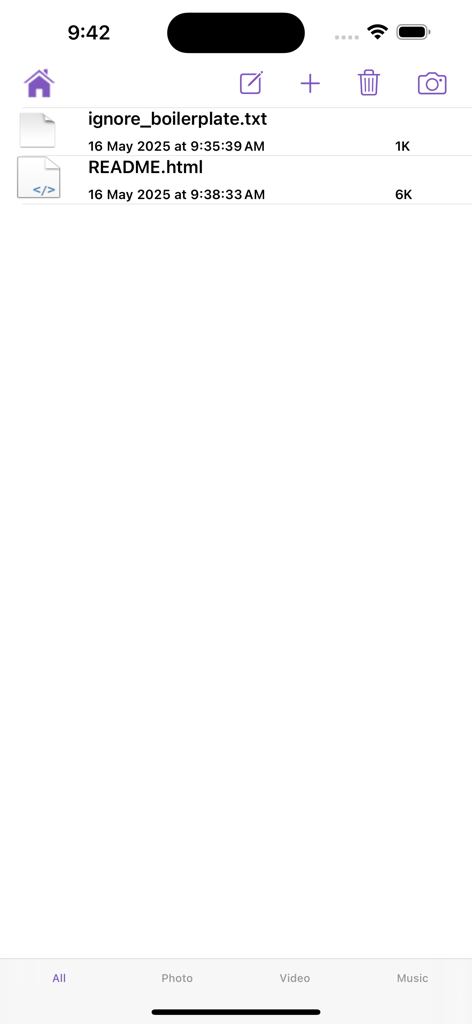
uWeb Server2 - uWeb Server2アプリのインターフェース、テキストファイルとHTMLファイルを含む共有ファイルリストが表示されている
uWeb Server2アプリのインターフェース、テキストファイルとHTMLファイルを含む共有ファイルリストが表示されている

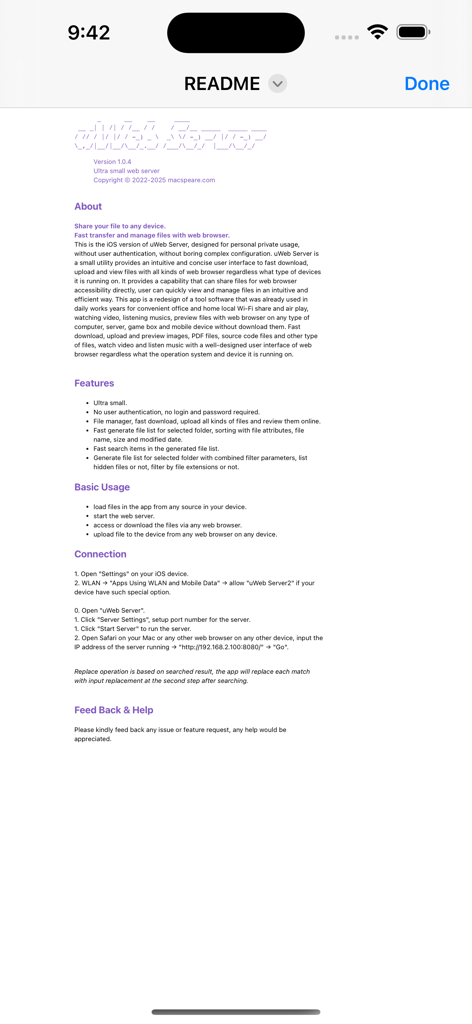
uWeb Server2 - uWeb Server2アプリのドキュメント画面、機能と使用手順がリストされている
uWeb Server2アプリのドキュメント画面、機能と使用手順がリストされている

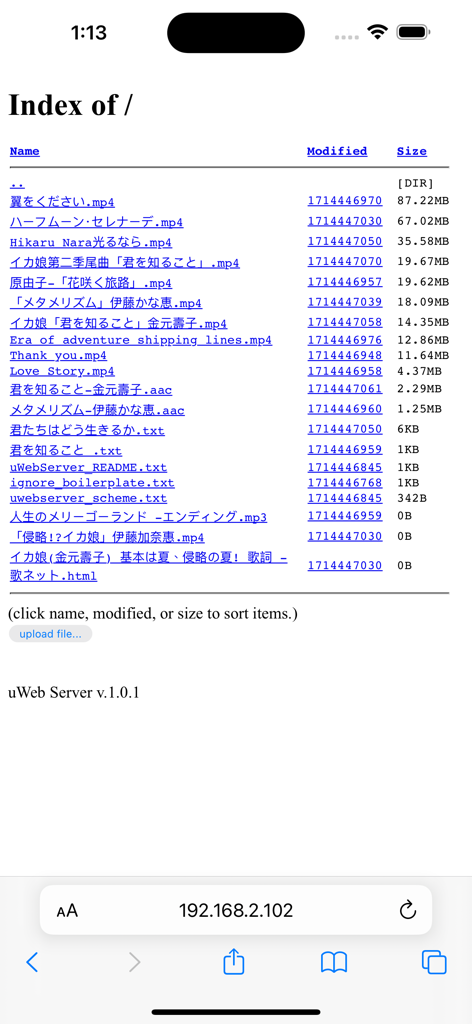
uWeb Server2 - uWeb Server2アプリでホストされているファイルリストを表示するモバイルWebブラウザのインターフェース、名前、変更日、サイズの列がある

uWeb Server2アプリでホストされているファイルリストを表示するモバイルWebブラウザのインターフェース、名前、変更日、サイズの列がある

説明

Ultra small web server. Share your file to any device. Fast transfer and manage files with web browser. This is the iOS version of uWeb Server, designed for personal private usage, without user authentication, without boring complex configuration. uWeb Server is a small utility provides an intuitive and concise user interface to fast download, upload and view files with all kinds of web browser regardless what type of devices it is running on. It provides a capability that can share files for web browser accessibility directly, user can quickly view and manage files in an intuitive and efficient way. This app is a redesign of a tool software that was already used in daily works years for convenient office and home local Wi-Fi share and air play, watching video, listening musics, preview files with web browser on any type of computer, server, game box and mobile device without download them. Fast download, upload and preview images, PDF files, source code files and other type of files, watch video and listen music with a well-designed user interface of web browser regardless what the operation system and device it is running on. Basic Usage: 1. load files in the app from any source in your device. 2. start the web server. 3. access or download the files via any web browser. 4. upload file to the device. Features: a. Ultra small. b. No user authentication, no login and password required. c. File manager, fast download, upload all kinds of files and review them online. d. Fast generate file list for selected folder, sorting with file attributes, file name, size and modified date. e. Fast search items in the generated file list. f. Generate file list for selected folder with combined filter parameters, list hidden files or not, filter by file extensions or not.

Download

ダウンロード: App Store

このページはアプリまたはその開発者の公式ページではなく、情報提供および論評を目的として作成された独立した編集出版物です。明示的に別段の記載がない限り、アプリおよびその開発者は、MWM、Apple、Google Play、アプリのパブリッシャー、またはアプリの開発者と提携、承認、後援、認可、またはその他の公式的な関係はなく、このページのいかなる内容も、アプリがMWMのサービスを使用して開発されたことを意味するものではありません。すべての商標、ロゴ、スクリーンショット、その他のコンテンツはそれぞれの所有者の財産です。








