Vault : Lock Photos & Videos
ダウンロード: App Store

このページはアプリまたはその開発者の公式ページではなく、情報提供および論評を目的として作成された独立した編集出版物です。明示的に別段の記載がない限り、アプリおよびその開発者は、MWM、Apple、Google Play、アプリのパブリッシャー、またはアプリの開発者と提携、承認、後援、認可、またはその他の公式的な関係はなく、このページのいかなる内容も、アプリがMWMのサービスを使用して開発されたことを意味するものではありません。すべての商標、ロゴ、スクリーンショット、その他のコンテンツはそれぞれの所有者の財産です。

ロゴ: Vault : Lock Photos & Videos
ダウンロード: App Store

Vault : Lock Photos & Videos

モバイルライフのためのオールインワンデジタルセーフ。軍事レベルの暗号化、高度な全フォーマット対応ビデオプレーヤー、そしてFaceIDでロックされたプライベートブラウザでメディアを保護します。

主要数値

ダウンロード

226K+

ユーザー評価

4.6/5

評価数

6K+

開発元

Jadhav Murari

カテゴリ

Photo & Video

対応言語

18

最新バージョン

3.9.3

サイズ

88.2 MB

リリース日

2018年1月5日
機能

あなたの究極のデジタルサンクチュアリ

最も機密性の高いメディアを隠し、管理し、保護するために設計された、安全なオールインワンのVaultでモバイルプライバシーを再びコントロールしましょう。

破れないプライバシー

PIN、FaceID、またはTouchIDでコンテンツを保護します。高度なフォルダ暗号化により、プライベートファイルはあなた以外には見えません。

あらゆるフォーマットを再生

変換の手間はもう不要です。高度なプレーヤーはMKV、AVI、FLVをHDオーディオでサポートし、プライベートライブラリを驚くほどの品質で視聴できます。

以下のスクリーンショットと説明は、アプリの公式ストアリスティングから直接取得されたものであり、アプリ開発者の所有物です。

アプリストア

スクリーンショット
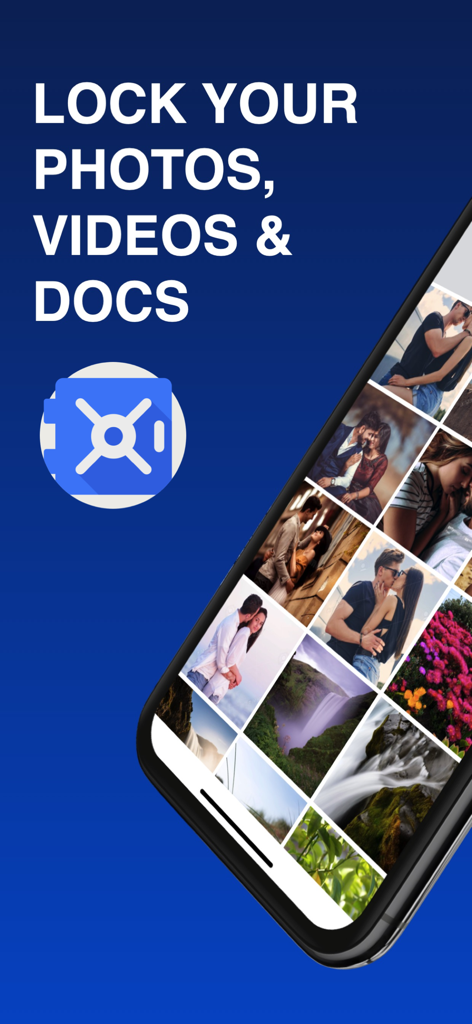
Vault : Lock Photos & Videos - 青い背景にプライベート写真ギャラリーと安全なセーフアイコンが表示されたVaultアプリのインターフェイスを示すiPhone
青い背景にプライベート写真ギャラリーと安全なセーフアイコンが表示されたVaultアプリのインターフェイスを示すiPhone

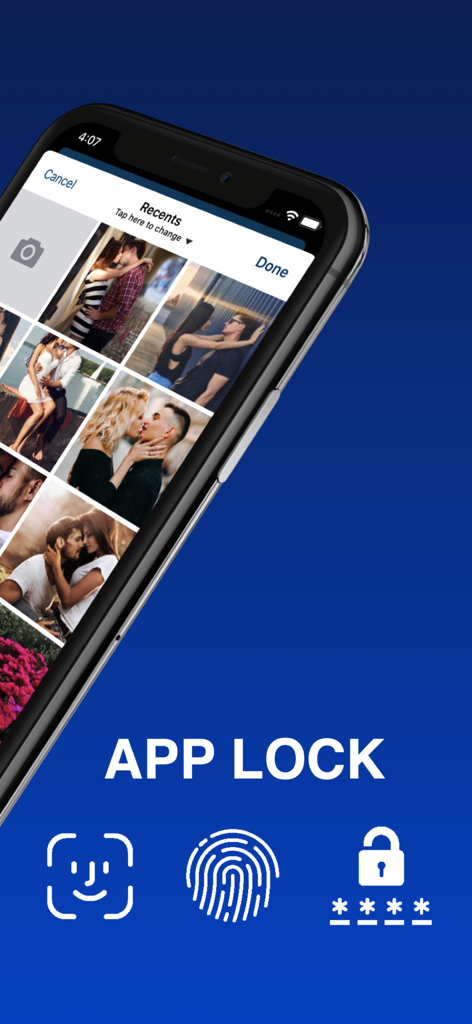
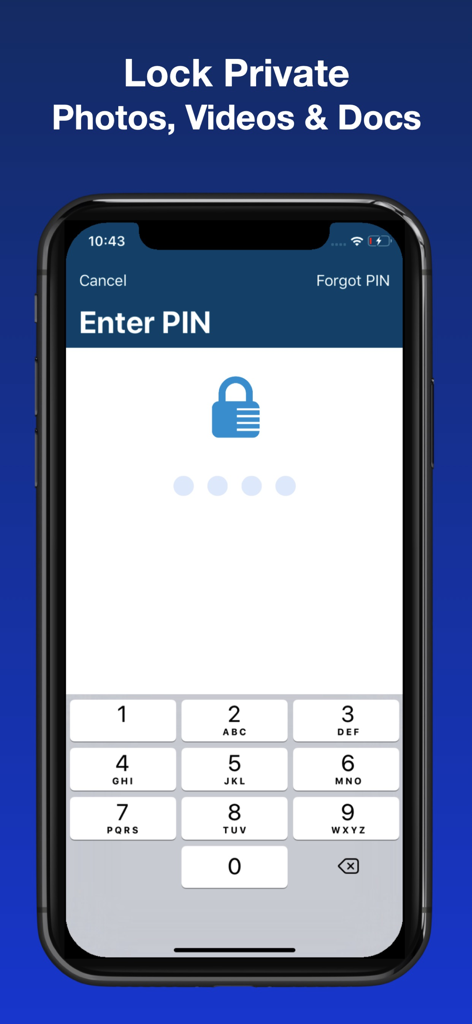
Vault : Lock Photos & Videos - プライベートメディアの生体認証とパスコードセキュリティオプションを示すVaultアプリのロック画面
プライベートメディアの生体認証とパスコードセキュリティオプションを示すVaultアプリのロック画面

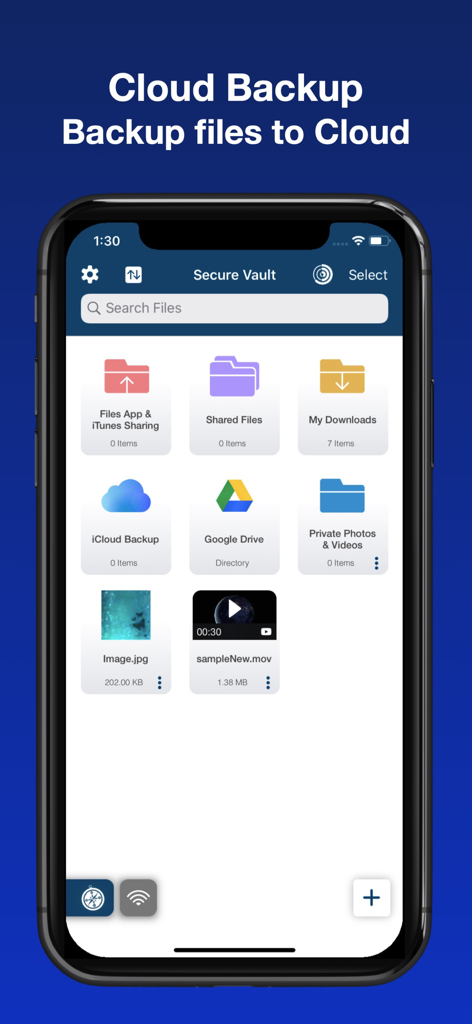
Vault : Lock Photos & Videos - クラウドバックアップとファイル管理機能を展示するiPhone上の安全なVaultアプリインターフェイス
クラウドバックアップとファイル管理機能を展示するiPhone上の安全なVaultアプリインターフェイス

Vault : Lock Photos & Videos - プライベート写真と動画を保護するためのPINコード入力画面

プライベート写真と動画を保護するためのPINコード入力画面

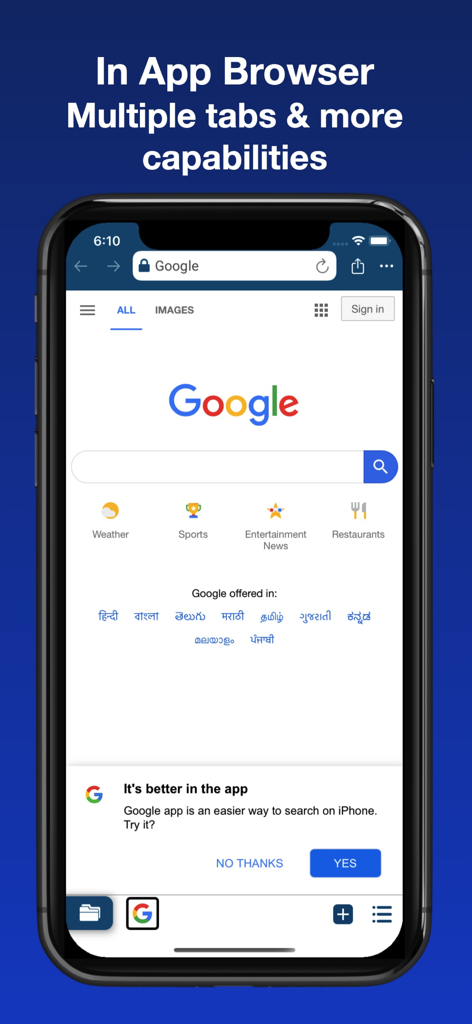
Vault : Lock Photos & Videos - 複数のタブとGoogle検索を備えたプライベートアプリ内ブラウザを示すVaultアプリのスクリーンショット
複数のタブとGoogle検索を備えたプライベートアプリ内ブラウザを示すVaultアプリのスクリーンショット

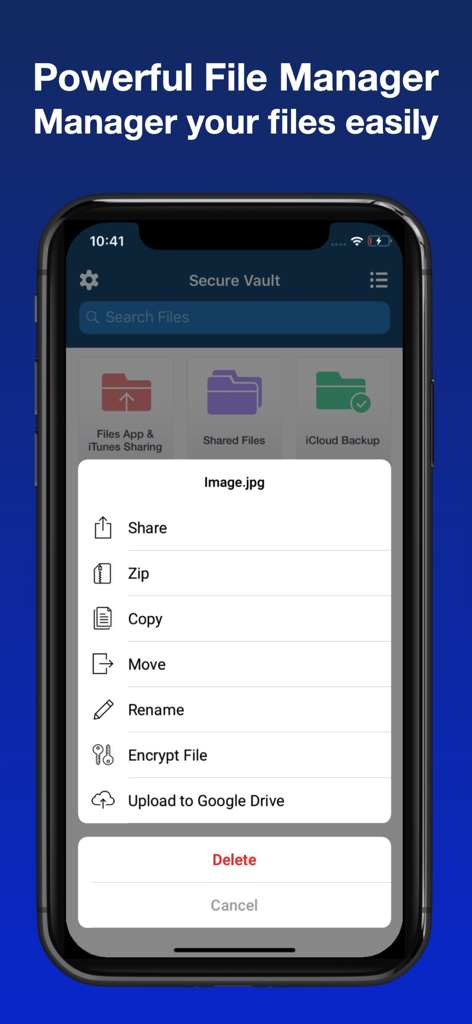
Vault : Lock Photos & Videos - メディアの暗号化、圧縮、共有オプションを示すVaultアプリのファイル管理メニュー
メディアの暗号化、圧縮、共有オプションを示すVaultアプリのファイル管理メニュー

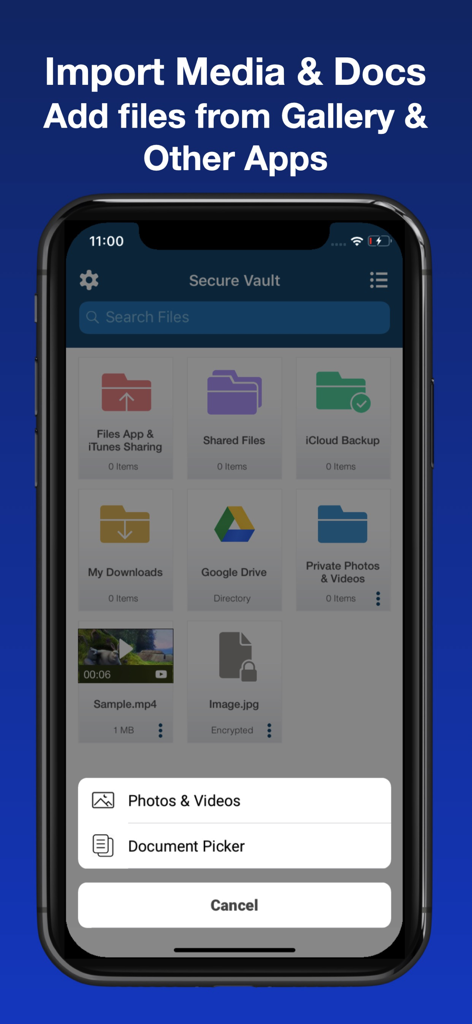
Vault : Lock Photos & Videos - ギャラリーまたはクラウドストレージから写真、動画、ドキュメントをインポートするオプションを示すVaultアプリのインターフェイス
ギャラリーまたはクラウドストレージから写真、動画、ドキュメントをインポートするオプションを示すVaultアプリのインターフェイス

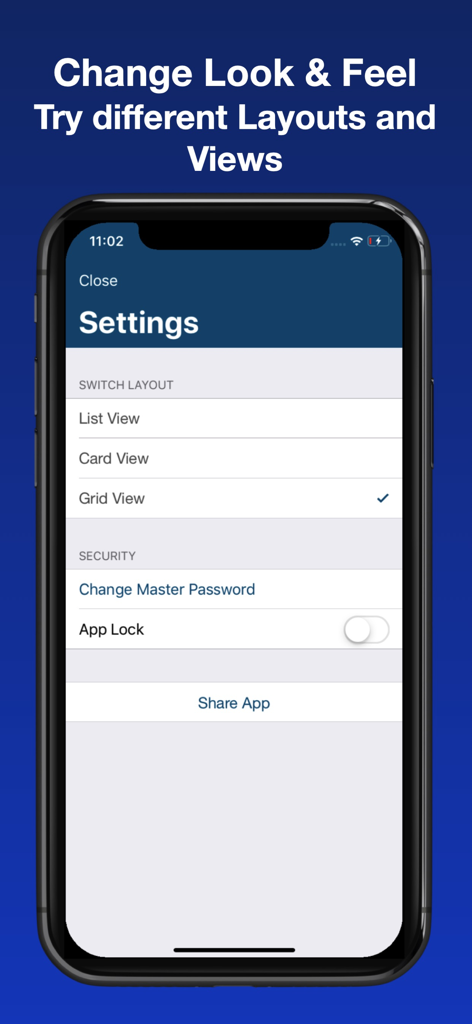
Vault : Lock Photos & Videos - レイアウト表示の選択肢とマスターパスワードやアプリロックなどのセキュリティオプションを表示するVaultアプリの設定画面

レイアウト表示の選択肢とマスターパスワードやアプリロックなどのセキュリティオプションを表示するVaultアプリの設定画面

説明

Want to secure your Private Photos, Videos or Documents and manage them hassle free? then this is perfect app for you. No more need to install different apps for different types of files. VAULT is Most Powerful and Secure File Manager with Cloud Backup and Advanced Security features. FEATURES: ◉ Folder Lock & File Encryption - Lock Folders with PIN - Encrypt private files to get better security ◉ Advance Video Player - Video is able to run files in almost any video format including: mp4, 3gp, mov, m4v, mkv, flv, webm, avi, vob, ogv, ogg, drc, mts, m2ts, ts, qt, wmv, yuv, rm, rmvb, viv, asf, amv, m4p, mpg, mp2, mpeg, mpe, mpv, m2v, svi, 3g2, mxf, roq, nsv, f4v, f4p, f4a, f4b, wtv, mjpeg, hevc, divx, dv, dat, gxf, m2p, moov, mpeg1, mpeg2, mpeg4, mt2s, ogm, ps, WebM, wm, iso, video_ts Includes industry standard HD Audio support. ◉ Secure Browser - Private browsing (Incognito mode) - Multi-Tab Support - Restore closed Tab - Manage Bookmarks, Speed-dial & History - Support Mobile & Desktop View - Find words easily ◉ Advance File Manager - Simple and elegant photo, video and file manager and organizer - Move, Rename, Delete and Share files - Sort files by Name, Date and Size - Import Media from Gallery - Capture photo or record videos inside the app - Zip and unzip files - Set files and folders as favourite - Quickly preview photos, videos and folders using 3D Touch - Import photos/videos from iOS Files (iCloud, Dropbox Google Drive and more) - Filter your favourite files easily ◉ Wireless File Transfer - transfer you Photos, Videos or Docs to PC or Mac using local WiFi or Hotspot. - Locked Folders and Files will not be visible on file sharing ◉ Privacy - Password protect your albums - Lock Folders - Encrypt and Lock Files ◉ iCloud Backup - Back up your important files to cloud with minimum efforts. - Sync files easily ◉ Google Drive File Management - Manage your google drive files - Backup and Download files from your google drive account. ◉ App Lock - Support Touch ID or Face ID - Set App Lock PIN for one more level of security - Use Touch ID or Face ID to unlock VAULT ◉ App is enabled with "iOS Files App". That means you can access files & Documents from "Files App". ◉ iTunes file sharing support. ◉ Import files from other apps. ◉ Beautiful app design and interactions. How are we doing? Tell us how we can make App better and bring new features for you. We are listening !!! Thank you for using VAULT. Please consider rating on App Store :) Copyright : 2019 Nandan Jadhav Subscription: VAULT offers monthly, 3 months, 6 months subscription. If you choose to purchase a subscription, payment will be charged to your iTunes account, and your account will be charged for renewal 24 hours prior to the end of the current period. Auto-renewal may be turned off at any time by going to your settings in the iTunes Store after purchase. Terms of Service: https://www.secure-vault.app/terms-of-service Privacy policy: https://www.secure-vault.app/privacy-policy

Download

ダウンロード: App Store

このページはアプリまたはその開発者の公式ページではなく、情報提供および論評を目的として作成された独立した編集出版物です。明示的に別段の記載がない限り、アプリおよびその開発者は、MWM、Apple、Google Play、アプリのパブリッシャー、またはアプリの開発者と提携、承認、後援、認可、またはその他の公式的な関係はなく、このページのいかなる内容も、アプリがMWMのサービスを使用して開発されたことを意味するものではありません。すべての商標、ロゴ、スクリーンショット、その他のコンテンツはそれぞれの所有者の財産です。