VDO.Ninja

VDO.Ninja

ダウンロード: App Store
ロゴ: VDO.Ninja

VDO.Ninja: OBSおよびライブプロダクション向けのプログレードワイヤレスビデオ

WebRTCストリーミングの超低遅延で、iOSデバイスを高画質のリモートカメラまたはソースにしましょう。クリエイター向けに設計され、バックグラウンド画面共有と暗号化されたP2P接続を提供し、プロの放送ワークフローにシームレスに統合します。

開発元

Steve Seguin

カテゴリ

Photo & Video

ダウンロード

21K+

ユーザー評価

3.8/5

評価数

0

対応言語

1

ワークフローを垣間見る

このインターフェースを利用する 21K+ 人のユーザー.

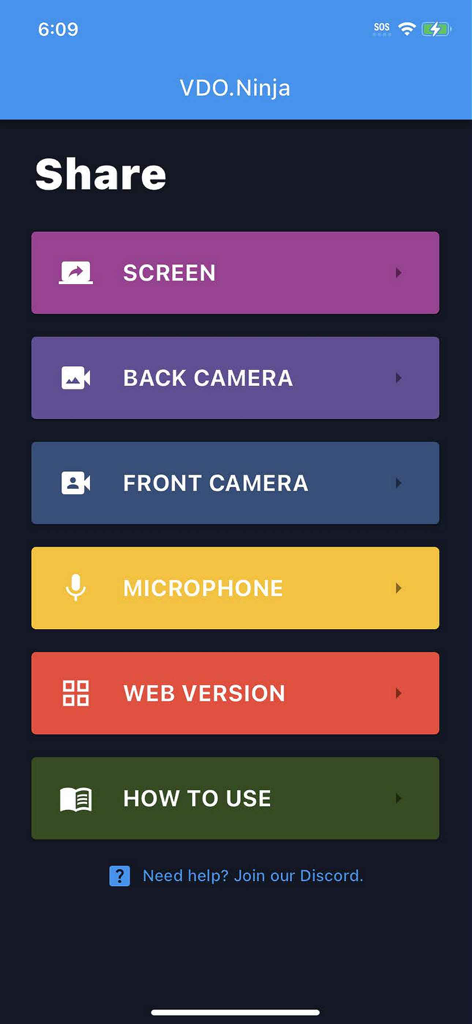
VDO.Ninjaアプリのメインメニュー。画面、カメラ、マイク共有のオプションが表示されています。
VDO.Ninjaアプリのメインメニュー。画面、カメラ、マイク共有のオプションが表示されています。

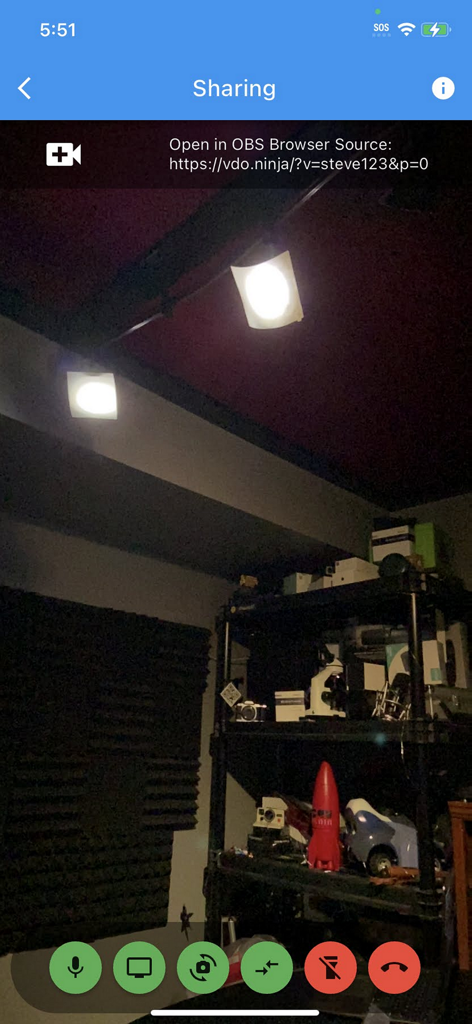
VDO.Ninjaアプリのインターフェイス。リモートストリーミング用のOBSブラウザソースリンクを備えたライブモバイルカメラフィードが表示されています。
VDO.Ninjaアプリのインターフェイス。リモートストリーミング用のOBSブラウザソースリンクを備えたライブモバイルカメラフィードが表示されています。

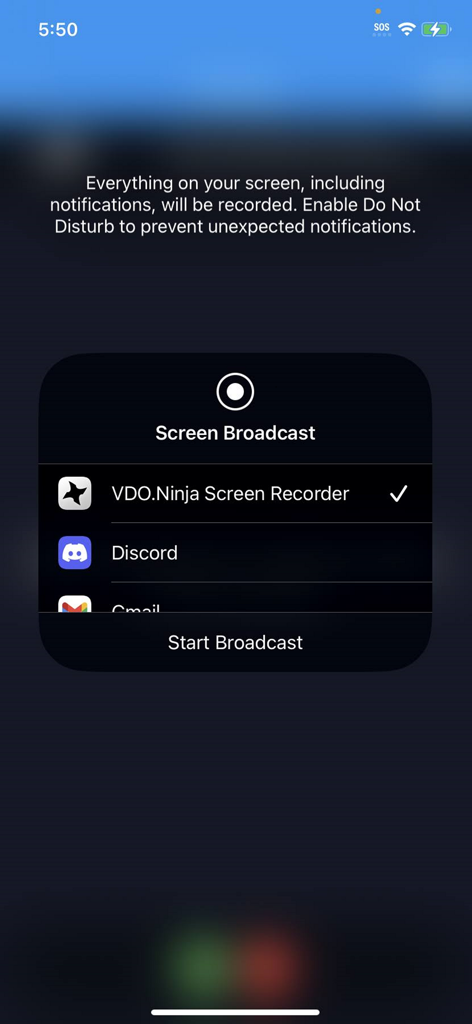
モバイルストリーミング用にVDO Ninja Screen Recorderが選択されたiOS画面ブロードキャストインターフェイス。

モバイルストリーミング用にVDO Ninja Screen Recorderが選択されたiOS画面ブロードキャストインターフェイス。

ライブプロダクションワークフローを向上させる

このアプリを際立たせるツール、 21K+ 人のユーザーが選択.

🎮

バックグラウンド画面共有

Web版とは異なり、ネイティブアプリでは他のアプリをバックグラウンドで実行しながらゲームプレイを放送したり、画面を共有したりできます。

サブ秒P2P遅延

暗号化されたWebRTCテクノロジーを活用して、ほぼ瞬時の音声・映像フィードを実現し、リモートインタビューやリアルタイムプロダクションに最適です。

🎬

ワイヤレスOBSカメラ

ケーブルや高価なキャプチャカードなしで、iPhoneを高価なリモートカメラソースとしてOBS、vMix、またはWirecastに接続します。

アプリについて

について知っておくべきこと VDO.Ninja.

説明

This is Peer-to-peer based, capable of working locally on a LAN or via the Internet by means of webRTC encrypted streaming technology. This is the official native iOS app version of VDO.Ninja. It has limited features compared to the web-based version that's accessible in Safari at https://vdo.ninja. The benefits of this iOS app version is it offers background VoiP support and background screen sharing support. These features are not available via the web version. To use this app: 1. Select the camera you wish to use, or select the microphone, or select the Screen share option. This will take you to the setup page. 2. All settings on the setup page are optional and can be left alone. You can enter a custom Stream ID value if you wish to*, but a default one will be provided if left blank. 3. Next, click Connect, and then allow any Cam/Mic Permissions when prompted. If using the Screen option instead, select the VDO.Ninja broadcast service when you start screen sharing. 4. Enter the URL provided at the top of the page into OBS an browser source or other any remote browser to view the video/audio stream. It will load within seconds. * Stream IDs must be alphanumeric, must not already be in use, and contain no spaces. Capitalization matters. ** If using the Screen option, instead of a selecting camera, select the VDO.Ninja broadcast service when you start screen sharing. Video guide here: https://youtu.be/iLGkGHJCpBo Permissions to allow the app to run while in the background is needed for screen sharing and background VoiP capabilities. You can refer to https://docs.vdo.ninja for information on configuring bitrate, codec, and more there. These options can be configured via the viewer-side in the browser. ie: Adding &stats to the viewer URL can show you details about bitrate, resolution, and frame rate. If you would like to have two-way calling, please access VDO.Ninja instead with Safari at https://vdo.ninja/. The web app is performant and feature rich, with the ability to join group chat.

最新バージョン

2.0.52

サイズ

29.8 MB

リリース日

2022年5月27日

ストリームワークフローを向上させる準備はできましたか?

数千人ものプロシューマーやストリーマーがVDO.Ninjaを使用して、iOSデバイスをフルバックグラウンドサポート付きの高性能・低遅延リモートカメラソースに変えています。

ダウンロード: App Store

App information, icons, screenshots, and descriptions displayed on this page are sourced from the Apple App Store and are the property of their respective developers. Download estimates and rankings are based on MWM's proprietary models and may not reflect actual figures. This page is provided for informational and analytical purposes only.

Believe this page infringes your intellectual property? File a dispute