Verto Studio 3D
Verto Studio 3D
ダウンロード: App Store

このページはアプリまたはその開発者の公式ページではなく、情報提供および論評を目的として作成された独立した編集出版物です。明示的に別段の記載がない限り、アプリおよびその開発者は、MWM、Apple、Google Play、アプリのパブリッシャー、またはアプリの開発者と提携、承認、後援、認可、またはその他の公式的な関係はなく、このページのいかなる内容も、アプリがMWMのサービスを使用して開発されたことを意味するものではありません。すべての商標、ロゴ、スクリーンショット、その他のコンテンツはそれぞれの所有者の財産です。

ロゴ: Verto Studio 3D
ダウンロード: App Store

Verto Studio 3D

最も強力なモバイル3Dスタジオで、iPadの可能性を最大限に引き出しましょう。外出先でプロレベルのアセットを、ラピッドプロトタイプから複雑なゲーム環境まで、作成、リギング、アニメーションすることで、モバイルデザインとテストのギャップを埋めましょう。

主要数値

ダウンロード

110K+

ユーザー評価

3.7/5

評価数

200

開発元

Verto Studio LLC

カテゴリ

Productivity

対応言語

5

最新バージョン

2.6.1

サイズ

93.1 MB

リリース日

2011年2月4日
機能

手のひらの中のデスクトップクラスのパワー

iPad専用に設計された、最も堅牢な3Dモデリングおよびグラフィックススタジオを体験してください。簡単なモックアップから完全に機能するゲーム環境まで、Verto Studio 3Dはあなたのビジョンに合わせてスケールします。

直感的なジェスチャーコントロール

Auto Toolでワークフローをマスターしましょう。摩擦のないタッチスクリーンのエクスペリエンスのために設計された自然なタップとスワイプを使用して、スカルプト、回転、スケーリングを行いましょう。

プロパイプライン互換性

業界標準のglTF、FBX、OBJファイルをシームレスにインポートおよびエクスポートします。ワークフローを中断することなく、モバイルデザインとデスクトッププロダクションのギャップを埋めましょう。

以下のスクリーンショットと説明は、アプリの公式ストアリスティングから直接取得されたものであり、アプリ開発者の所有物です。

アプリストア

スクリーンショット
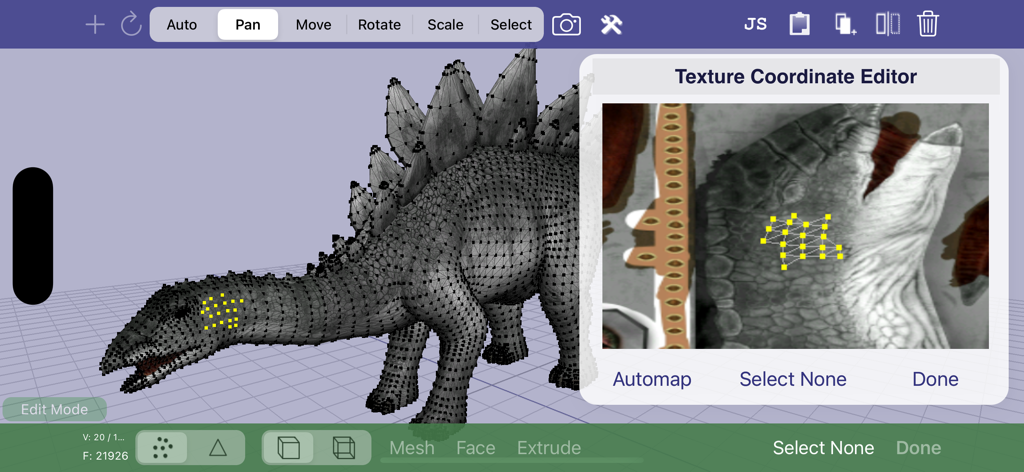
Verto Studio 3D - 3D恐竜モデルを備えたVerto Studio 3Dのテクスチャ座標エディタ
3D恐竜モデルを備えたVerto Studio 3Dのテクスチャ座標エディタ

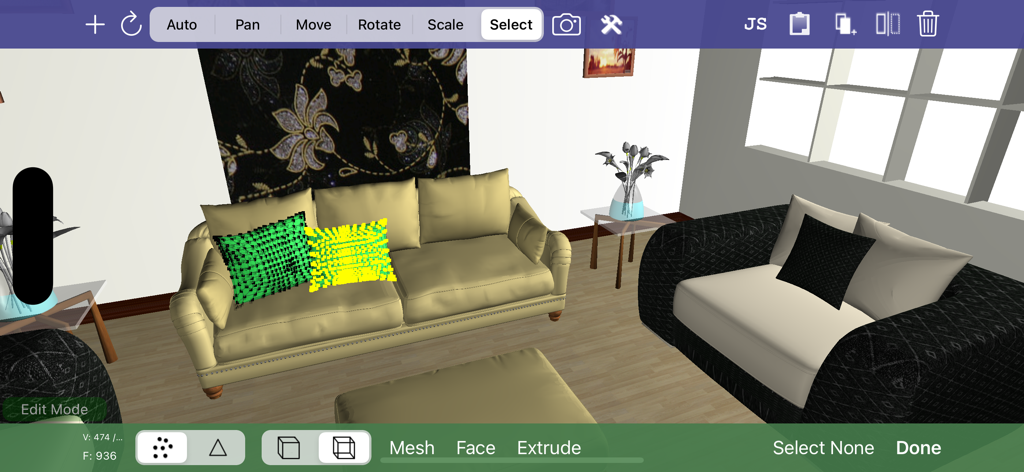
Verto Studio 3D - 3Dインテリアデザインとメッシュ編集ツールを示すVerto Studio 3Dインターフェース
3Dインテリアデザインとメッシュ編集ツールを示すVerto Studio 3Dインターフェース

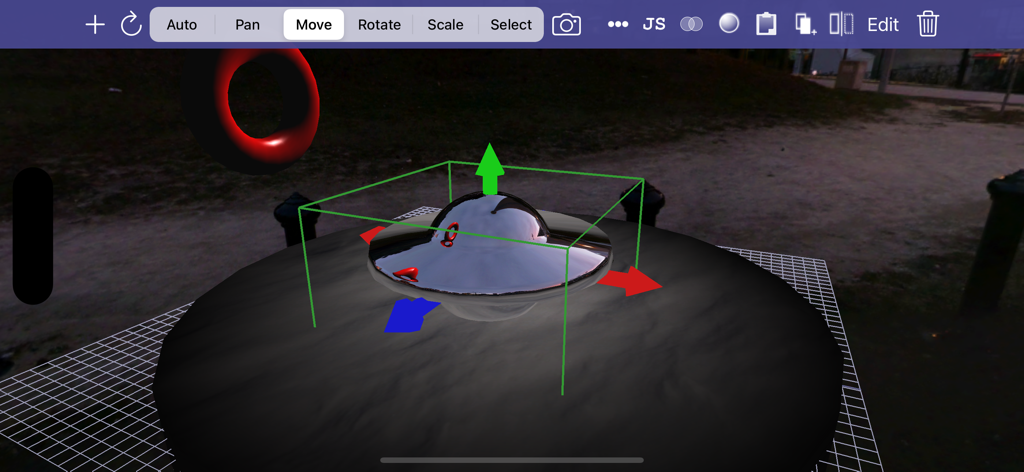
Verto Studio 3D - トランスフォームハンドルと編集ツールを備えた金属オブジェクトの編集を示すモバイル3Dモデリングインターフェース。
トランスフォームハンドルと編集ツールを備えた金属オブジェクトの編集を示すモバイル3Dモデリングインターフェース。

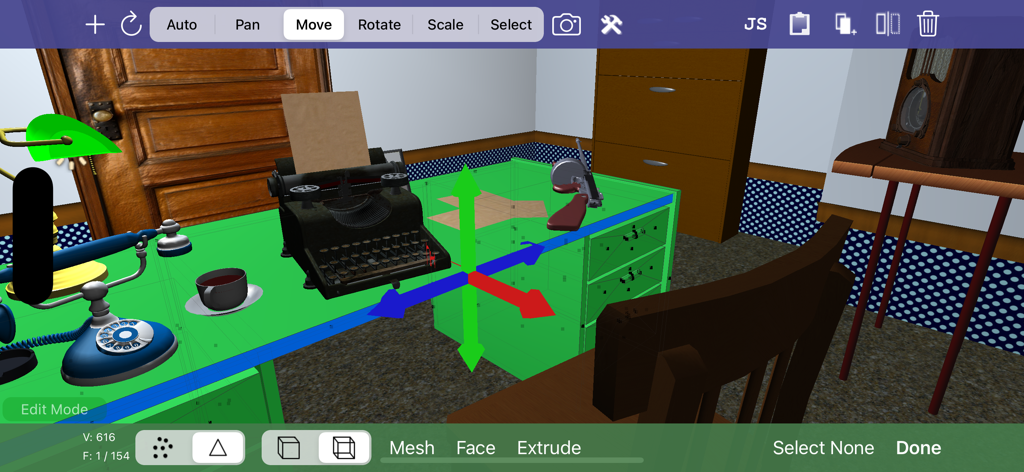
Verto Studio 3D - タイプライターとビンテージ電話が置かれた3Dオフィスシーンの編集を示すVerto Studio 3Dアプリインターフェース。iPad上。

タイプライターとビンテージ電話が置かれた3Dオフィスシーンの編集を示すVerto Studio 3Dアプリインターフェース。iPad上。

説明

Verto Studio 3D is the most powerful mobile 3D modeling application. A fully-functional 3D modeling and graphics studio designed to rival desktop studio programs, verto strives to push the boundaries of what is capable on an iPad and from the users that use it. The software is designed for all ranges of users, from professional 3D modelers, game developers, to beginners looking to get their feet wet in 3D content generation. Use it to build quick 3D mockups or fully functional environments for mobile applications. Verto Studio is an ideal solution for mobile 3D content generation because it bridges the gap between design and mobile testing. It supports importing, exporting, viewing and editing 3D models of any size. With the addition the pro animator (separate purchase), Verto Studio can be used to rig and animate a model from scratch completely on the iPad without the need for any external tools! With use of the "auto tool", the user can intuitively gesture using taps, swipes, pinches and twirls to quickly alter the scene as they see fit. Verto Studio includes the following features (and many more not listed here): - Built-in shaders including reflection/refraction environment mapping, BRDF, bump-mapping and more! - Render pipeline editor for multipass & post-processing effects with built-in blending operators - Editing transform handles for easy translate/rotate/scale tools via touchscreen. - Instances (duplicate many, edit once) - File import (glTF, DAE, OBJ, STL, .X, 3DS, FBX) and more! - File export (glTF, DAE, OBJ) - Verto Studio file format support and exchange via email - Mesh generation using quads and triangular faces - Image rendering support -- Planes -- Cubes -- Spheres -- Toruses -- Cylinders -- 3D Text complete with font selection and built-extrusion. -- 3D shapes with built-in shape editor and SVG importer. -- Terrain generator (height field) -- 3D Sketch tool -- Skybox type -- Cubemap renderer type to live-generate environment maps. - Mesh Augmentation -- Polygon extrusion -- Polygon subdivision -- Copy and paste between scene documents -- Texture coordinate editor - Editing features -- Vertex Translation/Rotation/Scaling -- Mirror -- Material editor --- Semi-transparency support. -- Texture mapping -- Texture coordinate editing -- Laplacian smooth -- Mesh separation -- Polycount Reduction -- CSG (Union, Intersect, Subtract) -- Snap to Grid, Face, Edge, Vertex -- Camera to texture (ipad 2) -- Lighting editor -- Undo - Multiple camera modes (top, bottom, left, right, front, back, free) - Simultaneous camera view with 4-view split screen. - Orthographic projection mode for engineering and CAD applications - Advanced camera controls for FOV angle and near and far plane manipulation - "Fly through" mode. Fly through the scene in full screen using FPS-game-style controls. -- Gyro motion view. In "fly through mode", tap the gyro button to use your iPad as a virtual window into the scene, changing the vantage point as you hold the iPad a different angles. - Fully supports the retina display of the new iPad for maximized screen real-estate usage. - New built-in cubemaps (preset environment maps) - Built-in glsl shader-editor. (separate purchase required) - Pro-animator rigging, weight painting, and animation tools (separate purchase required) - Scripting support via VertoJS (separate purchase required)

Download

ダウンロード: App Store

このページはアプリまたはその開発者の公式ページではなく、情報提供および論評を目的として作成された独立した編集出版物です。明示的に別段の記載がない限り、アプリおよびその開発者は、MWM、Apple、Google Play、アプリのパブリッシャー、またはアプリの開発者と提携、承認、後援、認可、またはその他の公式的な関係はなく、このページのいかなる内容も、アプリがMWMのサービスを使用して開発されたことを意味するものではありません。すべての商標、ロゴ、スクリーンショット、その他のコンテンツはそれぞれの所有者の財産です。








