Video Compressor - ShrinkIt

Video Compressor - ShrinkIt

ダウンロード: App Store
ロゴ: Video Compressor - ShrinkIt

動画コンプレッサー - ShrinkIt:iPhoneのストレージを数秒で解放

品質を損なうことなく、動画ファイルを最大90%まで圧縮します。メールの制限を回避し、ギガバイト単位のスペースを空け、100%オンデバイス処理でコンテンツをプライベートに保ちましょう。

ダウンロード: App Store

開発元

Mobin Akhter

カテゴリ

Photo & Video

ダウンロード

2K+

ユーザー評価

1.0/5

評価数

0

対応言語

1

ストレージの節約を一目で確認

このインターフェースを利用する 2K+ 人のユーザー.

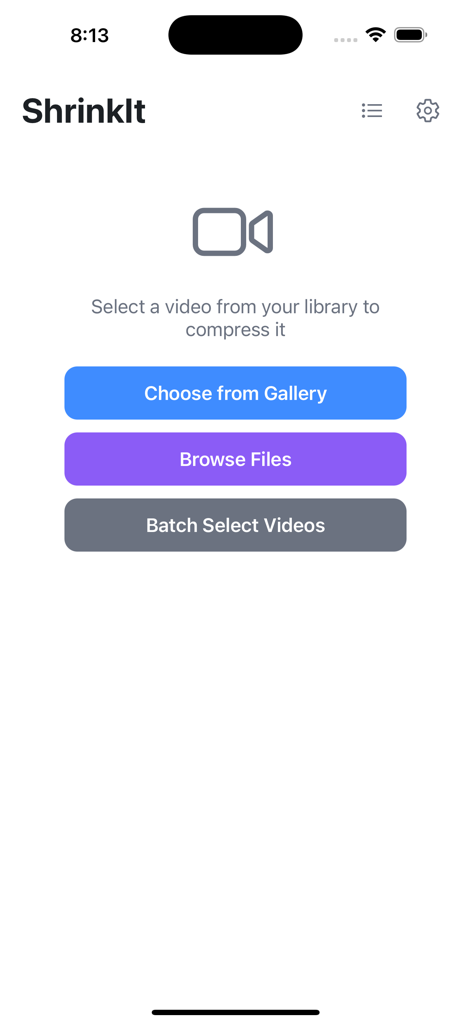
ShrinkItアプリのホーム画面。ギャラリー、ファイルブラウズ、一括選択動画圧縮ボタンが表示されています。
ShrinkItアプリのホーム画面。ギャラリー、ファイルブラウズ、一括選択動画圧縮ボタンが表示されています。

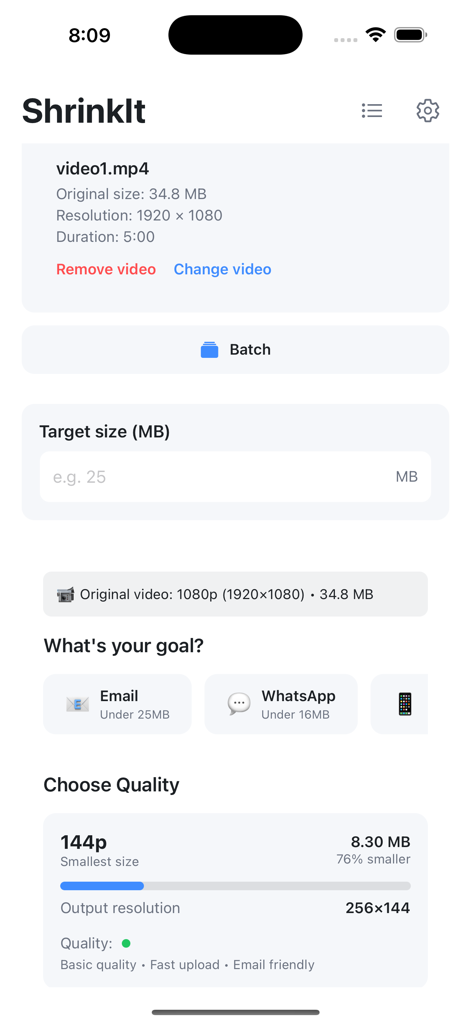
ShrinkItアプリのインターフェース。メールやWhatsApp共有用のターゲットサイズ入力や品質プリセットなどの動画圧縮設定が表示されています。
ShrinkItアプリのインターフェース。メールやWhatsApp共有用のターゲットサイズ入力や品質プリセットなどの動画圧縮設定が表示されています。

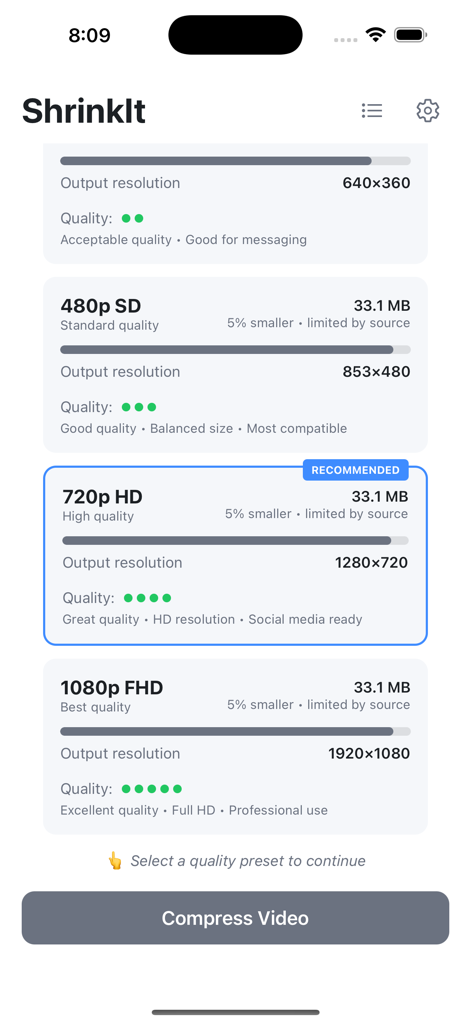
ShrinkItアプリのインターフェース。さまざまな動画圧縮品質レベルと解像度が表示されています。
ShrinkItアプリのインターフェース。さまざまな動画圧縮品質レベルと解像度が表示されています。

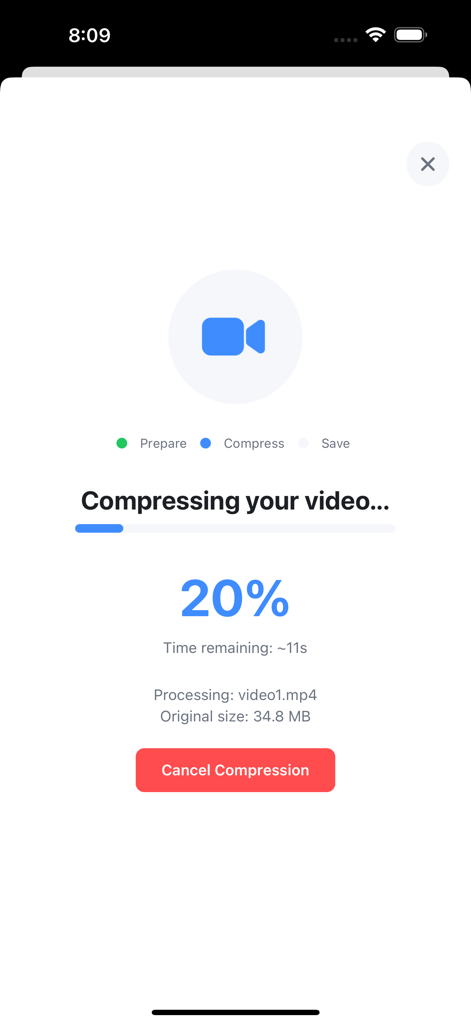
ShrinkItアプリのインターフェース。20%の動画圧縮進行状況が表示されています。
ShrinkItアプリのインターフェース。20%の動画圧縮進行状況が表示されています。

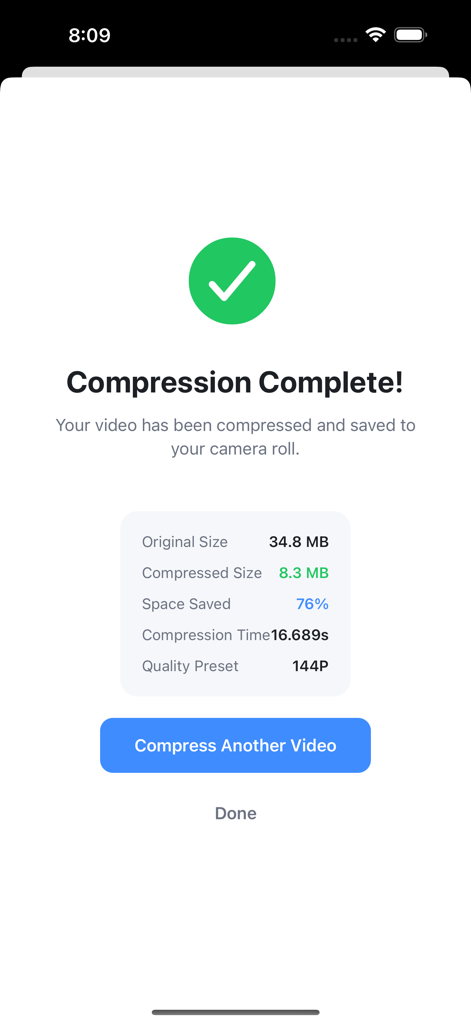
76%のストレージスペースが節約された、成功した動画圧縮の結果を示す画面。
76%のストレージスペースが節約された、成功した動画圧縮の結果を示す画面。

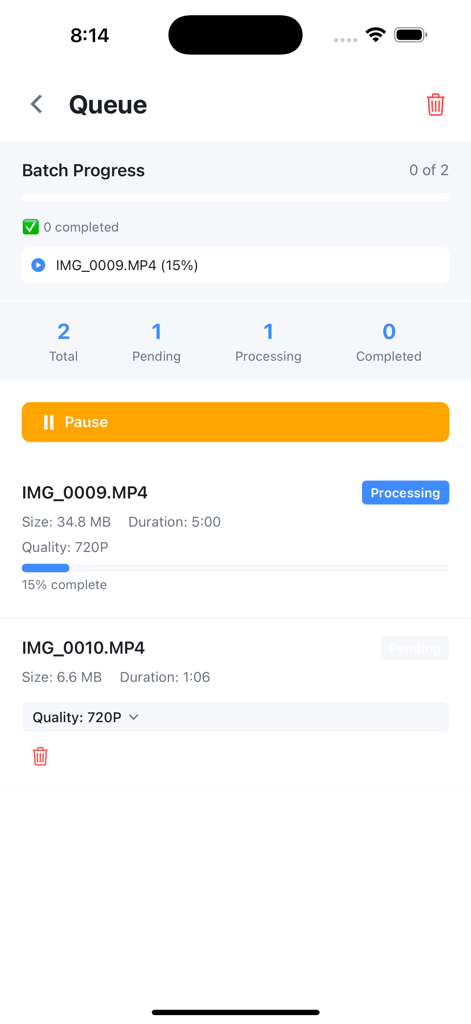
ShrinkItアプリの一括処理キュー。動画圧縮の進行状況と保留中のファイルが表示されています。
ShrinkItアプリの一括処理キュー。動画圧縮の進行状況と保留中のファイルが表示されています。

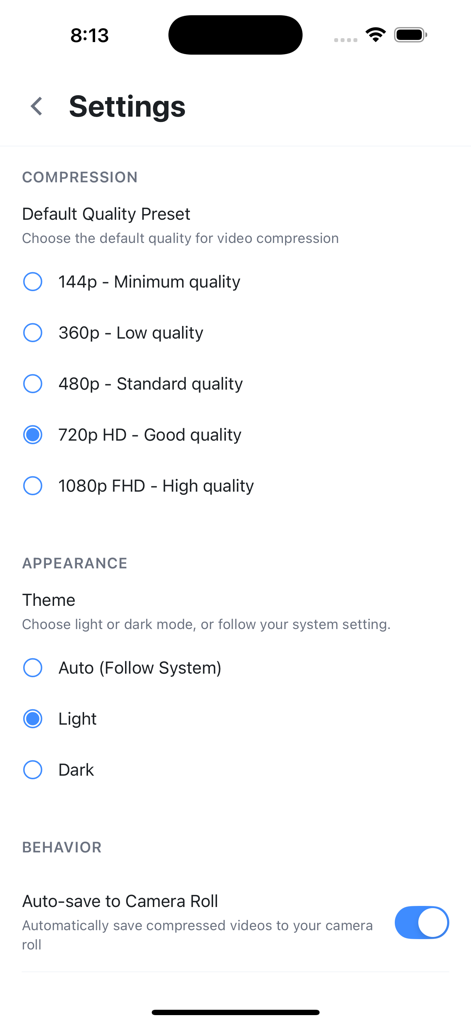
Video Compressor ShrinkItアプリの設定画面。圧縮品質プリセットとテーマオプションが表示されています。

Video Compressor ShrinkItアプリの設定画面。圧縮品質プリセットとテーマオプションが表示されています。

iPhoneのストレージを管理しましょう

このアプリを際立たせるツール、 2K+ 人のユーザーが選択.

💾

ギガバイト単位のスペースを節約

スマートプリセットを使用して、ファイルサイズを最大90%削減します。お気に入りの動画を削除せずに「ストレージがいっぱいです」アラートをクリアします。

📤

大きなファイルをどこへでも送信

カスタムターゲットサイズで、メールやメッセージの制限を回避します。Gmail、WhatsApp、Slackでの共有に最適です。

🛡️

信頼できるプライバシー

クラウドへのアップロードは不要です。すべての動画はiPhone上でローカルに処理されるため、個人コンテンツはあなたのものであることが保証されます。

アプリについて

について知っておくべきこと Video Compressor - ShrinkIt.

説明

ShrinkIt is the ultimate video compressor designed to help you reclaim storage space on your iPhone. Compress videos by up to 90% while maintaining quality, perfect for freeing up space or sharing videos through email and messaging apps. KEY FEATURES Smart Video Compression Advanced compression technology reduces file sizes dramatically while preserving video quality. Choose from five quality presets or set a custom target file size. Quality Presets - 1080p Full HD: Minimal compression, maximum quality - 720p HD: Perfect balance of quality and size - 480p SD: Standard quality for everyday use - 360p: Smaller files for messaging - 144p: Maximum compression for minimal storage Target Size Control Need a specific file size? Set your target in MB and let our intelligent algorithm optimize compression settings automatically. Perfect for email attachments or platform limits. Batch Processing Queue Save time by queuing multiple videos for compression. Process your entire video library while you focus on other tasks. Track progress with detailed statistics for each video. Real-Time Progress Tracking Monitor compression progress with detailed statistics including: - Original and compressed file sizes - Space saved percentage - Compression time - Quality preset used Dark Mode Support Comfortable viewing experience with automatic dark mode that follows your system settings or can be manually controlled. Privacy First All video processing happens directly on your device. Your videos never leave your phone, ensuring complete privacy and security. No internet connection required. WHY CHOOSE SHRINKIT? Save Massive Storage Space Users typically save 60-80% of storage space after compressing their video libraries. Free up gigabytes with just a few taps. Lightning Fast Processing Optimized compression algorithms deliver fast results. What used to take minutes now takes seconds. Quality You Can Trust Smart compression maintains the best possible quality at your chosen file size. No more pixelated, unwatchable videos. Perfect For: - Freeing up iPhone storage space - Sharing videos via email (get under attachment limits) - Sending videos through WhatsApp and other messaging apps - Managing iCloud storage more efficiently - Backing up videos in smaller sizes - Anyone who records lots of video content SIMPLE WORKFLOW 1. Select videos from your photo library 2. Choose compression quality or set target size 3. Queue multiple videos for batch processing 4. Save compressed videos back to camera roll TECHNICAL DETAILS - Supports all iPhone video formats - Hardware-accelerated processing - Memory-optimized for large files - Maintains original aspect ratios - Preserves video metadata - Background queue processing STORAGE TRACKING Track your compression achievements: - Total space saved across all compressions - Number of videos compressed - Average compression ratio - Detailed history and statistics CUSTOMIZATION OPTIONS - Default quality preset selection - Auto-save to camera roll toggle - Delete original after compression option - Light/dark/auto theme modes Download ShrinkIt today and reclaim your iPhone storage. Compress videos with confidence knowing your content stays private and secure on your device. Note: ShrinkIt requires access to your photo library to import and export videos. All processing happens locally for maximum privacy and speed. WHAT'S NEW Initial Release - Version 1.0.0 Core Features: - Video compression with 5 quality presets - Custom target size compression - Batch processing queue system - Real-time compression progress - Dark mode support - Compression statistics tracking - Memory-optimized processing - Auto-save to camera roll Your feedback shapes future updates!

最新バージョン

1.0.6

サイズ

24.4 MB

リリース日

2025年9月2日

スペースを節約するために思い出を削除するのはやめましょう

ストレージをギガバイト単位で解放している何千人ものユーザーに加わりましょう。ShrinkItを今すぐダウンロードして、コンテンツをデバイス上で100%プライベートに保ちながら、簡単に共有できる動画を圧縮しましょう。

ダウンロード: App Store

App information, icons, screenshots, and descriptions displayed on this page are sourced from the Apple App Store and are the property of their respective developers. Download estimates and rankings are based on MWM's proprietary models and may not reflect actual figures. This page is provided for informational and analytical purposes only.

Believe this page infringes your intellectual property? File a dispute