Video Cutter: Trim and Merge

Video Cutter: Trim and Merge

ダウンロード: App Store
ロゴ: Video Cutter: Trim and Merge

動画カッター:トリミング&結合:プロレベルの編集をウォーターマークなしで

クリエイターがTikTokやReels用のクリップをトリミング、結合、強化するための最速の方法。複雑なタイムラインなし、隠れた料金なし、そして最終的なカットにウォーターマークは一切ありません。

開発元

Hardik Dhameliya

カテゴリ

Photo & Video

ダウンロード

3K+

ユーザー評価

4.3/5

評価数

200

対応言語

1

プロのような編集を、シンプルに

このインターフェースを利用する 3K+ 人のユーザー.

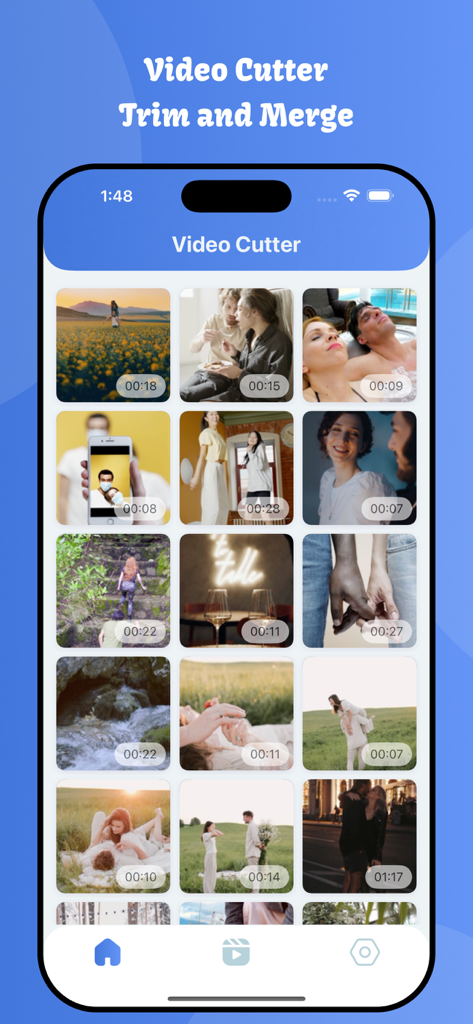
iPhone上のタイムスタンプ付きの個人用動画クリップのグリッドを表示するVideo Cutterアプリのギャラリービュー。
iPhone上のタイムスタンプ付きの個人用動画クリップのグリッドを表示するVideo Cutterアプリのギャラリービュー。

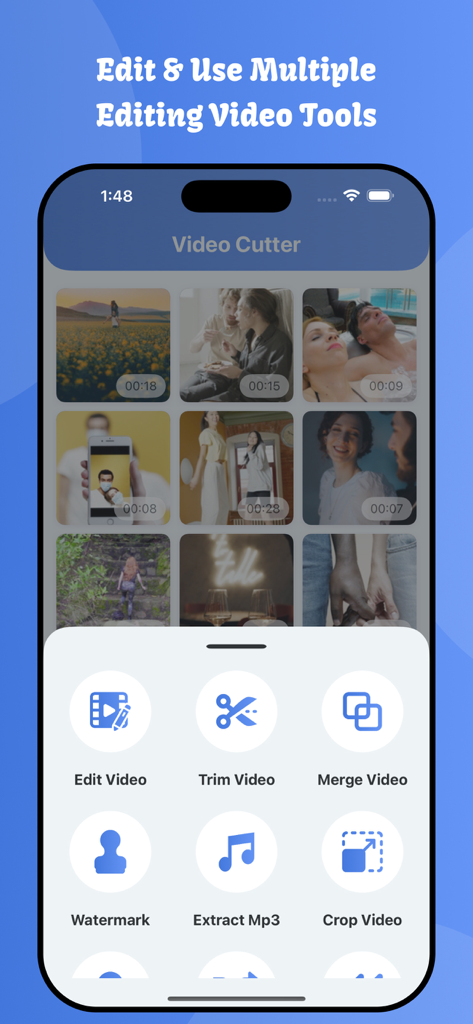
iPhone上の動画のトリミング、結合、編集オプションを表示するVideo Cutterアプリのインターフェイス。
iPhone上の動画のトリミング、結合、編集オプションを表示するVideo Cutterアプリのインターフェイス。

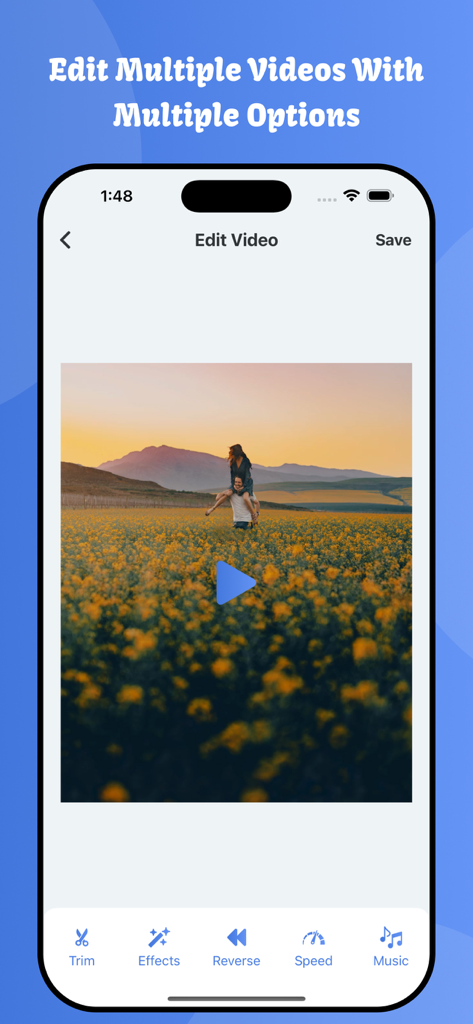
トリミング、エフェクト、リバース、スピード、音楽のオプションを表示するモバイル動画編集インターフェイス。

トリミング、エフェクト、リバース、スピード、音楽のオプションを表示するモバイル動画編集インターフェイス。

正方形や3対5などのさまざまなアスペクト比オプションで動画をトリミングするためのモバイルインターフェイス。

正方形や3対5などのさまざまなアスペクト比オプションで動画をトリミングするためのモバイルインターフェイス。

グリッドレイアウトで保存された動画編集のリストを表示するモバイルアプリ画面。

グリッドレイアウトで保存された動画編集のリストを表示するモバイルアプリ画面。

複数の動画クリップが1つに結合されるように選択されているVideo Cutterアプリのインターフェイス。

複数の動画クリップが1つに結合されるように選択されているVideo Cutterアプリのインターフェイス。

Video Cutterアプリで動画フレームの速度を上げたり下げたりするためのインターフェイス。
Video Cutterアプリで動画フレームの速度を上げたり下げたりするためのインターフェイス。

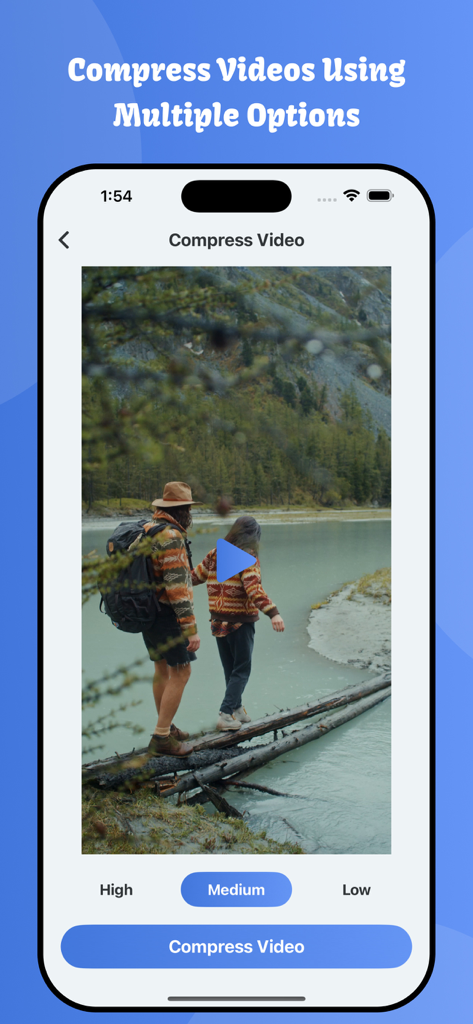
デバイスストレージを節約するために、高、中、低品質の動画圧縮オプションを示すモバイルアプリインターフェイス。

デバイスストレージを節約するために、高、中、低品質の動画圧縮オプションを示すモバイルアプリインターフェイス。

動画にロゴを追加するためのカスタムウォーターマークツールを示すモバイル画面。

動画にロゴを追加するためのカスタムウォーターマークツールを示すモバイル画面。

花畑のカップルの動画からライブ壁紙を作成するためのVideo Cutterアプリのインターフェイスを示すiPhone画面。

花畑のカップルの動画からライブ壁紙を作成するためのVideo Cutterアプリのインターフェイスを示すiPhone画面。

際立つコンテンツを作成

このアプリを際立たせるツール、 3K+ 人のユーザーが選択.

✂️

正確なトリミング&結合

フレーム単位の精度で、お気に入りの瞬間を繋ぎ合わせたり、不要な部分をカットしたりして、完璧なシーケンスを捉えましょう。

ウォーターマークなし、常に

コンテンツをクリーンでプロフェッショナルに保ちます。ブランディングの邪魔になるものなしで、フィードに適した高品質な動画をエクスポートしましょう。

🚀

ソーシャル対応エフェクト

TikTok、Reels、YouTube Shortsの雰囲気に合わせた、インスタント速度コントロール、リバース再生、完璧なアスペクト比。

アプリについて

について知っておくべきこと Video Cutter: Trim and Merge.

説明

Welcome to Video Cutter: Trim and Merge app. Video Cutter: Trim and Merge is the best video editing app. You can accurately cut out the favorite part of your video without a watermark. Video Cutter: Trim and Merge app is simple to use for editing any videos. Using Video Cutter: Trim and Merge app users can give many filters to selected videos. Users can make video speed manually. User can reverse their video using a single click. Change the aspect ratio of any video file with this best video trimmer. You can also use features like Effects, Trim, Reverse, Speed Increase/Decrease, Merge audio, etc. You can save the video in the photos and application folder. You can share saved videos in saved files. Users can edit their videos using this video editor app. Users can make filter effects their videos using this video editor app. Users can trim their videos using this video editor app. Users can reverse their videos using this video editor app. Users can add and merge music files to their videos using this video editor app. Features: - Cut video accurately. - Make Video effects - Video reverse - Video speed increase decrease. - No Watermark - Fast video cut and save time. - Advanced Frame by Frame crop video editor. - Save into mobile phone - Integrated video player. - Video Editor - Merge Videos - Add Watermark to videos - Extract Mp3 using Videos - Crop Videos - Add Video effects and video filters - Flip videos - Rotate Videos - Increase and decrease video speed - Compress Videos - Make Live Wallpaper using selected videos Download and enjoy the Video Cutter: Trim and Merge Privacy Policy: https://softapps.in/App_Privacy.html Terms of use: https://softapps.in/App_TOS.html

最新バージョン

4.3

サイズ

26.4 MB

リリース日

2022年8月22日

ウォーターマークなしで、プロのように作成

数秒で動画をトリミング、結合、磨き上げましょう。TikTokやReels向けのバイラル対応コンテンツを、速く、簡単に、そして完全に無料で作成している何千人ものクリエイターに加わりましょう。

ダウンロード: App Store

App information, icons, screenshots, and descriptions displayed on this page are sourced from the Apple App Store and are the property of their respective developers. Download estimates and rankings are based on MWM's proprietary models and may not reflect actual figures. This page is provided for informational and analytical purposes only.

Believe this page infringes your intellectual property? File a dispute