Video Cutter - VidTrim
ダウンロード: App Store

このページはアプリまたはその開発者の公式ページではなく、情報提供および論評を目的として作成された独立した編集出版物です。明示的に別段の記載がない限り、アプリおよびその開発者は、MWM、Apple、Google Play、アプリのパブリッシャー、またはアプリの開発者と提携、承認、後援、認可、またはその他の公式的な関係はなく、このページのいかなる内容も、アプリがMWMのサービスを使用して開発されたことを意味するものではありません。すべての商標、ロゴ、スクリーンショット、その他のコンテンツはそれぞれの所有者の財産です。


ロゴ: Video Cutter - VidTrim
ダウンロード: App Store

Video Cutter - VidTrim

ビデオをカット、スピードアップ、調整するための軽量かつパワフルなツール。長い録画を数秒で完璧な高品質ハイライトに変換します。

主要数値

ダウンロード

0

ユーザー評価

1.0/5

評価数

0

開発元

Suresh Verma

カテゴリ

Photo & Video

対応言語

1

最新バージョン

1.0

サイズ

1.9 MB

リリース日

2025年1月30日
機能

ハイライトを数秒でマスター

散らかったギャラリーや複雑な編集スイートにさよならを。VidTrimは、不要な機能なしで最高の瞬間を抽出し、洗練させ、共有するための必須ツールを提供します。

フレーム単位の精密さ

直感的なABスライダーを使用して、正確な開始時間と終了時間を指定します。正確な精度で、勝利したゴールやコンサートの最高の15秒間を抽出するのに最適です。

ダイナミックなスピードとオーディオ

シネマティックなスローモーションやエネルギッシュな早送りクリップを即座に作成。バックグラウンドノイズをミュートしたり、重要な瞬間を増幅したりするために、オンザフライで音量レベルを調整します。

以下のスクリーンショットと説明は、アプリの公式ストアリスティングから直接取得されたものであり、アプリ開発者の所有物です。

アプリストア

スクリーンショット
Video Cutter - VidTrim - アプリのロゴと名前を表示するVideo Cutterアプリの起動画面

アプリのロゴと名前を表示するVideo Cutterアプリの起動画面

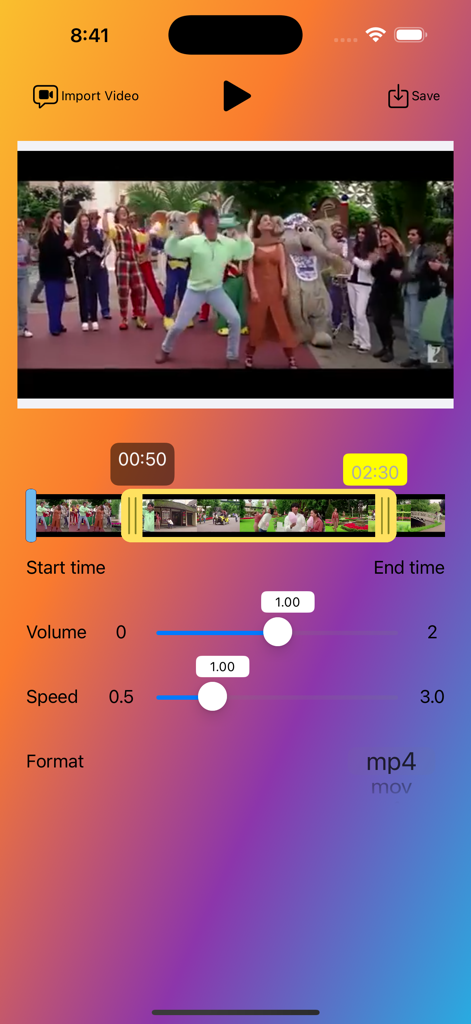
Video Cutter - VidTrim - 音量と再生速度コントロールを備えたビデオタイムラインスライダーを備えたVideo Cutter VidTrimアプリのユーザーインターフェース
音量と再生速度コントロールを備えたビデオタイムラインスライダーを備えたVideo Cutter VidTrimアプリのユーザーインターフェース

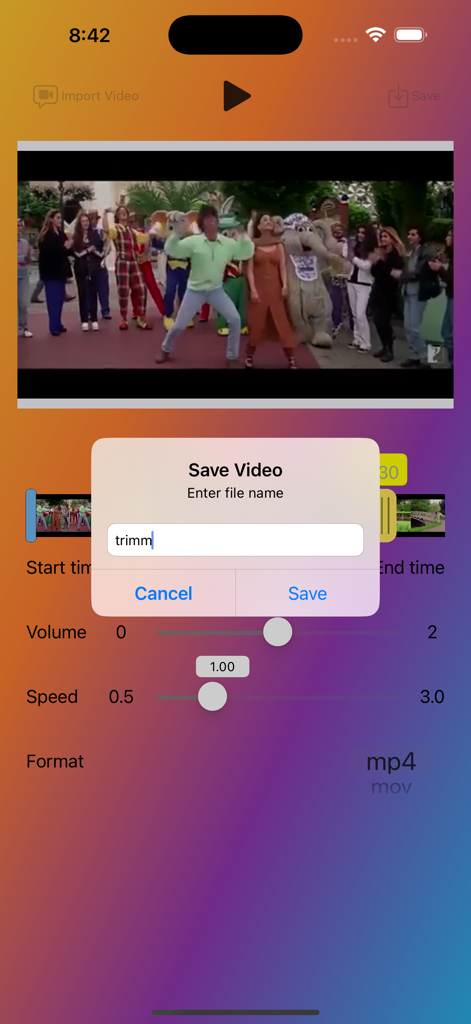
Video Cutter - VidTrim - 編集コントロールの上にカスタムファイル名を入力するためのビデオ保存ダイアログボックスを表示するVideo Cutter - VidTrimアプリのインターフェース
編集コントロールの上にカスタムファイル名を入力するためのビデオ保存ダイアログボックスを表示するVideo Cutter - VidTrimアプリのインターフェース

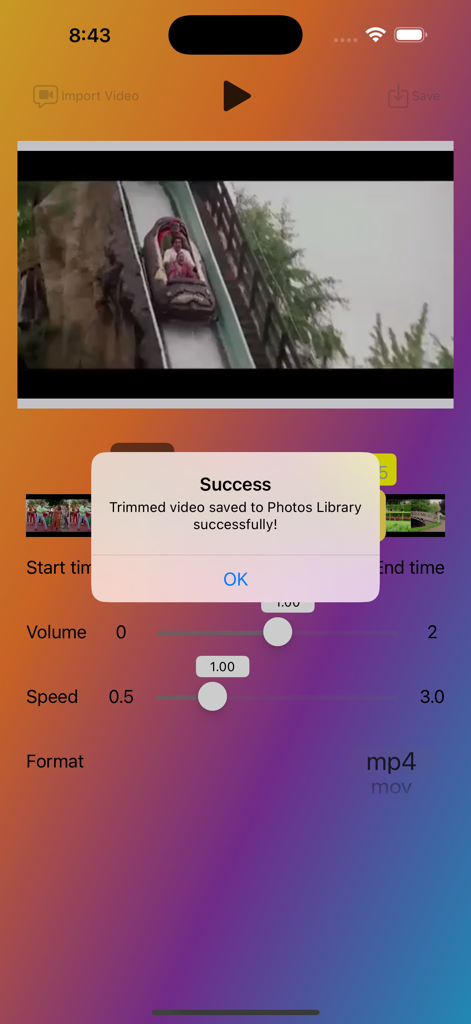
Video Cutter - VidTrim - ライブラリにトリミングされたビデオが保存された後の成功ポップアップを表示するVidTrimアプリのインターフェース

ライブラリにトリミングされたビデオが保存された後の成功ポップアップを表示するVidTrimアプリのインターフェース

説明

The Video Cutter App is a powerful and easy-to-use application, enabling users to import, trim, and save videos with precision. The app provides a smooth and intuitive interface, making it simple for users to select their desired video segments and export them in various formats. Whether you are a content creator, social media enthusiast, or just someone who enjoys editing videos, this app is perfect for you. Key Features Import Videos from Library: Easily import videos from your device's photo library. Supports popular video formats such as MP4, MOV, and M4V. Precise Trimming: Use the ABVideoRangeSlider to select the exact start and end points for trimming. Displays the selected start and end times for better accuracy. Customizable Export Options: Choose from various video formats (MP4, MOV, M4V) for exporting. Save the trimmed video with a custom file name. Interactive Video Player: Play and pause the video within the app. Real-time video preview while selecting the trimming range. Volume Control: Adjust the volume of your video to your liking. Playback Speed: Control the playback speed of your video for slow-motion or fast-motion effects. Save the trimmed video directly to your device's Photos Library. Ensures quick and easy access to your edited videos. How to Use Import a Video: Tap the "Import Video" button to open your device's photo library. Trim the Video: Use the video range slider to set the start and end points for trimming. Preview the selected segment using the built-in video player. Adjust Volume and Speed: Use the sliders to adjust the volume and playback speed of your video. Export the Trimmed Video: Tap the "Export Video" button to save the trimmed video. Enter a custom file name and choose the desired format for the exported video. The app will process the video and save it to your Photos Library. Playback Control: Use the play/pause button to control video playback. The app will automatically pause the video when it reaches the selected end time. Additional Information : The app requires access to your device's photo library to import and save videos. Make sure the selected video is at least 60 seconds long to enable trimming.

Download

ダウンロード: App Store

このページはアプリまたはその開発者の公式ページではなく、情報提供および論評を目的として作成された独立した編集出版物です。明示的に別段の記載がない限り、アプリおよびその開発者は、MWM、Apple、Google Play、アプリのパブリッシャー、またはアプリの開発者と提携、承認、後援、認可、またはその他の公式的な関係はなく、このページのいかなる内容も、アプリがMWMのサービスを使用して開発されたことを意味するものではありません。すべての商標、ロゴ、スクリーンショット、その他のコンテンツはそれぞれの所有者の財産です。