Video Speed Editor - VBooster
ダウンロード: App Store

このページはアプリまたはその開発者の公式ページではなく、情報提供および論評を目的として作成された独立した編集出版物です。明示的に別段の記載がない限り、アプリおよびその開発者は、MWM、Apple、Google Play、アプリのパブリッシャー、またはアプリの開発者と提携、承認、後援、認可、またはその他の公式的な関係はなく、このページのいかなる内容も、アプリがMWMのサービスを使用して開発されたことを意味するものではありません。すべての商標、ロゴ、スクリーンショット、その他のコンテンツはそれぞれの所有者の財産です。


ロゴ: Video Speed Editor - VBooster
ダウンロード: App Store

Video Speed Editor - VBooster

ビデオのテンポを完全にコントロール。滑らかなスローモーションからエネルギッシュなタイムラプスまで、0.1倍刻みで速度を調整し、TikTok、Reels、Shortsのためにオーディオピッチを完璧に保ちます。

主要数値

ダウンロード

987K+

ユーザー評価

4.5/5

評価数

5K+

開発元

REAFO CO., LTD.

カテゴリ

Photo & Video

対応言語

12

最新バージョン

4.81

サイズ

40.0 MB

リリース日

2015年12月15日
機能

ストーリーのあらゆる瞬間をマスターする

基本的なフィルターを超えて。VBoosterは、プロレベルのスピードランプとオーディオツールを提供し、数秒でシネマティックでスクロールを止めるコンテンツを作成します。

ダイナミック・スピードランプ

タイムレンジモードを使用して、単一のクリップ内でシネマティックなスローモーションやエネルギッシュなトランジションで重要な瞬間を強調します。

プロレベルのピッチコントロール

「チップマンク」のような声にさよなら。チュートリアルやvlogの速度を上げながら、オーディオを自然で完璧にクリアに保ちます。

以下のスクリーンショットと説明は、アプリの公式ストアリスティングから直接取得されたものであり、アプリ開発者の所有物です。

アプリストア

スクリーンショット
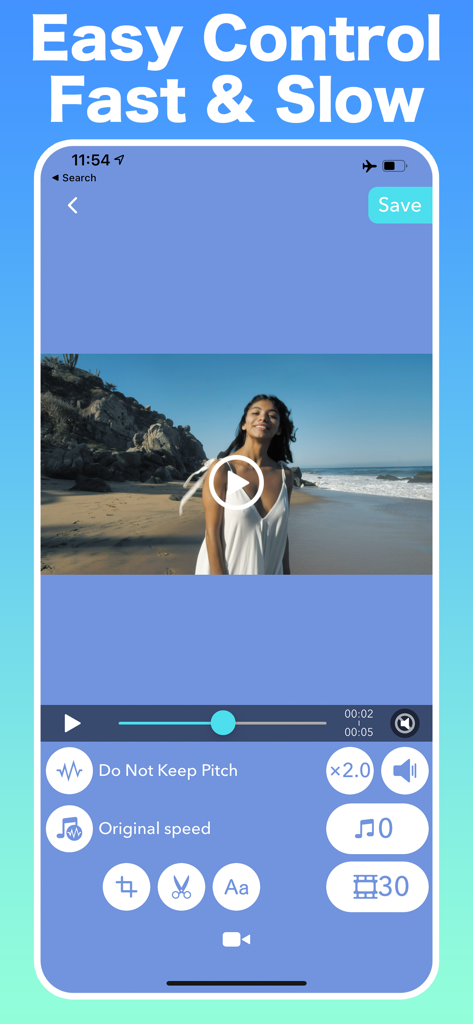
Video Speed Editor - VBooster - VBoosterアプリのインターフェース、高速および低速ビデオ速度コントロールを表示
VBoosterアプリのインターフェース、高速および低速ビデオ速度コントロールを表示

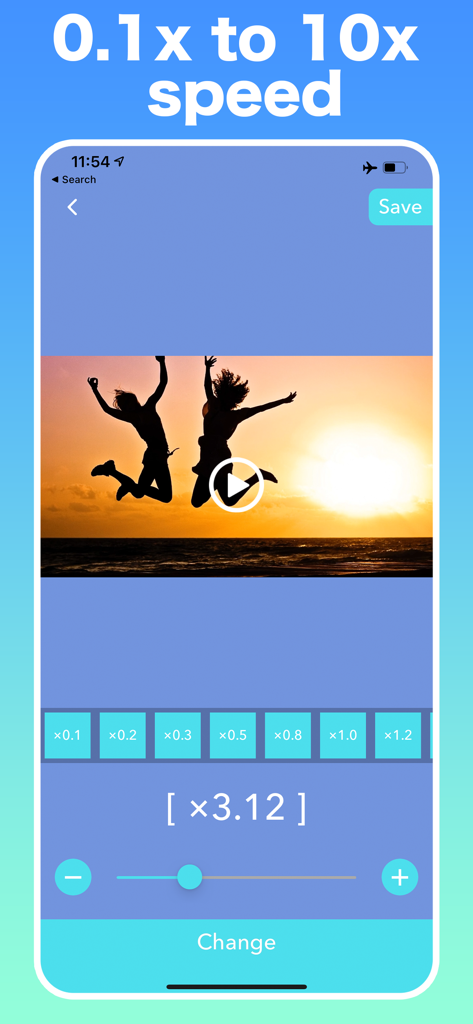
Video Speed Editor - VBooster - VBoosterモバイルアプリのインターフェース、0.1倍から10倍までのビデオ速度調整スライダーとプリセット、夕日のビデオプレビューを表示
VBoosterモバイルアプリのインターフェース、0.1倍から10倍までのビデオ速度調整スライダーとプリセット、夕日のビデオプレビューを表示

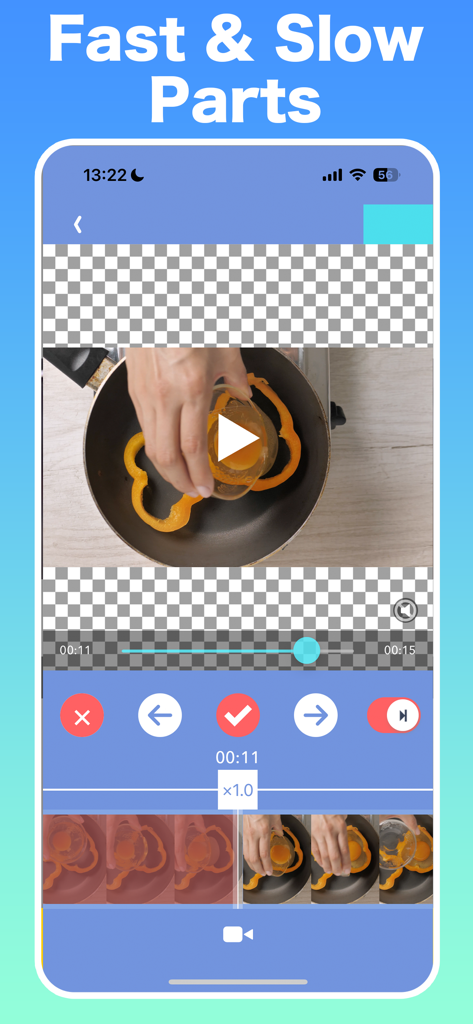
Video Speed Editor - VBooster - VBoosterアプリのインターフェース、高速および低速ビデオ部分の調整用
VBoosterアプリのインターフェース、高速および低速ビデオ部分の調整用

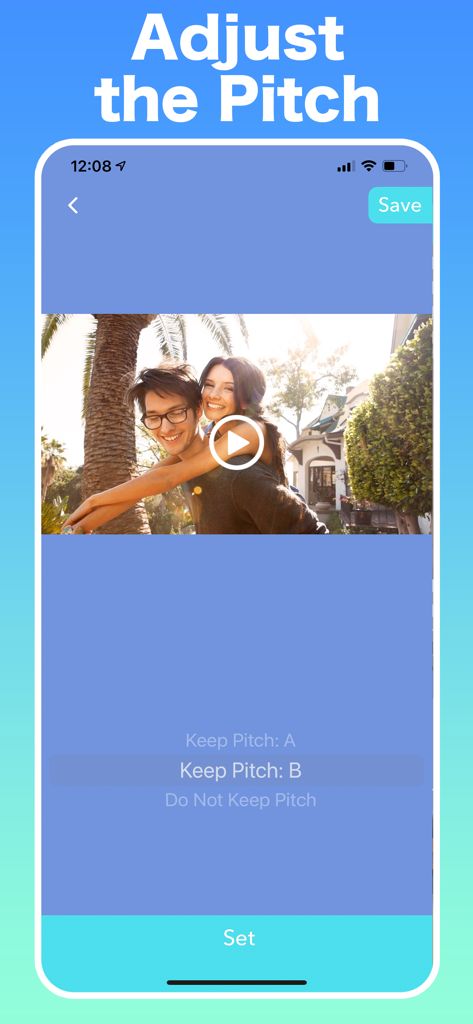
Video Speed Editor - VBooster - VBoosterアプリのインターフェース、再生速度を変更しながらビデオオーディオピッチを調整するオプションを表示
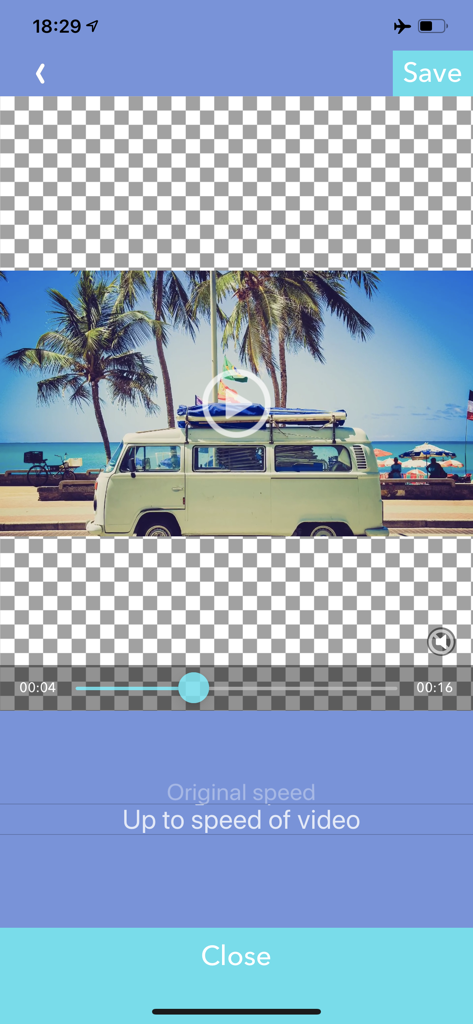
VBoosterアプリのインターフェース、再生速度を変更しながらビデオオーディオピッチを調整するオプションを表示

Video Speed Editor - VBooster - VBoosterビデオスピードエディタアプリの画面、音楽再生速度オプションを選択
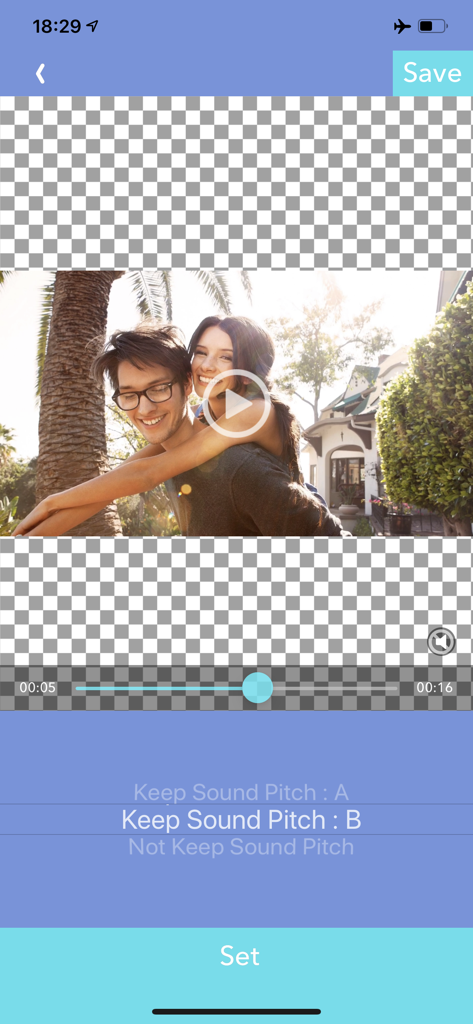
VBoosterビデオスピードエディタアプリの画面、音楽再生速度オプションを選択

Video Speed Editor - VBooster - VBoosterアプリのインターフェース、速度編集中のビデオサウンドピッチ設定を調整
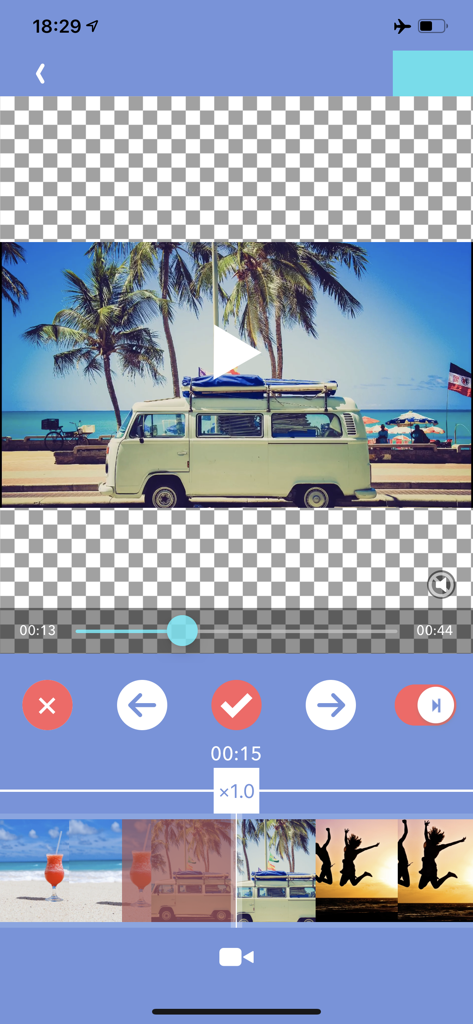
VBoosterアプリのインターフェース、速度編集中のビデオサウンドピッチ設定を調整

Video Speed Editor - VBooster - VBoosterビデオエディタのモバイルインターフェース、タイムラインとビーチ旅行ビデオの速度調整コントロールを表示
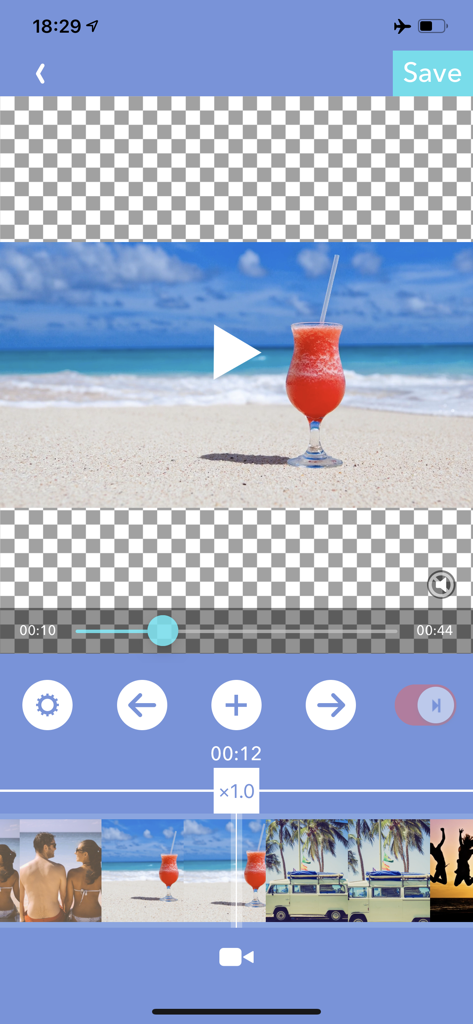
VBoosterビデオエディタのモバイルインターフェース、タイムラインとビーチ旅行ビデオの速度調整コントロールを表示

Video Speed Editor - VBooster - VBoosterアプリのインターフェース、タイムレンジモードでのビデオ速度調整用
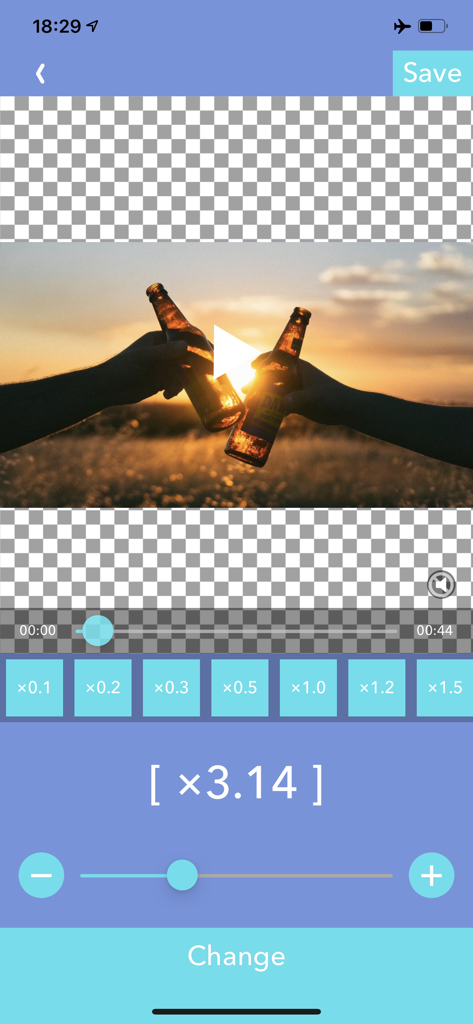
VBoosterアプリのインターフェース、タイムレンジモードでのビデオ速度調整用

Video Speed Editor - VBooster - VBoosterアプリのインターフェース、3.14倍に設定された速度調整スライダーとビーチビデオのプレビューを表示
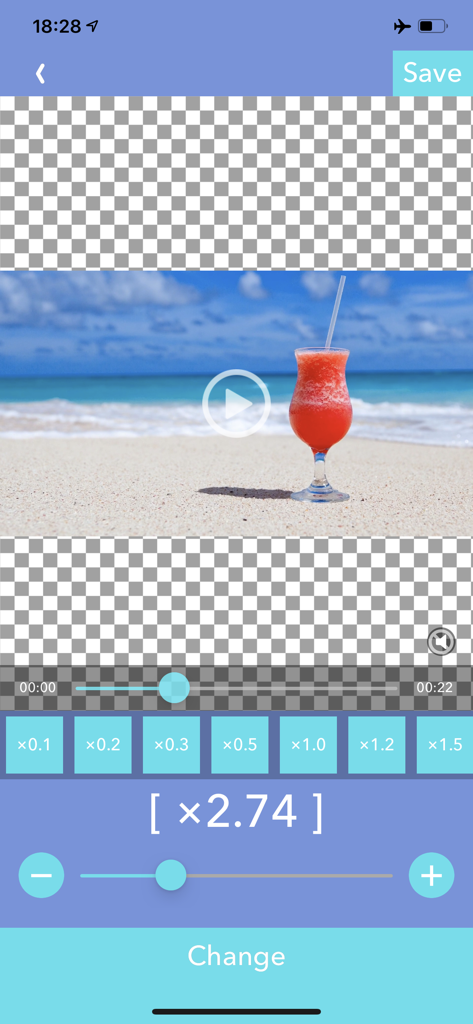
VBoosterアプリのインターフェース、3.14倍に設定された速度調整スライダーとビーチビデオのプレビューを表示

Video Speed Editor - VBooster - VBoosterアプリのモバイルインターフェース、正確なビデオ速度調整ツールとビーチビデオのプレビューを表示

VBoosterアプリのモバイルインターフェース、正確なビデオ速度調整ツールとビーチビデオのプレビューを表示

説明

VBooster is the app for changing playback speed and saving to your camera roll. [Simple Mode] Simple Mode is for change playback speed of entire a video easily. -- Playback speed -- You can change playback speed from x0.1 to x10.0 by 0.1 steps. -- Sound types -- You can choose 3 types of sounds. 1. Change pitch by speed 2. Keep pitch type A 3. Keep pitch type B -- Music -- You can add songs as Background music. -- Music speed -- You can choose 2 types of speed. 1. Up to a speed of the video 2. Original speed Q.Witch types are better " Keep pitch type A" or "B"? A. It depends on the sound of the video. So please try both to find the ​better one. [Time range mode] Time range mode lets you change the playback speed of time ranges you specified. --Add a new time range-- ・Seek to the time you want to start a new time range with seek bar. ・Press [+] button to start creating time range, then move to the end of the time range. ・Then, press [check mark] button to finish adding a new time range. ・After added the time range, the playback speed setting screen will be shown, and you can change the speed. --Overwrite a time range-- ・By the default, you can't specify over another time ranges. ・To overwrite another time ranges, turn off the switch that is located on the right side. --Change playback speed or delete a time range-- ・If you want to edit playback speed or delete a time range, tap the time range on the seek bar. ・Then, the edit menu will be shown. --Other settings-- ・You can set BGM/Frame rate and so on as well as Simple Mode. ・To do that, press [gear] button to open settings.

Download

ダウンロード: App Store

このページはアプリまたはその開発者の公式ページではなく、情報提供および論評を目的として作成された独立した編集出版物です。明示的に別段の記載がない限り、アプリおよびその開発者は、MWM、Apple、Google Play、アプリのパブリッシャー、またはアプリの開発者と提携、承認、後援、認可、またはその他の公式的な関係はなく、このページのいかなる内容も、アプリがMWMのサービスを使用して開発されたことを意味するものではありません。すべての商標、ロゴ、スクリーンショット、その他のコンテンツはそれぞれの所有者の財産です。








