Video Subtitle Hardcoder
ダウンロード: App Store

このページはアプリまたはその開発者の公式ページではなく、情報提供および論評を目的として作成された独立した編集出版物です。明示的に別段の記載がない限り、アプリおよびその開発者は、MWM、Apple、Google Play、アプリのパブリッシャー、またはアプリの開発者と提携、承認、後援、認可、またはその他の公式的な関係はなく、このページのいかなる内容も、アプリがMWMのサービスを使用して開発されたことを意味するものではありません。すべての商標、ロゴ、スクリーンショット、その他のコンテンツはそれぞれの所有者の財産です。

ロゴ: Video Subtitle Hardcoder
ダウンロード: App Store

Video Subtitle Hardcoder

スタイル化された字幕を直接動画に焼き付けて、視聴維持率とアクセシビリティを高めます。SRTファイルをインポートする場合でも、カスタムテキストを作成する場合でも、ミュートであっても、すべてのプラットフォームでブランドの声が確実に表示されるようにしましょう。

主要数値

ダウンロード

1K+

ユーザー評価

4.2/5

評価数

0

開発元

Nikhil Anshuman

カテゴリ

Photo & Video

対応言語

6

最新バージョン

2.2

サイズ

356.2 MB

リリース日

2019年5月21日
機能

あらゆるフィードで視聴者を魅了する

字幕をハードコードして、維持率を高め、アクセシビリティを確保し、ミュートで自動再生されるソーシャルプラットフォームでのスクロールを停止します。

永続的な焼き込み済みキャプション

メッセージが常に表示されるようにします。クローズドキャプションとは異なり、ハードコードされた字幕は動画ファイルに永続的にマージされ、あらゆるデバイスやプラットフォームで完璧に表示されます。

カスタムブランドの美学

見た目を完全にコントロールしましょう。フォント、サイズ、色をカスタマイズし、テキストを上部、中央、または下部に配置して、独自のクリエイターブランドアイデンティティに合わせましょう。

以下のスクリーンショットと説明は、アプリの公式ストアリスティングから直接取得されたものであり、アプリ開発者の所有物です。

アプリストア

スクリーンショット
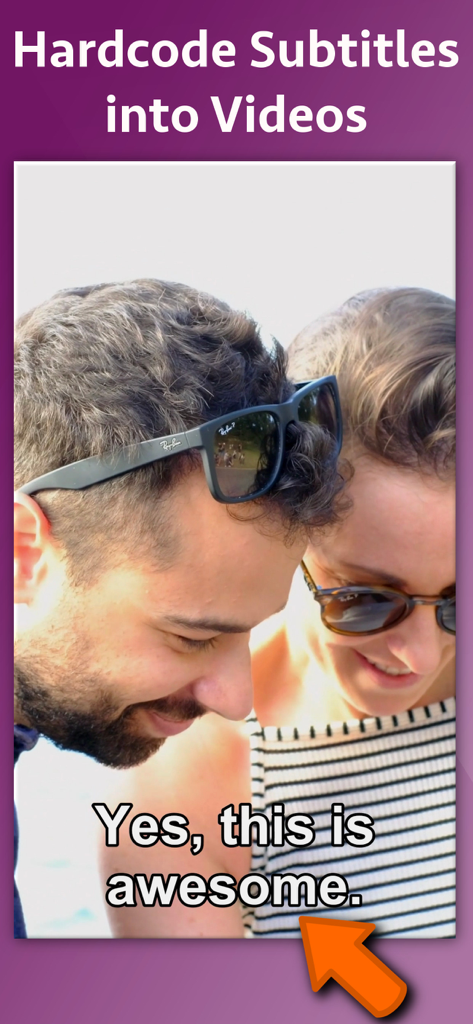
Video Subtitle Hardcoder - 「はい、これは素晴らしいです」というテキストが表示されたハードコード字幕の動画プレビュー
「はい、これは素晴らしいです」というテキストが表示されたハードコード字幕の動画プレビュー

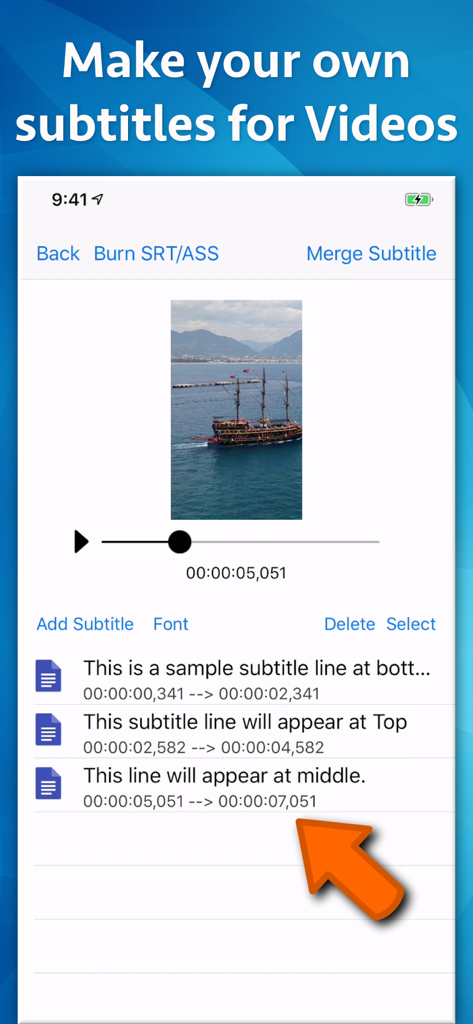
Video Subtitle Hardcoder - Video Subtitle Hardcoderアプリのインターフェース。タイムスタンプ付きのカスタムテキスト字幕の追加と配置方法を表示。
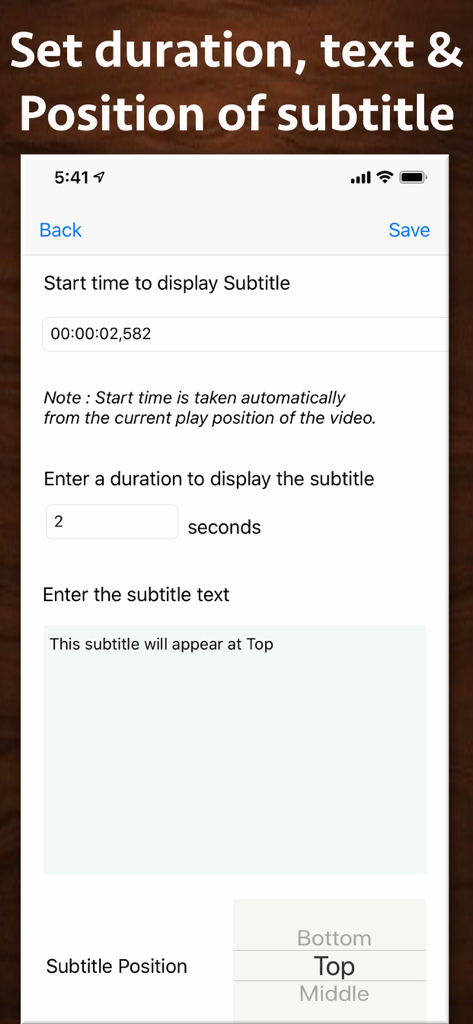
Video Subtitle Hardcoderアプリのインターフェース。タイムスタンプ付きのカスタムテキスト字幕の追加と配置方法を表示。

Video Subtitle Hardcoder - 字幕の開始時刻、期間、テキスト、画面配置の設定を示すモバイル画面。

字幕の開始時刻、期間、テキスト、画面配置の設定を示すモバイル画面。

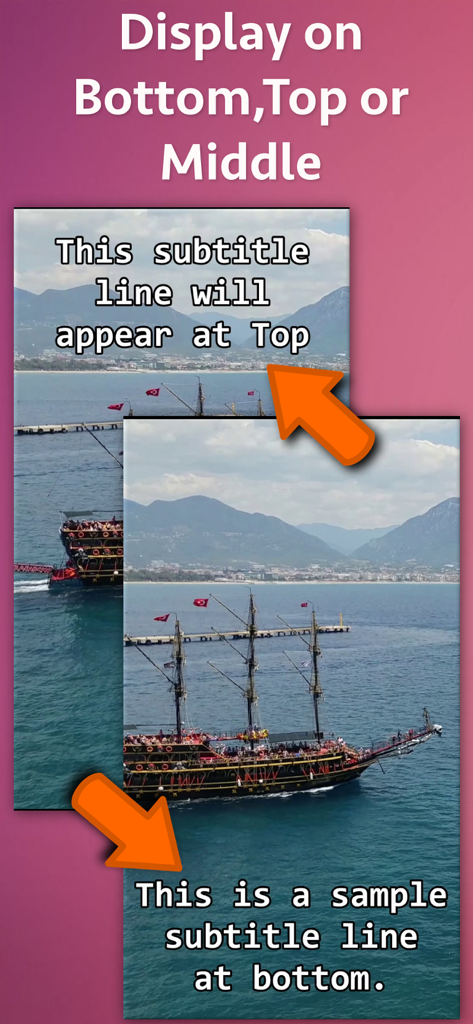
Video Subtitle Hardcoder - アプリ内で動画フレームの上部と下部に字幕を配置するデモンストレーション。

アプリ内で動画フレームの上部と下部に字幕を配置するデモンストレーション。
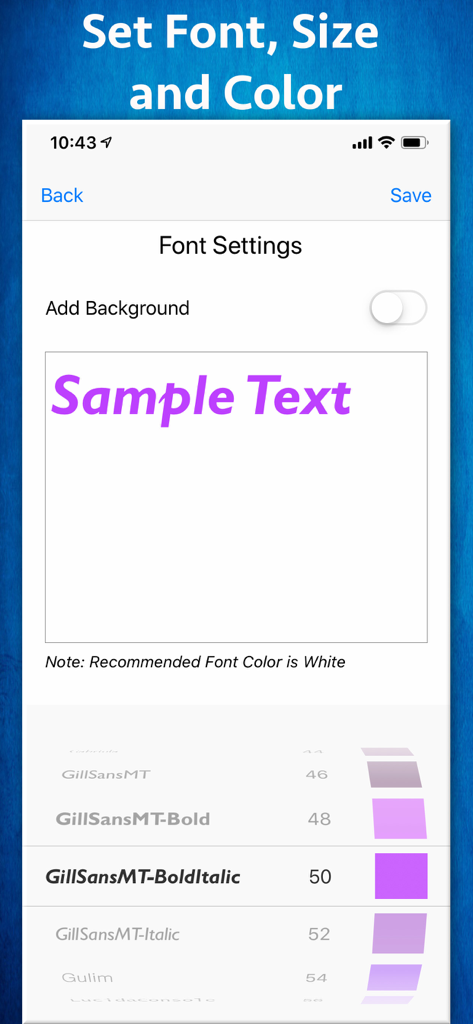
Video Subtitle Hardcoder - フォントサイズと色のオプションを備えた字幕フォントカスタマイズインターフェース。
フォントサイズと色のオプションを備えた字幕フォントカスタマイズインターフェース。

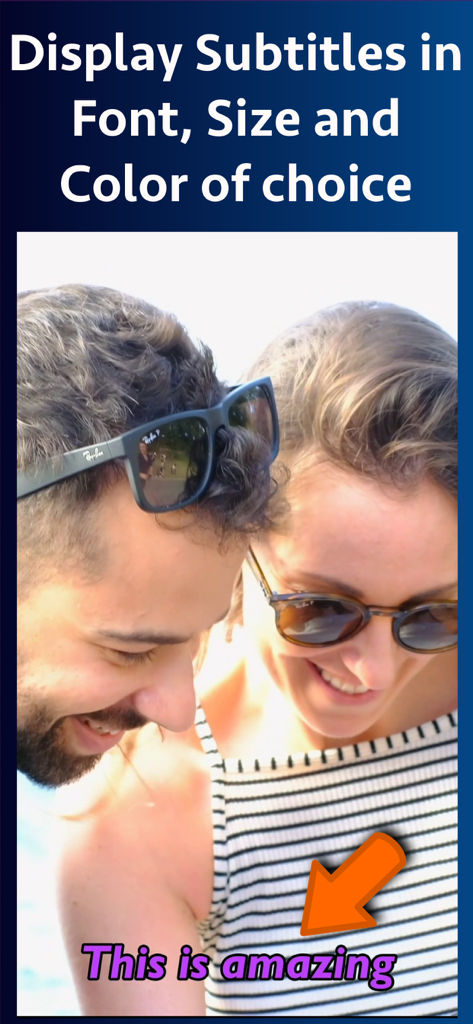
Video Subtitle Hardcoder - フォントと色のスタイルの選択肢を示すために、カスタマイズされた紫色の字幕を表示する動画プレビュー。
フォントと色のスタイルの選択肢を示すために、カスタマイズされた紫色の字幕を表示する動画プレビュー。

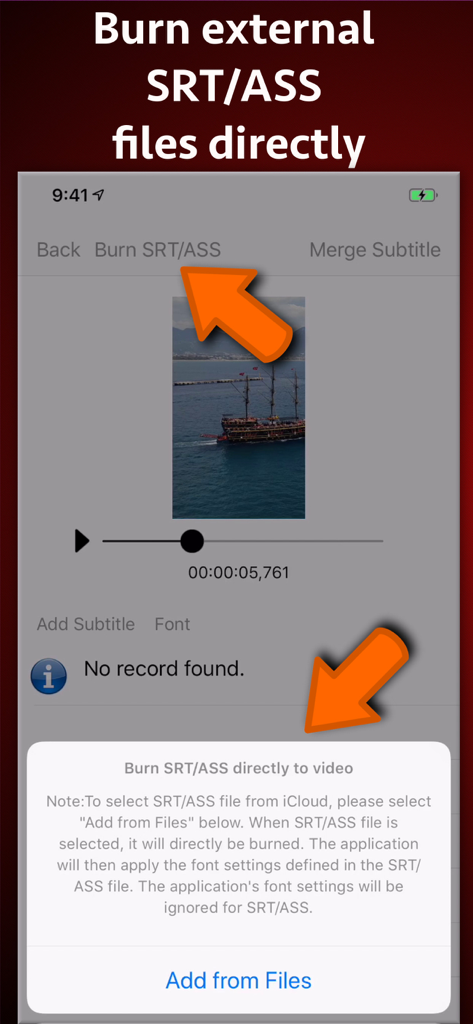
Video Subtitle Hardcoder - 外部SRTおよびASS字幕ファイルを動画に直接焼き込むプロセスを示すモバイルアプリインターフェース。
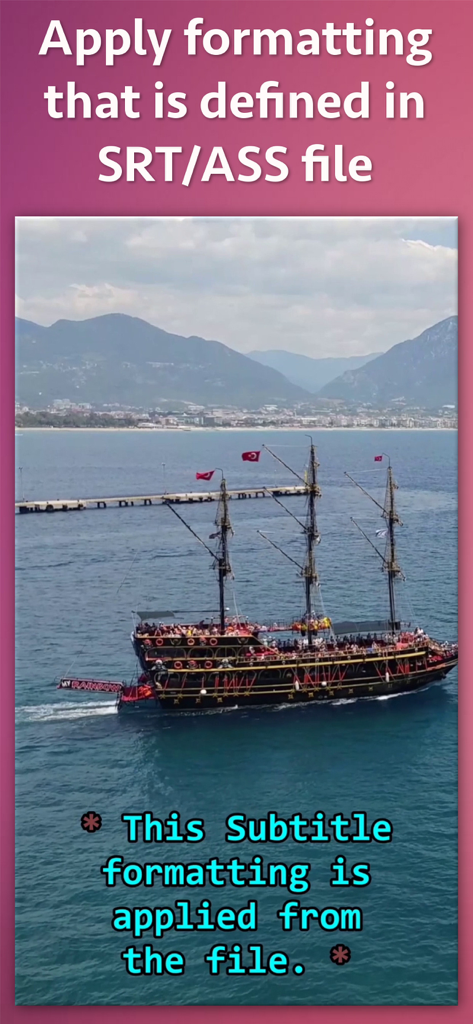
外部SRTおよびASS字幕ファイルを動画に直接焼き込むプロセスを示すモバイルアプリインターフェース。

Video Subtitle Hardcoder - 船の動画に適用されたSRTまたはASSファイルからのカスタム字幕フォーマットの例。
船の動画に適用されたSRTまたはASSファイルからのカスタム字幕フォーマットの例。

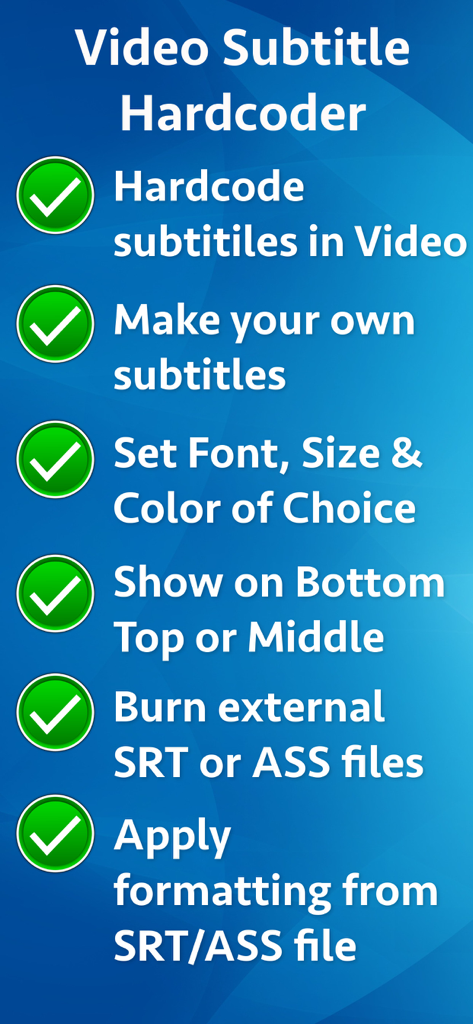
Video Subtitle Hardcoder - カスタムフォーマットとSRTファイルサポートを含む、Video Subtitle Hardcoderアプリの主な機能のリスト。
カスタムフォーマットとSRTファイルサポートを含む、Video Subtitle Hardcoderアプリの主な機能のリスト。

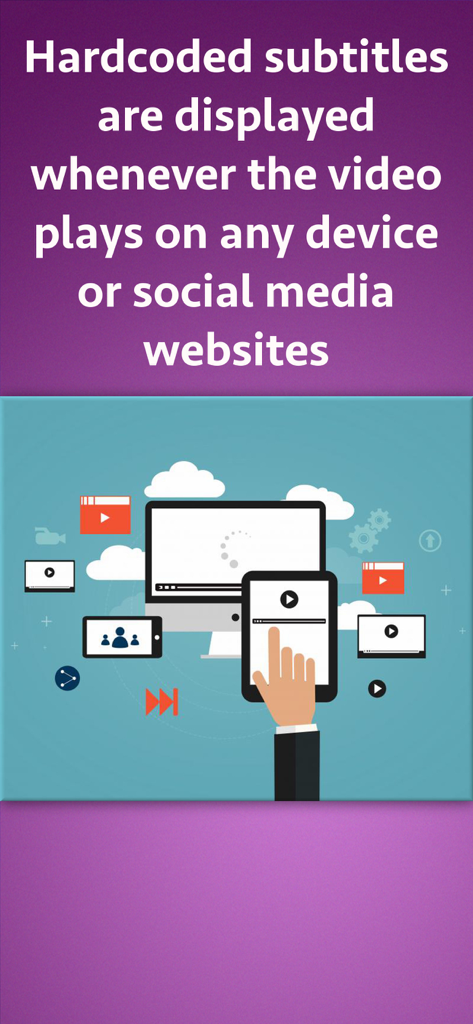
Video Subtitle Hardcoder - コンピューター、タブレット、スマートフォンを含むさまざまなデバイスで再生されるハードコード字幕付き動画を示すイラスト。

コンピューター、タブレット、スマートフォンを含むさまざまなデバイスで再生されるハードコード字幕付き動画を示すイラスト。

説明

Hardcode subtitles into a video. When a subtitle is hardcoded, it is permanently written into a Video and it is displayed whenever the video plays on any device or social media websites. Since videos autoplay without sound on social platforms, most of the viewers watch videos without sound. By uploading videos with hardcoded subtitles, you’ll get more engagement and higher viewer retention rates. The application provides two ways to hardcode the subtitles. ** Inbuilt support for SRT and ASS files : If you already have a SRT or ASS file, you could directly hardcode it to the video. In this case, the application will automatically take all formatting, font and location settings from the SRT/ASS files and hardcode it directly to the video. ** You could also create your own subtitles and merge them into the video right from the application. The application comes with its own editing interface. On this interface the video preview is displayed. You could traverse through the video and add the subtitle lines wherever required. ** Font, Size and Location : When you are defining your own subtitle lines, there is an option to set the font name, font size and the text color. These settings are universally applied to all subtitles lines that are added. ** Subtitle display location : For each subtitle line, you could specify whether that line should appear at Top, Bottom or Middle. These settings could be specified for individual lines. ** Start Time and duration to display subtitles : You could define the start time from which the subtitle should start displaying and the duration till which it should be displayed. This will ensure that the subtitles are displayed at exactly the right moment in your video. The application has its own inbuilt previewer where you could directly preview the created video with subtitles.

Download

ダウンロード: App Store

このページはアプリまたはその開発者の公式ページではなく、情報提供および論評を目的として作成された独立した編集出版物です。明示的に別段の記載がない限り、アプリおよびその開発者は、MWM、Apple、Google Play、アプリのパブリッシャー、またはアプリの開発者と提携、承認、後援、認可、またはその他の公式的な関係はなく、このページのいかなる内容も、アプリがMWMのサービスを使用して開発されたことを意味するものではありません。すべての商標、ロゴ、スクリーンショット、その他のコンテンツはそれぞれの所有者の財産です。