Video to Live Wallpapers Maker
ダウンロード: App Store

このページはアプリまたはその開発者の公式ページではなく、情報提供および論評を目的として作成された独立した編集出版物です。明示的に別段の記載がない限り、アプリおよびその開発者は、MWM、Apple、Google Play、アプリのパブリッシャー、またはアプリの開発者と提携、承認、後援、認可、またはその他の公式的な関係はなく、このページのいかなる内容も、アプリがMWMのサービスを使用して開発されたことを意味するものではありません。すべての商標、ロゴ、スクリーンショット、その他のコンテンツはそれぞれの所有者の財産です。


ロゴ: Video to Live Wallpapers Maker
ダウンロード: App Store

Video to Live Wallpapers Maker

お気に入りのビデオや思い出を、インタラクティブな素晴らしい壁紙に変えましょう。携帯電話を起こすたびに笑顔になれる、パーソナルな美学を作りましょう。

主要数値

ダウンロード

1M+

ユーザー評価

4.3/5

評価数

12K+

開発元

Plane Cubes

カテゴリ

Photo & Video

対応言語

1

最新バージョン

1.5.2

サイズ

35.7 MB

リリース日

2018年10月5日
機能

ロックスクリーンに命を吹き込もう

お気に入りの思い出、美しいクリップ、またはファン編集を、たった3つの簡単なステップでインタラクティブな素晴らしいライブ壁紙に変えましょう。

動き出すあなたの思い出

ペット、愛する人、または前回の休暇のビデオを、携帯電話を起こすたびに再生される生き生きとした思い出に変えましょう。

完璧な美学

最適な「キー写真」を簡単に選択し、iPhoneの雰囲気とカスタムホーム画面アイコンに合うように完璧なセグメントを切り取りましょう。

以下のスクリーンショットと説明は、アプリの公式ストアリスティングから直接取得されたものであり、アプリ開発者の所有物です。

アプリストア

スクリーンショット
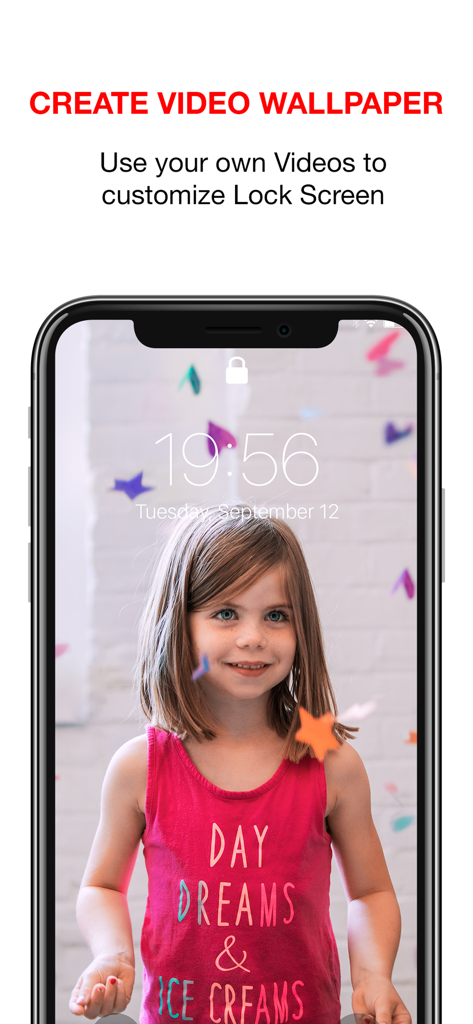
Video to Live Wallpapers Maker - 笑顔の若い女の子のカスタムライブ壁紙を表示しているiPhoneのロック画面。
笑顔の若い女の子のカスタムライブ壁紙を表示しているiPhoneのロック画面。

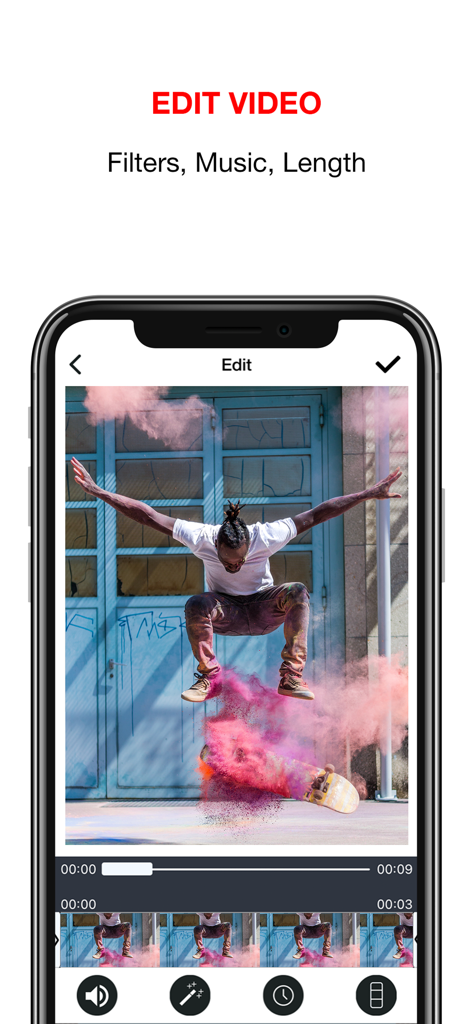
Video to Live Wallpapers Maker - ライブ壁紙を作成するためのフィルター、音楽、長さのツールを表示するビデオ編集インターフェイス。
ライブ壁紙を作成するためのフィルター、音楽、長さのツールを表示するビデオ編集インターフェイス。

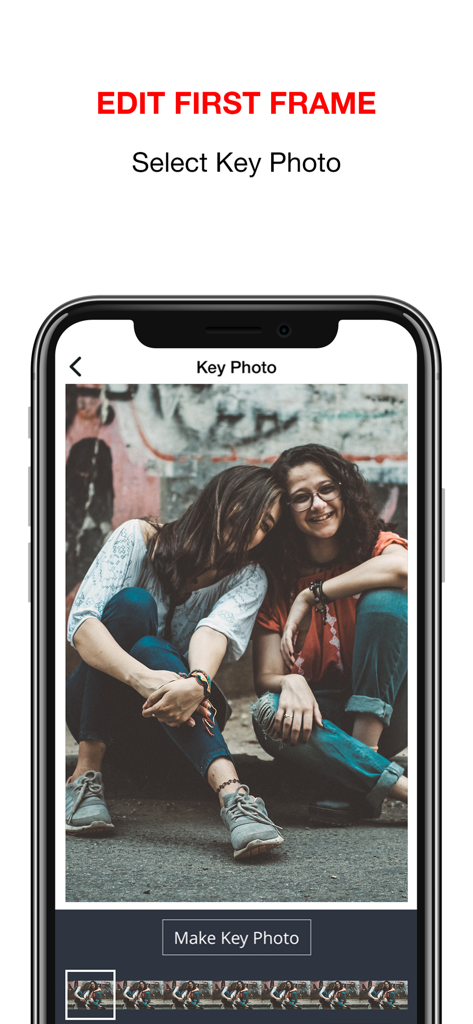
Video to Live Wallpapers Maker - 2人の友人のビデオからキーフレームを選択するためのインターフェイス。

2人の友人のビデオからキーフレームを選択するためのインターフェイス。
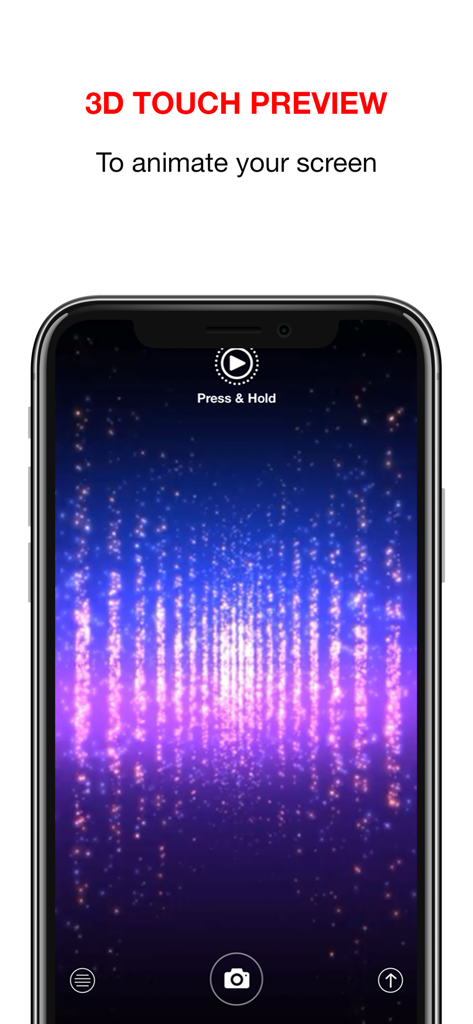
Video to Live Wallpapers Maker - 3Dタッチアニメーションプレビューの指示付きで、きらめく青と紫のライブ壁紙を表示するiPhone画面。
3Dタッチアニメーションプレビューの指示付きで、きらめく青と紫のライブ壁紙を表示するiPhone画面。

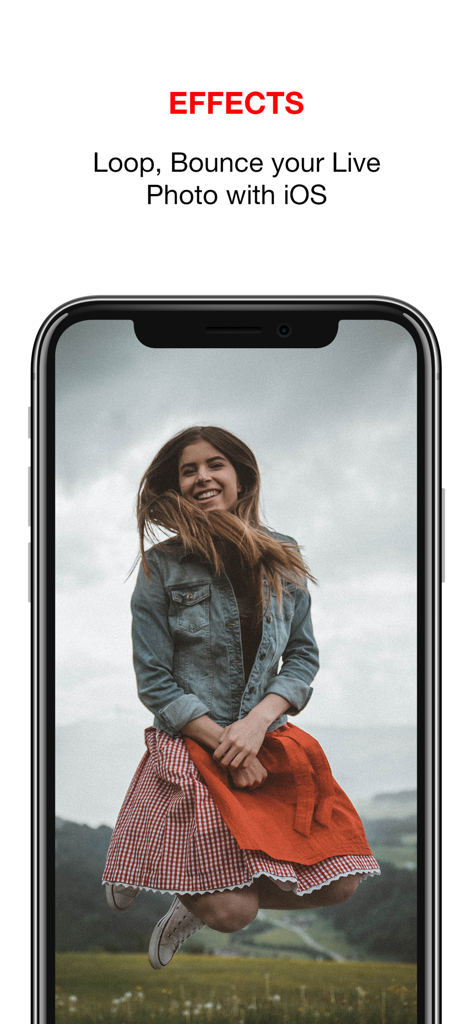
Video to Live Wallpapers Maker - ループおよびバウンス効果に関するテキストが表示され、ジャンプしている笑顔の女性のライブ壁紙が表示されているiPhone画面。

ループおよびバウンス効果に関するテキストが表示され、ジャンプしている笑顔の女性のライブ壁紙が表示されているiPhone画面。

説明

Create stunning Live Photo & Wallpapers that will animate your Lock Screen like Videos and make you happy every time you look at your phone! This app will turn your Videos into beautiful Live Photos. You can set as Wallpaper for your lock screen on your iPhone (from 6s onward). Three easy steps: 1. Create your Live Photos: Record a Video or choose one from your own Library or Gallery 2. Edit the Live Photo: - Select the part your want to use as a Live Photo for your Wallpaper - Edit Key Photo: the picture your will see first before your Screen animates in a beautiful sequence created by yourself 3. Make the Magic happen: - Use 3D Touch to view your beautiful Live Photo - Set it as your stunning Video Wallpaper! Enjoy! Leave us a Review to tell us what you like about the app! SUBSCRIPTION: We offer auto-renewing subscriptions: - Length: weekly and yearly - Payment will be charged to iTunes Account at confirmation of purchase - You will be able to access the Premium features of the app for the duration of the subscription - Subscription automatically renews for the same price and duration period as the original period unless auto-renew is turned off at least 24-hours before the end of the current period - The account will be charged for renewal within 24-hours prior to the end of the current period at the cost of the chosen package. - Subscriptions may be managed by the user and auto-renewal may be turned off by going to the user's iTunes Account Settings after purchase - No cancellation of the current subscription is allowed during the active subscription period - You may cancel a subscription during its free trial period via the subscription setting through your Apple account. This must be done 24 hours before the end of the subscription period to avoid being charged. Please visit https://support.apple.com/en-us/HT202039 for more information on how to proceed. - You may turn off the auto-renewal of your subscription via your Apple Account Settings. However, you are not able to cancel the current subscription during its active period - Any unused portion of a free-trial period will be forfeited when the user purchases a subscription. Privacy Policy: https://planecubes.com/privacy/ Terms of Use: https://planecubes.com/terms/

Download

ダウンロード: App Store

このページはアプリまたはその開発者の公式ページではなく、情報提供および論評を目的として作成された独立した編集出版物です。明示的に別段の記載がない限り、アプリおよびその開発者は、MWM、Apple、Google Play、アプリのパブリッシャー、またはアプリの開発者と提携、承認、後援、認可、またはその他の公式的な関係はなく、このページのいかなる内容も、アプリがMWMのサービスを使用して開発されたことを意味するものではありません。すべての商標、ロゴ、スクリーンショット、その他のコンテンツはそれぞれの所有者の財産です。








