
このページはアプリまたはその開発者の公式ページではなく、情報提供および論評を目的として作成された独立した編集出版物です。明示的に別段の記載がない限り、アプリおよびその開発者は、MWM、Apple、Google Play、アプリのパブリッシャー、またはアプリの開発者と提携、承認、後援、認可、またはその他の公式的な関係はなく、このページのいかなる内容も、アプリがMWMのサービスを使用して開発されたことを意味するものではありません。すべての商標、ロゴ、スクリーンショット、その他のコンテンツはそれぞれの所有者の財産です。


ダウンロード
1M+ユーザー評価
評価数
4.4K開発元
カテゴリ
Music対応言語
20最新バージョン
3.7サイズ
71.3 MBリリース日
2016年6月2日日常のメディア管理とフォーマット互換性を最適化する主要機能の分析
テックアナリストによるアプリ評価: Video to MP3 Converter App
動画からMP3への変換
このアプリは、ユーザーが動画ファイルから高品質なMP3オーディオを簡単に抽出できる機能を提供します。これにより、動画コンテンツを音声形式で楽しむことが可能になります。
多様なメディア形式変換
本ツールは、MP4から3GPへのビデオ変換や、MP3からFLACへのオーディオ変換など、幅広いビデオおよびオーディオフォーマット間での相互変換をサポートしており、ユーザーはさまざまなデバイスやプラットフォームでメディアを利用できます。
動画・音声ファイルのトリミング
ユーザーは、動画やオーディオファイルから不要な部分を切り取り、特定のセクションのみを抽出することができます。これにより、着信音の作成や短いクリップの共有が容易になります。
豊富なファイルインポートオプション
このアプリは、iOSメディアライブラリ、ファイルアプリ、URLダウンロード、Wi-Fi転送、iTunesファイル共有など、多様な方法で動画やオーディオファイルをインポートする機能を提供します。ユーザーは、あらゆるソースから簡単にメディアを取り込むことが可能です。
カスタム着信音作成
本ツールは、ユーザーがMP3やその他のオーディオファイルから独自の着信音を作成できる機能を提供します。これにより、スマートフォンを個性的にカスタマイズできます。
MP3メタデータ編集
ユーザーは、MP3ファイルのタイトル、アーティスト、アルバム情報などのメタデータを編集できます。これにより、オーディオライブラリの整理と管理が向上します。
内蔵メディアプレーヤー
このアプリは、変換された、またはインポートされたオーディオおよびビデオファイルを直接再生できる内蔵プレーヤーを備えています。これにより、ユーザーは外部アプリに切り替えることなく、メディアをすぐに確認できます。
プライバシー保護のためのセキュリティロック
本ツールは、パスコードロック、Touch ID、およびFace IDのサポートにより、アプリ内の個人メディアのプライバシーを保護します。ユーザーは、不正アクセスからデータを守ることができます。
よくある質問
について知っておくべきこと Video to MP3 Converter App
What is the "Video to MP3 Converter App" used for?
The "Video to MP3 Converter App" converts video to video, video to audio, and audio to audio file formats. It also offers trimming, metadata editing, and ringtone creation.
Can the "Video to MP3 Converter App" convert MP4 to MP3?
Yes, the "Video to MP3 Converter App" can convert MP4 video to MP3 audio. It also supports video-to-video and audio-to-audio conversions.
What audio formats does the "Video to MP3 Converter App" support?
The "Video to MP3 Converter App" supports MP3, M4A, W4P, WP4, AAC, WAV, CAF, AIFC, RM, FLAC, OGG, and AC3 audio formats for playback.
What video formats does the "Video to MP3 Converter App" support?
The "Video to MP3 Converter App" supports MP4, M4V, MOV, MPV, 3GP, AVI, RMVB, MKV, DIVX, FLV, and H264 video formats for playback.
How can I import files into the "Video to MP3 Converter App"?
Users can import files from the iOS Media Library, iOS Files app, via URL download, Wi-Fi transfer, or iTunes file sharing. Other apps can also save files to this app.
Does "Video to MP3 Converter App" include a media player?
Yes, the "Video to MP3 Converter App" includes a media player. It supports background playing for audio files.
Can I trim video files using the "Video to MP3 Converter App"?
Yes, the "Video to MP3 Converter App" allows users to trim both video and audio files directly within the application.
Does "Video to MP3 Converter App" offer security features?
Yes, the "Video to MP3 Converter App" provides a passcode lock. It supports Touch ID and Face ID for enhanced security.
Does "Video to MP3 Converter App" require a subscription?
Yes, the "Video to MP3 Converter App" operates on a subscription model. Payment is charged to the iTunes Account, and subscriptions automatically renew.
Can I create ringtones with the "Video to MP3 Converter App"?
Yes, the "Video to MP3 Converter App" allows users to create ringtones. This feature is available for MP3 and other audio files.
以下のスクリーンショットと説明は、アプリの公式ストアリスティングから直接取得されたものであり、アプリ開発者の所有物です。
アプリストア
スクリーンショット
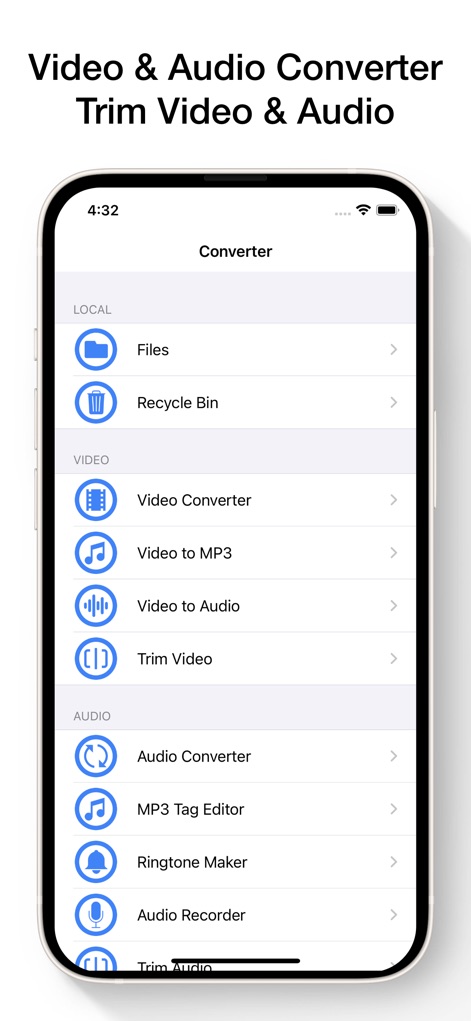
このアプリの直感的なメインメニューで、ユーザーは「ビデオ」と「オーディオ」のカテゴリに整理された機能に簡単にアクセスできます。ビデオからMP3への変換やトリミング機能など、必要なツールを素早く見つけることが可能です。
多機能ツールへ即座にアクセス
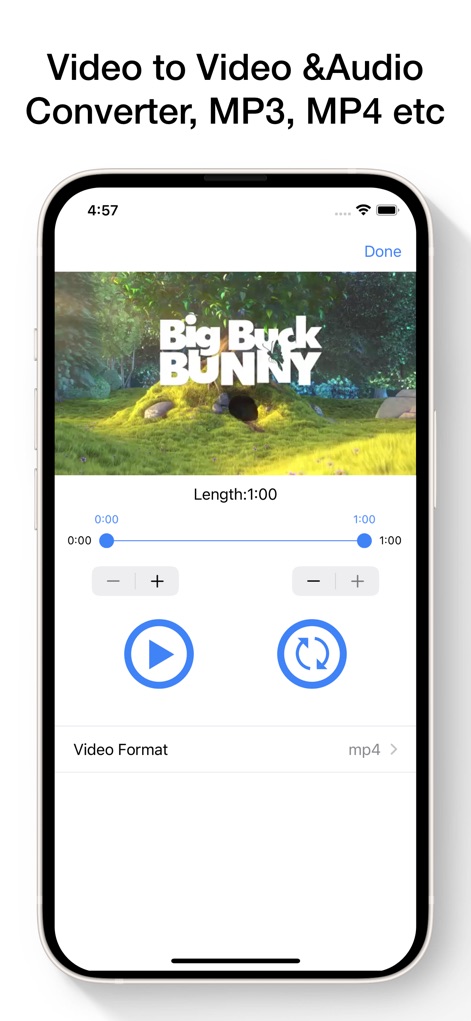
動画トリミング画面では、「BIG BUCK BUNNY」のようなプレビューウィンドウで動画の内容を確認しながら、スライダーと数値入力で正確な開始点と終了点を設定できます。動画の不要な部分を効率的にカットし、MP4などの形式に変換できます。
動画をスマートにトリミング
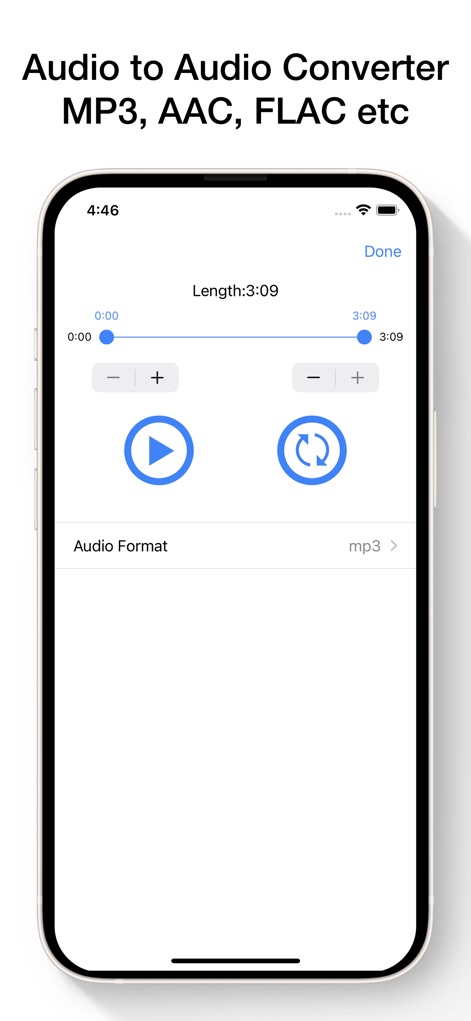
このオーディオ編集インターフェースでは、ユーザーは正確な開始点と終了点のスライダーコントロールを使用して、オーディオファイルを正確にトリミングできます。出力形式としてMP3などを選択し、目的のオーディオフォーマットに変換することが可能です。
オーディオを自由に編集
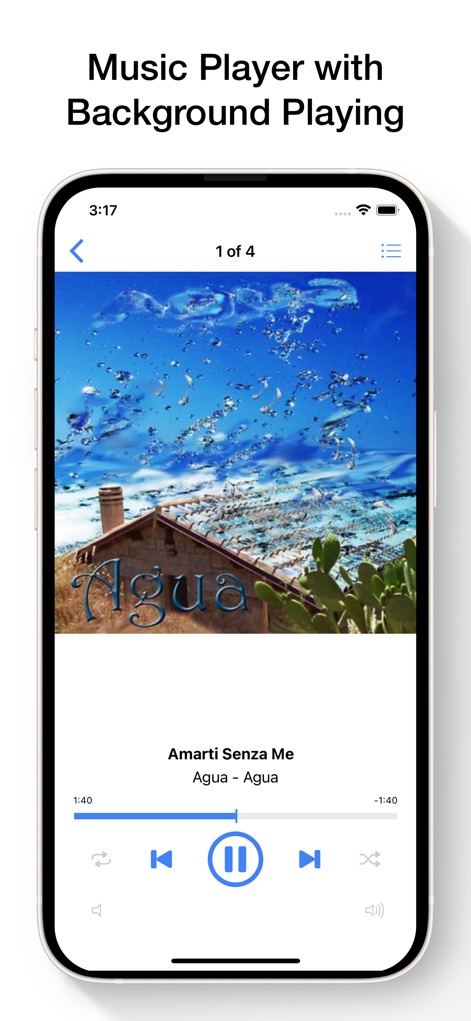
内蔵されたメディアプレイヤーは、アルバムアートワークを表示し、リピートやシャッフルを含む包括的な再生コントロールを提供します。ユーザーは「1/4」のように再生リストの進行状況を確認しながら、音楽を快適に楽しめます。
高品質な音楽プレイヤー
説明
Download
類似アプリ
似た機能とユーザー体験を持つアプリ

MP3 Converter -Audio Extractor
妍 岳

Audio Editor - Music Mixer
妍 岳

MP3 Converter: Video to Audio
Fitness Labs SRL

Audio Editor: MP3 Converter
ZHN Co., Ltd.

MP3 Converter - video2mp3
ZHN Co., Ltd.

EZAudioCut - Audio Editor Lite
龙刚 李

Audio Extractor-Audio Editing
正军 刘

Audio Editor & Music Mixer
Wuhan Net Power Technology Co., Ltd

Audio Converter&Ringtone Maker
俊鹏 位
このページはアプリまたはその開発者の公式ページではなく、情報提供および論評を目的として作成された独立した編集出版物です。明示的に別段の記載がない限り、アプリおよびその開発者は、MWM、Apple、Google Play、アプリのパブリッシャー、またはアプリの開発者と提携、承認、後援、認可、またはその他の公式的な関係はなく、このページのいかなる内容も、アプリがMWMのサービスを使用して開発されたことを意味するものではありません。すべての商標、ロゴ、スクリーンショット、その他のコンテンツはそれぞれの所有者の財産です。