Video to Photo Grabber
ダウンロード: App Store

このページはアプリまたはその開発者の公式ページではなく、情報提供および論評を目的として作成された独立した編集出版物です。明示的に別段の記載がない限り、アプリおよびその開発者は、MWM、Apple、Google Play、アプリのパブリッシャー、またはアプリの開発者と提携、承認、後援、認可、またはその他の公式的な関係はなく、このページのいかなる内容も、アプリがMWMのサービスを使用して開発されたことを意味するものではありません。すべての商標、ロゴ、スクリーンショット、その他のコンテンツはそれぞれの所有者の財産です。


ロゴ: Video to Photo Grabber
ダウンロード: App Store

Video to Photo Grabber

お気に入りのビデオを高解像度の4K写真に変えましょう。アクションショット、家族の記念日、ソロアドベンチャーから完璧なフレームをプロレベルの精度で抽出します。

主要数値

ダウンロード

245K+

ユーザー評価

4.2/5

評価数

600

開発元

Shenzhen Socusoft Co., Ltd

カテゴリ

Photo & Video

対応言語

1

最新バージョン

3.02

サイズ

5.1 MB

リリース日

2013年5月7日
機能

完璧なショットの芸術をマスターする

高精細ビデオを驚くほどプロフェッショナルな写真に変えましょう。フレームごとの精度と4Kの鮮明さで、重要なミリ秒を正確に捉えます。

正確なアクションフリーズ

ぼやけたアクションショットで妥協するのはやめましょう。ビデオをフレームごとにブラウズして、子供、ペット、スポーツの完璧な高速瞬間を捉えます。

鮮やかな4K解像度

粗いスクリーンショットで品質を犠牲にしないでください。元のビデオ解像度で静止画を抽出し、思い出を鮮明に保ち、ギャラリーで表示できるようにします。

以下のスクリーンショットと説明は、アプリの公式ストアリスティングから直接取得されたものであり、アプリ開発者の所有物です。

アプリストア

スクリーンショット
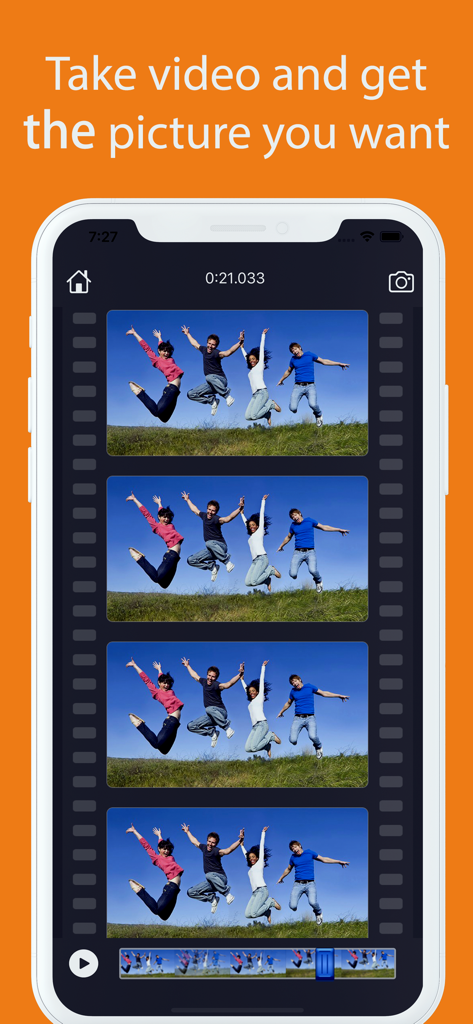
Video to Photo Grabber - ビデオフレームから静止画をフレームごとにキャプチャする方法を示すアプリインターフェイス。
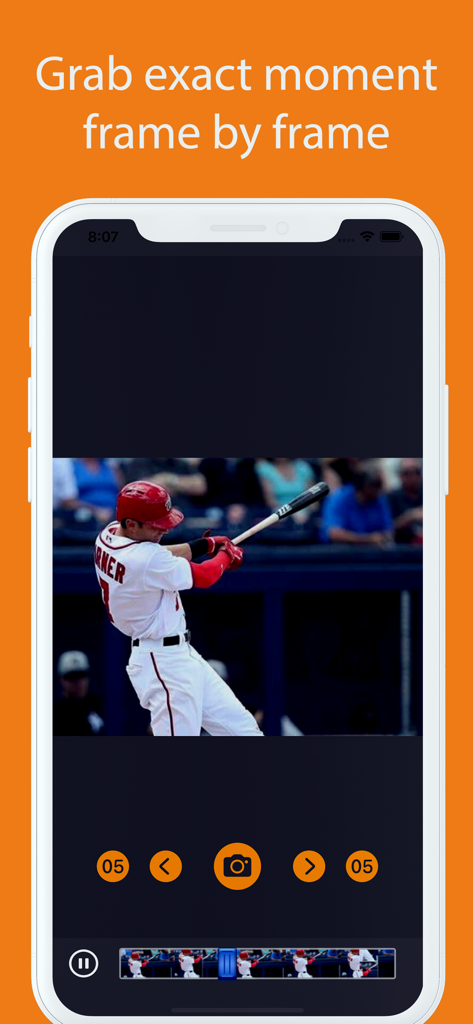
ビデオフレームから静止画をフレームごとにキャプチャする方法を示すアプリインターフェイス。

Video to Photo Grabber - ビデオから写真グラバーアプリインターフェイス。野球選手がボールを打つアクションショットフレームを表示
ビデオから写真グラバーアプリインターフェイス。野球選手がボールを打つアクションショットフレームを表示

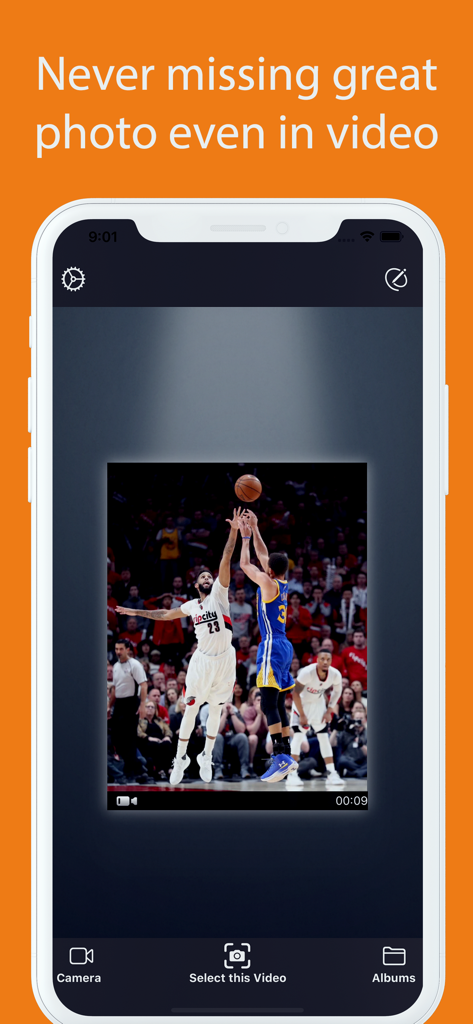
Video to Photo Grabber - ビデオから写真グラバーのiPhoneアプリ画面。バスケットボールビデオのアクションショットフレームを表示

ビデオから写真グラバーのiPhoneアプリ画面。バスケットボールビデオのアクションショットフレームを表示

説明

Video to Photo Grabber is an easy way to extract high quality photos from recorded videos on iPhone, iPad. Videos can be loaded directly from Camera Roll to the Video to Photo Grabber app, then you can inspect the video frame by frame and pick up the one you like to save as still image. The photo will be saved at the same resolution as the source video. For the new iPhone , you can record 4K video and extract still frame photo has a high resolution of 3840x2160. How can the App help? * The photo & video modes switching could be cumbersome. With the Video to Photo Grabber App, you can simply choose to take a video when you hesitate which to choose. As Video to Photo can help you easily extract any static photos or images from the video. * The traditional point-and-shoot way could be too slow sometimes. Video to Photo helps you take better pictures of fast moving objects (cars, sports, dance , exciting baby and so on). With Video to Photo Grabber app you can take up to 1,800 pictures a minute, you will certainly have a better chance of getting excellent candidate shoots than you would with the regular iPhone camera. * Recover Photos from Recorded Videos Sometimes you want to take a photo, but you may have been forgetful and leave your iPhone cameras set to video. Video to Photo Grabber app helps you recover photos from the recorded videos. * Extract the Best Photos from Videos You can browse the video frame by frame to get the best scenery and the exact moment you need. You can extract up to 30 different pictures of a one second video recorded with your iPhone or iPad and save them as 1080p full HD pictures. * Taking a great photo of yourself If you use the front camera for easier use, you will find it is difficult to get the right angle, what's worse you have no way to take full body pictures without help, let alone taking photos with your family or friends. With Video to Photo Grabber App, you can prop your iPhone up, shoot a video of yourself and your family or friends. You can export any photo suits you best afterwards. * Easy Photo Sharing Features You can export images to Camera Roll, email the photos, share via iTunes File-Sharing, print them out, open in with other apps, etc. Features: *Very Easy to use Just select the video file you want to extract, then browse the video frame by frame by swiping the film. Tap to capture the great moment and save a still photo. *Fast locate the frame You can play the video, pause, fast forward and backward to easily locate the frame you want to save as photo.

Download

ダウンロード: App Store

このページはアプリまたはその開発者の公式ページではなく、情報提供および論評を目的として作成された独立した編集出版物です。明示的に別段の記載がない限り、アプリおよびその開発者は、MWM、Apple、Google Play、アプリのパブリッシャー、またはアプリの開発者と提携、承認、後援、認可、またはその他の公式的な関係はなく、このページのいかなる内容も、アプリがMWMのサービスを使用して開発されたことを意味するものではありません。すべての商標、ロゴ、スクリーンショット、その他のコンテンツはそれぞれの所有者の財産です。








