VideoLUT - Color Grade Editor

VideoLUT - Color Grade Editor

ダウンロード: App Store
ロゴ: VideoLUT - Color Grade Editor

VideoLUT:プロクリエイターのためのシネマティック・カラーグレーディング

2,500以上のプリセット、.cubeのサポート、スキンマスクやHSLカーブなどの高度なツールで、視覚的な美しさを高めましょう。すべてはモバイルファーストの映像制作者のために構築されています。

ダウンロード: App Store

開発元

Enrique Garcia

カテゴリ

Photo & Video

ダウンロード

29K+

ユーザー評価

4.4/5

評価数

200

対応言語

12

シネマティックの極み

このインターフェースを利用する 29K+ 人のユーザー.

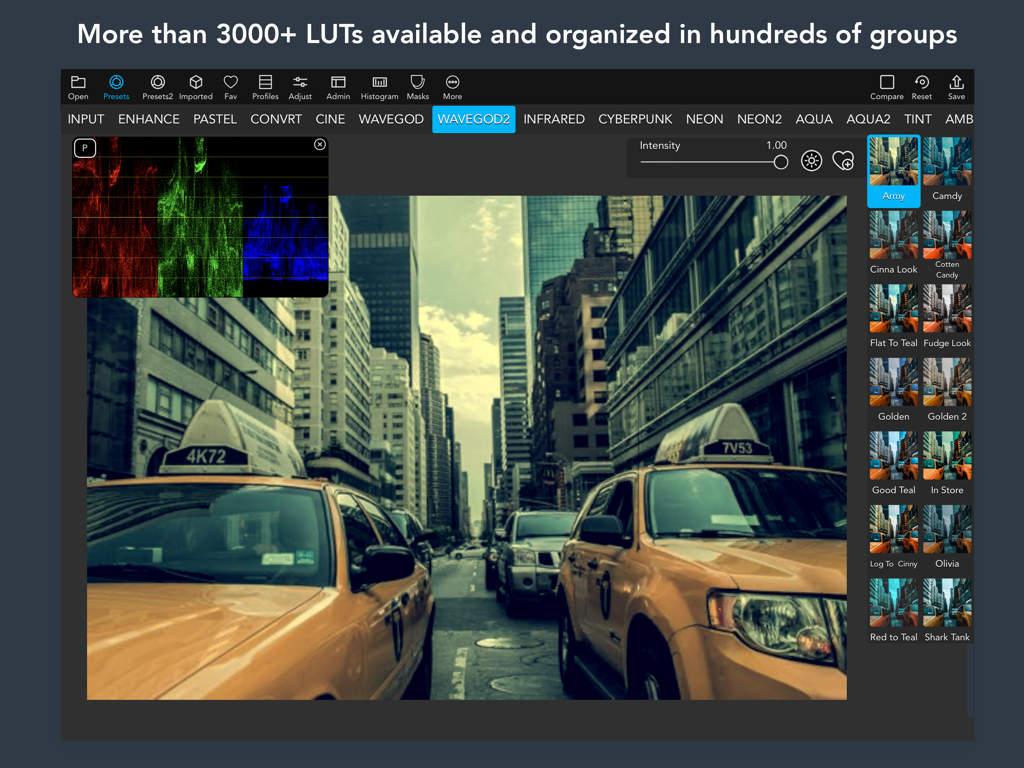
iPad上のVideoLUTアプリインターフェース。映像エディター向けのシネマティック・カラーグレーディング・プリセットとプロ仕様のヒストグラムツールを表示
iPad上のVideoLUTアプリインターフェース。映像エディター向けのシネマティック・カラーグレーディング・プリセットとプロ仕様のヒストグラムツールを表示

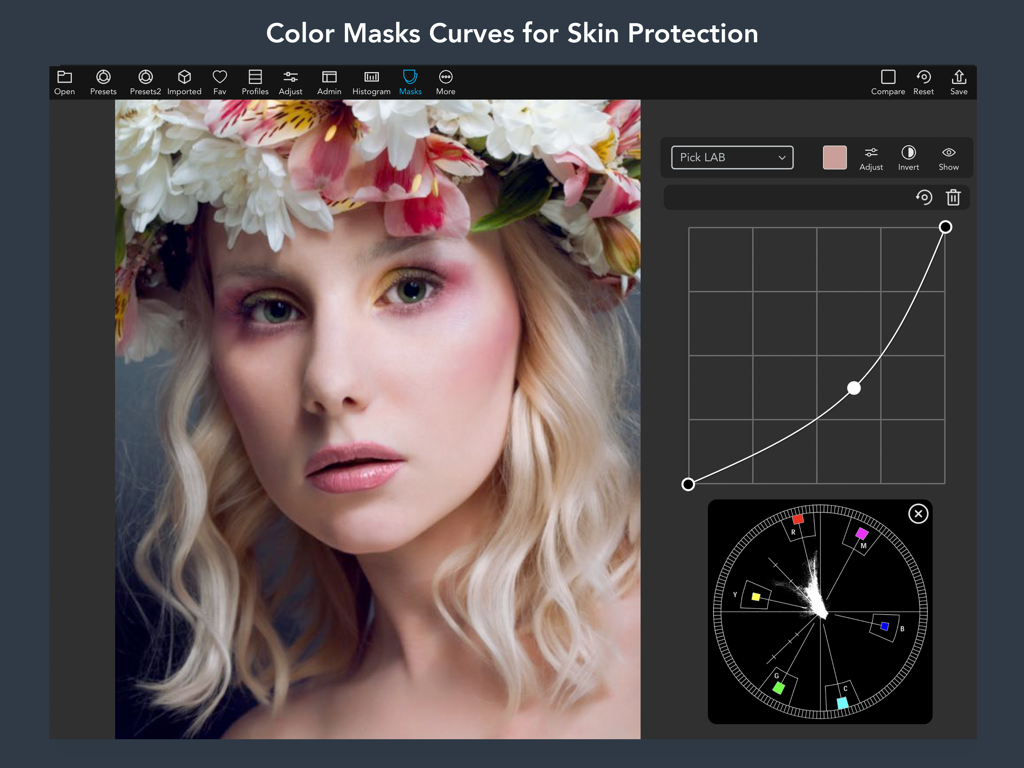
iPadでカラーマスクカーブとスキンプロテクションツールを表示しているVideoLUTアプリインターフェース
iPadでカラーマスクカーブとスキンプロテクションツールを表示しているVideoLUTアプリインターフェース

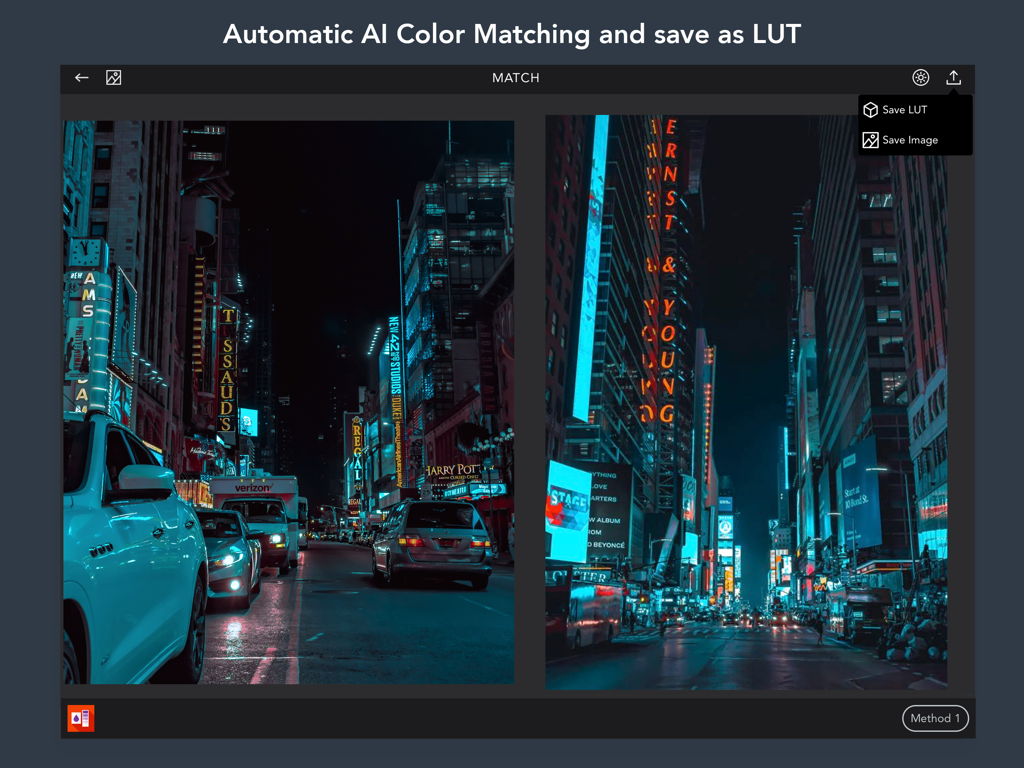
VideoLUTアプリインターフェースでの2枚の都市の夜景写真間の自動AIカラーマッチング
VideoLUTアプリインターフェースでの2枚の都市の夜景写真間の自動AIカラーマッチング

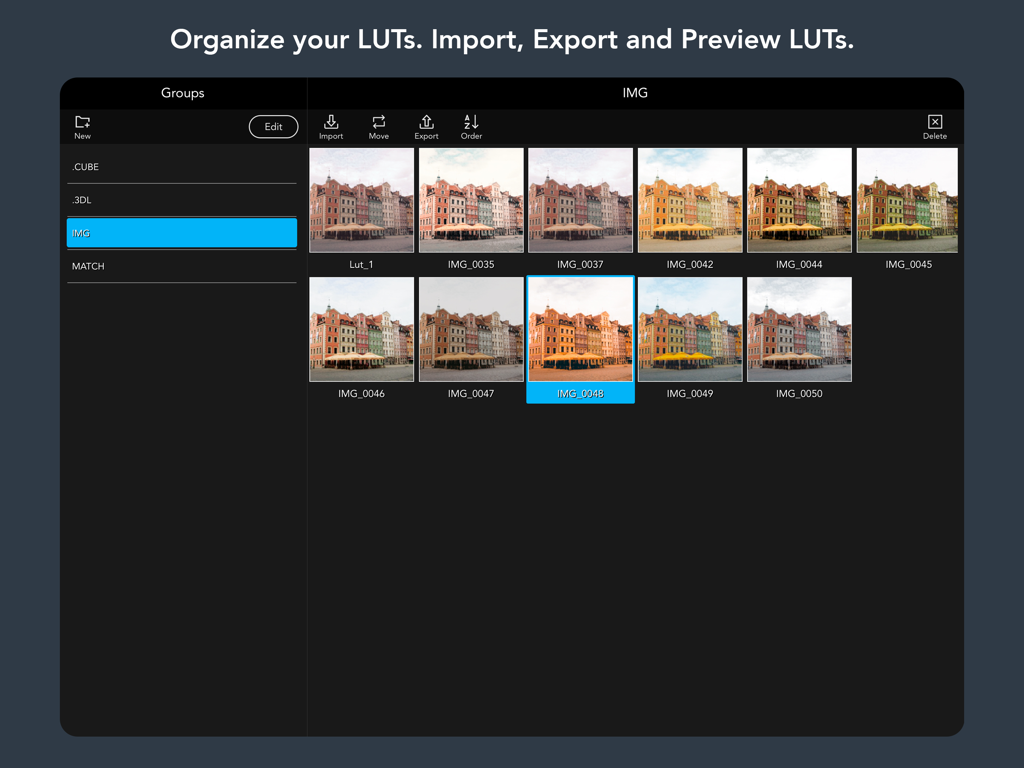
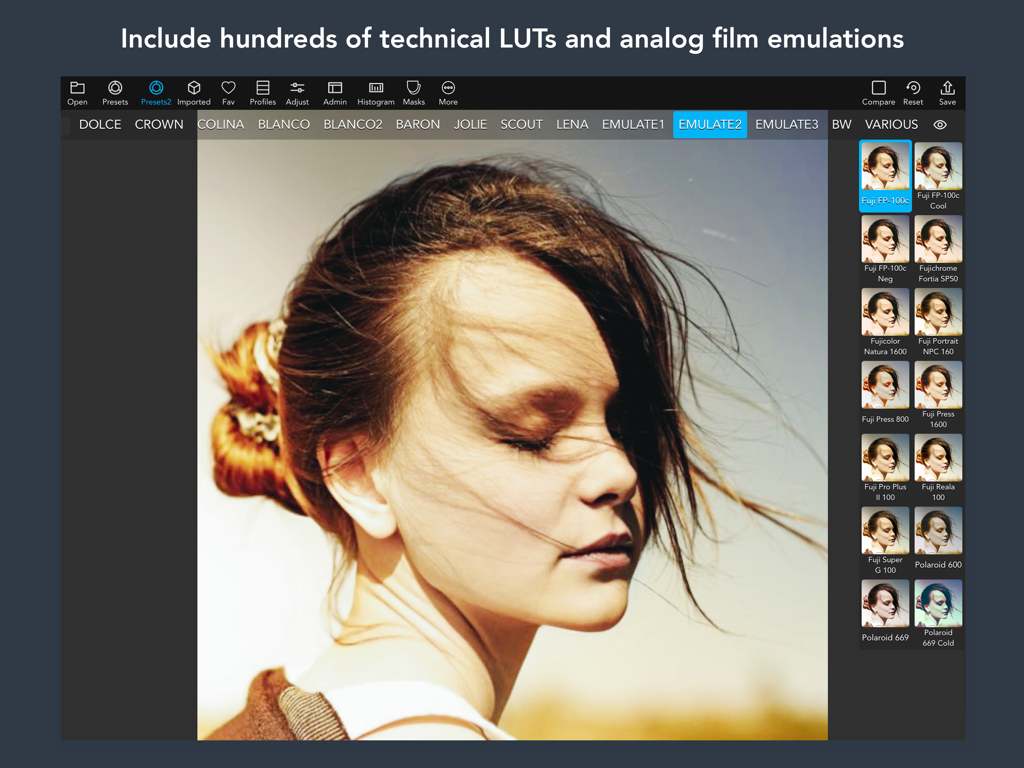
シネマティックなカラーグレードプレビューのライブラリを表示しているVideoLUTアプリのiPadインターフェース
シネマティックなカラーグレードプレビューのライブラリを表示しているVideoLUTアプリのiPadインターフェース

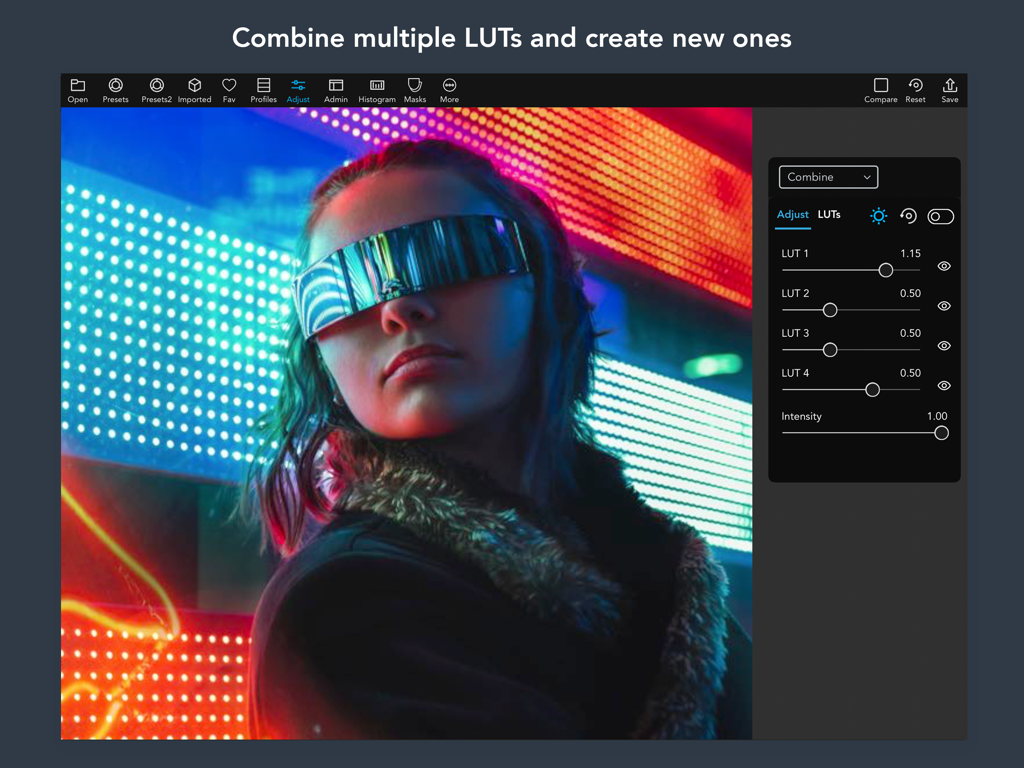
シネマティックな画像に複数のカラーグレーディングLUTを組み合わせるスライダーを表示しているVideoLUTアプリのインターフェース
シネマティックな画像に複数のカラーグレーディングLUTを組み合わせるスライダーを表示しているVideoLUTアプリのインターフェース

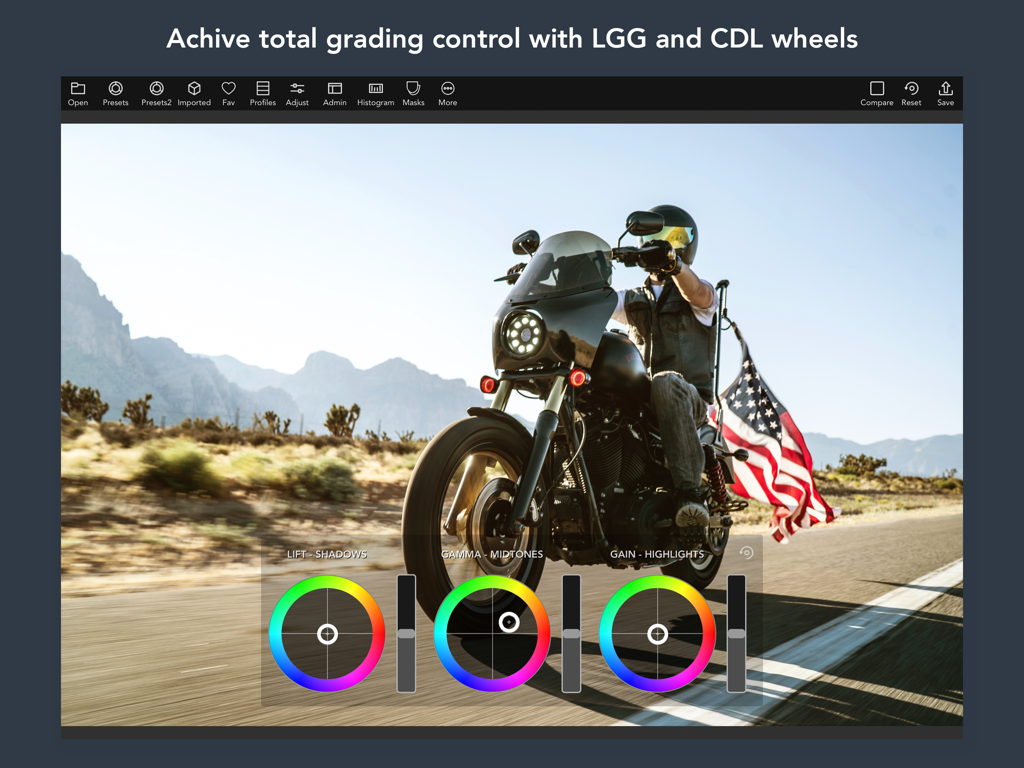
iPadでシネマティックなビデオを編集するために使用されるLGGおよびCDLホイールを表示するプロ仕様のカラーグレーディングインターフェース
iPadでシネマティックなビデオを編集するために使用されるLGGおよびCDLホイールを表示するプロ仕様のカラーグレーディングインターフェース

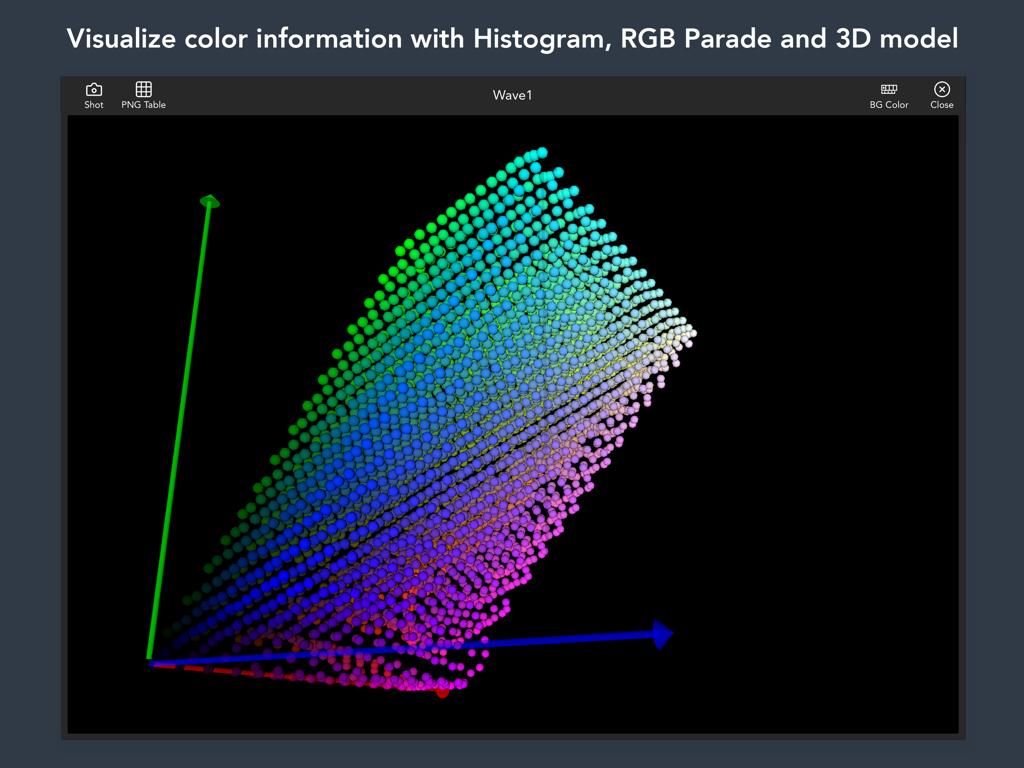
3軸にわたる色の分布を表示するVideoLUTアプリインターフェース内の3Dカラーモデルの可視化
3軸にわたる色の分布を表示するVideoLUTアプリインターフェース内の3Dカラーモデルの可視化

プロフェッショナルなカラーグレーディング用の、アナログフィルムエミュレーションプリセットを表示するVideoLUTインターフェース
プロフェッショナルなカラーグレーディング用の、アナログフィルムエミュレーションプリセットを表示するVideoLUTインターフェース

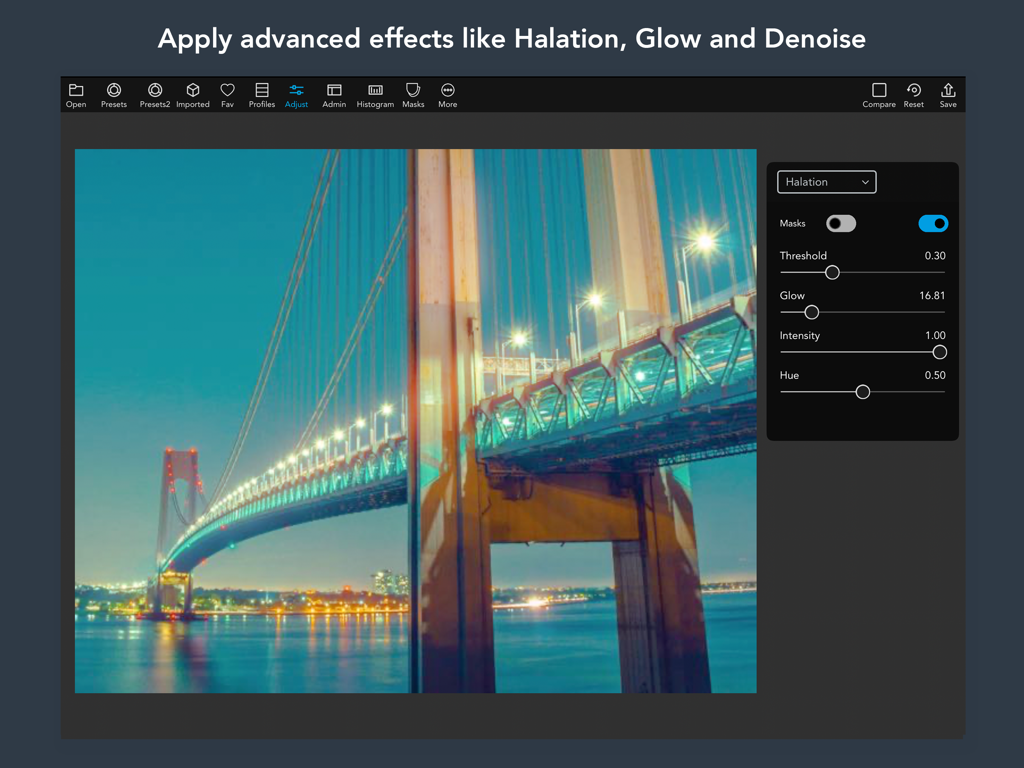
シネマティックな夜の橋の写真にハレーションとグロー効果の設定を表示しているVideoLUT iPadアプリインターフェース

シネマティックな夜の橋の写真にハレーションとグロー効果の設定を表示しているVideoLUT iPadアプリインターフェース

どこでもプロ仕様のカラーグレーディングを

このアプリを際立たせるツール、 29K+ 人のユーザーが選択.

🖥️

モバイルでデスクトップのパワーを

DaVinci ResolveやPremiere Proの業界標準.cubeおよび.3dl LUTをiPhoneやiPadに直接インポートして使用でき、シームレスなクロスプラットフォームワークフローを実現します。

🎨

精緻な色の正確性

スキンマスク、HSLカーブ、CMYKツールを使用して、美学をマスターしましょう。肌のトーンや独自のカラーストーリーを完璧にするために必要なきめ細かなコントロールが可能です。

プロワークフローの統合

任意の参照写真から色をマッチングさせ、カスタムグレードをLumaFusionに直接、またはインスタントQRコード経由でエクスポートすることで、納品をスピードアップします。

アプリについて

について知っておくべきこと VideoLUT - Color Grade Editor.

説明

Transform your videos and images into cinematic masterpieces with VideoLUT, the ultimate color-grading app! With over 2500 presets, you can easily import, edit, and apply LUTs to create stunning videos and photos. Plus, VideoLUT allows you to record videos and take photos with your imported LUTs, giving you the ultimate creative control. Whether you're a professional filmmaker or a casual iPhone photographer, VideoLUT is the perfect app for you. It comes with powerful editing tools that allow you to color grade your videos and images with ease. You can even create your own LUTs and share them with other users via QR codes or apps like Lumafusion. VideoLUT supports a variety of LUT formats, including DaVinci Resolve 3D Cube LUT (.cube) and Autodesk 3D LUT (.3dl). You can import .cube, .3dl, and 512x512 .png LUT tables, and save or import cube files to iCloud, Dropbox, and other storage apps. But that's not all – VideoLUT also lets you visualize LUTs in 3D, export them as LUT images (.png), and share them as .cube 16, 32, or 33 (DaVinci Resolve 3D Cube LUT) with other apps or your desktop. You can also match colors from images and build new LUTs from the result, and use RGB, HSL, CMYK, LAB, and Skin Masks and Curves for added control. With VideoLUT's auto white balance, Mackbet table detection and correction, split toning, color wheels, and other adjust tools, you have everything you need to perfect your videos and images. Mix multiple LUTs to create new ones, convert Filmic Pro LUTS, and even preprocess RAW photos for added flexibility. Download VideoLUT today and transform your videos and images into true works of art! Terms of Use (EULA): https://www.apple.com/legal/internet-services/itunes/dev/stdeula/

最新バージョン

2.65

サイズ

298.9 MB

リリース日

2016年10月29日

すべてのフレームにシネマティックな卓越性を

外出先でカラーストーリーをマスターしている何千人ものプロレベルのクリエイターに加わりましょう。今すぐVideoLUTをダウンロードして、iPhoneやiPadで2,500以上のプロフェッショナルプリセットとデスクトップ級の編集ツールの力を解き放ってください。

ダウンロード: App Store

App information, icons, screenshots, and descriptions displayed on this page are sourced from the Apple App Store and are the property of their respective developers. Download estimates and rankings are based on MWM's proprietary models and may not reflect actual figures. This page is provided for informational and analytical purposes only.

Believe this page infringes your intellectual property? File a dispute