Voice Notebook - audio to text
ダウンロード: App Store

このページはアプリまたはその開発者の公式ページではなく、情報提供および論評を目的として作成された独立した編集出版物です。明示的に別段の記載がない限り、アプリおよびその開発者は、MWM、Apple、Google Play、アプリのパブリッシャー、またはアプリの開発者と提携、承認、後援、認可、またはその他の公式的な関係はなく、このページのいかなる内容も、アプリがMWMのサービスを使用して開発されたことを意味するものではありません。すべての商標、ロゴ、スクリーンショット、その他のコンテンツはそれぞれの所有者の財産です。


ロゴ: Voice Notebook - audio to text
ダウンロード: App Store

Voice Notebook - audio to text

オフライン文字起こし、カスタム技術用語辞書、YouTube字幕エクスポートで、すべてのインサイトを捉えましょう。iPhoneとApple Watchのための、安全で高機能なツールです。

主要数値

ダウンロード

228K+

ユーザー評価

4.5/5

評価数

1000

開発元

Alexei Shechkov

カテゴリ

Productivity

対応言語

6

最新バージョン

5.23

サイズ

21.8 MB

リリース日

2018年8月23日
機能

高精度な音声テキスト変換でワークフローをマスター

高利用率プロフェッショナル向けに設計されたVoice Notebookは、オフラインの信頼性と技術的な精度を組み合わせて、話した内容を行動可能なデータに変換します。

カスタム専門用語&技術的精度

医療、法律、技術用語の独自の辞書を定義することで、手動での修正なしに、文字起こしが完全に正確であることを保証します。

シームレスなAppleエコシステム連携

Apple Watchでアイデアをキャプチャしたり、Siriショートカット経由でハンズフリー体験を実現し、通勤中や移動中でも生産性を維持できます。

以下のスクリーンショットと説明は、アプリの公式ストアリスティングから直接取得されたものであり、アプリ開発者の所有物です。

アプリストア

スクリーンショット
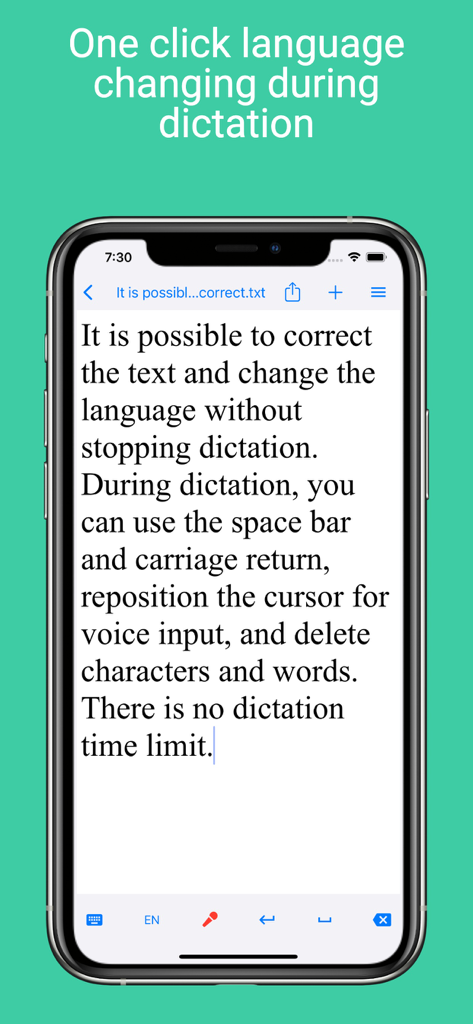
Voice Notebook - audio to text - Voice Notebookアプリのインターフェース。スマートフォンでのライブ音声入力中に、ワンクリックで言語を切り替え、テキストを編集する様子を表示。
Voice Notebookアプリのインターフェース。スマートフォンでのライブ音声入力中に、ワンクリックで言語を切り替え、テキストを編集する様子を表示。

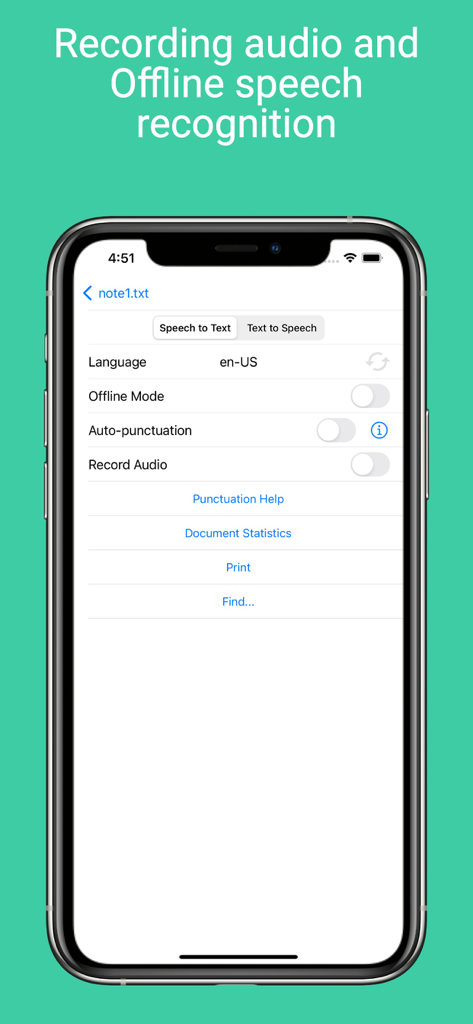
Voice Notebook - audio to text - Voice Notebookアプリの音声テキスト変換設定画面。オフラインモードと、言語選択機能が表示されています。
Voice Notebookアプリの音声テキスト変換設定画面。オフラインモードと、言語選択機能が表示されています。

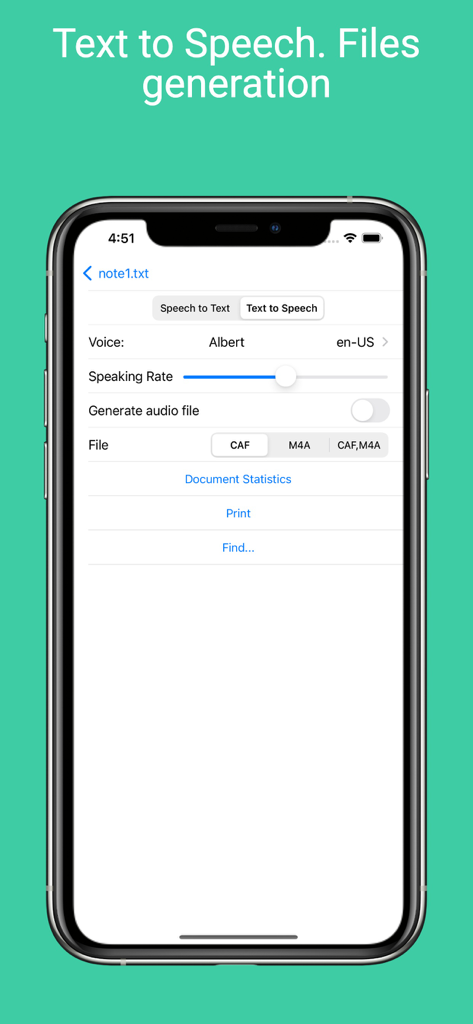
Voice Notebook - audio to text - Voice Notebookアプリのインターフェース。テキスト読み上げ設定と、オーディオファイル生成オプションを表示。
Voice Notebookアプリのインターフェース。テキスト読み上げ設定と、オーディオファイル生成オプションを表示。

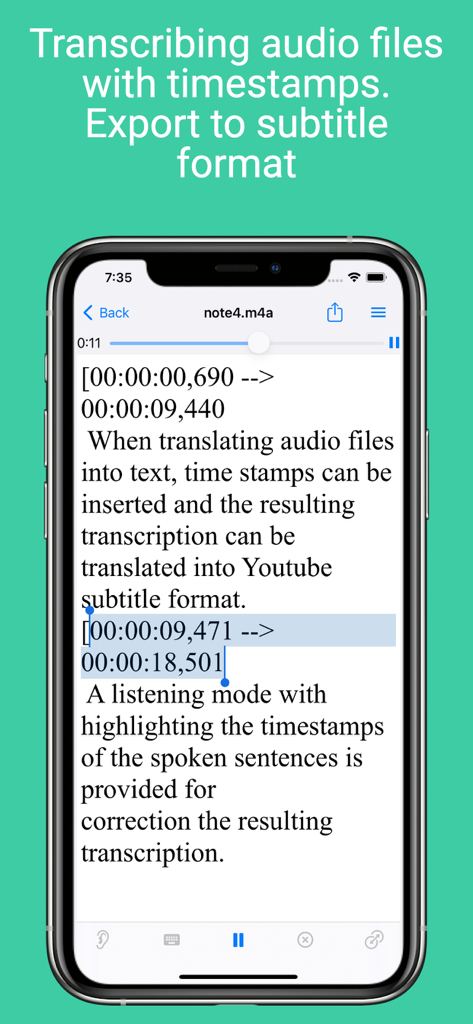
Voice Notebook - audio to text - Voice Notebookアプリのインターフェース。タイムスタンプ付きのオーディオ文字起こしと、字幕エクスポートオプションを表示。
Voice Notebookアプリのインターフェース。タイムスタンプ付きのオーディオ文字起こしと、字幕エクスポートオプションを表示。

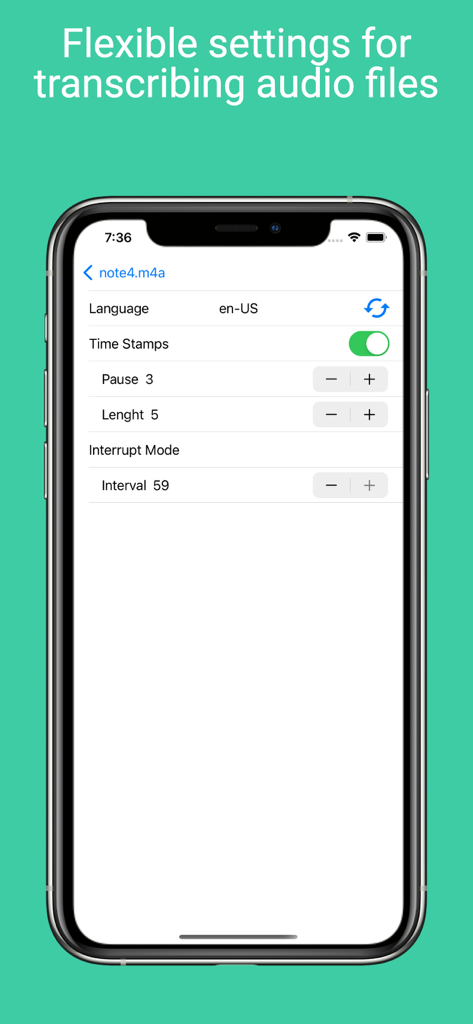
Voice Notebook - audio to text - Voice Notebookアプリの設定画面。タイムスタンプ、言語、オーディオ文字起こし間隔のオプションを表示。
Voice Notebookアプリの設定画面。タイムスタンプ、言語、オーディオ文字起こし間隔のオプションを表示。

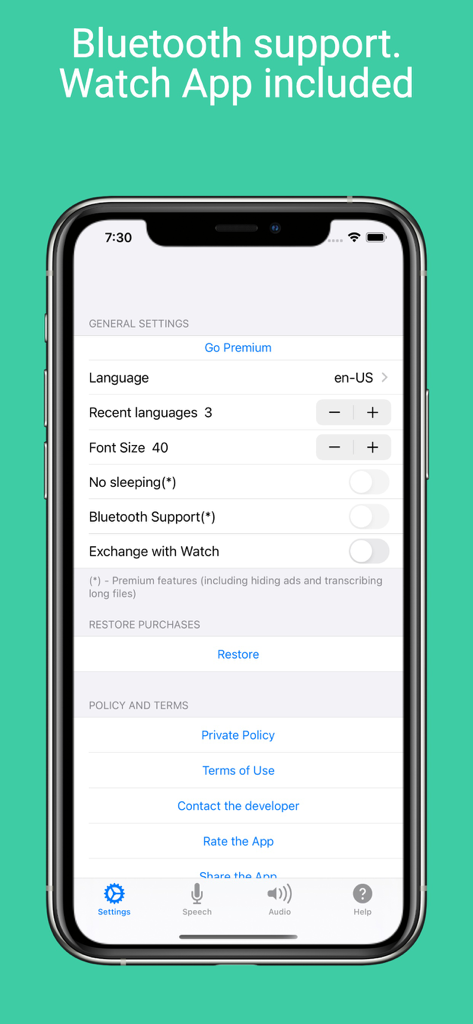
Voice Notebook - audio to text - Voice Notebookアプリの設定画面。iPhone上に、BluetoothサポートとApple Watch同期のオプションを表示。
Voice Notebookアプリの設定画面。iPhone上に、BluetoothサポートとApple Watch同期のオプションを表示。

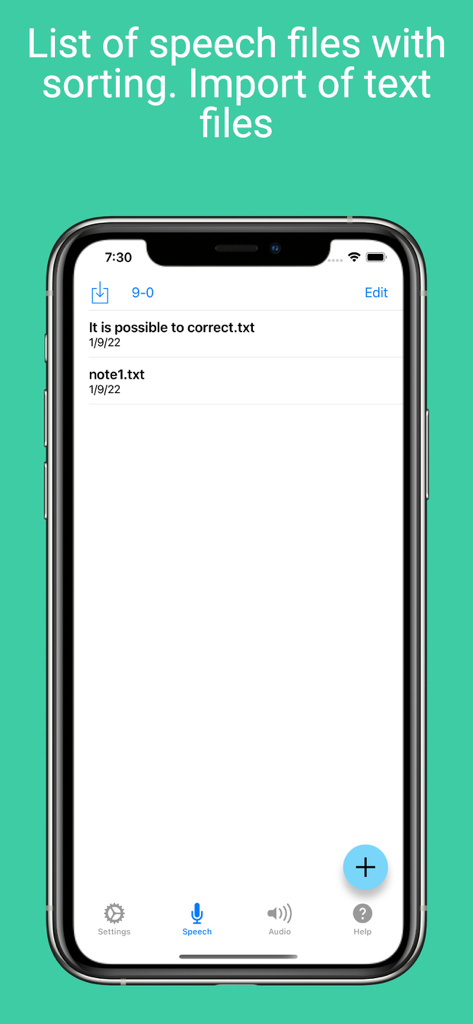
Voice Notebook - audio to text - Voice Notebookアプリ内の音声ファイルとテキストファイルのリストを表示するスクリーンショット。並べ替えおよびインポートオプションが含まれています。
Voice Notebookアプリ内の音声ファイルとテキストファイルのリストを表示するスクリーンショット。並べ替えおよびインポートオプションが含まれています。

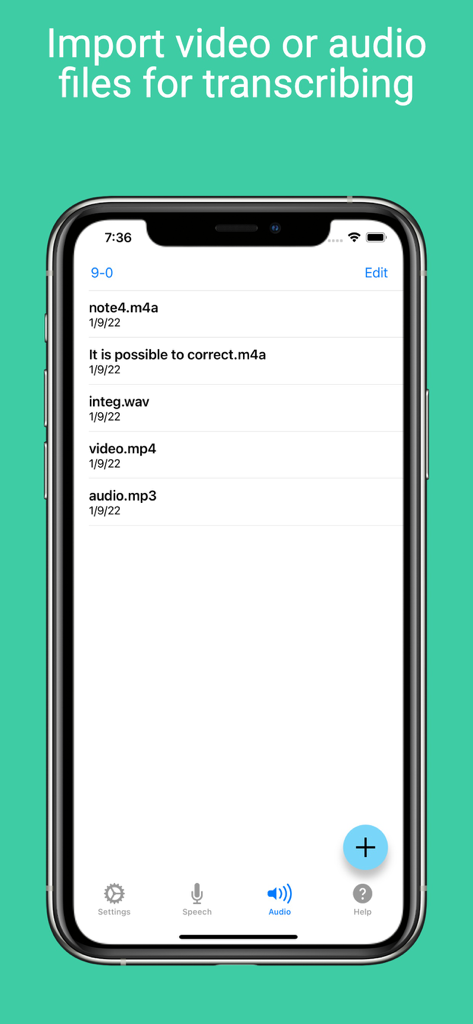
Voice Notebook - audio to text - Voice Notebookアプリのインターフェース内で、文字起こし準備ができたインポート済みオーディオおよびビデオファイルのリスト。
Voice Notebookアプリのインターフェース内で、文字起こし準備ができたインポート済みオーディオおよびビデオファイルのリスト。

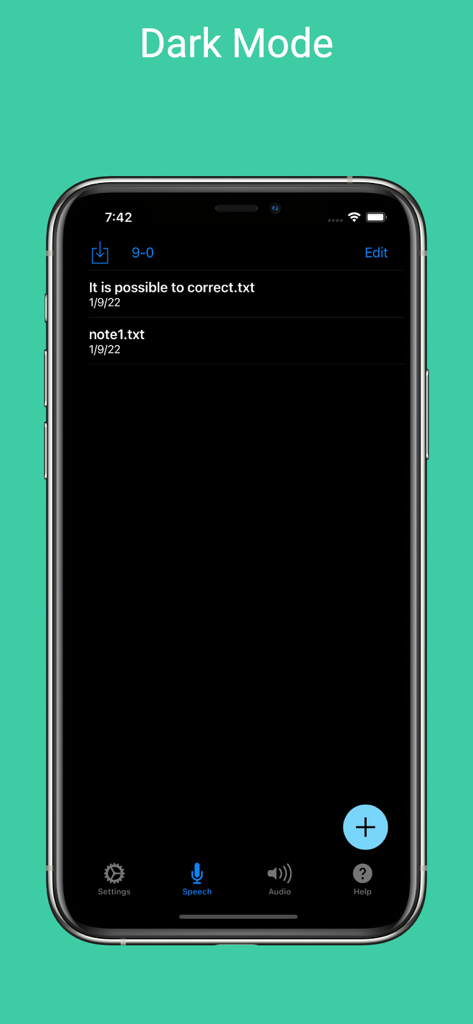
Voice Notebook - audio to text - iPhone上のVoice Notebookアプリのインターフェースをダークモードで表示。保存されたテキストメモのリストを表示。。

iPhone上のVoice Notebookアプリのインターフェースをダークモードで表示。保存されたテキストメモのリストを表示。。

説明

The application allows continuous voice input and transcribing of audio files. The voice input can also be saved in the file for further processing. There are three modes for transcribing audio files in the App: traditional and two accelerated modes for devices running iOS 26. The App can read texts and generate audio files using TTS for selected voice and speaking rate. Speech Synthesis Markup Language (SSML) cab be used in source text. There are two modes for enter text by voice: Dictation and Speech to Text. Speech to Text mode is for recording meeting or make live captions. Dictation mode is for voice editing and text correction. In Dictation mode language changing without stopping dictation are possible. Text entered by voice can be saved in a file or sent to another program. The note files are saved in the folder on the device and available for users. The list of voice notes can be sorted by date or alphabetically. Backup notes feature is implemented. When translating audio files into text, time stamps can be inserted and the resulting transcription can be translated into the Youtube subtitle format. A listening mode with highlighting the timestamps of the spoken sentences is provided for correction the resulting transcription. For most devices (not very old) transcribing audio files and speech to text can be done even in offline mode (without Internet). For devices running iOS 16 and higher, auto-punctuation mode is possible for languages in which it is supported. For devices running iOS 17 and higher, it is possible to use custom dictionaries that allow you to enter words and phrases by voice that are not recognized normally. You can create an unlimited number of custom dictionaries. For devices running iOS 16 and higher the app shortcut to add new note and start recognition is implemented. The shortcut can be called with Siri. The Apple Watch app is included, where you can take both audio and text notes by voice and sync them with the main app. The option to print and find notes has been implemented. Dark mode is supported. Premium mode will remove ads in the Speech screen, enable "No Sleeping" switch (auto-lock screen) and bluetooth support. Also the time limit for the length of transcribing files will be removed. Removes the limitation on the text length when generating an audio file during speech synthesis. Unlocks the "Open" button on the user's dictionary page. Terms of Use is located in https://voicenotebook.com/en/ios/terms/

Download

ダウンロード: App Store

このページはアプリまたはその開発者の公式ページではなく、情報提供および論評を目的として作成された独立した編集出版物です。明示的に別段の記載がない限り、アプリおよびその開発者は、MWM、Apple、Google Play、アプリのパブリッシャー、またはアプリの開発者と提携、承認、後援、認可、またはその他の公式的な関係はなく、このページのいかなる内容も、アプリがMWMのサービスを使用して開発されたことを意味するものではありません。すべての商標、ロゴ、スクリーンショット、その他のコンテンツはそれぞれの所有者の財産です。








