
このページはアプリまたはその開発者の公式ページではなく、情報提供および論評を目的として作成された独立した編集出版物です。明示的に別段の記載がない限り、アプリおよびその開発者は、MWM、Apple、Google Play、アプリのパブリッシャー、またはアプリの開発者と提携、承認、後援、認可、またはその他の公式的な関係はなく、このページのいかなる内容も、アプリがMWMのサービスを使用して開発されたことを意味するものではありません。すべての商標、ロゴ、スクリーンショット、その他のコンテンツはそれぞれの所有者の財産です。

Voice Recorder - Audio Record
大学の講義から重要な役員会議まで、高度なノイズリダクションとシームレスなクラウド統合により、摩擦のないワークフローでクリアな44.1KHzオーディオをキャプチャします。
ダウンロード
734K+ユーザー評価
評価数
33K+開発元
カテゴリ
Business対応言語
10最新バージョン
8.5サイズ
35.4 MBリリース日
2014年11月20日プロフェッショナルな明瞭さで細部までキャプチャ
学生、ジャーナリスト、プロフェッショナルの要求の厳しいワークフローのために設計された高忠実度録音スイート。
スタジオグレードのオーディオ品質
アクティブノイズリダクションと外部TascamまたはBluetoothマイクの完全サポートにより、クリアな44.1KHz品質で録音します。
摩擦のないクラウドワークフロー
DropboxとiCloudへの自動アップロードで整理整頓。デバイス間でファイルを即座に同期、トリミング、共有できます。
よくある質問
について知っておくべきこと Voice Recorder - Audio Record
Voice Recorder - Audio Record とは何ですか?
Voice Recorder - Audio Record は、オーディオの録音、再生、編集のために設計されたiOSアプリです。ノイズリダクション、複数の再生オプション、さまざまなイベントでの共有機能を備えています。
Voice Recorder - Audio Record はバックグラウンドでオーディオを録音できますか?
はい、Voice Recorder - Audio Record はバックグラウンド録音をサポートしています。アクティブな録音セッション中に通話やその他の割り込みが発生した場合でも、アプリは録音を続行します。
Voice Recorder - Audio Record で利用できるオーディオ品質オプションは何ですか?
Voice Recorder - Audio Record は、低(8KHz)、中(22.05KHz)、高(44.1KHz)の3つのオーディオ品質オプションを提供しています。ユーザーは好みの録音品質を選択できます。
Voice Recorder - Audio Record は外部マイクをサポートしていますか?
はい、Voice Recorder - Audio Record は外部入力デバイスをサポートしています。これにはBluetoothマイクやその他の外部マイクが含まれ、Tascamマイクは互換性がテストされています。
Voice Recorder - Audio Record でオーディオ録音をトリミングできますか?
はい、Voice Recorder - Audio Record では、オーディオ録音をトリミングできます。録音の特定のセグメントを選択し、目的の長さに正確にトリミングできます。
Voice Recorder - Audio Record から録音を共有するにはどうすればよいですか?
Voice Recorder - Audio Record は、電子メール、Dropbox(自動アップロード付き)、iCloud Drive、iTunesファイル共有、およびiOSおよびMacデバイス向けのAirDropなど、複数の共有オプションを提供しています。
Voice Recorder - Audio Record はクラウドサービスへの自動アップロードをサポートしていますか?
はい、Voice Recorder - Audio Record は、Dropboxへの録音の自動アップロードをサポートしています。この機能は、新しい録音を接続されたクラウドストレージに自動的に保存するように有効にできます。
Voice Recorder - Audio Record はどのような再生速度オプションを提供していますか?
Voice Recorder - Audio Record は再生速度制御を提供しています。ユーザーは、リスニングの好みに合わせて再生速度を0.5倍、1倍(標準)、または2倍に調整できます。
Voice Recorder - Audio Record はAppleデバイス用のユニバーサルアプリですか?
はい、Voice Recorder - Audio Record はユニバーサルアプリです。iPhoneとiPadの両方のデバイスで完全な互換性とサポートを提供し、一貫したユーザーエクスペリエンスを保証します。
Voice Recorder - Audio Record は録音にどのオーディオフォーマットをサポートしていますか?
Voice Recorder - Audio Record は、録音にWAV、CAF、M4Aオーディオフォーマットをサポートしています。ユーザーはアプリの設定内で希望の録音フォーマットを選択できます。
以下のスクリーンショットと説明は、アプリの公式ストアリスティングから直接取得されたものであり、アプリ開発者の所有物です。
アプリストア
スクリーンショット
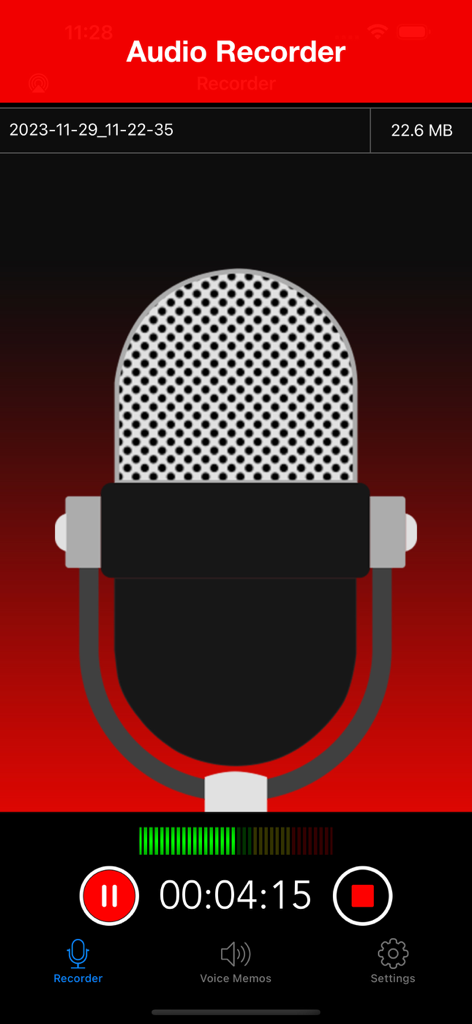
ボイスレコーダーアプリのアクティブ録音画面、大きなマイクのイラストと進行状況タイマーが表示されています
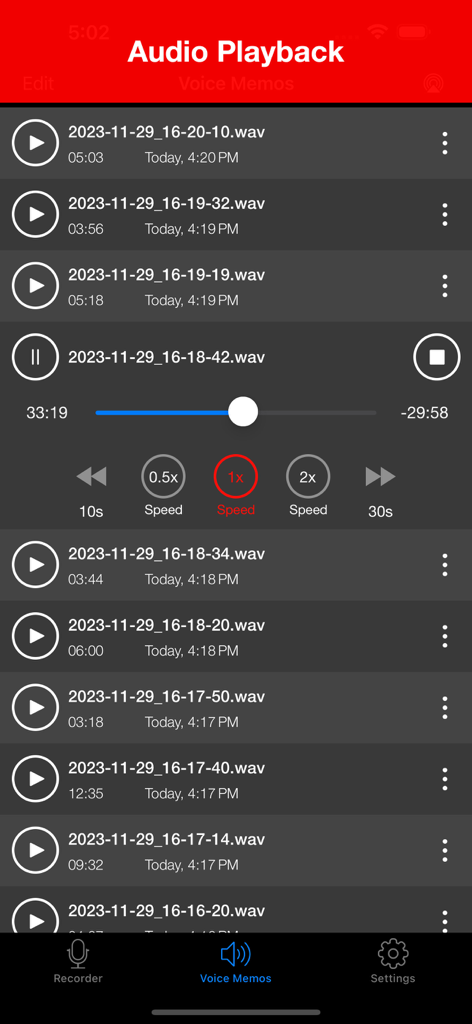
ボイスレコーダーアプリのオーディオ再生インターフェイス、録音されたメモのリストと再生速度を含むメディアコントロールが表示されています
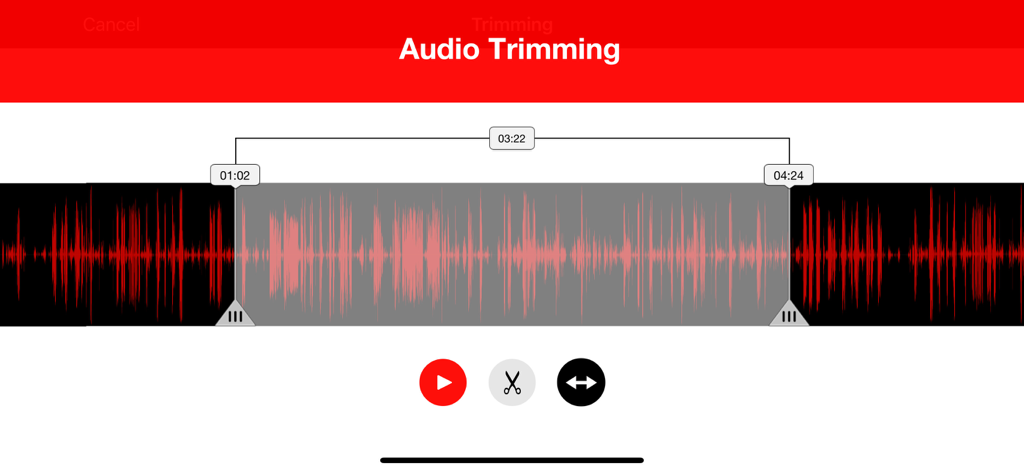
選択マーカーと編集ツールが表示された赤い波形を示すオーディオトリミングインターフェイス
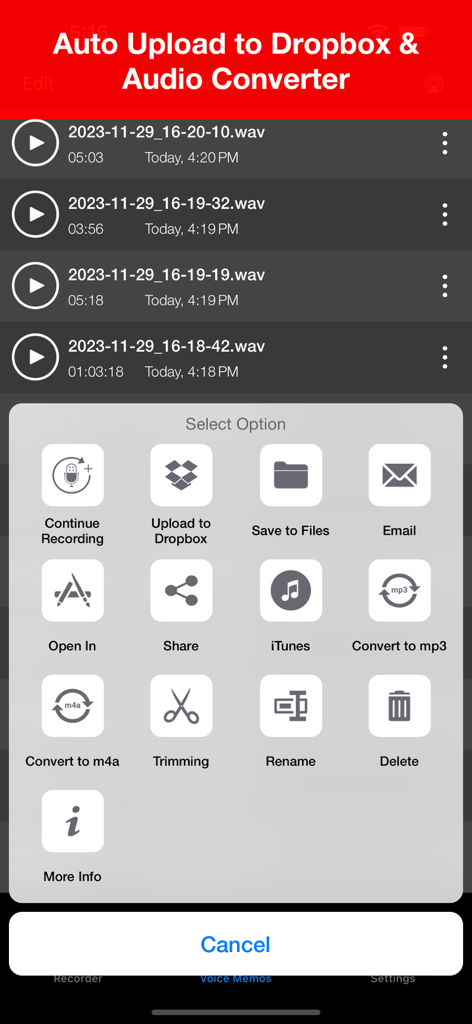
Dropboxへのアップロードとオーディオファイルの変換オプションを示すボイスレコーダーアプリのインターフェイス
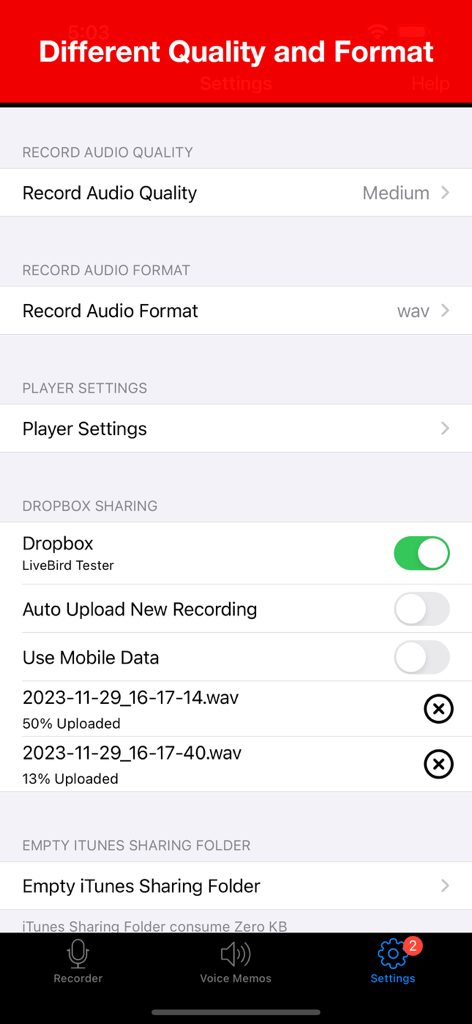
オーディオ品質フォーマットとDropboxクラウド同期のオプションを示すボイスレコーダーアプリの設定画面
説明
Download
類似アプリ
似た機能とユーザー体験を持つアプリ

Voice Recorder Lite: Record HD
LiveBird Technologies Private Limited

PCM Recorder Lite
Kohei Yasui

Voice recorder - Voz
Hieu Nguyen

MOTIV Audio
Shure Incorporated

Voice recorder: Audio editor
Hieu Nguyen

Awesome Voice Recorder PRO AVR
Newkline Co., Ltd.

Voice Memos & Sound Recorder
Protection & Security App LLC

Voice Recorder & Memos
SMM service, s.r.o.
Voice Recorder — Audio Memos
Viktor Sukhoy
このページはアプリまたはその開発者の公式ページではなく、情報提供および論評を目的として作成された独立した編集出版物です。明示的に別段の記載がない限り、アプリおよびその開発者は、MWM、Apple、Google Play、アプリのパブリッシャー、またはアプリの開発者と提携、承認、後援、認可、またはその他の公式的な関係はなく、このページのいかなる内容も、アプリがMWMのサービスを使用して開発されたことを意味するものではありません。すべての商標、ロゴ、スクリーンショット、その他のコンテンツはそれぞれの所有者の財産です。