Voice Recorder & Memos
ダウンロード: App Store

このページはアプリまたはその開発者の公式ページではなく、情報提供および論評を目的として作成された独立した編集出版物です。明示的に別段の記載がない限り、アプリおよびその開発者は、MWM、Apple、Google Play、アプリのパブリッシャー、またはアプリの開発者と提携、承認、後援、認可、またはその他の公式的な関係はなく、このページのいかなる内容も、アプリがMWMのサービスを使用して開発されたことを意味するものではありません。すべての商標、ロゴ、スクリーンショット、その他のコンテンツはそれぞれの所有者の財産です。

ロゴ: Voice Recorder & Memos
ダウンロード: App Store

Voice Recorder & Memos

AIによる文字起こし、高度なノイズ除去、プロフェッショナルな編集ツールで、基本的な録音を超えよう。メモ以上の機能を求めるジャーナリスト、学生、クリエイターに最適です。

主要数値

ダウンロード

1M+

ユーザー評価

4.6/5

評価数

5K+

開発元

SMM service, s.r.o.

カテゴリ

Productivity

対応言語

33

最新バージョン

2.1.6

サイズ

254.8 MB

リリース日

2021年9月10日
機能

オーディオワークフローをマスターする

基本的な録音に満足するのはやめましょう。当社のプロレベルのツールを使えば、音声をキャプチャ、洗練、そして実用的なインサイトへと変えることができます。

AIによる文字起こし

正確な多言語サポートで、インタビューや講義を即座にテキストに変換し、手作業での作業時間を節約しましょう。

精密編集スイート

サイレンス除去、ノイズリダクション、トラックミキシングツールで完璧なサウンドを作りましょう。デスクトップソフトウェアは不要です。

以下のスクリーンショットと説明は、アプリの公式ストアリスティングから直接取得されたものであり、アプリ開発者の所有物です。

アプリストア

スクリーンショット
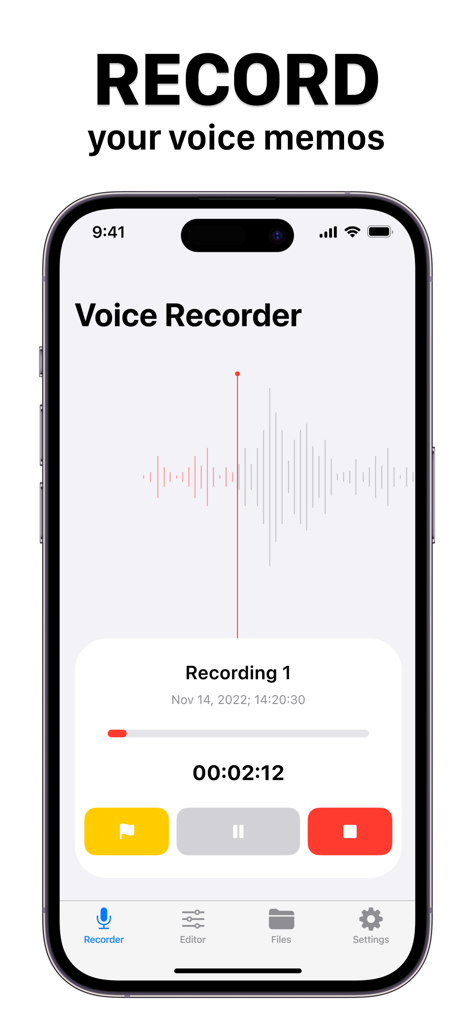
Voice Recorder & Memos - ボイスレコーダーアプリのインターフェース。iPhone上で、波形と再生コントロールが表示されたオーディオ録音中の画面。
ボイスレコーダーアプリのインターフェース。iPhone上で、波形と再生コントロールが表示されたオーディオ録音中の画面。

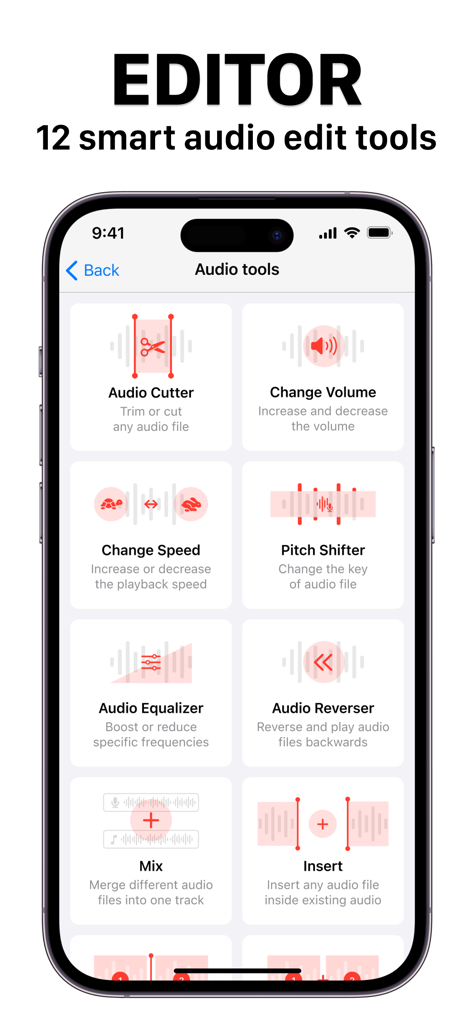
Voice Recorder & Memos - スマートフォン画面。ボイスレコーダー&メモアプリのオーディオ編集ツールが表示されており、イコライザー、ピッチシフター、オーディオカッターなどが含まれている。
スマートフォン画面。ボイスレコーダー&メモアプリのオーディオ編集ツールが表示されており、イコライザー、ピッチシフター、オーディオカッターなどが含まれている。

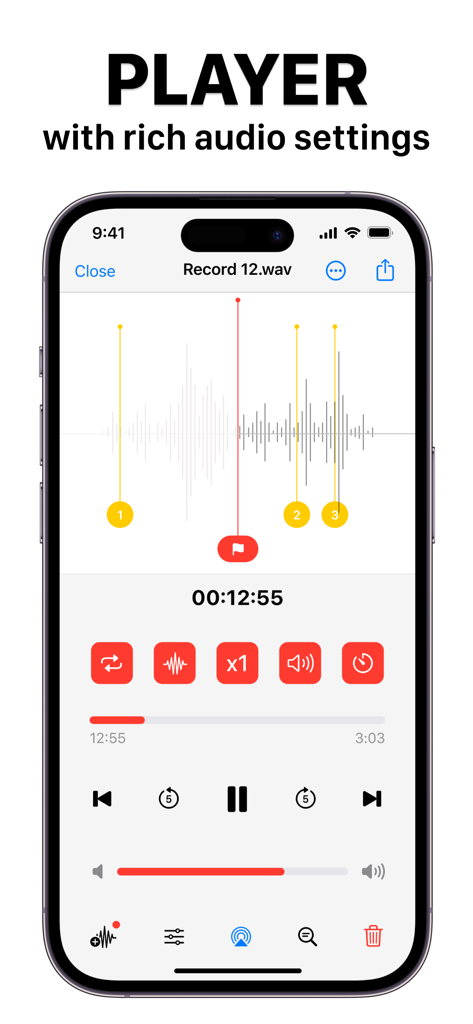
Voice Recorder & Memos - iPhone画面上のボイスレコーダーアプリの高度なオーディオプレーヤーインターフェース。波形と再生設定が表示されている。
iPhone画面上のボイスレコーダーアプリの高度なオーディオプレーヤーインターフェース。波形と再生設定が表示されている。

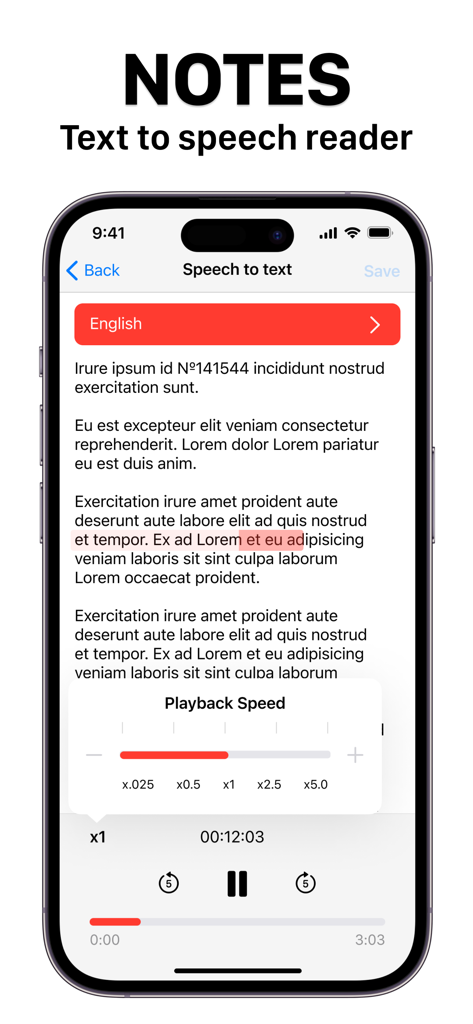
Voice Recorder & Memos - ボイスレコーダー&メモアプリのインターフェース。テキスト読み上げ機能とメモが表示されており、再生速度コントロールが付いている。

ボイスレコーダー&メモアプリのインターフェース。テキスト読み上げ機能とメモが表示されており、再生速度コントロールが付いている。

説明

Introducing our powerful Voice Recorder app with Audio Editor Tools! This app is perfect for anyone who needs to capture audio notes, record interviews, or create audio projects. With our app, you can trim or cut any audio file, increase or decrease the volume, change the playback speed, and even change the key of the audio file. Our app also offers powerful audio editing tools, including the ability to boost or reduce specific frequencies, reverse and play audio files backwards, merge different audio files into one track, and insert any audio file inside existing audio. You can split audio files into many parts and export them, combine audio files together into one, and automatically remove blank sections of audio or noise from your recordings. With our app, you can store all your audio files and text notes in one place. You can also convert audio notes to text and text to audio notes. Import from iCloud or Gallery, and create folders to store all your files in secure storage. Our app also offers speech-to-text transcription for the most common languages, and includes a built-in text editor to create text notes. The player module includes many features like audio effects, background audio effects, pitch settings, decibel level settings, playback timer, flags for audio record, voice-to-text transcriber, airplay feature, and a fully working audio equalizer for real-time editing. You can easily share and export your audio files in many common audio formats, including MP3, WAV, AIFF, FLAC, and more. Whether you're a journalist, musician, student, or just someone who needs to capture audio notes on the go, our Voice Recorder app with Audio Editor Tools is the perfect solution for all your audio recording and editing needs. Terms of service: https://www.team2swift.com/terms-voice-recorder/ Privacy policy: https://www.team2swift.com/privacy-voice-recorder/ For any questions or requests, please use our customer support form at: https://www.team2swift.com/

Download

ダウンロード: App Store

このページはアプリまたはその開発者の公式ページではなく、情報提供および論評を目的として作成された独立した編集出版物です。明示的に別段の記載がない限り、アプリおよびその開発者は、MWM、Apple、Google Play、アプリのパブリッシャー、またはアプリの開発者と提携、承認、後援、認可、またはその他の公式的な関係はなく、このページのいかなる内容も、アプリがMWMのサービスを使用して開発されたことを意味するものではありません。すべての商標、ロゴ、スクリーンショット、その他のコンテンツはそれぞれの所有者の財産です。