VoiceClock - Talking
ダウンロード: App Store

このページはアプリまたはその開発者の公式ページではなく、情報提供および論評を目的として作成された独立した編集出版物です。明示的に別段の記載がない限り、アプリおよびその開発者は、MWM、Apple、Google Play、アプリのパブリッシャー、またはアプリの開発者と提携、承認、後援、認可、またはその他の公式的な関係はなく、このページのいかなる内容も、アプリがMWMのサービスを使用して開発されたことを意味するものではありません。すべての商標、ロゴ、スクリーンショット、その他のコンテンツはそれぞれの所有者の財産です。


ロゴ: VoiceClock - Talking
ダウンロード: App Store

VoiceClock - Talking

カスタマイズ可能な音声アナウンス、シェイク・トゥ・トークアラート、電話がポケットでロックされていても動作するハンズフリー通知で、集中力を保ち、自立しましょう。

主要数値

ダウンロード

43K+

ユーザー評価

4.0/5

評価数

100

開発元

Shinichi Aokawa

カテゴリ

Productivity

対応言語

18

最新バージョン

14.3

サイズ

176.0 MB

リリース日

2013年7月8日
機能

画面を見ずにスケジュールを管理

VoiceClockは、デバイスを知的な音声アシスタントに変え、ハンズフリー音声アラートを通じて時間失認症の管理と生産性の維持を支援します。

ポケット対応音声アラート

電話がロックされているかポケットに入っていても、時間をはっきりと聞くことができます。ハンズフリー作業や視覚的なアクセシビリティに最適です。

カスタムモチベーションフレーズ

時間アナウンスの前後にパーソナライズされたテキストを追加して、「午前10時です、集中しましょう!」のようなリマインダーを作成できます。

以下のスクリーンショットと説明は、アプリの公式ストアリスティングから直接取得されたものであり、アプリ開発者の所有物です。

アプリストア

スクリーンショット
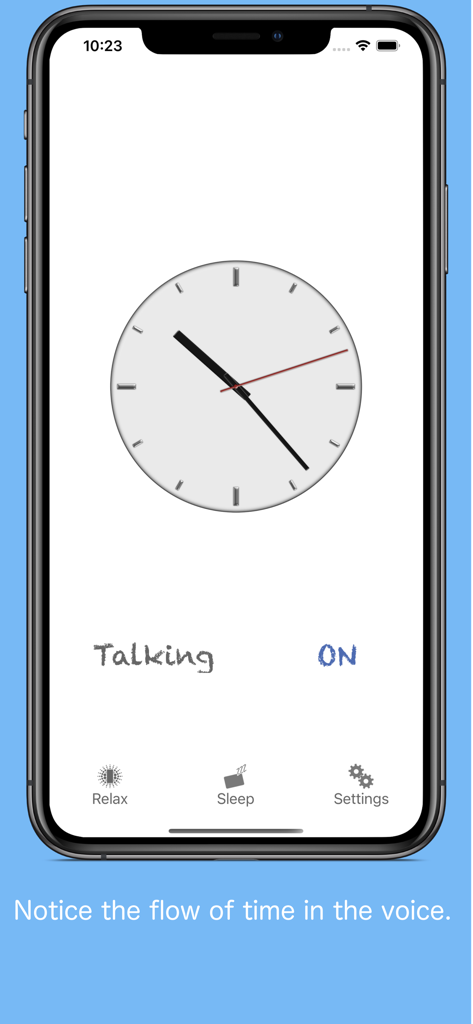
VoiceClock - Talking - VoiceClock Talkingアプリのメインインターフェイス。アナログ時計と音声アナウンス設定が表示されています。
VoiceClock Talkingアプリのメインインターフェイス。アナログ時計と音声アナウンス設定が表示されています。

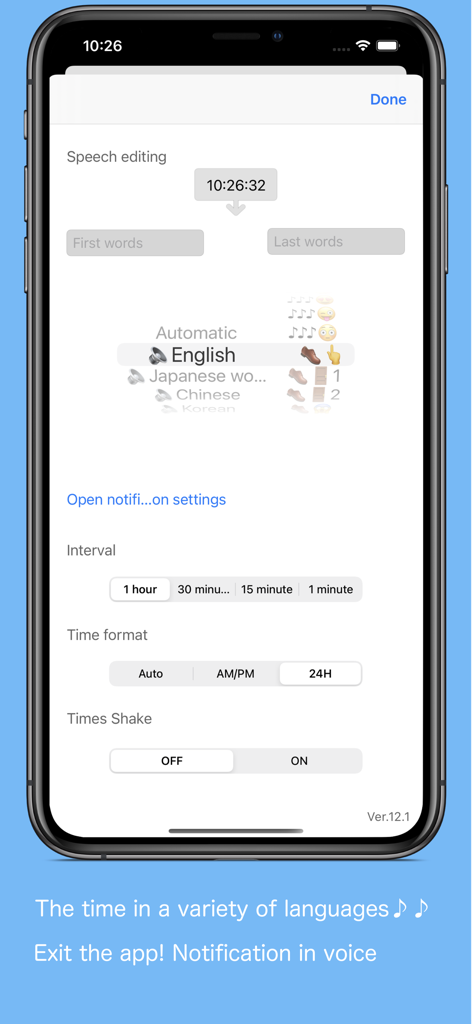
VoiceClock - Talking - VoiceClockアプリの設定画面。カスタマイズ可能な音声編集、言語オプション、通知間隔が表示されています。
VoiceClockアプリの設定画面。カスタマイズ可能な音声編集、言語オプション、通知間隔が表示されています。

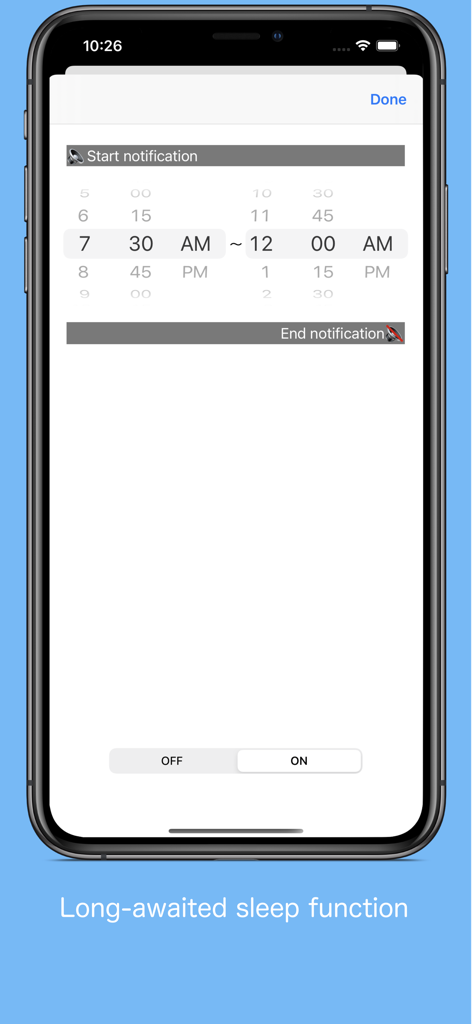
VoiceClock - Talking - VoiceClockアプリの特定の時間帯に音声通知をスケジュールするためのインターフェイス
VoiceClockアプリの特定の時間帯に音声通知をスケジュールするためのインターフェイス

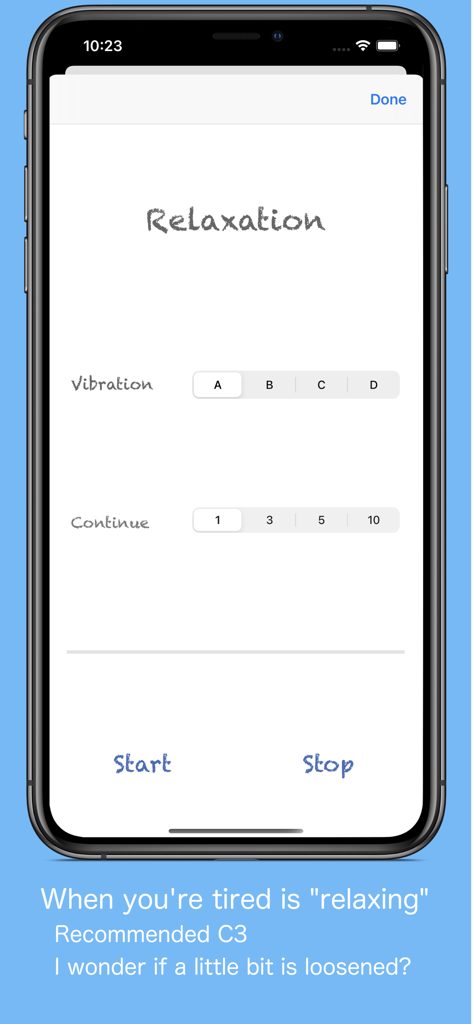
VoiceClock - Talking - VoiceClockリラクゼーション画面。振動パターンと持続時間の設定が表示されています。
VoiceClockリラクゼーション画面。振動パターンと持続時間の設定が表示されています。

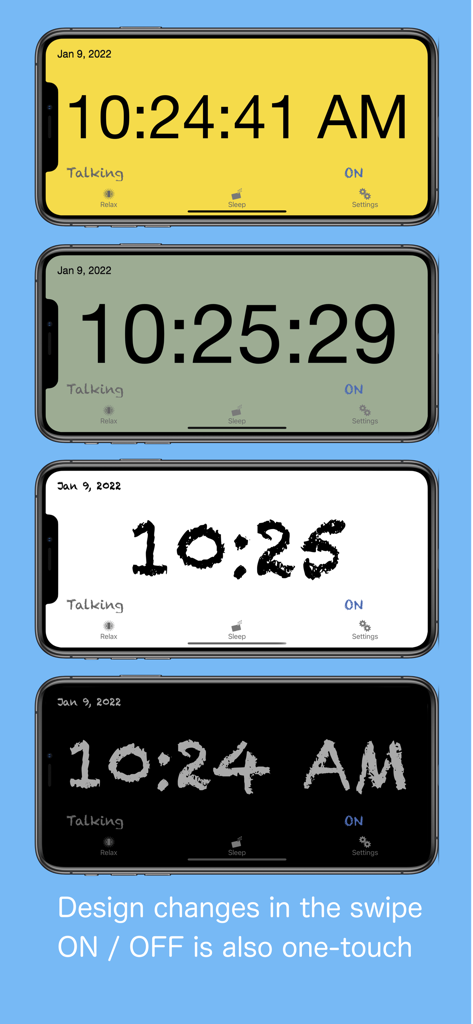
VoiceClock - Talking - VoiceClockアプリのさまざまな時計の背景色とフォントスタイルを示す4つのiPhone画面
VoiceClockアプリのさまざまな時計の背景色とフォントスタイルを示す4つのiPhone画面

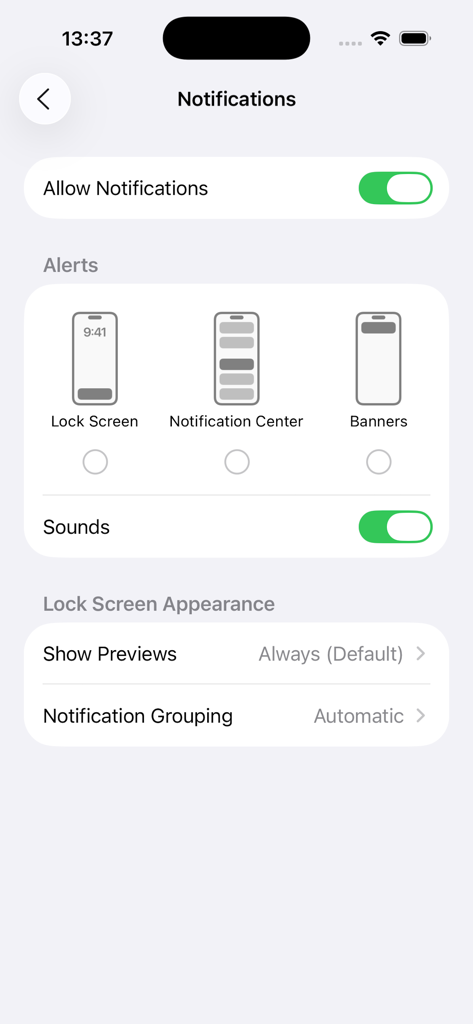
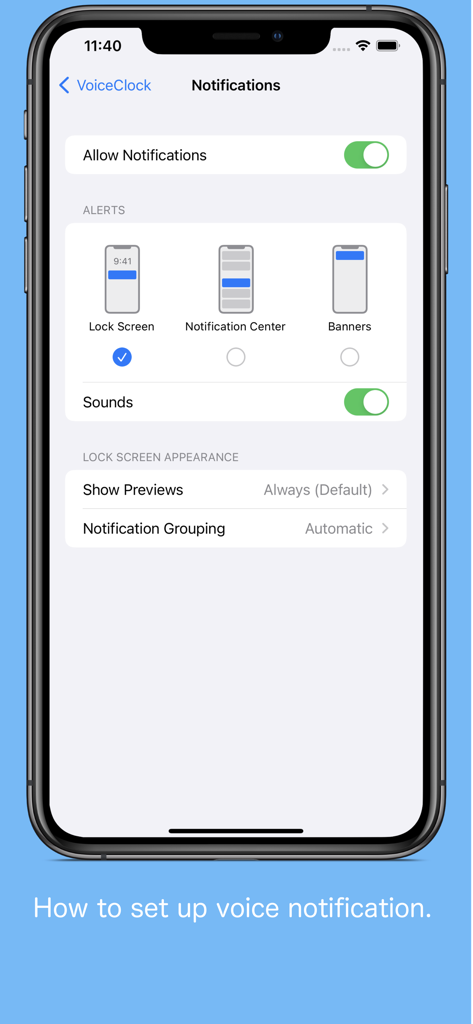
VoiceClock - Talking - iOSでVoiceClockアプリの音声通知を設定する方法

iOSでVoiceClockアプリの音声通知を設定する方法

VoiceClock - Talking - VoiceClockアプリのiOSシステム通知設定メニュー。アラートとサウンドのオプションが表示されています。

VoiceClockアプリのiOSシステム通知設定メニュー。アラートとサウンドのオプションが表示されています。

説明

Even if put it in a pocket to lock your iPhone, This app inform the time. By Starting the application, can be edited freely the words before and after the time if the desk clock. For example, "now" 8:00 "Let's go" It is possible. (Please write the character in the language currently used) 【Please】 When enabling sound effect, please select other than "banner is Persistent" in notification setting so that voice notification will not be interrupted. 【The following languages are supported for voice notification at lock time】 ※ Japanese, English, Chinese, Korean, Russian, German, French, Italian, Dutch, Arabic, Greek, Turkish, English (Alex) ※ The English voice notification is made for 12 hours 00: 00 to 11: 30 (Example 1: 12: 00 AM, Example 2: 11: 30 AM) 12: 00 ~ 23: 30 (Example 1: 12: 00 PM, Example 2: 11: 30 PM) It is expressed as. How to use ※ Clock · (Analog / digital, background color, font) setting can be switched by swiping left, right, up, and down. · Receive a notification via voice the time you tap the "Talking". · We will inform you by voice time and shake. · You can switch by tapping the "ON" or "OFF" the time signal notification. ※ Setting · You can edit the words before and after the time of the sandwich voice notification. · You can select the language of the device other than setting. · It is possible to select 10 types of sound effects and sound OFF. · You can change "Notification interval", "Time format", "Notification with shake". ※Sleep · You can set the time zone to stop the voice notification. (It does not correspond to a 1-minute notification interval) ※ Relaxation time · How is the Use simple massage function using the vibration of the iPhone, you can try to heal mind while listening in your favorite music.

Download

ダウンロード: App Store

このページはアプリまたはその開発者の公式ページではなく、情報提供および論評を目的として作成された独立した編集出版物です。明示的に別段の記載がない限り、アプリおよびその開発者は、MWM、Apple、Google Play、アプリのパブリッシャー、またはアプリの開発者と提携、承認、後援、認可、またはその他の公式的な関係はなく、このページのいかなる内容も、アプリがMWMのサービスを使用して開発されたことを意味するものではありません。すべての商標、ロゴ、スクリーンショット、その他のコンテンツはそれぞれの所有者の財産です。