Web site to App Pro : No Ads
ダウンロード: App Store

このページはアプリまたはその開発者の公式ページではなく、情報提供および論評を目的として作成された独立した編集出版物です。明示的に別段の記載がない限り、アプリおよびその開発者は、MWM、Apple、Google Play、アプリのパブリッシャー、またはアプリの開発者と提携、承認、後援、認可、またはその他の公式的な関係はなく、このページのいかなる内容も、アプリがMWMのサービスを使用して開発されたことを意味するものではありません。すべての商標、ロゴ、スクリーンショット、その他のコンテンツはそれぞれの所有者の財産です。


ロゴ: Web site to App Pro : No Ads
ダウンロード: App Store

Web site to App Pro : No Ads

URLバーやフッターメニューなしのフルスクリーンでWebを体験してください。パスコードロックされた広告なし環境で、ログイン情報を安全に保ち、履歴をプライベートにし、集中力を維持しましょう。

主要数値

ダウンロード

0

ユーザー評価

1.0/5

評価数

0

開発元

MINERVA K.K.

カテゴリ

Productivity

対応言語

1

最新バージョン

1.0

サイズ

30.1 MB

リリース日

2025年5月16日
機能

よりクリーンで高速なWebを体験

あらゆるWebサイトを専用のフルスクリーンワークスペースに変換します。邪魔なものを排除し、プライバシーを保護し、最もよく使うサイトにワンタップでアクセスできます。

瞬時のワンタップアクセス

ブックマークや繰り返しのログインをスキップします。サインインしたまま、ゼロ摩擦で瞬時にお気に入りのサイトを起動できます。

没入感のあるフルスクリーン表示

画面の表示領域を最大化します。URLバーとフッターを削除することで、邪魔のないネイティブアプリのような体験を提供します。

以下のスクリーンショットと説明は、アプリの公式ストアリスティングから直接取得されたものであり、アプリ開発者の所有物です。

アプリストア

スクリーンショット
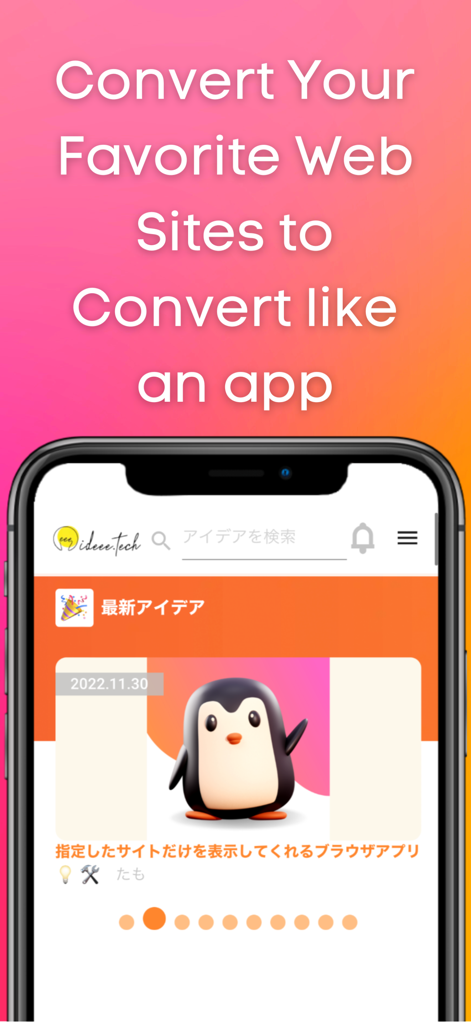
Web site to App Pro : No Ads - Webサイトがフルスクリーンモバイルアプリインターフェースに変換されたスマートフォンの表示
Webサイトがフルスクリーンモバイルアプリインターフェースに変換されたスマートフォンの表示

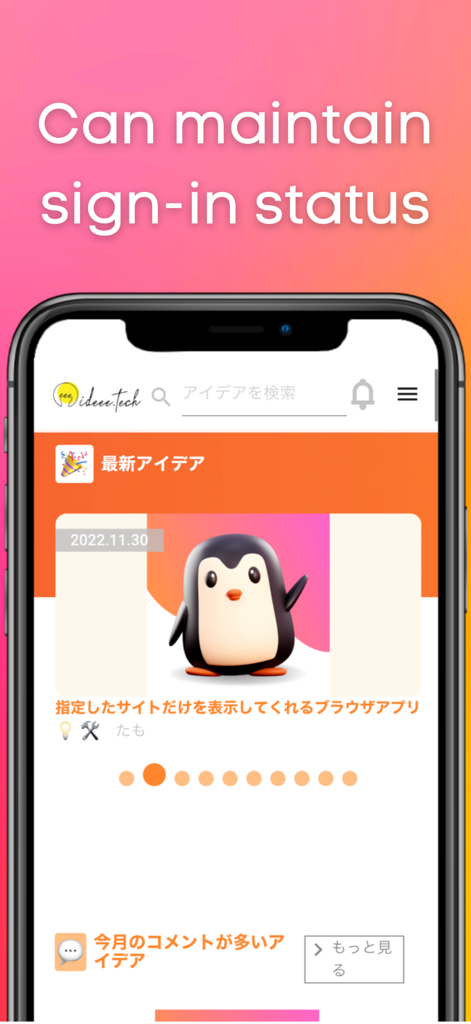
Web site to App Pro : No Ads - サインイン状態を維持できると表示された、フルスクリーンモードのWebサイトを示すスマートフォン
サインイン状態を維持できると表示された、フルスクリーンモードのWebサイトを示すスマートフォン

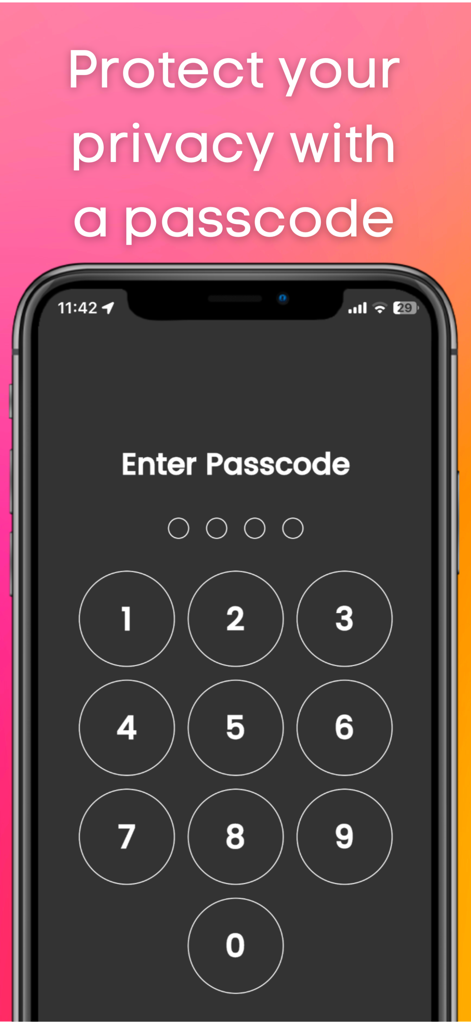
Web site to App Pro : No Ads - プライバシー保護のための数字パスコード入力画面を示すスマートフォンの画面

プライバシー保護のための数字パスコード入力画面を示すスマートフォンの画面

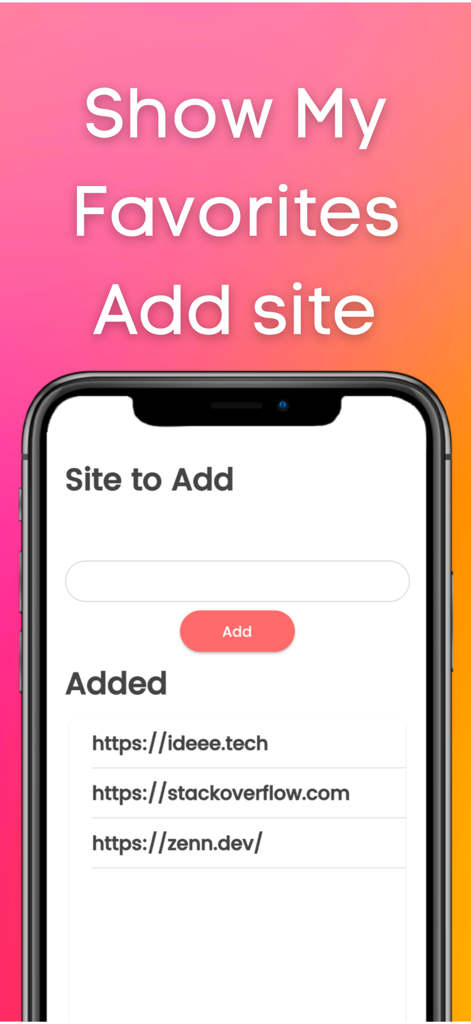
Web site to App Pro : No Ads - WebサイトをアプリProのインターフェースに、サイト追加フィールドとStackOverflowなどの追加済みWebサイトのリストを表示
WebサイトをアプリProのインターフェースに、サイト追加フィールドとStackOverflowなどの追加済みWebサイトのリストを表示

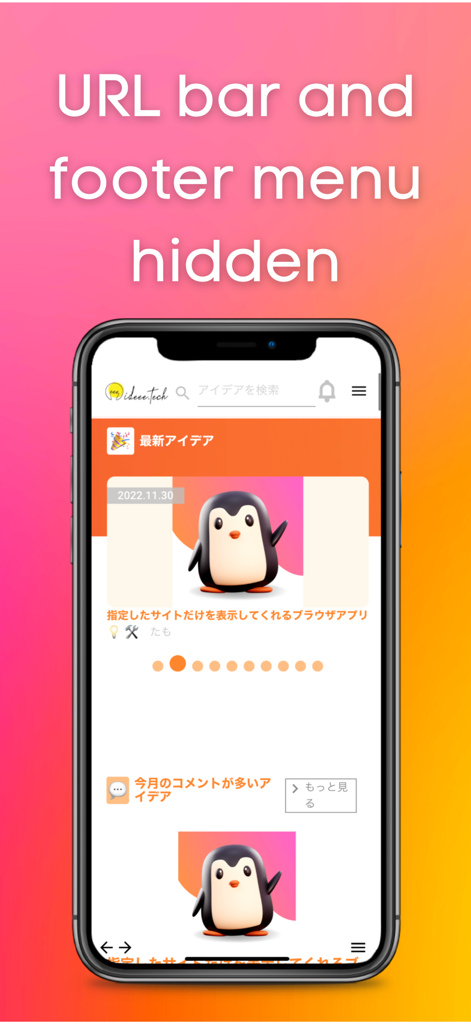
Web site to App Pro : No Ads - URLバーとフッターメニューが非表示になったフルスクリーンモードのWebサイトを表示するモバイルアプリインターフェース

URLバーとフッターメニューが非表示になったフルスクリーンモードのWebサイトを表示するモバイルアプリインターフェース

説明

This app allows you to quickly launch frequently used sites. You can use it like an app. It hides the URL bar and footer bar found in standard browsers, so you can view sites on a larger screen. Login information is retained, which is very convenient. If you usually use a private browser such as safari or chrome, this app will free you from the troublesome login process. There is also a passcode lock function. You can protect your privacy. Also, this app does not save history, so there is no need to delete history. ■How to use 1, Add the site you want to view. 2, Select the site you want to view. Functions 1, Add site function 2, Function to switch display sites 3, Retention of login information 4, Passcode function 5, Lock function 6, Function to switch to dark mode Language switching (defaults to the language set by the user on the device) Use Cases 1, Users who usually display a private browser 2, Those who want to keep their login information 3. those who want to display the site they want to view first when they open the application 4. who find it tedious to "click the bookmark button ⇨ find the URL of the site ⇨ click the bookmark button ⇨ log in 5. you want to protect your privacy by locking your browser with a passcode 6, you do not want to be able to see your history. 7. you want the site to be displayed on the entire screen. 8. you do not want others to know your history or the sites you are viewing. 9. you feel that the URL bar or footer menu is in the way. 10. if you want to put a password on your browser. My use case I am the developer of this application. I use a private browser in safari on my iPhone. Before using this app, I used to close the private browser once and set the regular browser. I then opened my bookmarks and viewed the site. I mainly did such tedious operations to view Stackoverflow. However, when I started using this app, I was freed from such tedious operations because once I open this app, stackoverflow is displayed with my login. Since the URL bar and footer menu are not displayed, I can display stackoverflow on a large screen. ■Reviews from testers 1. I am a fan of a certain website that has not been made into an app. I used to use safari until now. I started using this app because logging in was a hassle. I am satisfied with this app because it not only frees me from the login process, but also allows me to view the site larger than when opening it in safari. (Momo,student ,23 years old) 2. I used this app because I wanted to lock my browser. This app allows you to open your browser by entering your passcode. And I can view the display site out of the blue, so I don't have to open the site from my bookmarks anymore. I have this app available from a shortcut on my iPhone so I can open it right away. (John, Engineer, age 36)

Download

ダウンロード: App Store

このページはアプリまたはその開発者の公式ページではなく、情報提供および論評を目的として作成された独立した編集出版物です。明示的に別段の記載がない限り、アプリおよびその開発者は、MWM、Apple、Google Play、アプリのパブリッシャー、またはアプリの開発者と提携、承認、後援、認可、またはその他の公式的な関係はなく、このページのいかなる内容も、アプリがMWMのサービスを使用して開発されたことを意味するものではありません。すべての商標、ロゴ、スクリーンショット、その他のコンテンツはそれぞれの所有者の財産です。