WhatsWeb - Click to Chat
ダウンロード: App Store

このページはアプリまたはその開発者の公式ページではなく、情報提供および論評を目的として作成された独立した編集出版物です。明示的に別段の記載がない限り、アプリおよびその開発者は、MWM、Apple、Google Play、アプリのパブリッシャー、またはアプリの開発者と提携、承認、後援、認可、またはその他の公式的な関係はなく、このページのいかなる内容も、アプリがMWMのサービスを使用して開発されたことを意味するものではありません。すべての商標、ロゴ、スクリーンショット、その他のコンテンツはそれぞれの所有者の財産です。

ロゴ: WhatsWeb - Click to Chat
ダウンロード: App Store

WhatsWeb - Click to Chat

1台のデバイスで2つのアカウントを管理し、仕事とプライベートを効率化。削除されたメッセージの復元、ステータスの保存、連絡先追加なしのインスタントメッセージングを、iPhone向けの最も強力なユーティリティで実現しましょう。

主要数値

ダウンロード

92K+

ユーザー評価

4.5/5

評価数

2K+

開発元

Bhuvan Gupta

カテゴリ

Utilities

対応言語

16

最新バージョン

4.0

サイズ

61.7 MB

リリース日

2024年3月13日
機能

メッセージングワークフローをマスターする

すべてを1か所で行える、デュアルアカウント管理、失われたデータの復元、プライバシーの維持のために設計された強力なツールで、コミュニケーションの可能性を最大限に引き出しましょう。

デュアルアカウント管理

フリーランサーやビジネスオーナーに最適。iPhone 1台で2つのアカウントを同期し、セカンドデバイスなしで仕事とプライベートの会話を整理できます。

インスタントメッセージ復元

もう見逃したり、領収書を失くしたりすることはありません。削除されたテキストメッセージやメディアファイルを自動的に復元し、安心感とすべてのやり取りの完全な記録を提供します。

以下のスクリーンショットと説明は、アプリの公式ストアリスティングから直接取得されたものであり、アプリ開発者の所有物です。

アプリストア

スクリーンショット
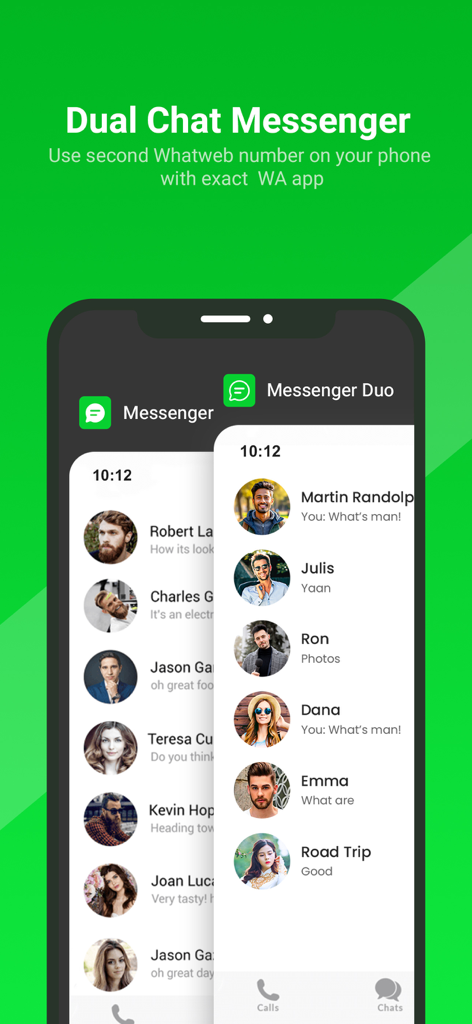
WhatsWeb - Click to Chat - 1台のデバイスで2つのアカウントを管理するための、重複するデュアルメッセンジャーチャットリストが表示されたスマートフォンの画面
1台のデバイスで2つのアカウントを管理するための、重複するデュアルメッセンジャーチャットリストが表示されたスマートフォンの画面

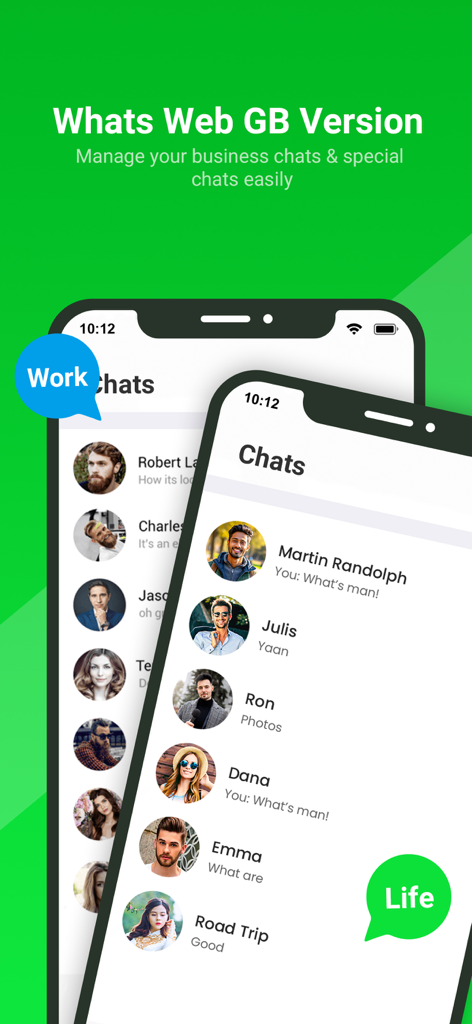
WhatsWeb - Click to Chat - 1台のモバイルデバイスで、個別のビジネスおよびプライベートのチャットリストが表示されたWhatsWebアプリのインターフェース
1台のモバイルデバイスで、個別のビジネスおよびプライベートのチャットリストが表示されたWhatsWebアプリのインターフェース

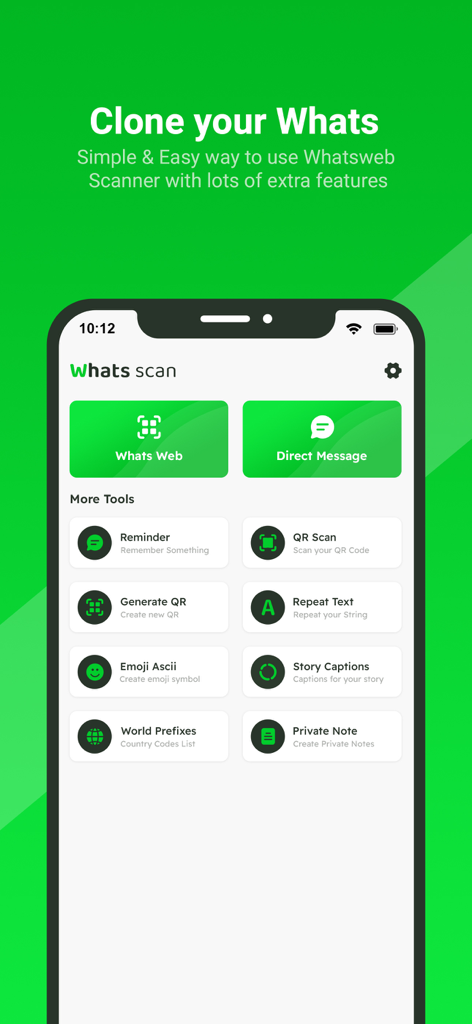
WhatsWeb - Click to Chat - アカウントのクローン作成および直接メッセージングのツールが表示されたWhatsWebアプリのホーム画面
アカウントのクローン作成および直接メッセージングのツールが表示されたWhatsWebアプリのホーム画面

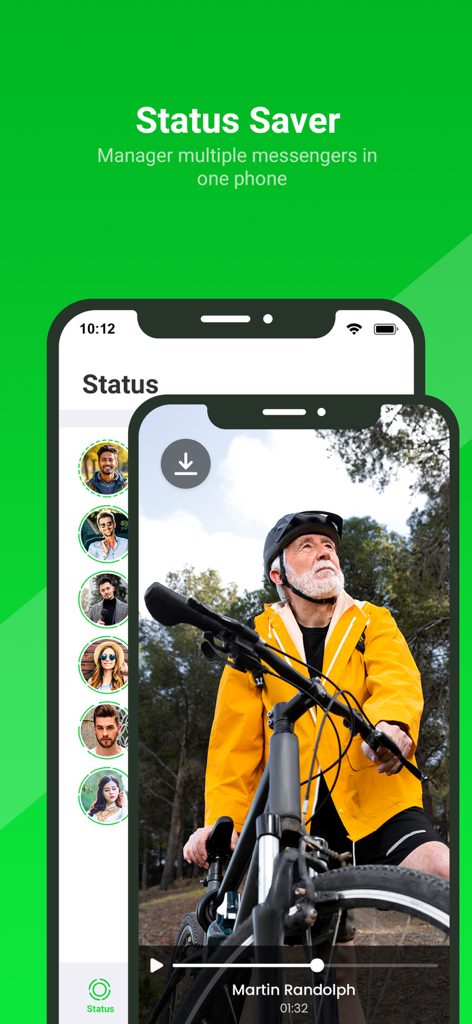
WhatsWeb - Click to Chat - WhatsAppステータスの更新をダウンロードおよび管理するためのステータスセーバー機能が表示されたWhatsWebアプリのインターフェース
WhatsAppステータスの更新をダウンロードおよび管理するためのステータスセーバー機能が表示されたWhatsWebアプリのインターフェース

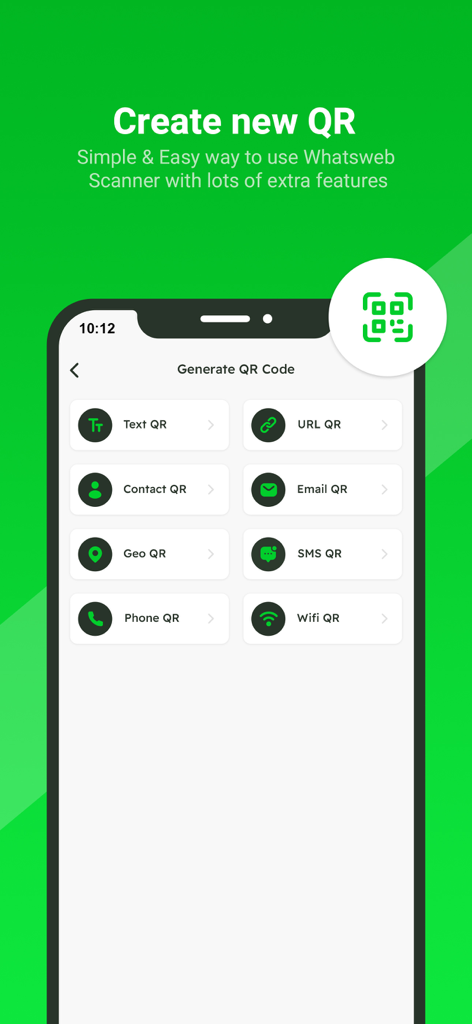
WhatsWeb - Click to Chat - テキスト、URL、連絡先、メール、ジオ、SMS、電話、WiFi QRコードのオプションを備えたQRコード生成インターフェースのスクリーンショット
テキスト、URL、連絡先、メール、ジオ、SMS、電話、WiFi QRコードのオプションを備えたQRコード生成インターフェースのスクリーンショット

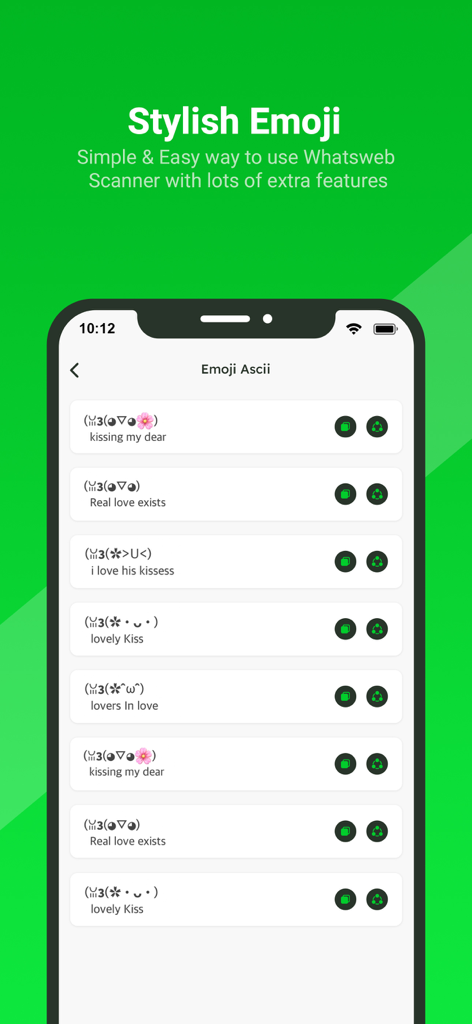
WhatsWeb - Click to Chat - WhatsWebモバイルアプリケーションインターフェース内のスタイリッシュなASCII絵文字と顔文字のリスト
WhatsWebモバイルアプリケーションインターフェース内のスタイリッシュなASCII絵文字と顔文字のリスト

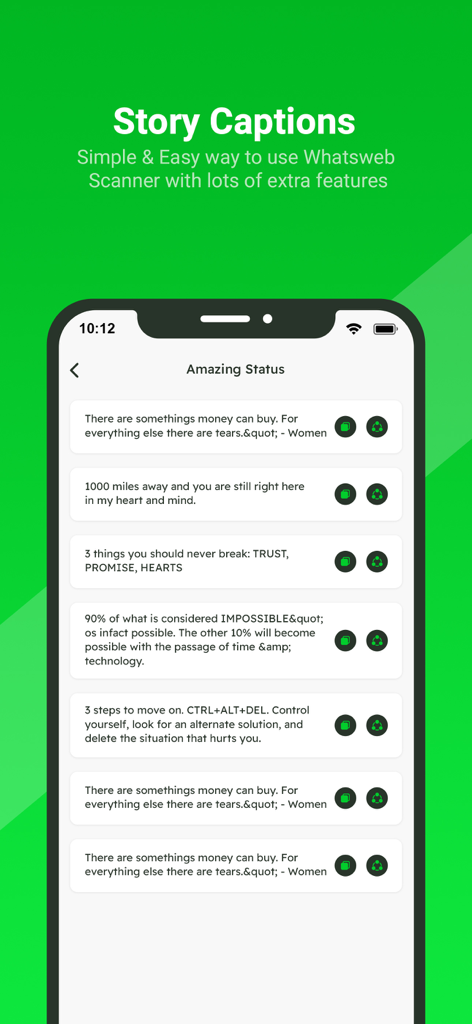
WhatsWeb - Click to Chat - WhatsWebモバイルアプリケーション内のストーリーキャプションとステータスの引用のリスト
WhatsWebモバイルアプリケーション内のストーリーキャプションとステータスの引用のリスト

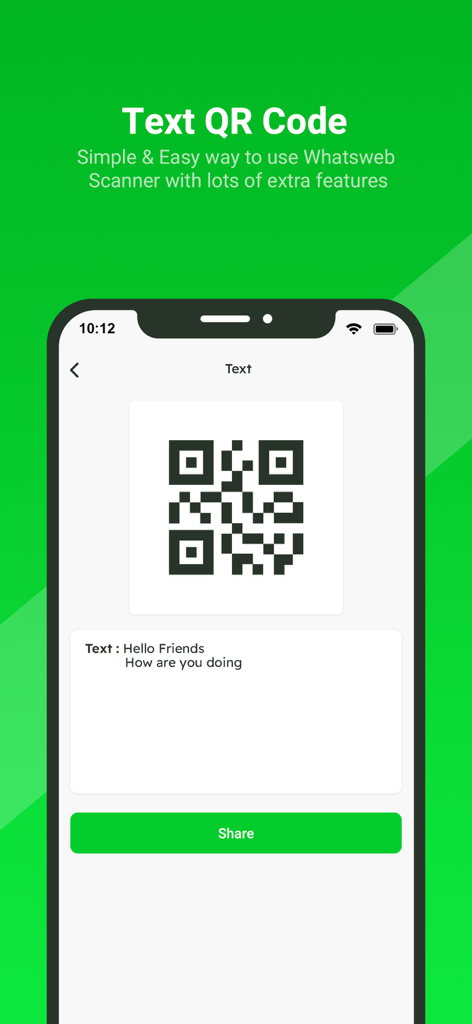
WhatsWeb - Click to Chat - テキストメッセージQRコードを生成および共有するためのWhatsWebアプリインターフェース
テキストメッセージQRコードを生成および共有するためのWhatsWebアプリインターフェース

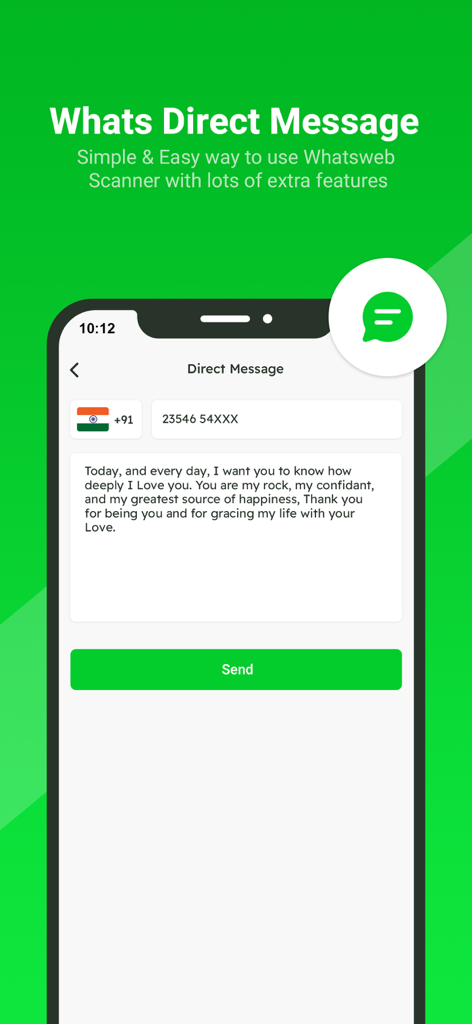
WhatsWeb - Click to Chat - 連絡先を保存せずにメッセージを送信するためのダイレクトメッセージ機能が表示されたアプリ画面

連絡先を保存せずにメッセージを送信するためのダイレクトメッセージ機能が表示されたアプリ画面

説明

Small app to open a WhatsApp chat with any number (you and that number). This free Whatscan for Whats Dual app automatically syncs all messages of the cloned WA account which enables you easily read and reply anytime. All downloaded Whatscan Web files from cloned WA accounts can also be managed effectively. Whatscan is a mobile application designed to enable users to access and manage multiple WhatsApp accounts simultaneously on a single device. Developed to cater to the growing need for managing personal and professional communications separately, Whatscan offers a convenient solution for users who wish to access two WhatsApp accounts without the hassle of constantly switching between them. It’s also a Status Saver that helps you download and repost WA status. And a practical message recovery app that supports restoring deleted WA messages. Why choose Whats Dual? - Fast, Simple & Easy to use Whats Dual Scanner - Clone WA accounts & Dual WA - Automatically sync all WA messages - One-click to recover deleted WA messages - Free Status Saver & Downloader; share and repost status - Download, read, and reply all WA messages - Efficiently manage downloaded files of cloned account - Lightweight - Dark Mode Whatscan Web You can clone WA accounts on another device or Dual WA on a single device with this powerful Whats Dual scanner. Easily read all messages of the cloned account on your device. Fast and Stable Connection Scan the QR code in Whats Dual and you can easily log in to the account. It works smoothly after logging in, no need to worry about unexpected logouts. Instantly Sync WA Messages You can read, reply and download all messages of cloned accounts in real time. Never miss a message. Recover Deleted Messages You can view deleted WA messages in WhatsDeleted. Easily recover all deleted text messages and media files. Status Saver Status Saver helps you easily download all images, GIFs and videos from WA status. You can also share these status with your friends or repost them to other media. Direct Chat Want to send a message but find out he's not in your contacts? With Direct Chat, you can directly send messages on WA or WA Business without adding contacts. Easily Manage Saved Files All downloaded Whats Dual files are well organized in Saved Files. You can centrally manage, view or share your downloaded images, videos or documents at any time. Am I Being Watched? No need to worry about your account being watched by others. This Whats Dual app can help you check if your WA account is being logged in by someone else. Try Whatscan and keep your account safe! How to use Whats Dual Step 1: Open the WA account you want to log into Step 2: Tap Three Dots / Settings, then tap Linked Devices Step 3: Tap Link A Device to scan the QR code in Whats Dual to log in Step 4: Now you can view all messages of the cloned account Get unlimited access to all premium Add on for Whats App Web Subscribe Monthly Whats Scan pro at $1.99 and Yearly Whats Scan Pro at $9.99 to use ads free versions of the premium app which can cancel anytime. • Privacy Policy: https://sites.google.com/view/bhuvangupta-pp • Terms of Use: https://sites.google.com/view/bhuvangupta-tos Very simple to use and a powerful tool for Whats Scan! Try this

Download

ダウンロード: App Store

このページはアプリまたはその開発者の公式ページではなく、情報提供および論評を目的として作成された独立した編集出版物です。明示的に別段の記載がない限り、アプリおよびその開発者は、MWM、Apple、Google Play、アプリのパブリッシャー、またはアプリの開発者と提携、承認、後援、認可、またはその他の公式的な関係はなく、このページのいかなる内容も、アプリがMWMのサービスを使用して開発されたことを意味するものではありません。すべての商標、ロゴ、スクリーンショット、その他のコンテンツはそれぞれの所有者の財産です。