Wifi Signal Strength Analyzer
ダウンロード: App Store

このページはアプリまたはその開発者の公式ページではなく、情報提供および論評を目的として作成された独立した編集出版物です。明示的に別段の記載がない限り、アプリおよびその開発者は、MWM、Apple、Google Play、アプリのパブリッシャー、またはアプリの開発者と提携、承認、後援、認可、またはその他の公式的な関係はなく、このページのいかなる内容も、アプリがMWMのサービスを使用して開発されたことを意味するものではありません。すべての商標、ロゴ、スクリーンショット、その他のコンテンツはそれぞれの所有者の財産です。


ロゴ: Wifi Signal Strength Analyzer
ダウンロード: App Store

Wifi Signal Strength Analyzer

速度問題を即座に診断し、接続履歴を追跡し、安全にブラウジング。リモートプロフェッショナルや、信頼性の高い高速接続を要求する住宅所有者のためのオールインワンユーティリティ。

主要数値

ダウンロード

124K+

ユーザー評価

4.1/5

評価数

5K+

開発元

Old Man Sitting LLC

カテゴリ

Utilities

対応言語

10

最新バージョン

8.3

サイズ

64.8 MB

リリース日

2019年9月26日
機能

ネットワーク接続をマスターする

インターネットパフォーマンスの推測はやめましょう。ISPを監査し、データを保護し、デジタルライフスタイルを最適化するためのプロレベルの診断を入手してください。

インスタントISP監査

ワンタップで正確なアップロードとダウンロード速度を取得し、プロバイダーに説明責任を負わせ、契約通りのサービスを確実に受けられます。

プライベートセキュアブラウザ

帯域幅を最大化しながらプライバシーを保護する、完全に統合されたセキュアブラウザで、Webのトラブルシューティングと検索を行います。

以下のスクリーンショットと説明は、アプリの公式ストアリスティングから直接取得されたものであり、アプリ開発者の所有物です。

アプリストア

スクリーンショット
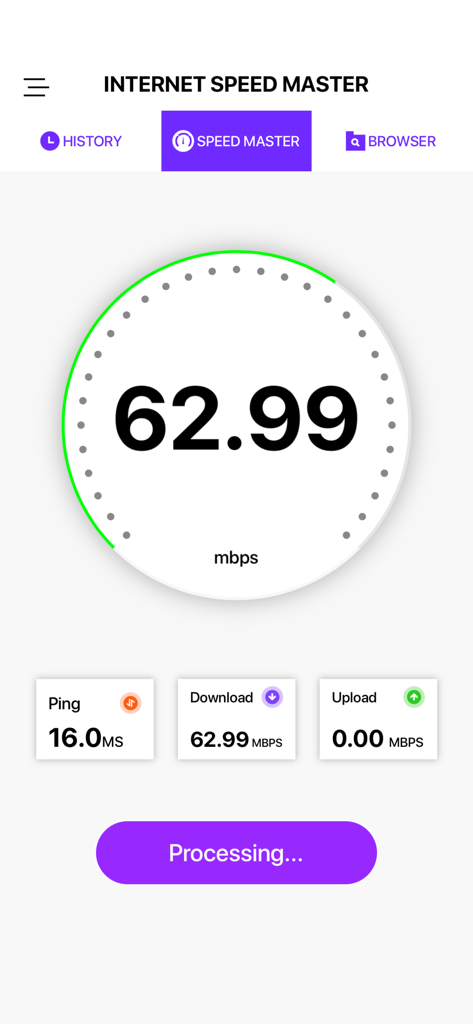
Wifi Signal Strength Analyzer - WiFiスピードアナライザーの結果画面。ダウンロード速度とピンが表示されます。
WiFiスピードアナライザーの結果画面。ダウンロード速度とピンが表示されます。

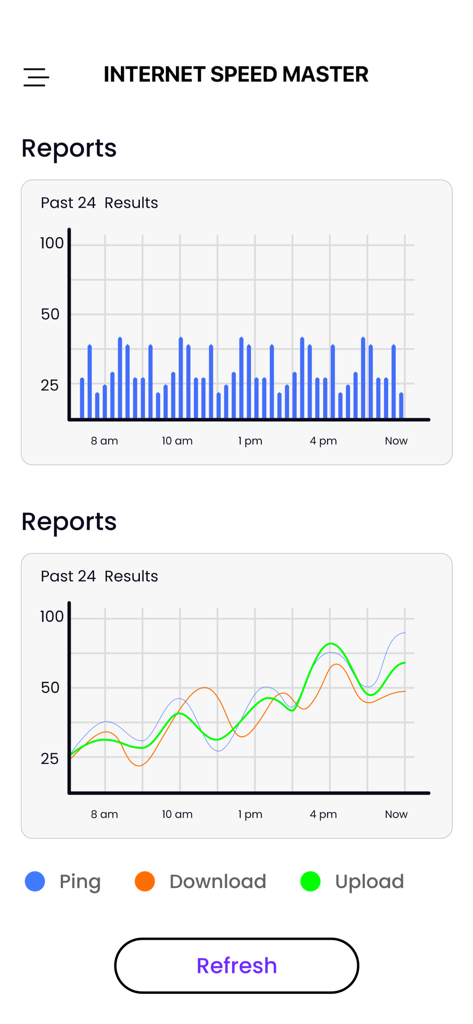
Wifi Signal Strength Analyzer - WiFiスピードテストレポート。ピン、ダウンロード、アップロード速度の履歴データが表示されます。
WiFiスピードテストレポート。ピン、ダウンロード、アップロード速度の履歴データが表示されます。

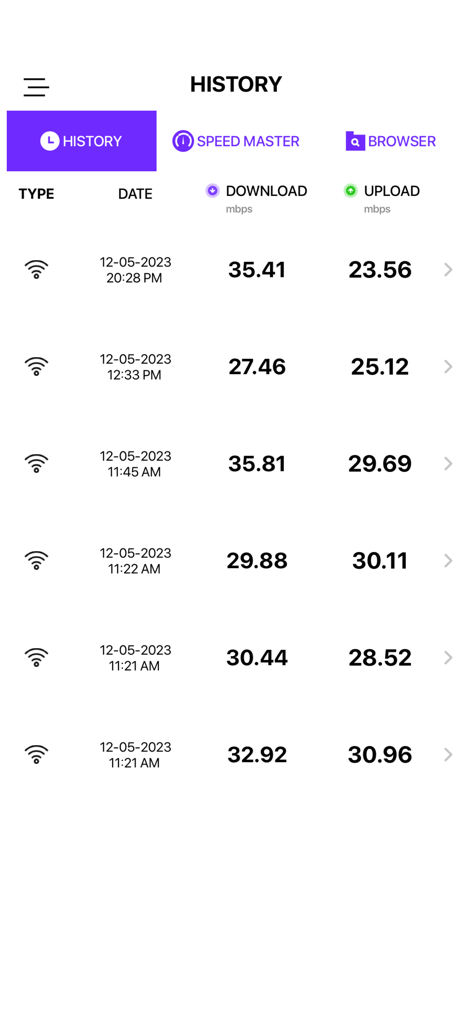
Wifi Signal Strength Analyzer - WiFiスピードテスト履歴画面。ダウンロードとアップロード速度が表示されます。
WiFiスピードテスト履歴画面。ダウンロードとアップロード速度が表示されます。

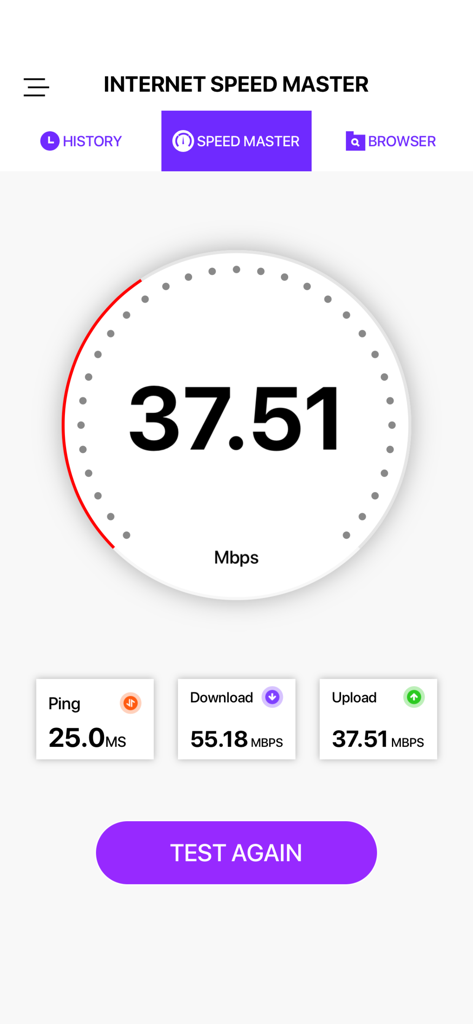
Wifi Signal Strength Analyzer - WiFiスピードテストダッシュボード。ピン、ダウンロード、アップロード速度が表示されます。

WiFiスピードテストダッシュボード。ピン、ダウンロード、アップロード速度が表示されます。

説明

With our Speed Test App you will be able to check your Internet’s connection, receive detailed information of any network you work with, boost every research you do online, get the whole potential of your network and device with a completely secure browser, and consider how effective your connection is, with the tools Speed Test brings directly to your screen. • Discover your network’s download, upload, and ping speed with just a single tap on the screen and a couple of seconds with an accurate, trustworthy, and easy-to-use interface. • Check your History, and get detailed information of every speed test you did in the past to learn about how effective your Internet connection was. • Search information in a safe way with our completely private in-app browser, and take the maximum of your network’s speed right in the same tool. • Look at real-time graphics and receive speed test results in a friendly, intuitive, and easy-to-use user interface. • Select your preferences and set the scales you want the app show you the results of every test. Get the information you need, at the moment you need it, in a one-click platform. More details in less time is what makes Speed Test one tool that you just can’t miss. Become PRO by subscribing: $2.99 weekly with 3 days free trial $5.99 monthly SAVE +50% $29.99 yearly SAVE +80% - Payment will be charged to iTunes Account at confirmation of purchase - Subscription automatically renews unless auto-renew is turned off at least 24-hours before the end of the current period. You can turn of the auto-renew subscription from iPhone setting - Account will be charged for renewal within 24-hours prior to the end of the current period, and identify the cost of the renewal - Subscriptions may be managed by the user and auto-renewal may be turned off by going to the user's Account Settings after purchase - Privacy Policy: https://oldmansittingllc.wordpress.com/privacy-policy/ - Terms of use: https://oldmansittingllc.wordpress.com/terms-of-use/ - Any unused portion of a free trial period, if offered, will be forfeited when the user purchases a subscription to that publication where applicable - Speed test adds features above and are available through an auto-renewing subscription. Subscriptions will be charged to your credit card through your iTunes account. Your subscription will automatically renew unless cancelled at least 24 hours before the end of your current subscription, and you can cancel a subscription during the active period. You can manage your subscription at any time, either by viewing your account in iTunes from your Mac or PC, or Account Settings on your device after purchase.

Download

ダウンロード: App Store

このページはアプリまたはその開発者の公式ページではなく、情報提供および論評を目的として作成された独立した編集出版物です。明示的に別段の記載がない限り、アプリおよびその開発者は、MWM、Apple、Google Play、アプリのパブリッシャー、またはアプリの開発者と提携、承認、後援、認可、またはその他の公式的な関係はなく、このページのいかなる内容も、アプリがMWMのサービスを使用して開発されたことを意味するものではありません。すべての商標、ロゴ、スクリーンショット、その他のコンテンツはそれぞれの所有者の財産です。








