Word document
Word document
ダウンロード: App Store

このページはアプリまたはその開発者の公式ページではなく、情報提供および論評を目的として作成された独立した編集出版物です。明示的に別段の記載がない限り、アプリおよびその開発者は、MWM、Apple、Google Play、アプリのパブリッシャー、またはアプリの開発者と提携、承認、後援、認可、またはその他の公式的な関係はなく、このページのいかなる内容も、アプリがMWMのサービスを使用して開発されたことを意味するものではありません。すべての商標、ロゴ、スクリーンショット、その他のコンテンツはそれぞれの所有者の財産です。

ロゴ: Word document
ダウンロード: App Store

Word document

外出先でWord、Excel、PPTファイルを最速で作成、編集、変換できます。強力なラップトップ不要のワークフローを必要とする学生や専門家のために設計されています。

主要数値

ダウンロード

5K+

ユーザー評価

4.5/5

評価数

100

開発元

Neon Apps

カテゴリ

Productivity

対応言語

15

最新バージョン

1.1

サイズ

115.7 MB

リリース日

2025年2月7日
機能

無駄のない効率性

重いオフィススイートで苦労するのはやめましょう。オールインワンツールは、iPhoneまたはiPadから、プロフェッショナルな文書を驚異的なスピードで作成、編集、変換するパワーを提供します。

インスタントPDF変換

フォーマット間のギャップを埋めます。Word、Excel、PPT、さらには写真も、プロフェッショナルな共有と提出のために高品質のPDFに簡単に変換できます。

シームレスなモバイル編集

タイプミスを修正し、テキストをフォーマットし、画像をその場で挿入します。タッチファーストの体験のために設計されており、列に並んでいるときや通勤中にレポートを完成させることができます。

以下のスクリーンショットと説明は、アプリの公式ストアリスティングから直接取得されたものであり、アプリ開発者の所有物です。

アプリストア

スクリーンショット
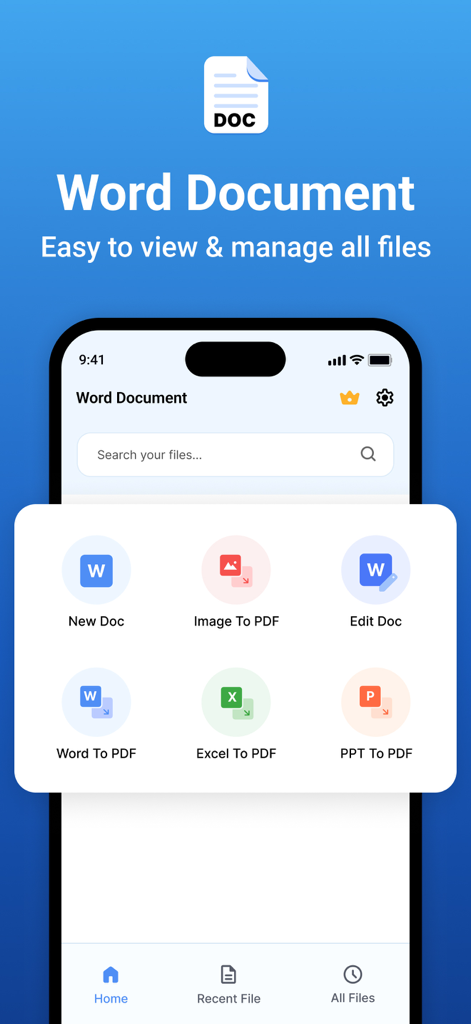
Word document - Word Documentアプリのモバイルインターフェース。ファイルを作成、編集、PDFに変換するオプションが表示されています
Word Documentアプリのモバイルインターフェース。ファイルを作成、編集、PDFに変換するオプションが表示されています

Word document - Word Documentアプリの最近使用したファイル画面。PDFドキュメントのリストが表示されています
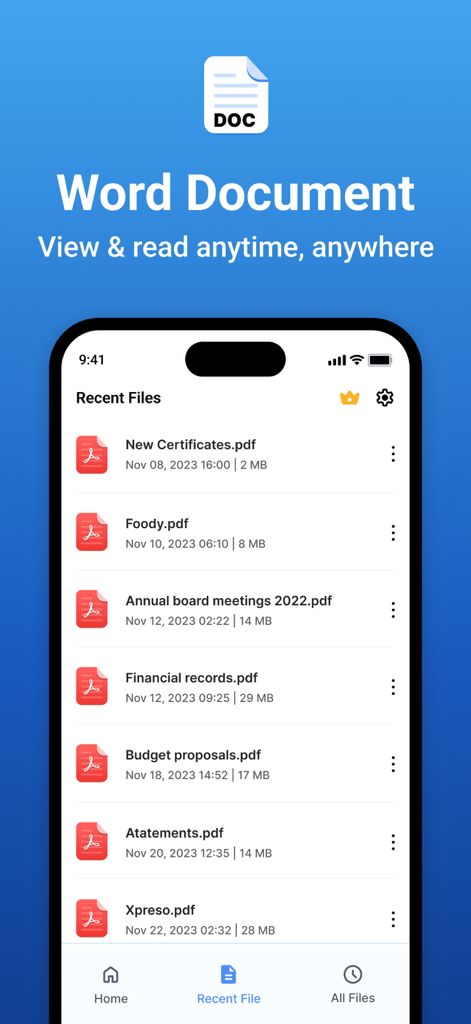
Word Documentアプリの最近使用したファイル画面。PDFドキュメントのリストが表示されています

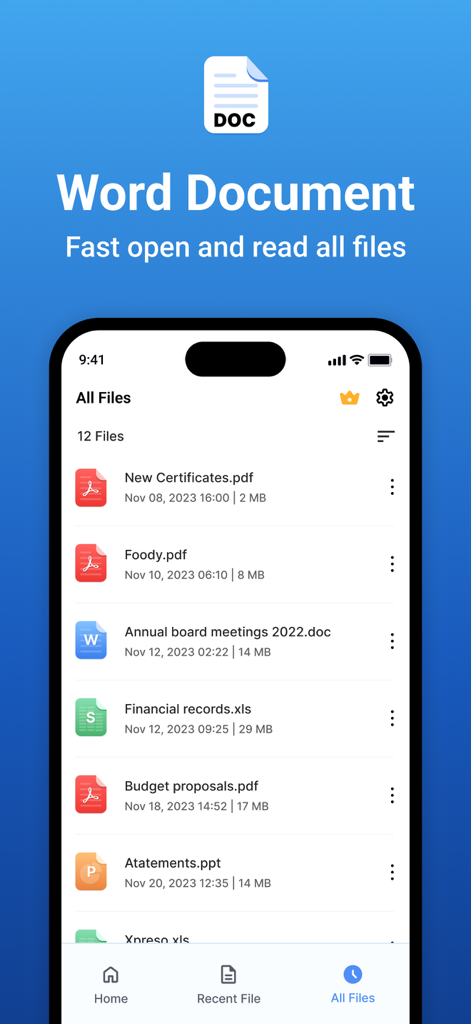
Word document - Word Documentアプリのインターフェース。iPhone上のPDF、Word、Excel、PowerPointファイルのリストが表示されています
Word Documentアプリのインターフェース。iPhone上のPDF、Word、Excel、PowerPointファイルのリストが表示されています

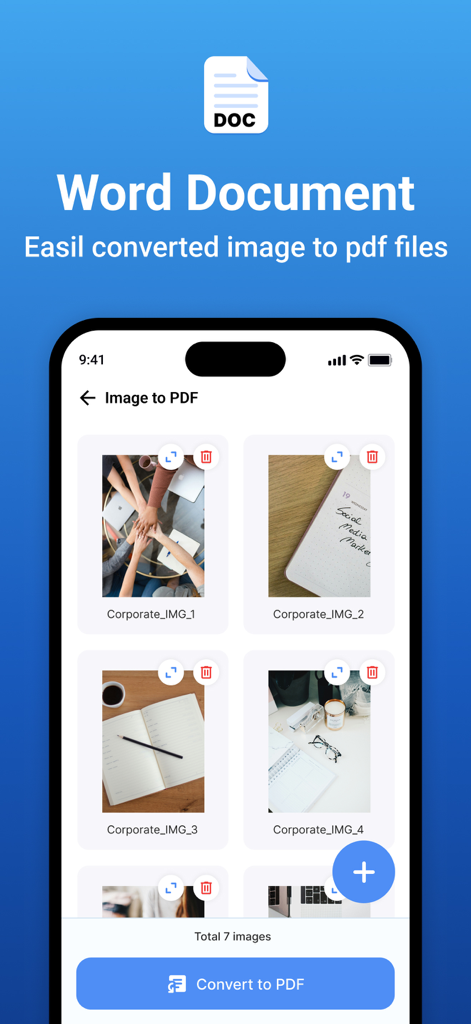
Word document - 単一のPDFドキュメントに変換するために選択された複数の画像が表示されているモバイルアプリのインターフェース
単一のPDFドキュメントに変換するために選択された複数の画像が表示されているモバイルアプリのインターフェース

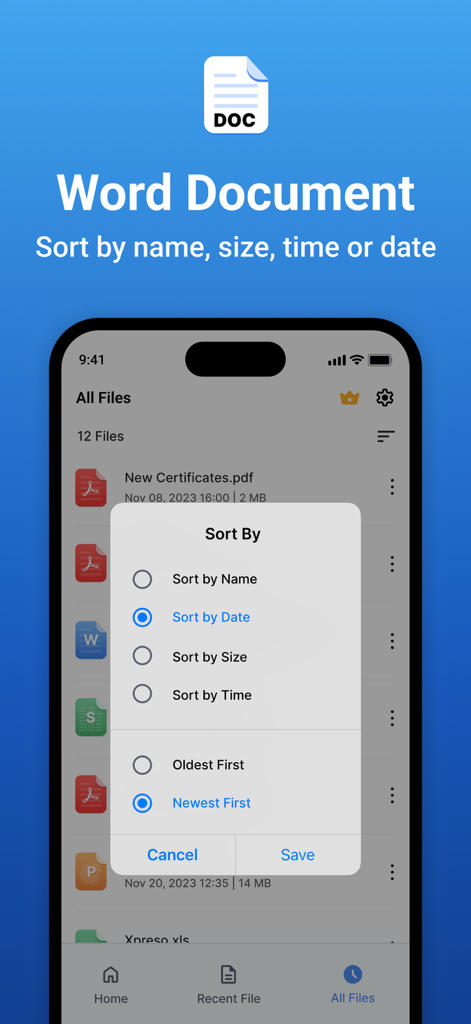
Word document - Word Documentアプリのインターフェース。名前、日付、サイズなどのファイル並べ替えオプションのメニューが表示されています

Word Documentアプリのインターフェース。名前、日付、サイズなどのファイル並べ替えオプションのメニューが表示されています

説明

Word Document App is a powerful document editing and management tool that provides a seamless experience for creating, modifying, and managing Word files with ease. Whether you're a student, professional, or casual user, our app is designed to meet your document editing needs with an intuitive interface and rich functionality. Features: 1. Word Document Editing & Creation: • New Word Document Creation – Easily create new Word documents. • Text Formatting: ▪ Apply bold, italic, underline, and strikethrough styles. ▪ Choose from a variety of fonts and adjust text size. ▪ Set text alignment (left, center, right, justify). ▪ Customize text color to enhance readability. • Undo & Redo Options – Quickly reverse or repeat actions. 2. Image Handling: • Insert Images – Add images from the camera or gallery into Word files. • Multiple Image Support – Insert multiple images seamlessly within a document. 3. PDF Conversion & File Management: • Word to PDF Conversion – Convert Word documents into high-quality PDFs. • Image to PDF Creation & Sharing – Convert images to PDFs and share instantly. • Excel to PDF Conversion – Convert Excel files to PDF. • PPT to PDF Conversion – Convert PowerPoint presentations to PDF. 4. Smart Document Search: • Search & Find Word Documents – Locate documents easily using a keyword search. 5. Recent Files & Quick Access: • Recent File List – View and open your recently used documents instantly. • Manage Recent Documents: • Rename files • Share documents • Delete unwanted files 6. File Sorting & Organisation: • Sort files by: • Name • Date • Size • Ascending Order • Descending Order Subscription Details: - - Payment will be charged to iTunes Account at confirmation of purchase. - Subscription automatically renews unless auto-renew is turned off at least 24 hours before the end of the current period. - Account will be charged for renewal within 24 hours prior to the end of the current period, and identify the cost of the renewal. - No cancellation of the current subscription is allowed during the active subscription period. - Any unused portion of a free trial period, if offered, will be forfeited when the user purchases a subscription to that publication, where applicable. For Further Information: Privacy Policy = https://www.privacypolicycenter.com/view_custom.php?v=RE1vWllGN1JpaWNUZ0pVd3JqdHFDZz09&n=Privacy-Policy Terms of Use = https://www.privacypolicycenter.com/view_custom.php?v=WlVYbEtRNU9PQi9hT0xQTFhJRFhmQT09&n=Terms-Of-Use

Download

ダウンロード: App Store

このページはアプリまたはその開発者の公式ページではなく、情報提供および論評を目的として作成された独立した編集出版物です。明示的に別段の記載がない限り、アプリおよびその開発者は、MWM、Apple、Google Play、アプリのパブリッシャー、またはアプリの開発者と提携、承認、後援、認可、またはその他の公式的な関係はなく、このページのいかなる内容も、アプリがMWMのサービスを使用して開発されたことを意味するものではありません。すべての商標、ロゴ、スクリーンショット、その他のコンテンツはそれぞれの所有者の財産です。








