Word to HTML Converter
ダウンロード: App Store

このページはアプリまたはその開発者の公式ページではなく、情報提供および論評を目的として作成された独立した編集出版物です。明示的に別段の記載がない限り、アプリおよびその開発者は、MWM、Apple、Google Play、アプリのパブリッシャー、またはアプリの開発者と提携、承認、後援、認可、またはその他の公式的な関係はなく、このページのいかなる内容も、アプリがMWMのサービスを使用して開発されたことを意味するものではありません。すべての商標、ロゴ、スクリーンショット、その他のコンテンツはそれぞれの所有者の財産です。

ロゴ: Word to HTML Converter
ダウンロード: App Store

Word to HTML Converter

ブロガー、開発者、SEOスペシャリストにとって不可欠なツールです。Word、PDF、TXTファイルを、煩雑なフォーマットなしで、クリーンで構造化されたHTMLに簡単に変換します。すべてiPhoneまたはiPadから行えます。

主要数値

ダウンロード

1K+

ユーザー評価

1.0/5

評価数

0

開発元

Khairul Anwar

カテゴリ

Developer Tools

対応言語

1

最新バージョン

1.1

サイズ

66.3 MB

リリース日

2024年11月21日
機能

ウェブコンテンツワークフローを効率化

ドキュメント作成とウェブ公開のギャップを埋めます。Word、PDF、TXTファイルを、あらゆるウェブサイトやCMSに最適化されたクリーンでプロフェッショナルなHTMLコードに変換します。

クリーンでSEOに最適化されたコード

サイトの速度を低下させる煩雑なスタイルや非表示タグを排除します。検索エンジンや開発者が好む、軽量でよく構造化されたHTMLを取得します。

ユニバーサルドキュメントサポート

DOCX、複雑なPDF、プレーンなTXTファイルを簡単に変換できます。ウェブにコンテンツを移行する際に、手動での再入力やフォーマットの面倒はもうありません。

以下のスクリーンショットと説明は、アプリの公式ストアリスティングから直接取得されたものであり、アプリ開発者の所有物です。

アプリストア

スクリーンショット
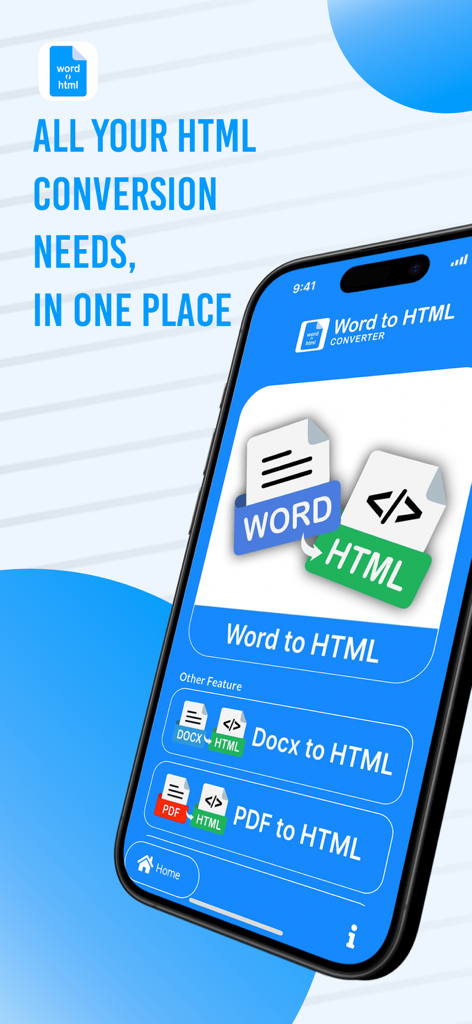
Word to HTML Converter - iPhoneにWord DocxおよびPDF変換オプションが表示されたWord to HTML Converterアプリが表示されています
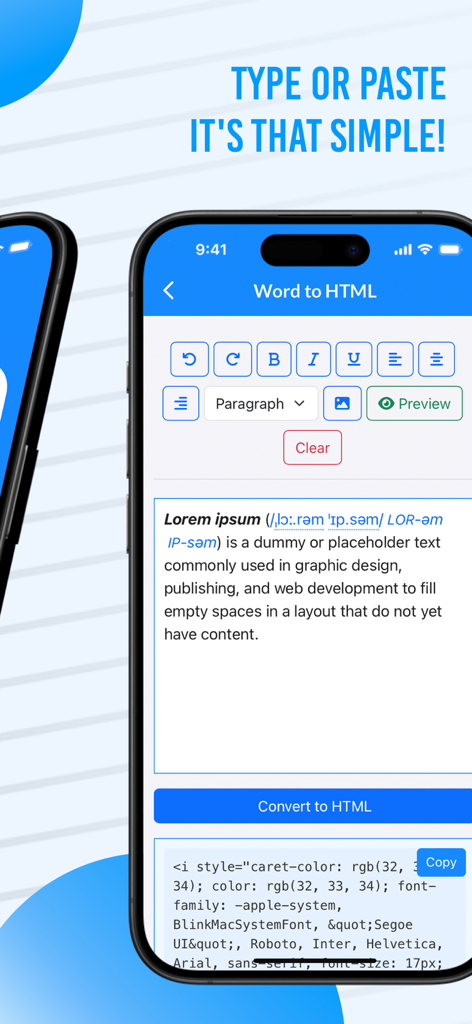
iPhoneにWord DocxおよびPDF変換オプションが表示されたWord to HTML Converterアプリが表示されています

Word to HTML Converter - フォーマットされたテキストをクリーンなHTMLコードに変換する様子を示すモバイルアプリのインターフェース
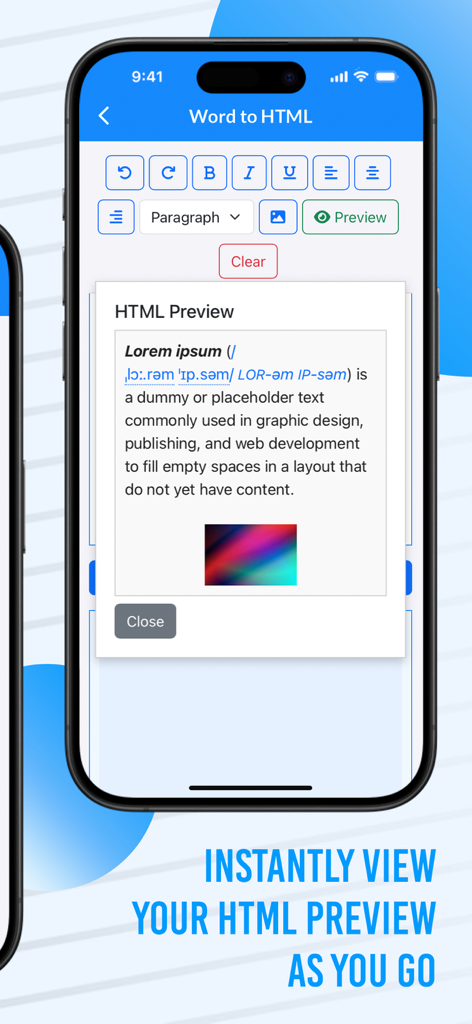
フォーマットされたテキストをクリーンなHTMLコードに変換する様子を示すモバイルアプリのインターフェース

Word to HTML Converter - iPhone上のWord to HTML Converterアプリ内のリアルタイムHTMLプレビューウィンドウ
iPhone上のWord to HTML Converterアプリ内のリアルタイムHTMLプレビューウィンドウ

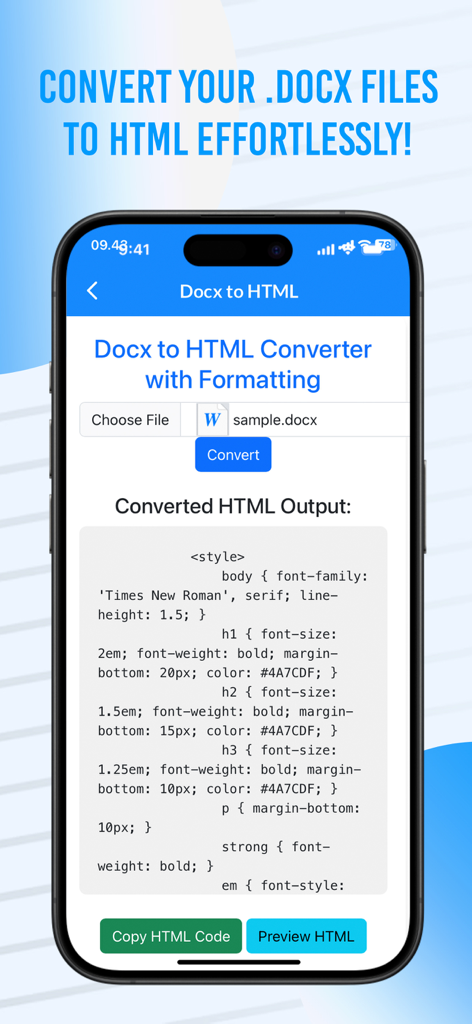
Word to HTML Converter - iPhone画面上のDocxファイルからの変換済みHTMLコードを表示するWord to HTML Converterアプリのインターフェース
iPhone画面上のDocxファイルからの変換済みHTMLコードを表示するWord to HTML Converterアプリのインターフェース

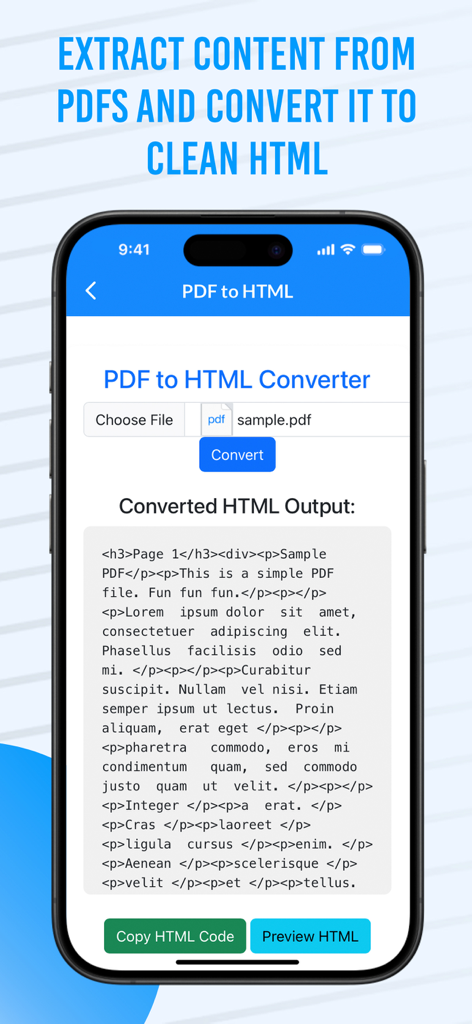
Word to HTML Converter - モバイルデバイス上でクリーンなHTMLコードに変換されたPDFドキュメントコンテンツを表示するインターフェース
モバイルデバイス上でクリーンなHTMLコードに変換されたPDFドキュメントコンテンツを表示するインターフェース

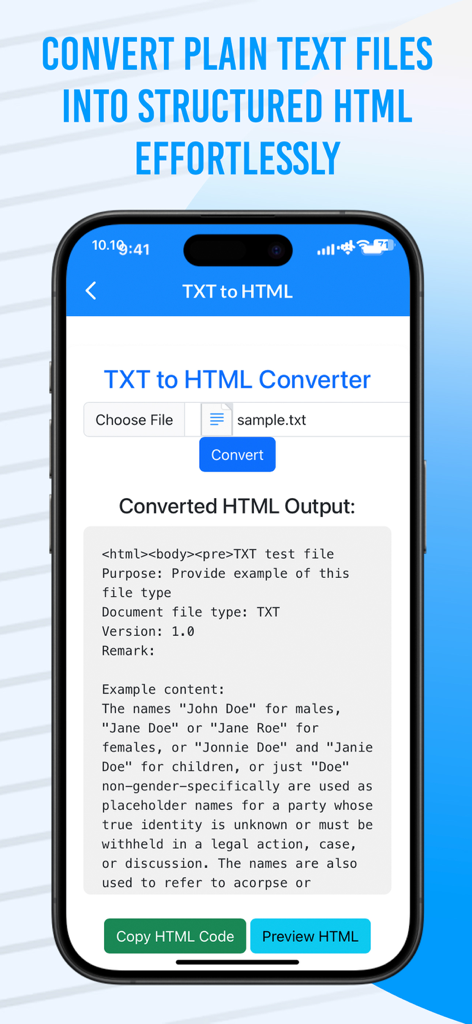
Word to HTML Converter - 変換済みコード出力が表示されたTXTからHTMLへのコンバーターインターフェースを示すiPhone画面

変換済みコード出力が表示されたTXTからHTMLへのコンバーターインターフェースを示すiPhone画面

説明

"Word to HTML Converter" is the all-in-one solution for seamlessly transforming your text documents into clean, web-ready HTML code. Whether you're a developer, content creator, or someone working with documents on a regular basis, this app offers a quick and efficient way to convert Word, Docx, PDF, and TXT files into HTML format without the hassle of manual coding. Key Features: Effortless Conversion: Easily convert Word (DOCX), PDF, TXT, and Docx to HTML. No more messy formatting issues – just clean, well-structured HTML ready for your website or blog. Real-Time HTML Preview: Get an instant preview of your converted HTML before you even copy it. See exactly how your document will appear in the browser, ensuring perfect formatting every time. Copy HTML Code: One-click copy functionality to quickly grab your HTML code and paste it directly into your website or web projects. Save time and avoid mistakes with fast, precise conversion. PDF to HTML Conversion: Convert complex PDF documents into simple HTML, preserving the structure and text content. No more manually copying and pasting content from PDF to HTML. TXT to HTML: Need to convert a plain text file into HTML format? This feature lets you do so quickly, making text-based content ready for use in web development or content management systems. Optimized for iPhone: Designed with mobile users in mind, the app is fully responsive, ensuring a smooth and efficient experience on your iPhone, whether you’re at home or on the go. User-Friendly Interface: A simple and intuitive layout ensures that anyone can convert their documents with just a few taps, making it ideal for both beginners and experienced users. Multiple Format Support: The app supports various file formats including DOCX, PDF, TXT, and more, allowing users to convert their files from one format to another with ease. High-Speed Processing: Enjoy fast conversion times with the app’s powerful processing capabilities. No more waiting around for your documents to be converted – it's quick and efficient. Zero Learning Curve: With its straightforward interface and easy-to-understand features, you can start converting files immediately, no technical knowledge required! Why Choose Word to HTML Converter? Perfect for Developers: Quickly convert documents for use in coding projects, saving you time and effort on manual HTML creation. Ideal for Bloggers and Writers: Convert your text-based content into HTML and seamlessly integrate it into your CMS (Content Management System) or website. No Need for Technical Skills: Whether you're a beginner or an experienced user, the app does all the heavy lifting for you, providing you with clean, structured HTML in just a few clicks. Save Time and Avoid Errors: Forget about manually cleaning up messy code or copying and pasting from multiple sources. The app does it all automatically with high precision. With Word to HTML Converter, document conversion becomes a breeze. The app ensures that you get your content in a perfectly formatted HTML output, saving time and effort in your web projects. Whether you're converting for personal use, professional web development, or content creation, this app is the ultimate tool for simplifying your document management process.

Download

ダウンロード: App Store

このページはアプリまたはその開発者の公式ページではなく、情報提供および論評を目的として作成された独立した編集出版物です。明示的に別段の記載がない限り、アプリおよびその開発者は、MWM、Apple、Google Play、アプリのパブリッシャー、またはアプリの開発者と提携、承認、後援、認可、またはその他の公式的な関係はなく、このページのいかなる内容も、アプリがMWMのサービスを使用して開発されたことを意味するものではありません。すべての商標、ロゴ、スクリーンショット、その他のコンテンツはそれぞれの所有者の財産です。








