WorkTime: Shift Work Calendar
ダウンロード: App Store

このページはアプリまたはその開発者の公式ページではなく、情報提供および論評を目的として作成された独立した編集出版物です。明示的に別段の記載がない限り、アプリおよびその開発者は、MWM、Apple、Google Play、アプリのパブリッシャー、またはアプリの開発者と提携、承認、後援、認可、またはその他の公式的な関係はなく、このページのいかなる内容も、アプリがMWMのサービスを使用して開発されたことを意味するものではありません。すべての商標、ロゴ、スクリーンショット、その他のコンテンツはそれぞれの所有者の財産です。


ロゴ: WorkTime: Shift Work Calendar
ダウンロード: App Store

WorkTime: Shift Work Calendar

汚れたナプキンやぼやけた写真での管理はもう終わり。2タップでシフトを記録し、給与を計算し、プライベートの予定を同期。バリスタ、看護師、そして現代の時給労働者のために設計されました。

主要数値

ダウンロード

414K+

ユーザー評価

4.3/5

評価数

5K+

開発元

Toto Ventures Inc.

カテゴリ

Productivity

対応言語

33

最新バージョン

5.2

サイズ

55.3 MB

リリース日

2015年7月14日
機能

仕事をこなし、スケジュールをシンプルに

9時から5時の仕事ではない人たちのためのNo.1シフトカレンダー。労働時間を記録し、給料を計算し、連勤シフト(閉店から開店まで)を見逃すことはもうありません。

超高速のスケジュール入力

独自のキーパッド入力でシフトを数秒で入力。紙切れや休憩室の掲示板の画像を探す手間はもう不要です。

自分の稼ぎを把握

内蔵の労働時間・給与計算機能で、リアルタイムに収入を追跡。給料日に驚くことはもうありません。

以下のスクリーンショットと説明は、アプリの公式ストアリスティングから直接取得されたものであり、アプリ開発者の所有物です。

アプリストア

スクリーンショット
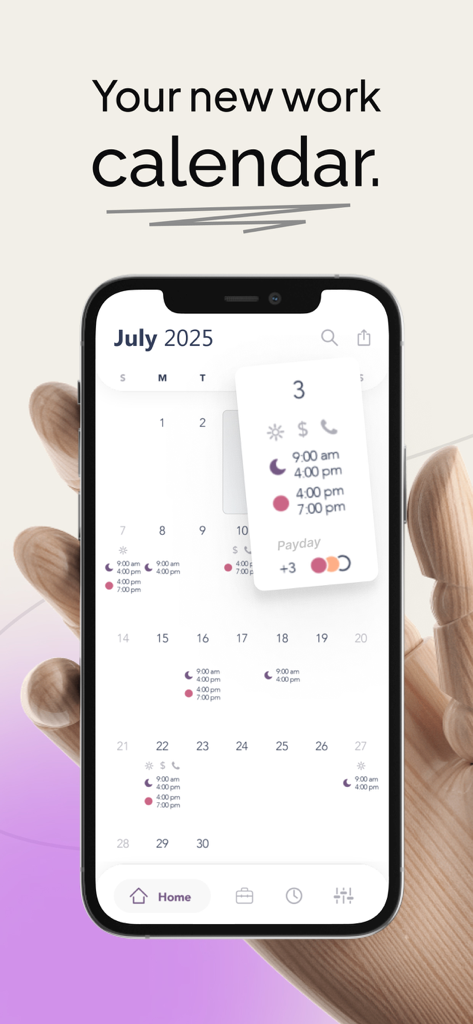
WorkTime: Shift Work Calendar - 労働時間と給料日が表示された月間シフトカレンダーを示すiPhone上のWorkTimeアプリのインターフェース
労働時間と給料日が表示された月間シフトカレンダーを示すiPhone上のWorkTimeアプリのインターフェース

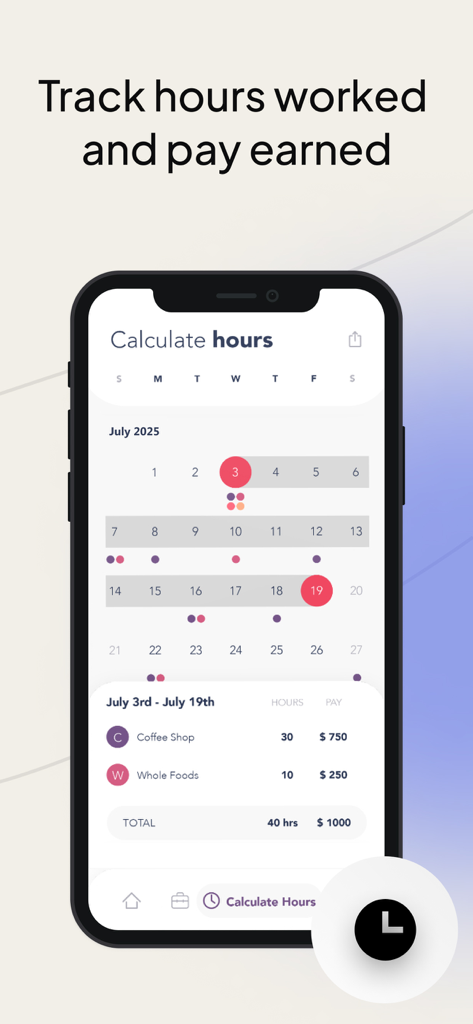
WorkTime: Shift Work Calendar - シフトが表示されたカレンダーと、複数の仕事からの収入内訳を表示するWorkTimeアプリの労働時間・給与計算画面
シフトが表示されたカレンダーと、複数の仕事からの収入内訳を表示するWorkTimeアプリの労働時間・給与計算画面

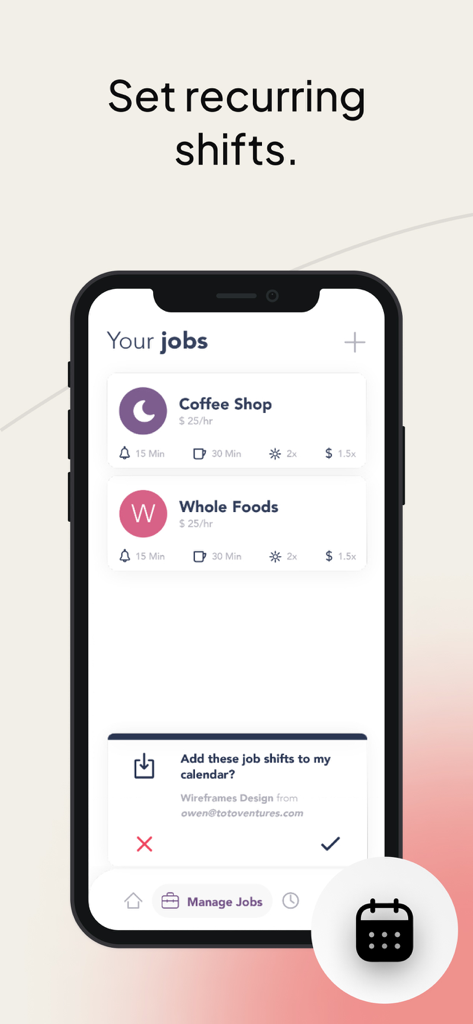
WorkTime: Shift Work Calendar - 時給制の仕事リストとシフト設定を表示するWorkTimeアプリのスマートフォン画面
時給制の仕事リストとシフト設定を表示するWorkTimeアプリのスマートフォン画面

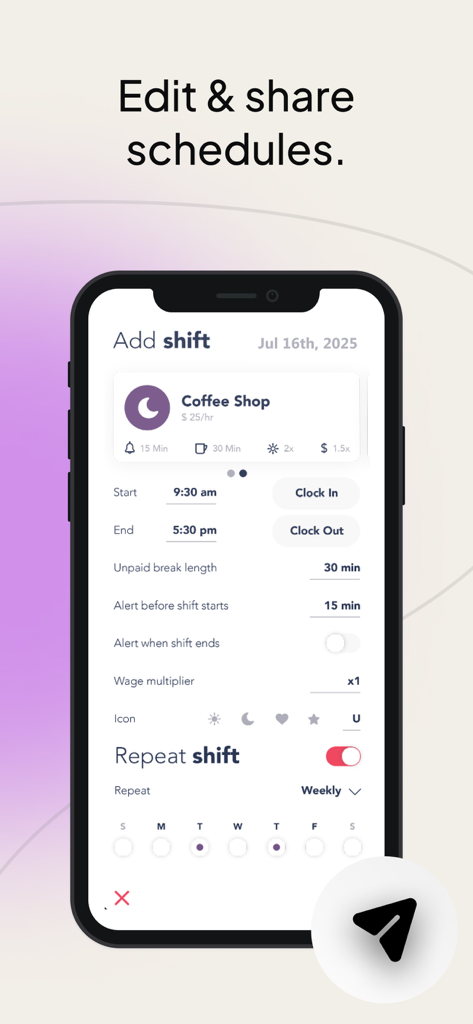
WorkTime: Shift Work Calendar - 勤務シフトの編集と共有を行うWorkTimeアプリのインターフェースを表示するスマートフォン画面
勤務シフトの編集と共有を行うWorkTimeアプリのインターフェースを表示するスマートフォン画面

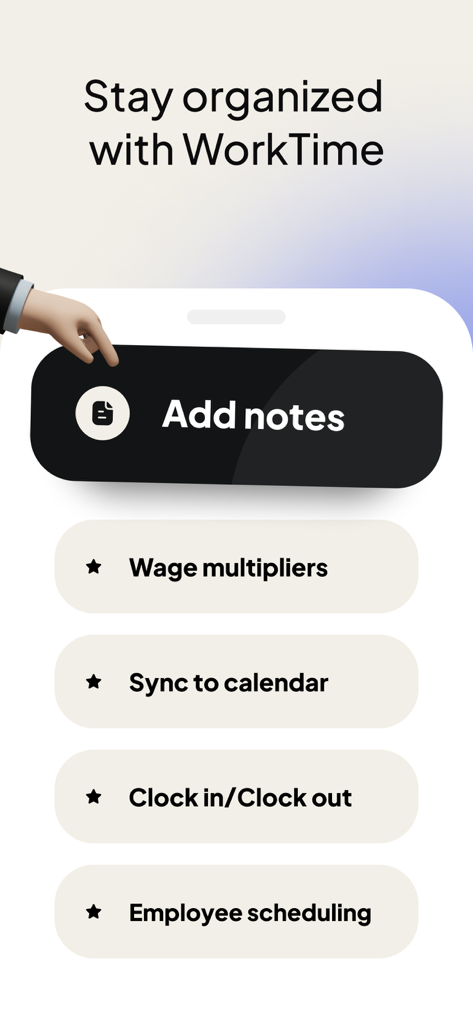
WorkTime: Shift Work Calendar - メモの追加、賃金倍率、カレンダー同期など、整理に役立つ機能を表示するWorkTimeアプリの画面

メモの追加、賃金倍率、カレンダー同期など、整理に役立つ機能を表示するWorkTimeアプリの画面

説明

TRACKING WORK SHIFTS HAS NEVER BEEN EASIER. WorkTime is your schedule manager. Set your shift times. See them all at a glance. Set alerts to remind you. Add up your hours. Share your schedule with family and friends. -------------------- Do you work random hours? Then this is the app for you. WorkTime is a shift calendar which tracks your work schedule with incredible ease. Enter the time you work with simple keypad entry. See your entire work schedule all on one screen. No more hunting around for that scrap of paper you wrote your upcoming shifts on. FEATURES • Unique time display calendar lets you see all your shifts at a single glance • Quickly enter shift start times with just two taps • Add shifts quickly from your Recent Shifts list • Add quick notes and reminders • Share your schedule with family and friends through Facebook, Twitter or Email • Save your schedule as a photo on your phone • Share multiple months PROFESSIONAL FEATURES • Add unlimited jobs  • Add up your hours worked and your wage with the Hours Calculator • Add alerts to remind you of an upcoming shift  • Ad free interface, sync to iCal and much more! -------------------- SET AND NEVER FORGET. With the purchase of the pro upgrade, you can set alarms to remind you when you work. Choose an alarm time based on how much time you need to get ready, and let WorkTime remember your shifts for you. -------------------- KEEP TRACK OF YOUR SHIFTS AND MUCH MORE. WorkTime isn’t just for jobs – it can be used to remind you of anything. Just create a job called To Do, or Chores, and set times and notes to remind you of places you need to be. WorkTime is designed for people who work random hours and random days. If you work Monday to Friday, 9 to 5, you don’t need this app. If you are a barista, a bartender, a waitress, a pizza delivery guy, or anyone who has to jot down their shifts - then WorkTime is the app for you. Stop writing down your shift times on a used napkin. Let WorkTime make your life a little bit easier. Subscription pricing and terms: WorkTime offers three auto-renewing subscription options: $3.99 per week $8.99 per month $49.99 per year These prices are for United States customers. Pricing in other countries may vary and actual charges may be converted to your local currency depending on the country of residence. Your WorkTime subscription will automatically renew at the end of each term and your credit card will be charged through your iTunes account. You can turn off auto-renew at any time from your iTunes account settings but refunds will not be provided for any unused portion of the term. Read more about our terms and conditions here: Terms of Use: http://totoventures.com/terms-of-use/ Privacy Policy: http://totoventures.com/privacy-policy/

Download

ダウンロード: App Store

このページはアプリまたはその開発者の公式ページではなく、情報提供および論評を目的として作成された独立した編集出版物です。明示的に別段の記載がない限り、アプリおよびその開発者は、MWM、Apple、Google Play、アプリのパブリッシャー、またはアプリの開発者と提携、承認、後援、認可、またはその他の公式的な関係はなく、このページのいかなる内容も、アプリがMWMのサービスを使用して開発されたことを意味するものではありません。すべての商標、ロゴ、スクリーンショット、その他のコンテンツはそれぞれの所有者の財産です。








