WPD Converter -for WordPerfect
ダウンロード: App Store

このページはアプリまたはその開発者の公式ページではなく、情報提供および論評を目的として作成された独立した編集出版物です。明示的に別段の記載がない限り、アプリおよびその開発者は、MWM、Apple、Google Play、アプリのパブリッシャー、またはアプリの開発者と提携、承認、後援、認可、またはその他の公式的な関係はなく、このページのいかなる内容も、アプリがMWMのサービスを使用して開発されたことを意味するものではありません。すべての商標、ロゴ、スクリーンショット、その他のコンテンツはそれぞれの所有者の財産です。

ロゴ: WPD Converter -for WordPerfect
ダウンロード: App Store

WPD Converter -for WordPerfect

レイアウトの完全性を損なうことなく、.wpdドキュメントをWordおよびPDF形式に安全に一括変換します。外出先での信頼性の高いオンデバイスファイルアクセスを必要とする、法律および管理専門家のために設計されています。

主要数値

ダウンロード

800

ユーザー評価

1.0/5

評価数

0

開発元

RootRise Technologies Private Limited

カテゴリ

Productivity

対応言語

1

最新バージョン

3.0

サイズ

163.5 MB

リリース日

2018年4月6日
機能

レガシーとモダンをつなぐ

iOSでのCorel® WordPerfect®ドキュメント変換のためのプロフェッショナルな選択肢。精度、速度、絶対的なデータプライバシーを重視するユーザーのために設計されています。

正確なレイアウト整合性

複雑なテーブル、列、テキストフレームを保持し、法律文書や公式文書を専門基準に正確にフォーマットします。

簡単な一括変換

複数の.wpdおよび.wptファイルを一度に処理することでワークフローを効率化し、大規模なデジタルアーカイブの管理に最適です。

以下のスクリーンショットと説明は、アプリの公式ストアリスティングから直接取得されたものであり、アプリ開発者の所有物です。

アプリストア

スクリーンショット
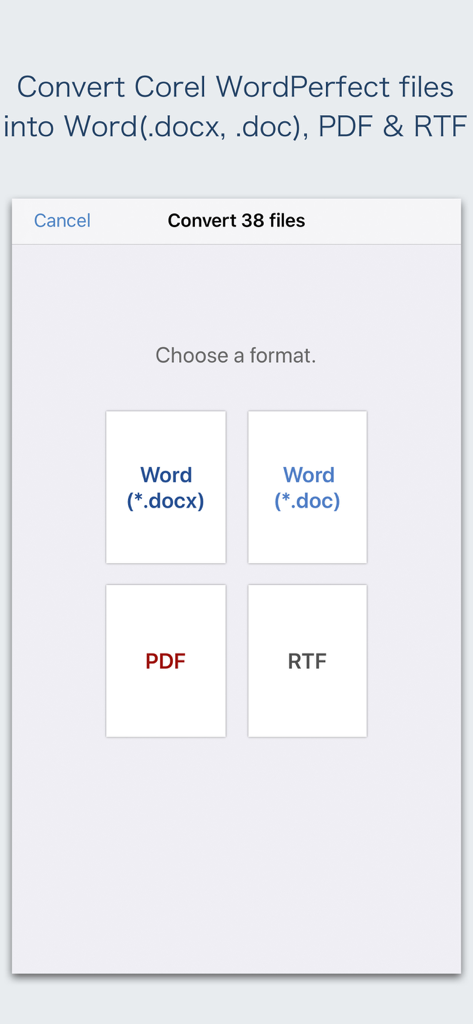
WPD Converter -for WordPerfect - WordPerfectファイルを変換する際に、PDFやWordなどのドキュメント出力形式を選択するためのアプリインターフェイス
WordPerfectファイルを変換する際に、PDFやWordなどのドキュメント出力形式を選択するためのアプリインターフェイス

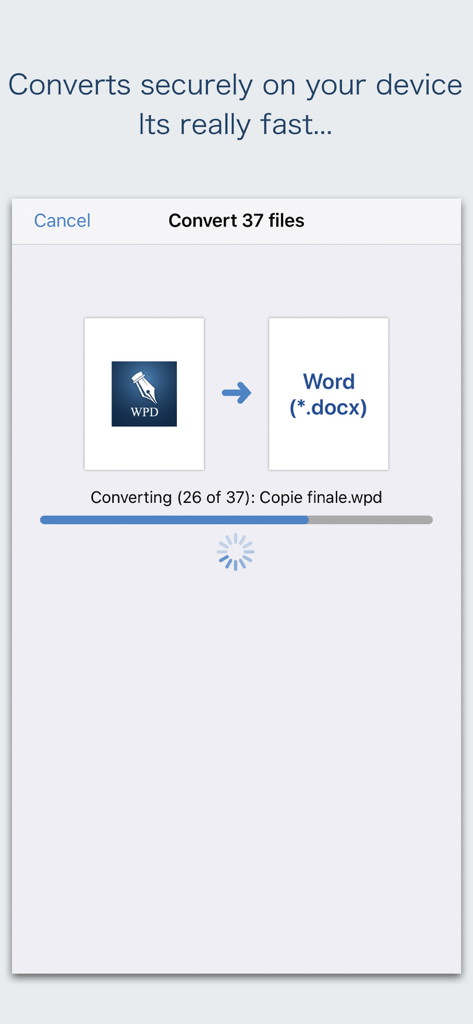
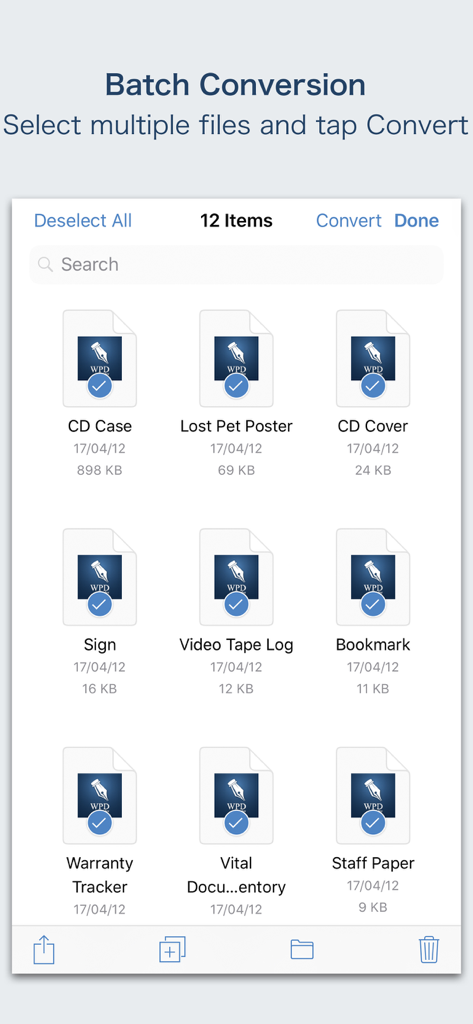
WPD Converter -for WordPerfect - モバイルデバイスでWordPerfectファイルをWordドキュメントに安全に一括変換するインターフェイス。
モバイルデバイスでWordPerfectファイルをWordドキュメントに安全に一括変換するインターフェイス。

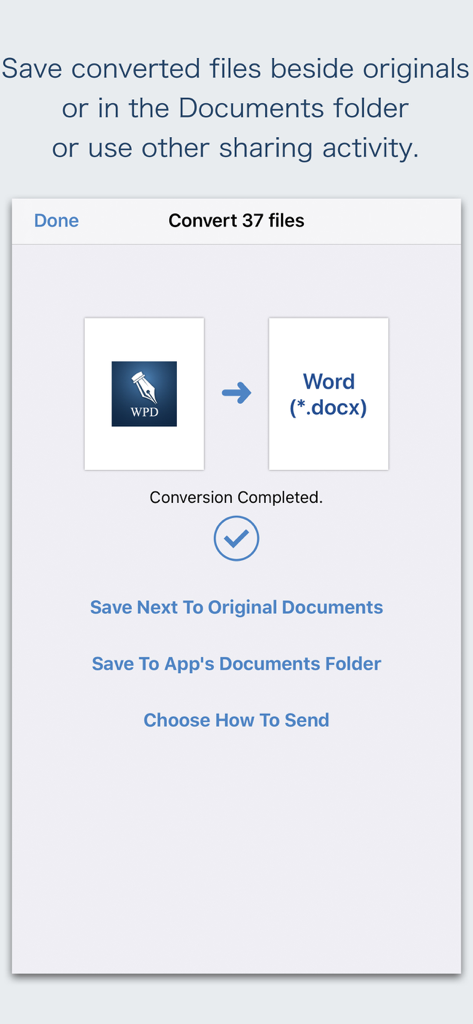
WPD Converter -for WordPerfect - WordPerfectからWordへの一括変換が完了したWPDコンバーターアプリのインターフェイス。保存および共有オプション付き。
WordPerfectからWordへの一括変換が完了したWPDコンバーターアプリのインターフェイス。保存および共有オプション付き。

WPD Converter -for WordPerfect - iOSでのWordPerfectファイルの一括変換インターフェイス

iOSでのWordPerfectファイルの一括変換インターフェイス

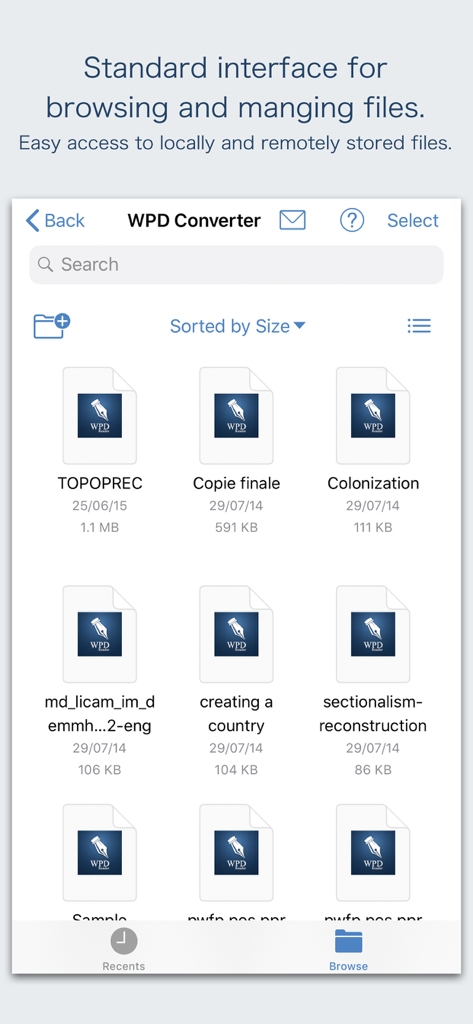
WPD Converter -for WordPerfect - WordPerfectドキュメントの閲覧と管理のためのWPDコンバーターの標準インターフェイス。

WordPerfectドキュメントの閲覧と管理のためのWPDコンバーターの標準インターフェイス。

説明

“WPD Converter” offers to batch convert Corel® WordPerfect® documents (.wpd, .wpt, .wp, .wp4, .wp5, .wp6) into Microsoft® Word documents (.docx and .doc), PDF and RTF. Converts every WordPerfect page into an equivalent page in the target conversion format document. Converts the text, text characteristics, paragraphs, text frames linking, text frame columns, tables, graphics and other WordPerfect objects and properties to the matching Microsoft Word format objects and properties by preserving layout. Do you receive Corel WordPerfect documents as email attachments on you iPhone and iPad? Are you having plenty of Corel WordPerfect files that no decent viewer available to open on your iPhone and iPad? The easiest way to circumvent these problems is to convert all such files to either Microsoft Word (.doc, .docx) format, PDF or RTF files using WPD Converter. “WPD Converter” eliminates the need of recreating the contents of an WordPerfect file in Microsoft Word resulting in efficient workflow automation that can save time by avoiding cumbersome task. “WPD Converter” supports batch conversion. Select multiple WPD files in document browser view and tap Convert button at top to start batch conversion. Corel WordPerfect (version 1-11) format files are supported. DESTINATION PATH : Convenient options to store converted documents at your easily accessible location. Choose from following Save Next to Original Documents - Tap this button to save a converted file into the same location and directory as an existing original document. The converted document with unique name with target format extension will be saved beside original document. Save to App’s Documents Folder - Tap this button to save a converted file with unique name with target format extension into “WPD Converter” Documents folder. Choose How to Send - Tap on this button to popup standard iOS activity controller. Tap one of the option in activity controller for sending, saving or posting a converted document. Choose a location, or provide the requested information (for example, an email address if you are sending an email) then send or post a copy of converted document. DOCUMENT MANAGEMENT - The inbuilt document browse view automatically gives you the option to share documents using the Share button or a drag-and-drop action. It also provides a standard interface for browsing and managing documents. - Automatically handles access to iCloud for you within the app. It also provides access to documents managed by third-party storage service extensions installed on your device. - Browse, find and sort documents to help you locate the document you want. Tap the WPD file that you want to open. - You can move, delete, duplicate and rename a document with document manager in browser view. - In the document manager, you can group related documents into folders so they’re easy to find. Note: “WPD Converter” is standalone application running natively to open and convert Microsoft WordPerfect documents securely right on your iOS device. You can refer inbuilt User Manual for any assistance Or Contact Support. Microsoft® is a registered trademark of Microsoft Corporation, registered in the U.S. and other countries. Corel® and WordPerfect® are registered trademarks of Corel Corporation or Corel Corporation Limited.

Download

ダウンロード: App Store

このページはアプリまたはその開発者の公式ページではなく、情報提供および論評を目的として作成された独立した編集出版物です。明示的に別段の記載がない限り、アプリおよびその開発者は、MWM、Apple、Google Play、アプリのパブリッシャー、またはアプリの開発者と提携、承認、後援、認可、またはその他の公式的な関係はなく、このページのいかなる内容も、アプリがMWMのサービスを使用して開発されたことを意味するものではありません。すべての商標、ロゴ、スクリーンショット、その他のコンテンツはそれぞれの所有者の財産です。