WristBoard - Watch Keyboard
ダウンロード: App Store

このページはアプリまたはその開発者の公式ページではなく、情報提供および論評を目的として作成された独立した編集出版物です。明示的に別段の記載がない限り、アプリおよびその開発者は、MWM、Apple、Google Play、アプリのパブリッシャー、またはアプリの開発者と提携、承認、後援、認可、またはその他の公式的な関係はなく、このページのいかなる内容も、アプリがMWMのサービスを使用して開発されたことを意味するものではありません。すべての商標、ロゴ、スクリーンショット、その他のコンテンツはそれぞれの所有者の財産です。

ロゴ: WristBoard - Watch Keyboard
ダウンロード: App Store

WristBoard - Watch Keyboard

これまで以上に速く、プライベートにメッセージを入力。スマートな自動修正、スワイプ操作、カスタムテーマを備えたフルQWERTYキーボードをあなたの手首に。外出先での生産性を最大限に高めましょう。

主要数値

ダウンロード

240K+

ユーザー評価

2.9/5

評価数

1K+

開発元

Adam Foot

カテゴリ

Productivity

対応言語

20

最新バージョン

7.1.1

サイズ

17.1 MB

リリース日

2019年2月21日
機能

あなたの手首のための究極のタイピング体験

ウォッチに話しかけるのをやめ、タイピングを始めましょう。WristBoardは、フルでプライベート、そして効率的なキーボードをApple Watchにもたらし、電話を手に取ることなく生産性を維持できます。

高速スワイプタイピング

ウォッチでの最も効率的なタイピング方法で、メッセージをスムーズに。当社のスワイプ技術は、iPhoneで愛用している流れるような体験を模倣し、最大限のスピードを実現します。

プライベートな秘匿性

公共の場でもプライバシーを維持。音声入力の代わりにフルQWERTYキーボードで、iMessageやメールに静かに返信しましょう。

以下のスクリーンショットと説明は、アプリの公式ストアリスティングから直接取得されたものであり、アプリ開発者の所有物です。

アプリストア

スクリーンショット
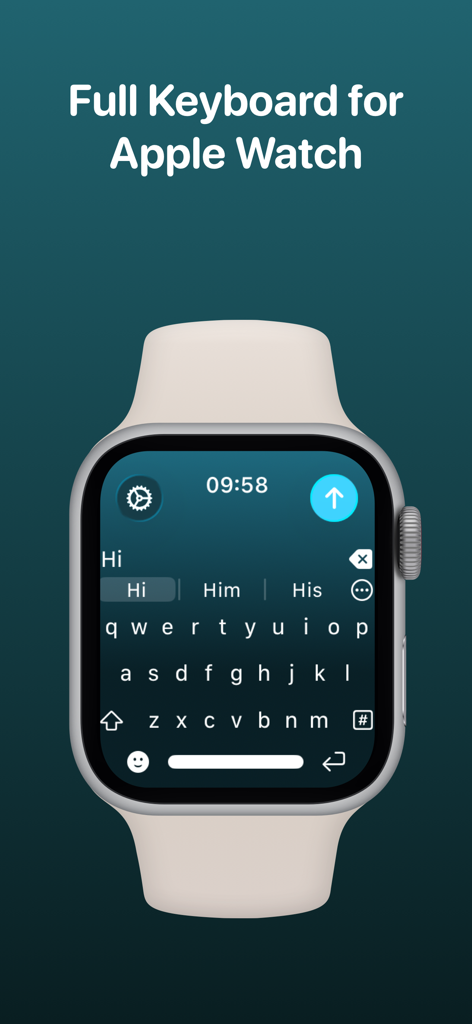
WristBoard - Watch Keyboard - Apple Watchの画面にフルQWERTYキーボードを表示するWristBoardアプリ。
Apple Watchの画面にフルQWERTYキーボードを表示するWristBoardアプリ。

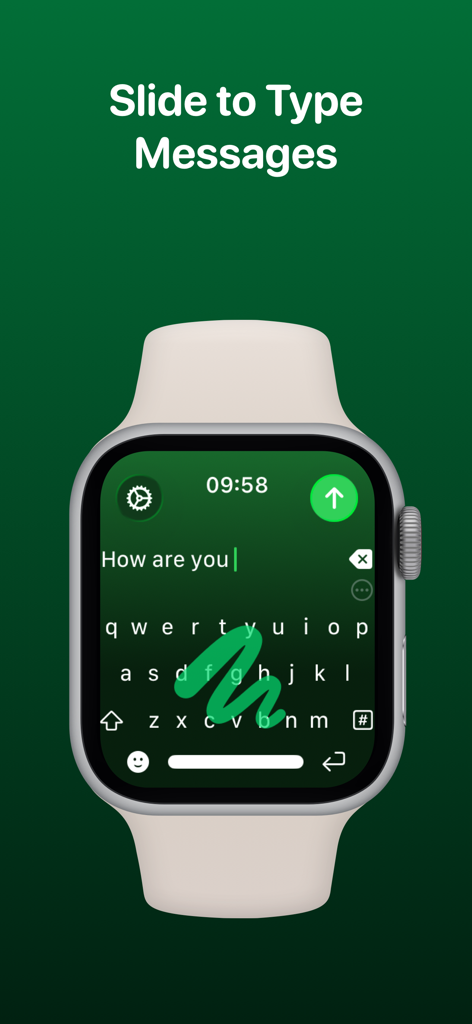
WristBoard - Watch Keyboard - 緑色のインターフェースでスワイプ入力ジェスチャーを表示するWristBoardキーボードのApple Watch。
緑色のインターフェースでスワイプ入力ジェスチャーを表示するWristBoardキーボードのApple Watch。

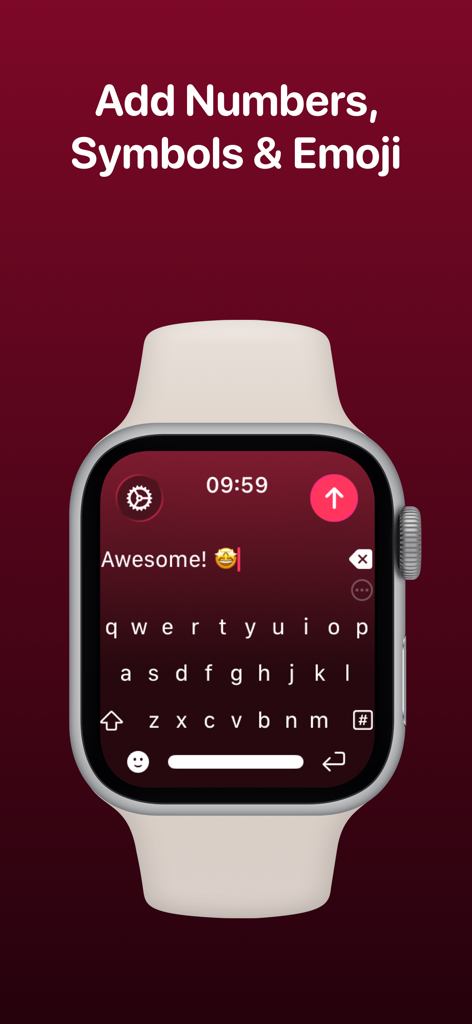
WristBoard - Watch Keyboard - テキストメッセージと絵文字が表示されたWristBoardフルQWERTYキーボードインターフェースを表示するApple Watch。
テキストメッセージと絵文字が表示されたWristBoardフルQWERTYキーボードインターフェースを表示するApple Watch。

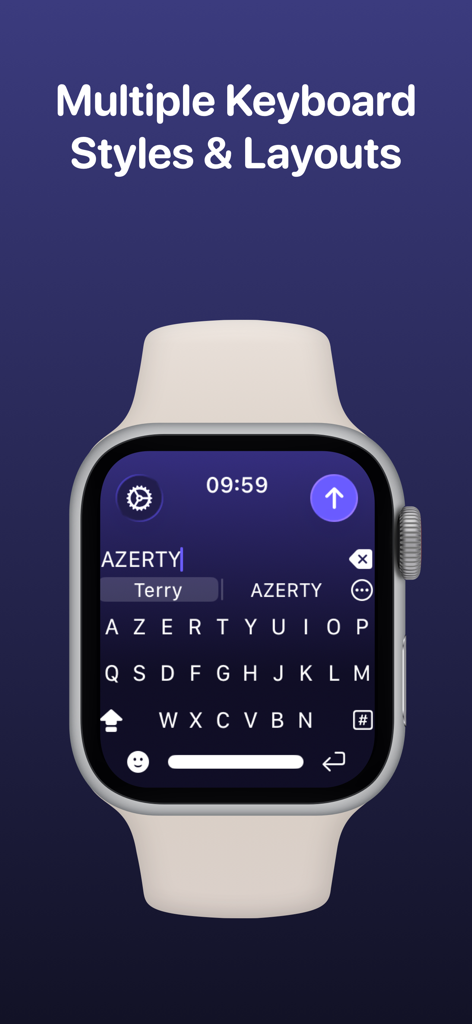
WristBoard - Watch Keyboard - 「複数のキーボードスタイルとレイアウト」という見出しの下で、WristBoardアプリでAZERTYキーボードレイアウトを表示するApple Watchのスクリーンショット。
「複数のキーボードスタイルとレイアウト」という見出しの下で、WristBoardアプリでAZERTYキーボードレイアウトを表示するApple Watchのスクリーンショット。

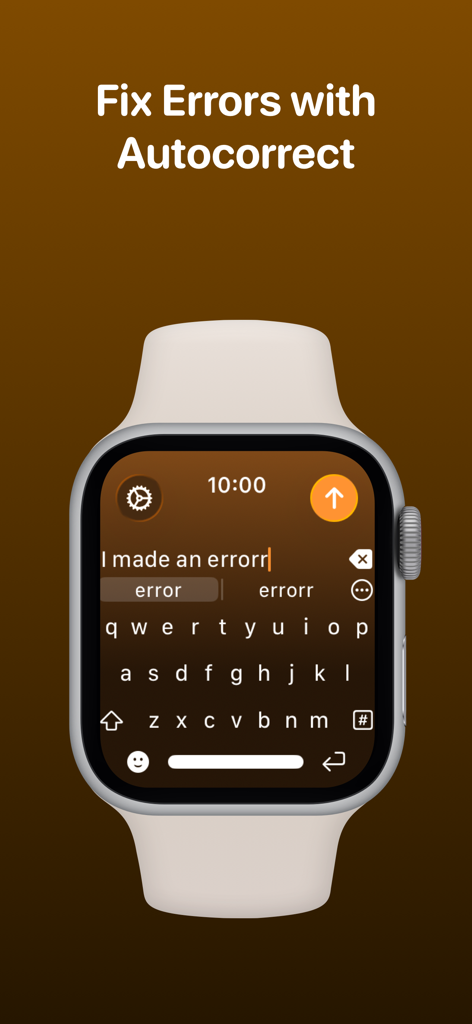
WristBoard - Watch Keyboard - タイピングエラーを修正するための自動修正機能を備えたApple Watch上のWristBoardキーボード。
タイピングエラーを修正するための自動修正機能を備えたApple Watch上のWristBoardキーボード。

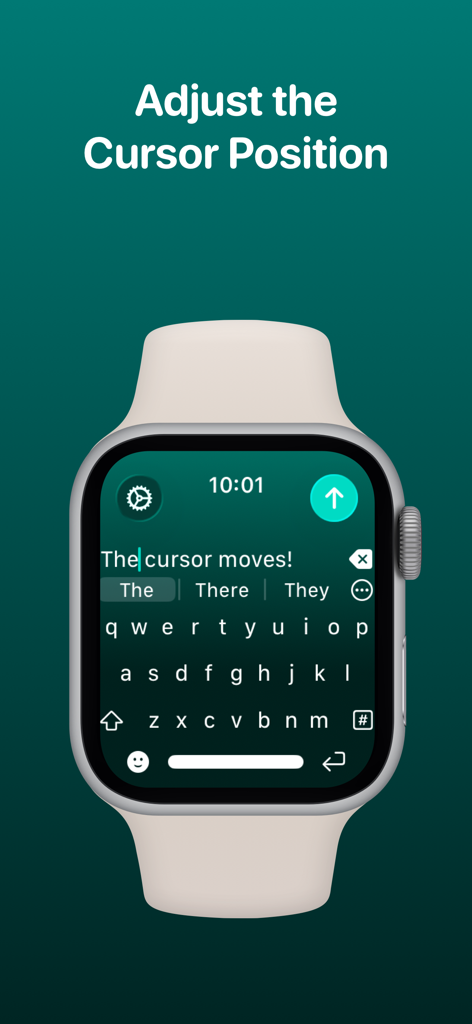
WristBoard - Watch Keyboard - Apple Watchキーボードインターフェースでカーソル位置を調整しているWristBoardアプリ。
Apple Watchキーボードインターフェースでカーソル位置を調整しているWristBoardアプリ。

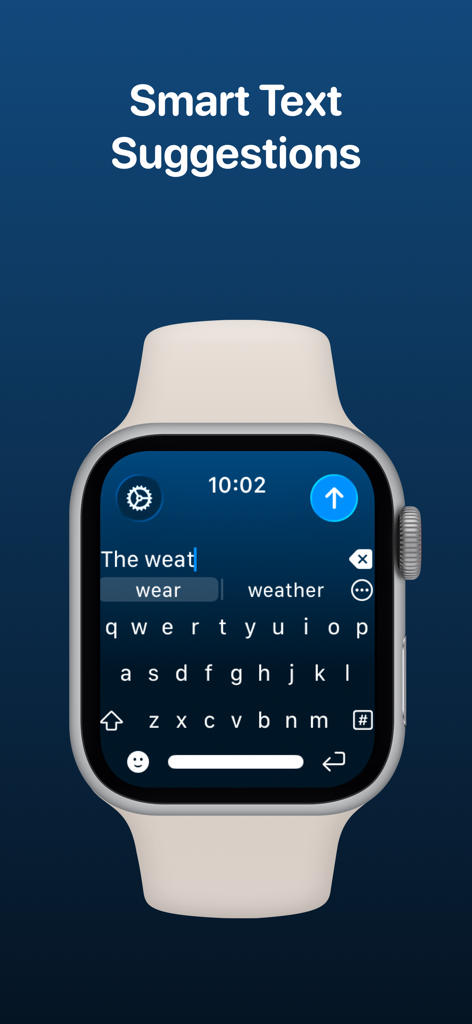
WristBoard - Watch Keyboard - QWERTYキーボードでタイピング中にスマートなテキスト候補を表示するApple Watch上のWristBoardアプリ。
QWERTYキーボードでタイピング中にスマートなテキスト候補を表示するApple Watch上のWristBoardアプリ。

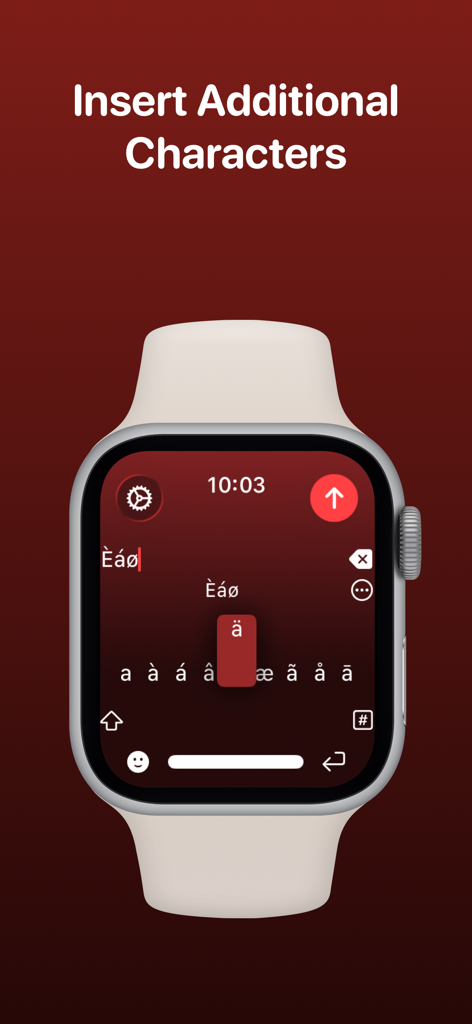
WristBoard - Watch Keyboard - WristBoardアプリでアクセント付き文字と特殊文字の選択を表示するApple Watch画面。
WristBoardアプリでアクセント付き文字と特殊文字の選択を表示するApple Watch画面。

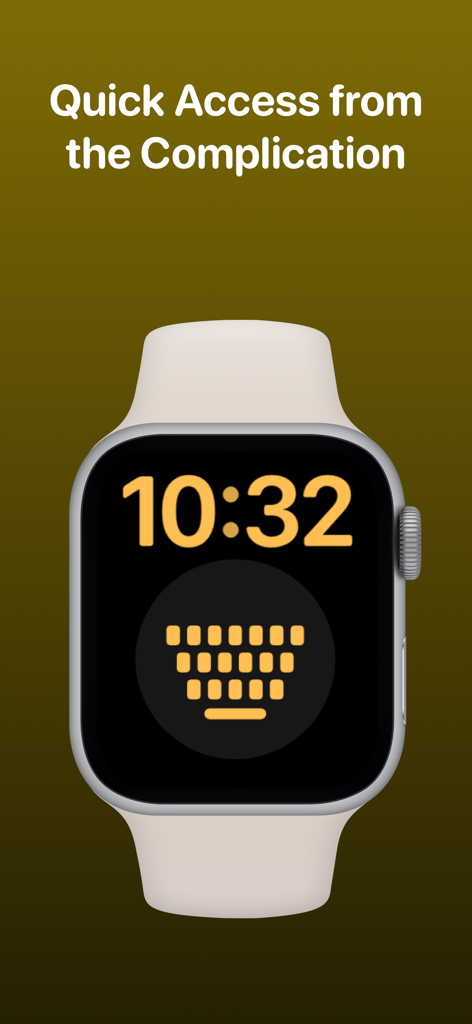
WristBoard - Watch Keyboard - クイックアクセス用のWristBoardキーボードコンプリケーションを備えたApple Watchフェイス。
クイックアクセス用のWristBoardキーボードコンプリケーションを備えたApple Watchフェイス。

WristBoard - Watch Keyboard - 9to5Mac、Cult of Mac、iMore、AppAdvice、TechRadarなど、WristBoardが取り上げられたテクノロジー出版物のロゴ。

9to5Mac、Cult of Mac、iMore、AppAdvice、TechRadarなど、WristBoardが取り上げられたテクノロジー出版物のロゴ。

説明

Swipe and type messages on your Apple Watch using a fully functional keyboard with WristBoard. * As featured on the App Store, 9to5Mac, Cult of Mac, iMore, AppAdvice, TechRadar & iPhon.fr * Typing messages on Apple Watch can be chore - Scribble doesn't always work and Dictation isn't great in public spaces. With WristBoard, you get a fully-fledged keyboard straight on your wrist, no awkward typos necessary! By adding a full QWERTY, AZERTY or QWERTZ keyboard to your Apple Watch, you can reply to iMessages quickly and privately. Autocorrect and smart text predictions quickly ensures what you type is accurate and makes senses. WristBoard contains these great features: FULL KEYBOARD Add a full QWERTY, AZERTY or QWERTZ keyboard to your Apple Watch. Keys are easy to press and there’s support for key previews as you swipe along the keyboard. SWIPE KEYBOARD WristBoard was the first app to introduce swipe typing on Apple Watch and provides a more efficient way to type out messages on your wrist. SENDING WristBoard uses the built-in Apple Messages app on your Apple Watch to send messages to your contacts. Type out your message, tap the send button and you’ll be taken to the Messages app with your message ready to go! There's support for the Apple Mail app too so you can emails all from your wrist! SUGGESTIONS As you’re typing, you can complete words using the suggestions bar above the keys. Tap on a suggestion to replace the current typed word with the full suggestion. Great for improving speed on the small screen! Access all suggestions by tapping the ellipsis icon next to the first suggestions. AUTOCORRECT Whilst typing, if you make a mistake, WristBoard will automatically replace the incorrect word with one it thinks is correct. OTHER CHARACTERS WristBoard has full support for adding symbols, numbers and other special characters. EMOJI WristBoard supports adding an unlimited amount of emoji to a single message! Simply tap the emoji icon to get started and pick from Apple’s library, or one of your most recently used ones. THEMES Customise the look and feel of your keyboard with support for themes. MESSAGE PREVIEW Before sending your message, just tap the text field to view a full preview of your message. HAPTICS Choose to receive Haptic Feedback on actions like key presses and button actions. COMPLICATION For quick and easy access, you can add the WristBoard Complication to your Watch Face. Just tap and the keyboard will launch. CURSOR Whilst typing on the keyboard, you can see exactly where you are with the pulsing blue cursor. Use the Digital Crown to move the cursor's position. SETTINGS Customize WristBoard your way. Access the Settings menu by using the options button on the keyboard and you’ll be able to change the layout and toggle auto correct, suggestions & more. If you like this app, I’d really appreciate it if you could take the time to leave a positive review! Having issues? Please get in touch: Email: support@adamfoot.dev Website: https://adamfoot.dev Please note, a supported Apple Watch is required for full app functionality. WristBoard supports sending messages via SMS & iMessage through the Messages app or email through the Mail app. Some features may require a WristBoard+ subscription which can be purchased in the app. You can cancel at anytime. Terms: https://adamfoot.dev/terms-of-use

Download

ダウンロード: App Store

このページはアプリまたはその開発者の公式ページではなく、情報提供および論評を目的として作成された独立した編集出版物です。明示的に別段の記載がない限り、アプリおよびその開発者は、MWM、Apple、Google Play、アプリのパブリッシャー、またはアプリの開発者と提携、承認、後援、認可、またはその他の公式的な関係はなく、このページのいかなる内容も、アプリがMWMのサービスを使用して開発されたことを意味するものではありません。すべての商標、ロゴ、スクリーンショット、その他のコンテンツはそれぞれの所有者の財産です。








