XLocker - Screen Time Control
ダウンロード: App Store

このページはアプリまたはその開発者の公式ページではなく、情報提供および論評を目的として作成された独立した編集出版物です。明示的に別段の記載がない限り、アプリおよびその開発者は、MWM、Apple、Google Play、アプリのパブリッシャー、またはアプリの開発者と提携、承認、後援、認可、またはその他の公式的な関係はなく、このページのいかなる内容も、アプリがMWMのサービスを使用して開発されたことを意味するものではありません。すべての商標、ロゴ、スクリーンショット、その他のコンテンツはそれぞれの所有者の財産です。

ロゴ: XLocker - Screen Time Control
ダウンロード: App Store

XLocker - Screen Time Control

ドゥームスクローリングを終わらせ、ゲーム中毒を防ぎ、トリプルレイヤー保護でプライベート写真を保護するために設計された、オールインワンのアプリロッカーおよびペアレンタルコントロールツール。

主要数値

ダウンロード

11K+

ユーザー評価

3.7/5

評価数

0

開発元

文 熊

カテゴリ

Productivity

対応言語

14

最新バージョン

1.3

サイズ

32.6 MB

リリース日

2023年5月8日
機能

時間と心の平和を取り戻す

XLockerは、強力なアプリ管理と高度なプライバシツールを組み合わせ、親や専門家が集中力を回復し、最も重要なものを保護するのに役立ちます。

デジタル中毒を防ぐ

ゲームやソーシャルメディアの毎日の厳格な制限を設定し、子供たち(そしてあなた自身)がより健康的な習慣を築くのを助けます。

スマートアプリグルーピング

最大50個のアプリをカスタムグループに整理し、ワンタップで気を散らすものをブロックしたり、集中時間をスケジュールしたりできます。

以下のスクリーンショットと説明は、アプリの公式ストアリスティングから直接取得されたものであり、アプリ開発者の所有物です。

アプリストア

スクリーンショット
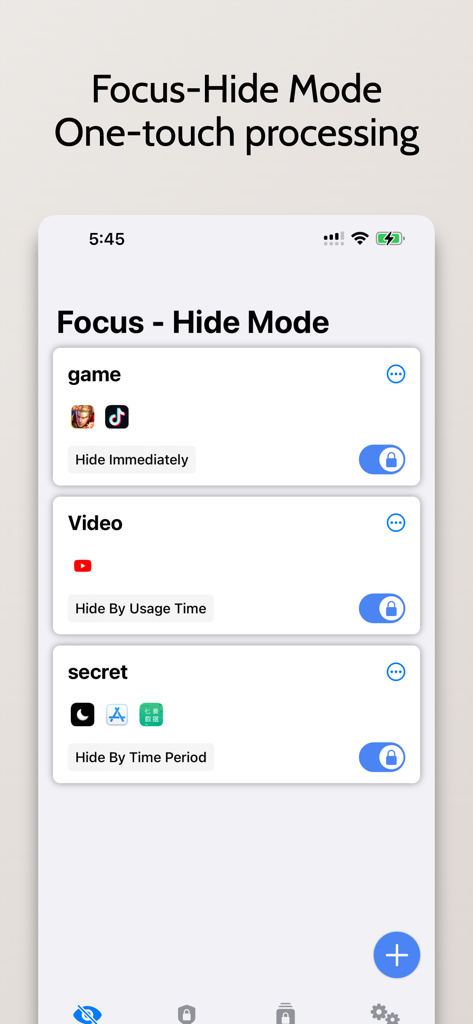
XLocker - Screen Time Control - XLockerアプリのインターフェース、フォーカス・非表示モードが表示され、ゲームや動画のカスタム可能なグループが表示される
XLockerアプリのインターフェース、フォーカス・非表示モードが表示され、ゲームや動画のカスタム可能なグループが表示される

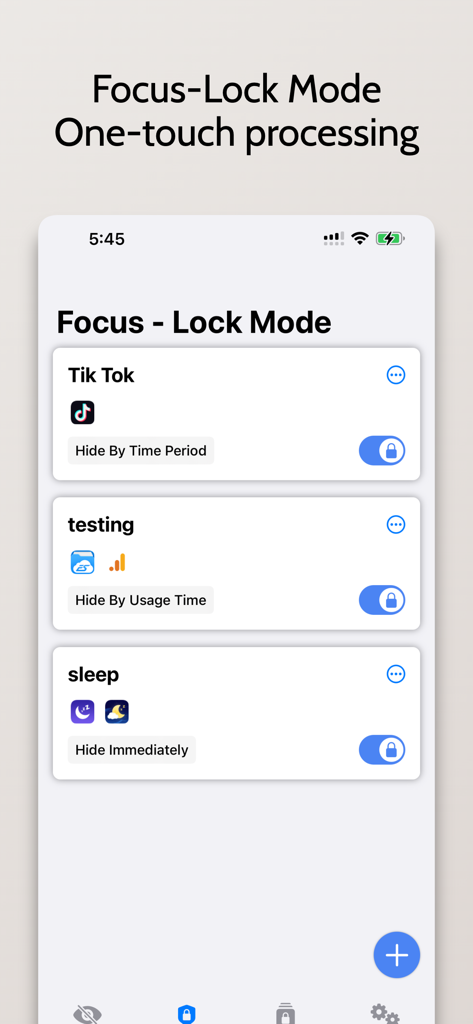
XLocker - Screen Time Control - XLockerアプリのインターフェース、フォーカス・ロックモードが表示され、TikTokなどのアプリを非表示にし、スリープ設定を管理するオプションが表示される
XLockerアプリのインターフェース、フォーカス・ロックモードが表示され、TikTokなどのアプリを非表示にし、スリープ設定を管理するオプションが表示される

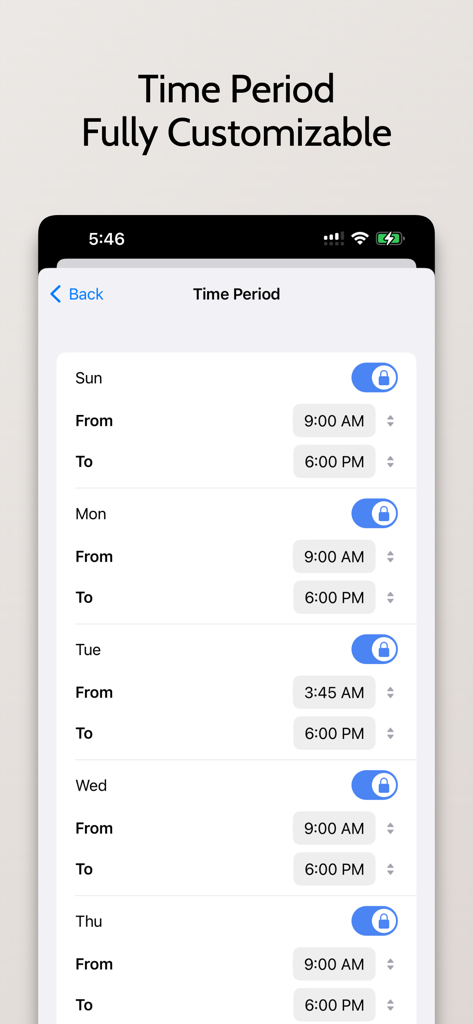
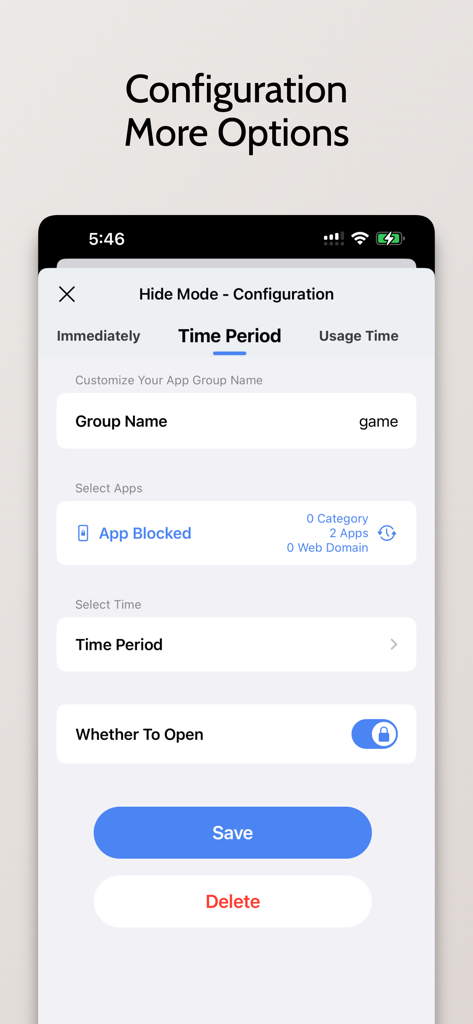
XLocker - Screen Time Control - XLockerでのスケジュールされたアプリブロック設定のための設定画面

XLockerでのスケジュールされたアプリブロック設定のための設定画面

XLocker - Screen Time Control - XLockerアプリのインターフェース、スクリーンタイム管理とアプリロックのための毎日のスケジュール設定が表示される
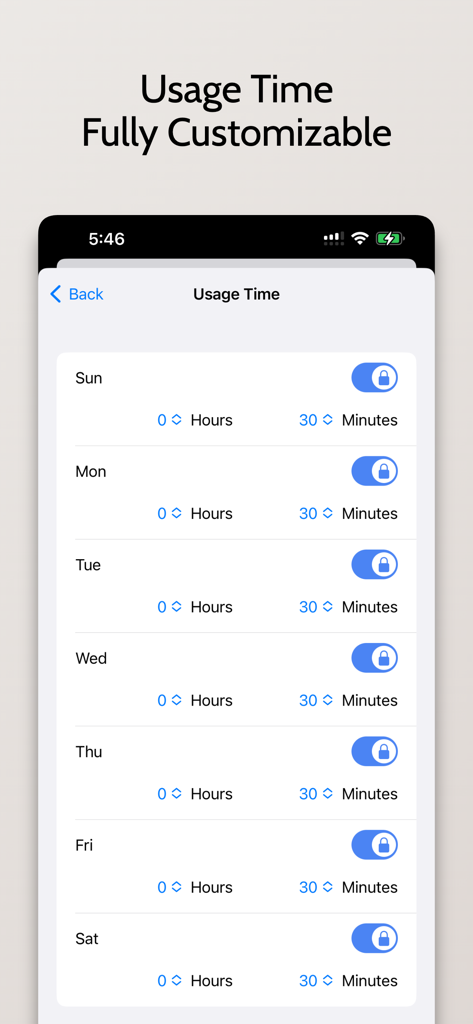
XLockerアプリのインターフェース、スクリーンタイム管理とアプリロックのための毎日のスケジュール設定が表示される

XLocker - Screen Time Control - XLockerアプリのカスタム可能な毎日のスクリーンタイム制限インターフェース
XLockerアプリのカスタム可能な毎日のスクリーンタイム制限インターフェース

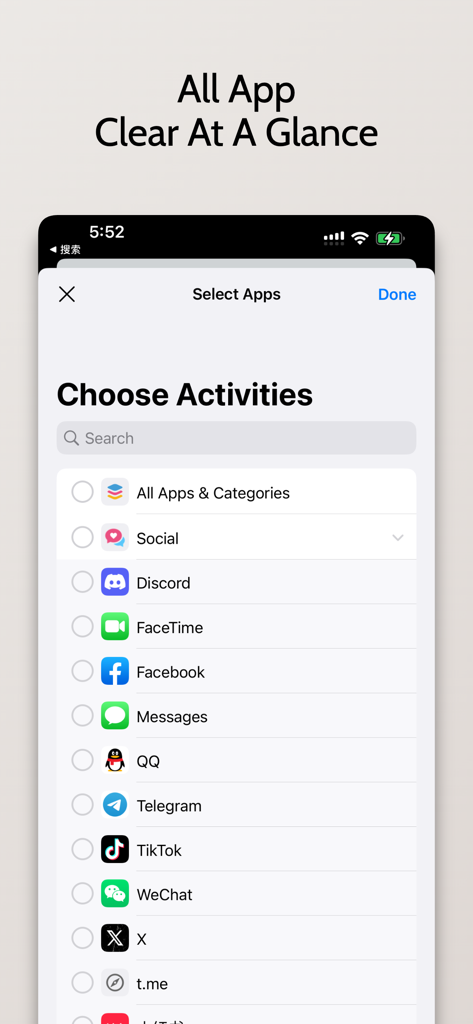
XLocker - Screen Time Control - XLockerインターフェース、スクリーンタイムを制限するソーシャルメディアやコミュニケーションアプリを選択する
XLockerインターフェース、スクリーンタイムを制限するソーシャルメディアやコミュニケーションアプリを選択する

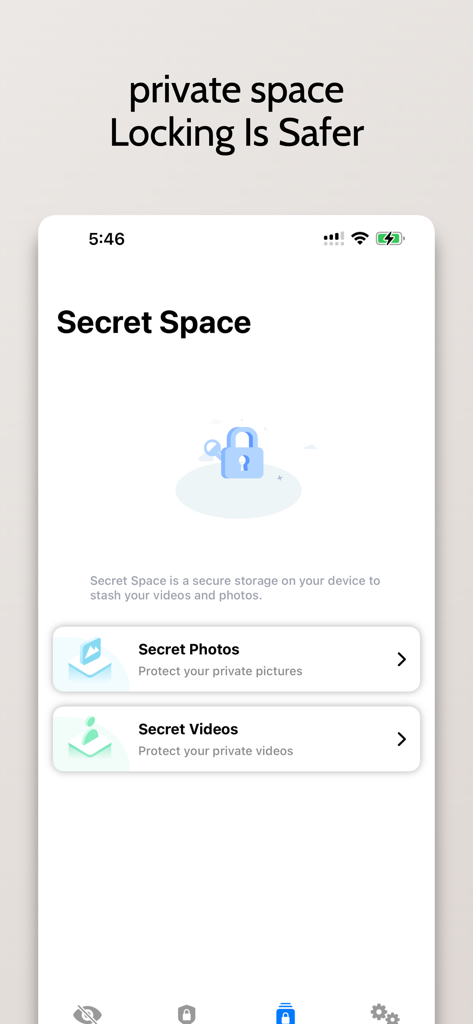
XLocker - Screen Time Control - XLocker Secret Space画面、プライベート写真や動画のロック機能が表示される
XLocker Secret Space画面、プライベート写真や動画のロック機能が表示される

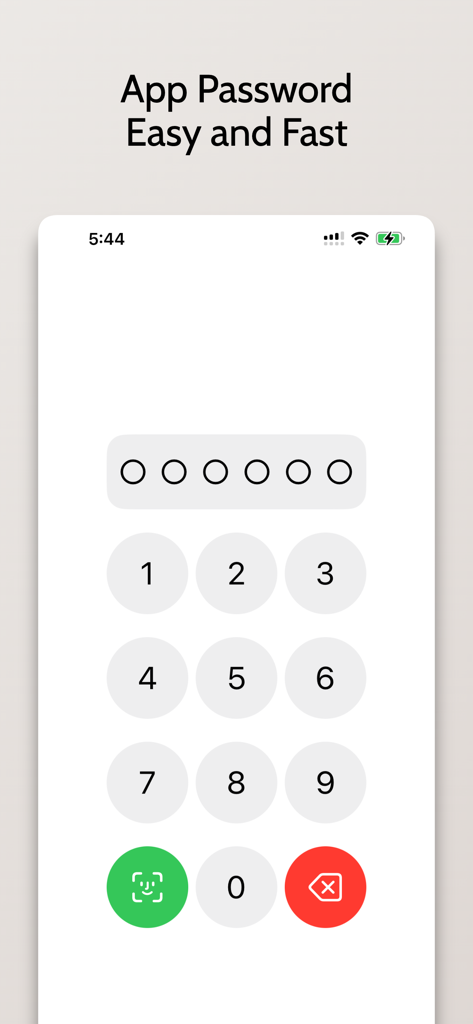
XLocker - Screen Time Control - スマートフォンの画面、Face IDオプション付きのアプリパスワード入力のための数字キーパッドが表示され、安全なアクセスが可能
スマートフォンの画面、Face IDオプション付きのアプリパスワード入力のための数字キーパッドが表示され、安全なアクセスが可能

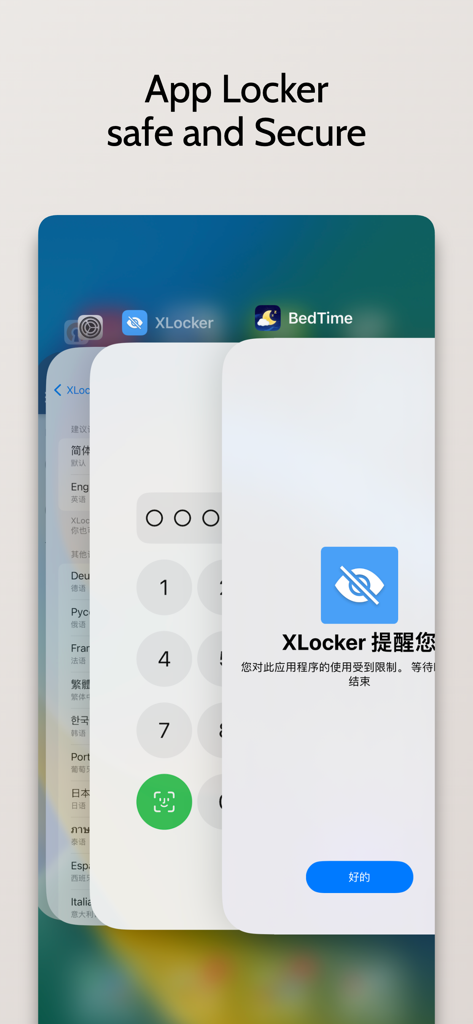
XLocker - Screen Time Control - XLockerアプリのインターフェース、アプリケーション保護のための安全なパスコードと生体認証ロック画面が表示される

XLockerアプリのインターフェース、アプリケーション保護のための安全なパスコードと生体認証ロック画面が表示される

説明

XLocker is an advanced screen time management tool specially designed for parents, providing a simple and friendly interface, convenient and fast way to manage your apps. Allows you to set daily usage limits for applications. And after the limit is reached, lock the application with a custom limit to help parents control the time their children use on iPhone & iPad. It is especially suitable for protecting privacy, reducing harassment, and enabling parents to control children's use of mobile phones. The main function: - Prevent children from using social media and games, as well as inappropriate web content. - Set daily functions, set screen time control as needed, and authorize the use of specific applications in specific time periods. Prevent Social and Gaming Addiction - Add your pictures and videos to the app for triple protection XLocker lets you restrict and restore apps easily, making it the ideal app for managing your life and work. you! value! have to! Hug! have! #Privacy Statement - XLocker does not collect any data including your selected apps, location or usage information. Unlimited Access Membership Subscription - You can subscribe for unlimited access to all features within the app – Monthly or yearly subscription at the rate chosen by the subscription plan - Payment will be charged to iTunes Account at confirmation of purchase – Subscription automatically renews unless auto-renew is turned off at least 24-hours before the end of the current period – Account will be charged for renewal within 24-hours prior to the end of the current period. Fees depend on plan selected – Subscriptions may be managed by the user and auto-renewal may be turned off by going to the user's Account Settings after purchase If you subscribe or purchase the APP, you will be able to use the following functions: 1. The application group can add up to 50 applications 2. Up to 10 application groups can be created 3. Password protect the app 5: Subsequent updates with more new features Prices above are in US dollars. Pricing in other countries may vary and actual charges may be converted to local currency depending on the country. Visit http://support.apple.com/kb/ht4098 Terms of Use: https://magicx.link/TermsofService.html Privacy Policy: https://magicx.link/privacypolicy.html Billing terms: https://magicx.link/terms.html =====Contact us===== E-mail: nullxw@gmaill.com

Download

ダウンロード: App Store

このページはアプリまたはその開発者の公式ページではなく、情報提供および論評を目的として作成された独立した編集出版物です。明示的に別段の記載がない限り、アプリおよびその開発者は、MWM、Apple、Google Play、アプリのパブリッシャー、またはアプリの開発者と提携、承認、後援、認可、またはその他の公式的な関係はなく、このページのいかなる内容も、アプリがMWMのサービスを使用して開発されたことを意味するものではありません。すべての商標、ロゴ、スクリーンショット、その他のコンテンツはそれぞれの所有者の財産です。