2Do - Todo List, Tasks & Notes
다운로드: App Store

이 페이지는 앱이나 개발자의 공식 페이지가 아니며, 정보 제공 및 논평을 목적으로 작성된 독립 편집 간행물입니다. 명시적으로 달리 언급되지 않는 한, 해당 앱이나 개발자는 MWM, Apple, Google Play, 앱 퍼블리셔 또는 앱 개발자와 제휴, 보증, 후원, 승인 또는 공식적으로 연결되어 있지 않으며, 이 페이지의 어떤 내용도 해당 앱이 MWM의 서비스를 사용하여 개발되었음을 의미하지 않습니다. 모든 상표, 로고, 스크린샷 및 기타 콘텐츠는 해당 소유자의 자산입니다.

로고: 2Do - Todo List, Tasks & Notes
다운로드: App Store

2Do - Todo List, Tasks & Notes

완전한 제어를 원하는 파워 유저를 위해 디자인되었습니다. GTD 프로젝트부터 스마트 목록, 일괄 편집까지, 당신이 일하는 방식 그대로 작동하는 데스크톱급 워크플로우를 경험해 보세요.

주요 수치

다운로드

537K+

사용자 평점

4.3/5

총 평가 수

59K+

개발사

Beehive Innovations Services

카테고리

Productivity

지원 언어

18

최신 버전

3.83

크기

81.7 MB

출시일

2009년 10월 15일
기능

타협 없는 할 일 관리

간단한 체크리스트 이상의 것을 필요로 하는 지식 근로자와 파워 유저를 위해 설계되었습니다. 2Do는 당신의 삶을 당신만의 방식으로 관리할 수 있는 유연성과 데스크톱급 성능을 제공합니다.

방법론에 구애받지 않음

엄격한 시스템에 억지로 맞춰지지 마세요. GTD, 맞춤 프로젝트, 간단한 목록 등 무엇을 사용하든 2Do는 당신의 고유한 워크플로우와 습관에 맞춰집니다.

고급 스마트 필터링

맞춤 스마트 목록과 핀치 투 줌 밀도 조절 기능으로 복잡한 프로젝트를 탐색하고 정말 중요한 것에 집중하세요.

다음 스크린샷과 설명은 앱의 공식 스토어 목록에서 직접 가져온 것이며 앱 개발자의 자산입니다.

앱 스토어

스크린샷
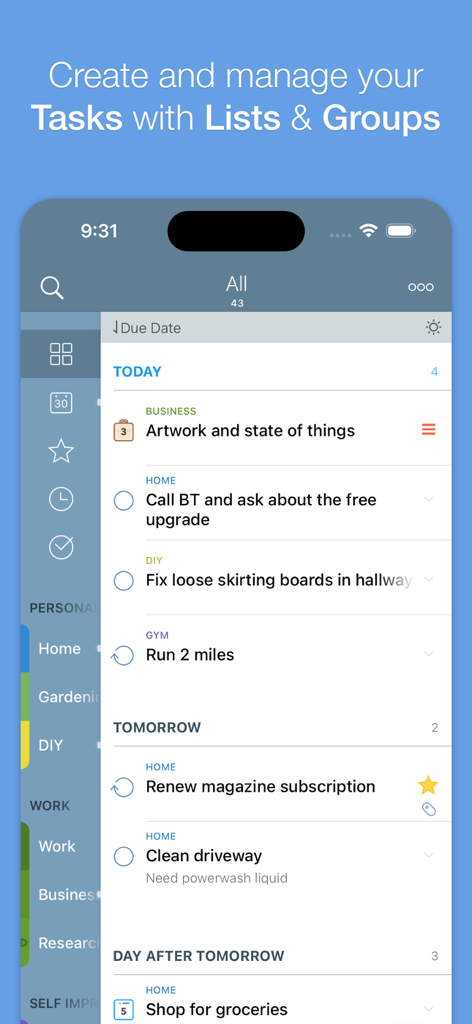
2Do - Todo List, Tasks & Notes - 2Do 앱 할 일 목록 보기. 태그와 마감일별로 분류된 예약된 작업 표시.
2Do 앱 할 일 목록 보기. 태그와 마감일별로 분류된 예약된 작업 표시.

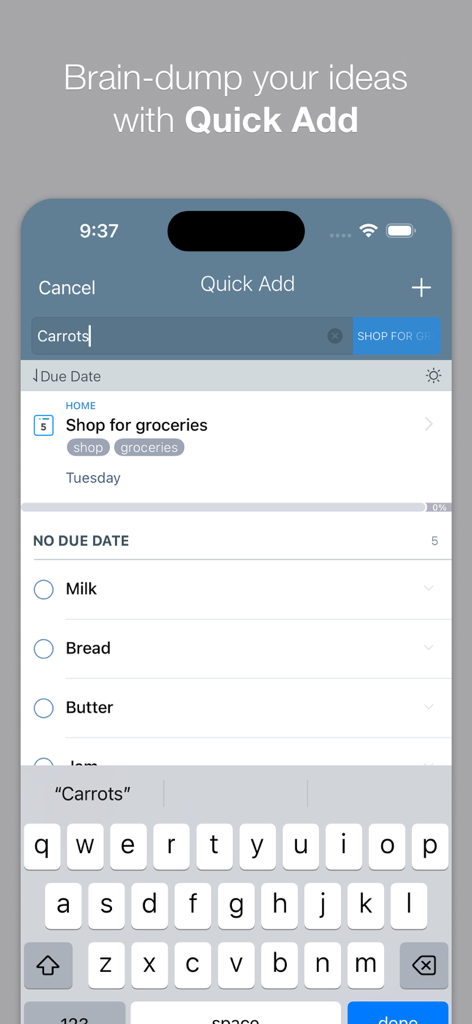
2Do - Todo List, Tasks & Notes - iPhone에서 빠른 할 일 입력을 위한 빠른 추가 기능이 표시된 2Do 앱 인터페이스
iPhone에서 빠른 할 일 입력을 위한 빠른 추가 기능이 표시된 2Do 앱 인터페이스

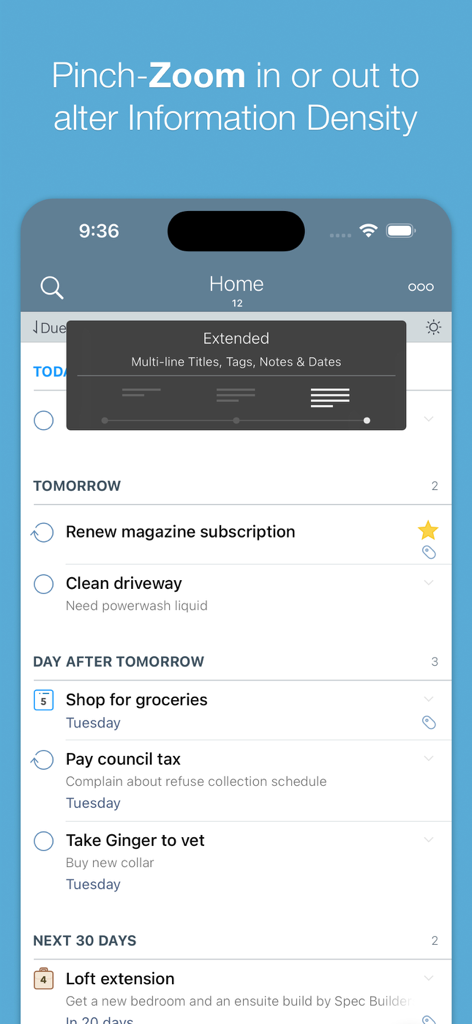
2Do - Todo List, Tasks & Notes - 정보 밀도를 조정하기 위한 핀치-줌 기능이 표시된 2Do 앱 할 일 목록 스크린샷
정보 밀도를 조정하기 위한 핀치-줌 기능이 표시된 2Do 앱 할 일 목록 스크린샷

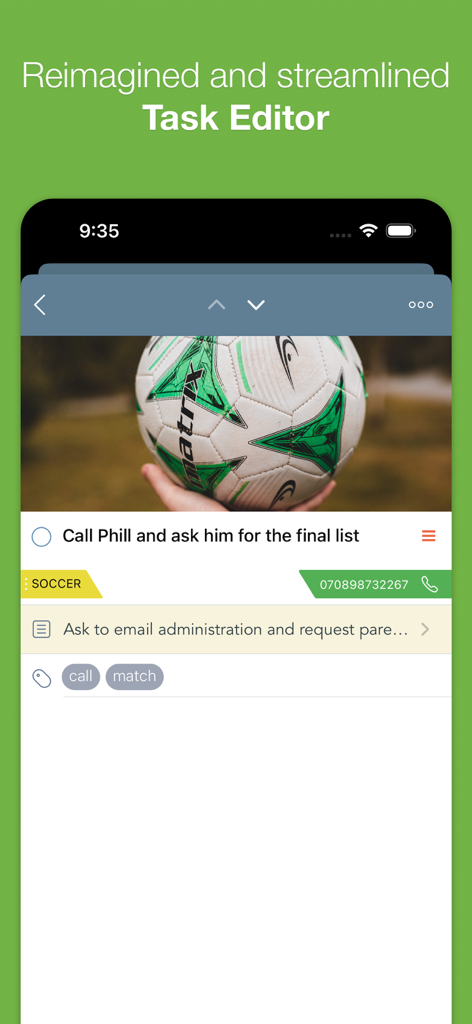
2Do - Todo List, Tasks & Notes - 첨부된 이미지, 태그 및 연락처 정보가 있는 작업이 표시된 2Do 앱 작업 편집기 인터페이스
첨부된 이미지, 태그 및 연락처 정보가 있는 작업이 표시된 2Do 앱 작업 편집기 인터페이스

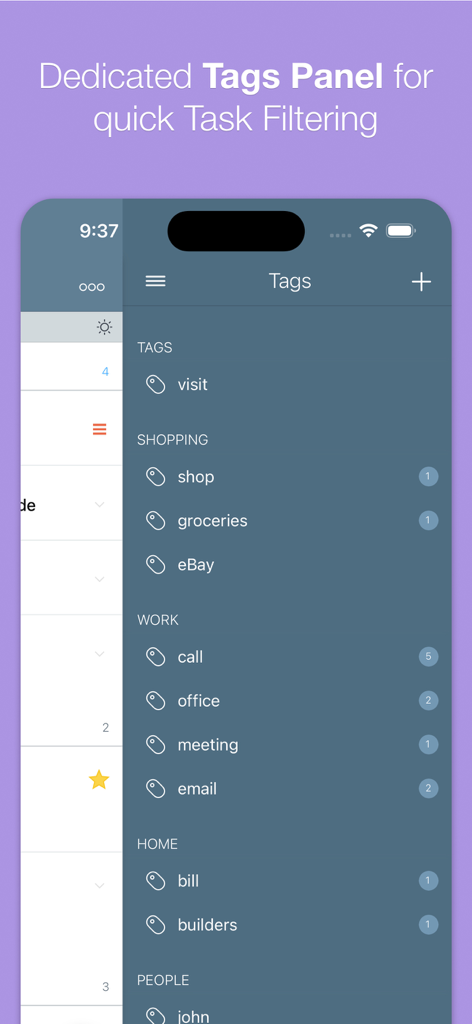
2Do - Todo List, Tasks & Notes - 작업을 구성하고 필터링하기 위한 전용 태그 패널을 보여주는 2Do 앱의 모바일 스크린샷

작업을 구성하고 필터링하기 위한 전용 태그 패널을 보여주는 2Do 앱의 모바일 스크린샷

설명

"2Do adapts to my needs, not the other way around. 2Do gets me."- Macstories 2Do lets you take a completely different approach to managing your tasks. With its extremely simple-to-use interface and a comprehensive and flexible set of powerful features, it lets you focus on what's most important to you: your life. There is no wrong way of using 2Do, and unlike other to-do apps, it won't force you in adhering to a particular task management methodology. AWARDS • Macstories: App of the Year 2015 • Apple - App of the week, June 2015 • Apple - Mac App Store “Best of 2013” • “Best App Ever Awards” Winner • Cult Of Mac - 5/5 • Gizmodo "Best app for forgetful people" - Gold Medal PLUGINS: Email to 2Do: Optional plugin that allows you to integrate your email address directly with 2Do, thus allowing you to email yourself tasks from anywhere. You can even use automation, such as IFTTT, to add reminders to your list. SYNC • Stay in sync using one of the following: Dropbox, Reminders (CalDAV), Toodledo, Fruux (CalDAV), Calendar Server (CalDAV), ownCloud (CalDAV), SabreDAV (CalDAV) or a 3rd party CalDAV Server of choice. • Using Reminders CalDAV sync enables Siri • Periodic automatic backups are created for you (compatible with 2Do for Mac) for a rainy day. • Automatic Push sync between devices SIMPLE TASKS, CHECKLISTS & PROJECTS • Create simple tasks, or checklists and projects with sub-tasks. Tasks can have notes, attachments and multiple alarms. • Set any task to repeat using a flexible set of options. • Assign multiple alerts / reminders PASSWORD PROTECTION • Set a lock to the whole app or individual lists LIST GROUPS, LISTS, INBOX & SMART LISTS • In addition to built-in Focus lists that allow you to conveniently view upcoming, starred or scheduled tasks, you can create multiple lists to manage and organize your tasks. • Built-in support for GTD Inbox • Smart lists let you harness the true potential of 2Do using a number of search options, filters and search pre-sets. Using Smart Lists, you can create custom views of your tasks and use them to focus-in or find frequently managed tasks. 
 PINCH ZOOMING • Control the amount of information you wish to see with a simple pinch-to-zoom gesture, from single line titles to multiple lines of titles, notes and tags.
 BATCH EDITING & SHARING • Drag & Drop support to move tasks between lists or drop on calendar to defer • Batch tagging, starring, marking tasks done and more • Task Sharing via AirDrop, iMessage and Email REIMAGINED TASK EDITOR & QUICK ADD • With focus on switching between editors effortlessly using a single tap only, you’ll save dozens of taps and swipes when editing your tasks. • Save your thoughts as they come to you, by using Quick Add (Tap-hold on [+]) • X-callback-url support TAGS • Manage tags from a dedicated Tags Panel • Organize your tags within groups • Leverage the powerful integration of Tags & Smart Lists to filter on frequently managed tasks. 
• Find Used vs. Unused tags YOUR TASKS UNLIMITED • Set a Start Date to hide tasks from a list before they're relevant and add Duration to put an estimate on the amount of time you’ll be spending on your task • Add an action to call, write an email or trigger a URL Scheme right from 2Do • Attach an image or a voice note to your tasks • Customizations for time management • Use as an events / party planner, or an effective birthday reminder • Desktop-class Task Manager ALERTS • Attach multiple alerts to each task • Attach locations to tasks and get nearby alerts as you approach assigned locations DESKTOP-CLASS IPAD APP • Everything from Tasks to Calendar Events - all managed from the same screen. • Manage calendar events and schedules • Split-screen support • Keyboard shortcuts EXTRAS • TextExpander support Follow us: Twitter: @2DoApp Facebook.com/The2DoApp Youtube.com/user/The2DoApp

Download

다운로드: App Store

이 페이지는 앱이나 개발자의 공식 페이지가 아니며, 정보 제공 및 논평을 목적으로 작성된 독립 편집 간행물입니다. 명시적으로 달리 언급되지 않는 한, 해당 앱이나 개발자는 MWM, Apple, Google Play, 앱 퍼블리셔 또는 앱 개발자와 제휴, 보증, 후원, 승인 또는 공식적으로 연결되어 있지 않으며, 이 페이지의 어떤 내용도 해당 앱이 MWM의 서비스를 사용하여 개발되었음을 의미하지 않습니다. 모든 상표, 로고, 스크린샷 및 기타 콘텐츠는 해당 소유자의 자산입니다.