Task Manager Progress

Task Manager Progress

다운로드: App Store
로고: Task Manager Progress

Task Manager Progress: 한 번에 1%씩 성공을 시각화하세요

압도적인 프로젝트를 명확하고 실행 가능한 단계로 변환하세요. 무제한 하위 작업으로 목표를 나누고 자동화된 시각적 진행 상황 추적을 통해 추진력을 구축하세요.

다운로드: App Store

개발사

Dylan Zaoui

카테고리

Productivity

다운로드

0

사용자 평점

1.0/5

총 평가 수

0

지원 언어

2

추진력 시각화

이 인터페이스를 사용하는 0 명의 사용자.

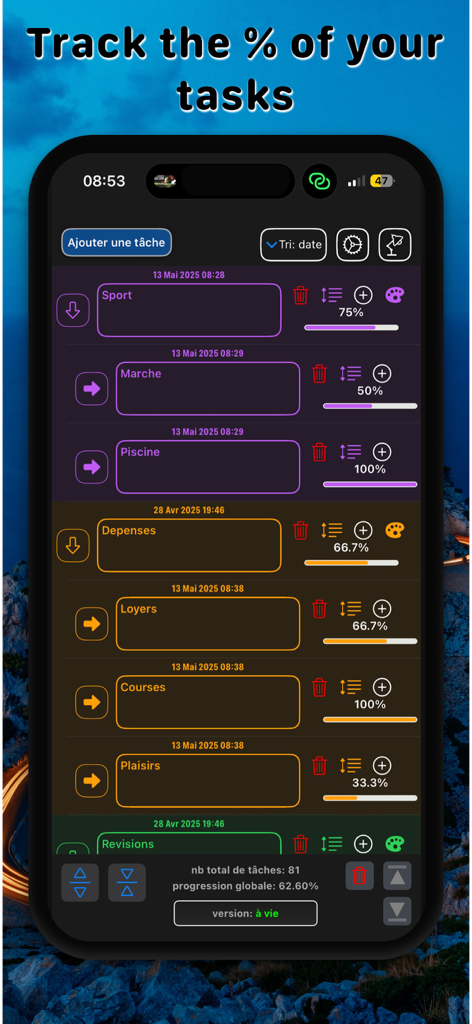
Task Manager Progress 앱 화면은 개별 백분율 완료 표시줄과 색상으로 구분된 범주 목록을 표시합니다.
Task Manager Progress 앱 화면은 개별 백분율 완료 표시줄과 색상으로 구분된 범주 목록을 표시합니다.

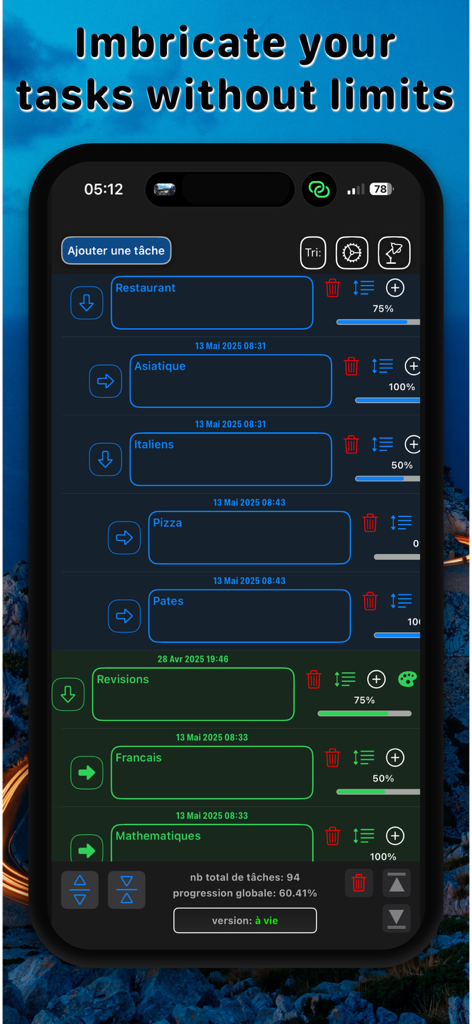
Task Manager Progress 앱 인터페이스는 시각적 진행률 표시줄과 완료 백분율이 있는 계층적 작업 목록을 표시합니다.
Task Manager Progress 앱 인터페이스는 시각적 진행률 표시줄과 완료 백분율이 있는 계층적 작업 목록을 표시합니다.

모바일 앱 화면은 시각적 진행률 표시줄과 완료 백분율이 있는 작업 목록을 표시합니다.
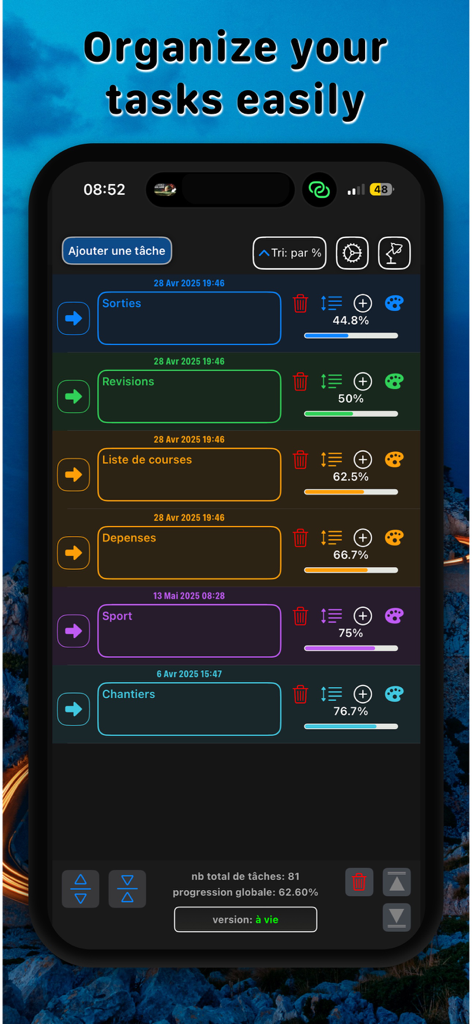
모바일 앱 화면은 시각적 진행률 표시줄과 완료 백분율이 있는 작업 목록을 표시합니다.

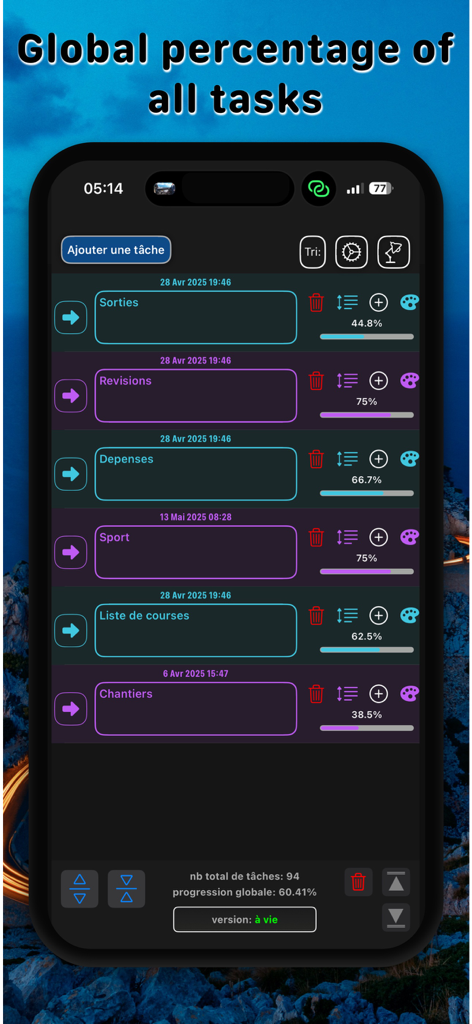
Task Manager Progress 모바일 앱 인터페이스는 색상으로 구분된 범주와 백분율 진행률 표시줄이 있는 작업 목록을 보여줍니다.
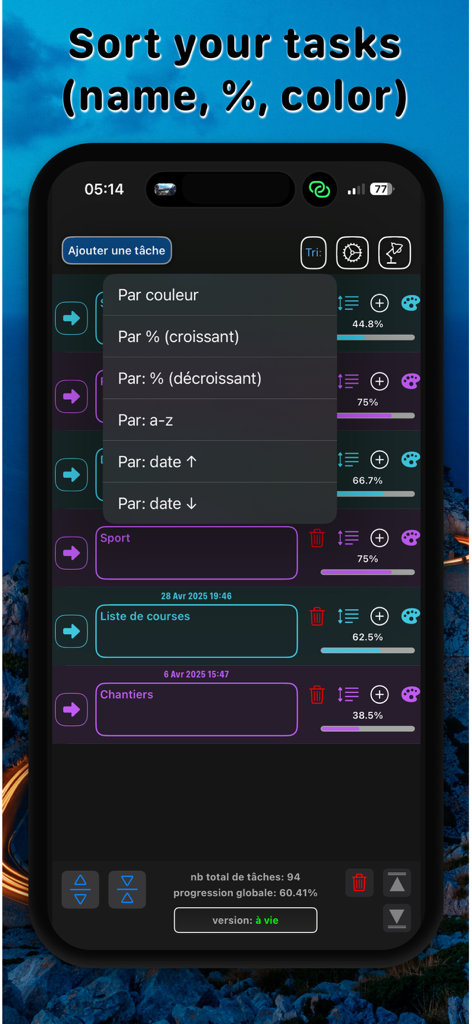
Task Manager Progress 모바일 앱 인터페이스는 색상으로 구분된 범주와 백분율 진행률 표시줄이 있는 작업 목록을 보여줍니다.

Task Manager Progress 앱의 인터페이스는 색상, 백분율 및 알파벳순 정렬 옵션이 있는 작업 정렬 메뉴를 보여줍니다.
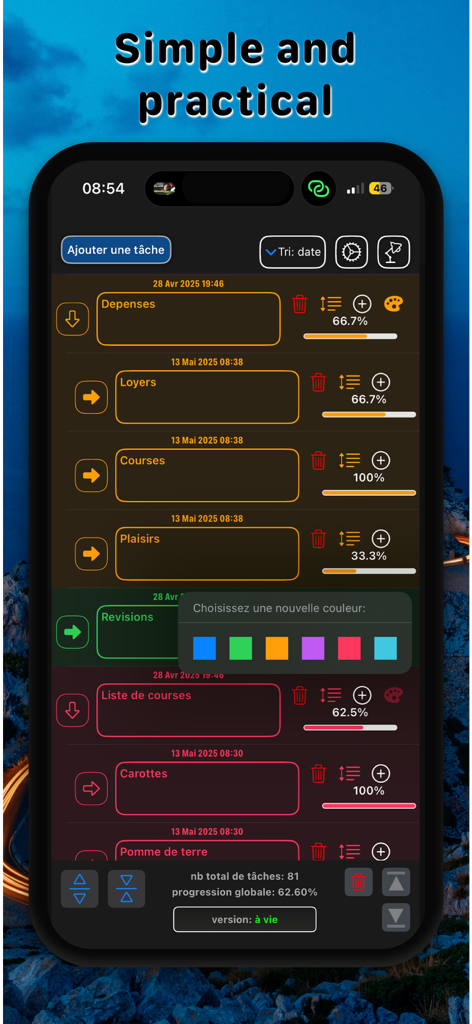
Task Manager Progress 앱의 인터페이스는 색상, 백분율 및 알파벳순 정렬 옵션이 있는 작업 정렬 메뉴를 보여줍니다.

모바일 앱 대시보드는 진행률 백분율과 색상 선택기가 있는 작업 목록을 표시합니다.
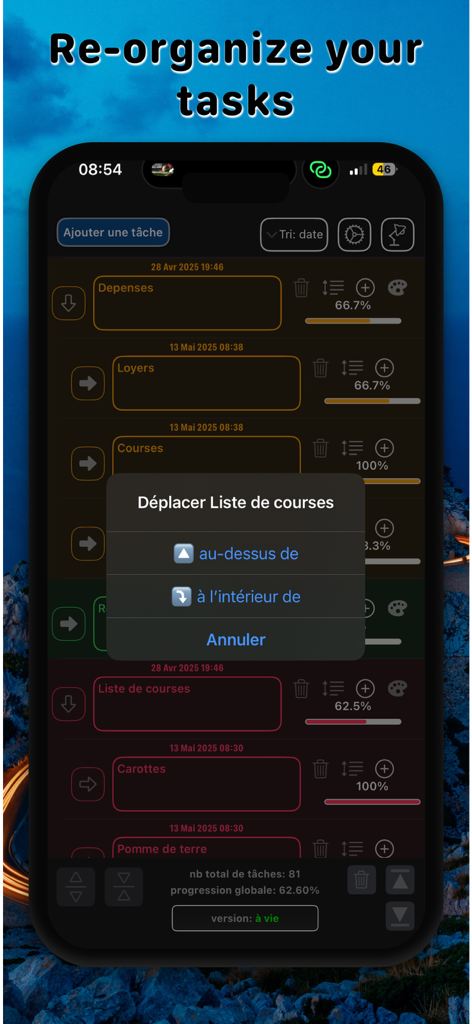
모바일 앱 대시보드는 진행률 백분율과 색상 선택기가 있는 작업 목록을 표시합니다.

Task Manager Progress 앱의 iPhone 화면은 진행률 백분율 표시줄을 사용하여 작업 목록을 재정렬하고 중첩하는 메뉴를 표시합니다.
Task Manager Progress 앱의 iPhone 화면은 진행률 백분율 표시줄을 사용하여 작업 목록을 재정렬하고 중첩하는 메뉴를 표시합니다.

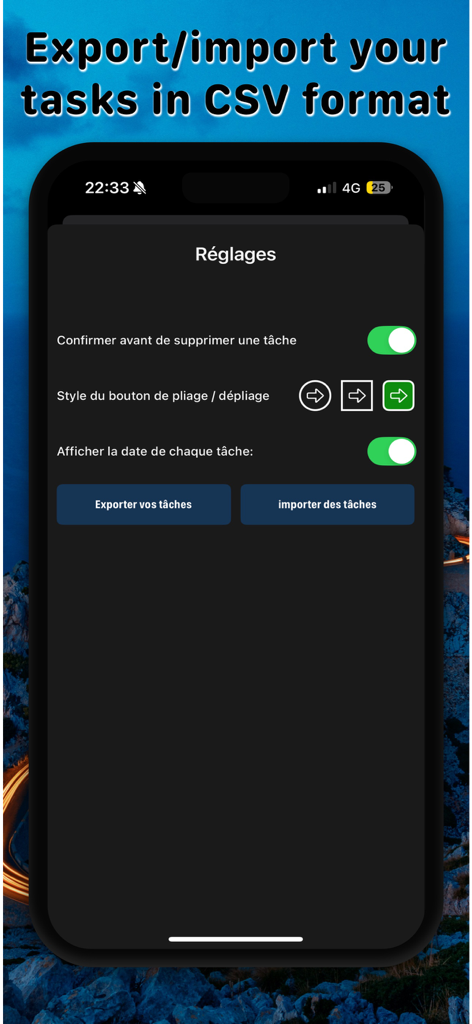
Task Manager Progress의 설정 화면은 작업 관리를 위한 CSV 내보내기 및 가져오기 옵션을 보여줍니다.

Task Manager Progress의 설정 화면은 작업 관리를 위한 CSV 내보내기 및 가져오기 옵션을 보여줍니다.

추진력 시각화

이 앱을 돋보이게 하는 도구, 0 명의 사용자가 선택.

🪜

무한한 작업 계층

무제한 하위 작업으로 나누어 복잡한 프로젝트를 마스터하세요. 구조화된 실행 계획이 필요한 사람들에게 완벽합니다.

📊

즉각적인 도파민 히트

작업하면서 진행률 표시줄이 자동으로 올라가는 것을 지켜보세요. 목표가 100%를 향해 나아가는 것을 보는 시각적 만족감을 얻으세요.

우아한 단순함

불필요한 기능이나 소음이 없습니다. 실행에 집중할 수 있도록 설계된 미니멀하고 깔끔한 인터페이스를 즐기세요. 앱 구성에 집중할 필요가 없습니다.

앱 소개

에 대해 알아야 할 모든 것 Task Manager Progress.

설명

Task Manager Progress is a simple, elegant and powerful application for clearly organizing your tasks and projects. Designed for those who want to keep a structured overview of their daily routine, without unnecessary complexity, it lets you visualize your objectives, track your progress and stay focused on the essentials. One of Task Manager Progress's greatest assets is its hierarchical task management. Each task can contain an unlimited number of sub-tasks, making it ideal for both complex projects and simple, everyday to-do lists. You can organize your ideas by levels, detailing a step-by-step action plan and progressing methodically towards your goals. To help you keep track of your progress, each task has a clear visual progress indicator, expressed as a percentage. As you complete sub-tasks, the main task fills in automatically, giving you an immediate overview of the progress of your projects, without having to juggle between several tools. Task Manager Progress's interface is designed to get straight to the point. You can create, edit and structure your tasks in just a few clicks. Each element is presented in a legible, orderly fashion, without overloading your screen. The application focuses on what really matters: the clarity and legibility of your objectives. Task Manager Progress also lets you keep control of your data: easily export and import your to-do lists from one device to another. Whether you're at home, at work or on the move, you can pick up where you left off. Here's what Task Manager Progress has to offer: - An unlimited hierarchical task structure - An automatic progress system based on the progress of sub-tasks - A simple, uncluttered interface, with no unnecessary distractions - The ability to import/export your data for cross-platform management Whether you're planning a personal project, managing a daily routine or building a detailed work plan, Task Manager Progress helps you stay aligned with your priorities, one step at a time. Try Task Manager Progress today and discover a new, easy way to structure your ideas. TERMS OF USE (EULA): https://privacy-policies-task-manager.netlify.app/termsOfUse PRIVACY POLICIES: https://privacy-policies-task-manager.netlify.app

최신 버전

1.0.11

크기

13.3 MB

출시일

2025년 3월 4일

한 번에 하나의 하위 작업씩 진행 상황을 시각화하세요.

압도적인 프로젝트를 명확하고 관리 가능한 단계로 바꾸는 시각적 목표 추구자들과 함께하세요. Task Manager Progress를 다운로드하고 추진력이 100%에 도달하는 것을 지켜보세요.

다운로드: App Store

App information, icons, screenshots, and descriptions displayed on this page are sourced from the Apple App Store and are the property of their respective developers. Download estimates and rankings are based on MWM's proprietary models and may not reflect actual figures. This page is provided for informational and analytical purposes only.

Believe this page infringes your intellectual property? File a dispute