
이 페이지는 앱이나 개발자의 공식 페이지가 아니며, 정보 제공 및 논평을 목적으로 작성된 독립 편집 간행물입니다. 명시적으로 달리 언급되지 않는 한, 해당 앱이나 개발자는 MWM, Apple, Google Play, 앱 퍼블리셔 또는 앱 개발자와 제휴, 보증, 후원, 승인 또는 공식적으로 연결되어 있지 않으며, 이 페이지의 어떤 내용도 해당 앱이 MWM의 서비스를 사용하여 개발되었음을 의미하지 않습니다. 모든 상표, 로고, 스크린샷 및 기타 콘텐츠는 해당 소유자의 자산입니다.


Abode - Home Design & Remodel
전문적인 평면도를 만들고, 가구 배치를 실험하고, 몰입형 VR 모드를 통해 미래의 집을 탐색하세요. 자신감을 가지고 디자인하고, 건축 전에 값비싼 실수를 피하세요.
다운로드
845K+사용자 평점
총 평가 수
2K+개발사
카테고리
Shopping지원 언어
1최신 버전
6.8크기
213.1 MB출시일
2015년 5월 3일당신의 비전을 현실로 만드세요
전체 리모델링을 계획하든, 단순히 방을 새로 꾸미든, Abode는 꿈의 집 프로젝트를 쉽게 디자인, 시각화 및 공유하는 데 필요한 전문가 수준의 도구를 제공합니다.
몰입형 3D 워크스루
1인칭 또는 VR 모드로 집을 경험하세요. 리모델링이 시작되기 전에 모든 세부 사항이 완벽한지 확인하기 위해 디자인을 둘러보세요.
스마트 공간 계획
드래그 앤 드롭 기능을 사용하여 가구와 장식을 배치하세요. 물건이 어떻게 맞는지 정확히 보고 공간 퍼즐을 풀고 값비싼 실수를 피하세요.
자주 묻는 질문
에 대해 알아야 할 모든 것 Abode - Home Design & Remodel
Abode - Home Design & Remodel 앱은 무엇에 사용되나요?
Abode - Home Design & Remodel은 사용자가 2D 및 3D 보기 모두에서 평면도를 생성, 시각화 및 사용자 정의할 수 있는 홈 디자인 앱입니다. 꿈의 집 건설을 효과적으로 계획하는 데 도움이 됩니다.
Abode - Home Design & Remodel은 2D 및 3D 시각화를 제공하나요?
네, Abode - Home Design & Remodel 앱을 사용하면 사용자가 2D 및 3D로 집 디자인을 볼 수 있습니다. 이를 통해 레이아웃과 미학에 대한 포괄적인 이해를 제공합니다.
Easy Home Planner 앱에서 평면도를 어떻게 사용자 정의하나요?
Easy Home Planner 앱은 드래그 앤 드롭 기능을 갖춘 사용자 정의 가능한 평면도를 제공합니다. 사용자는 방, 문, 창문을 추가하고 방대한 디자인 요소 중에서 선택하여 공간을 맞춤 설정할 수 있습니다.
Abode - Home Design & Remodel로 만든 집 디자인을 공유할 수 있나요?
네, Abode - Home Design & Remodel을 사용하면 사용자가 만든 디자인을 저장하고 공유할 수 있습니다. 이메일이나 소셜 미디어를 통해 공유하는 옵션과 디자인을 인쇄하고 다운로드하는 옵션이 있습니다.
Abode - Home Design & Remodel 앱은 어떤 다른 보기 모드를 제공하나요?
Abode - Home Design & Remodel은 집 디자인을 탐색하기 위한 여러 보기 모드를 제공합니다. 여기에는 다양한 관점을 위한 플라이오버, 프레젠테이션, 1인칭 및 가상 현실(VR) 모드가 포함됩니다.
Abode - Home Design & Remodel 앱은 전문 디자이너에게 적합한가요?
네, Abode - Home Design & Remodel은 전문 디자이너에게 적합합니다. 주택 소유자 및 디자인 애호가를 포함한 다양한 사용자를 위해 완벽한 생활 공간을 만드는 데 필요한 도구를 제공합니다.
Easy Home Planner 앱에서 저장된 프로젝트를 어떻게 관리하나요?
Easy Home Planner 앱을 사용하면 사용자가 집 계획을 쉽게 관리할 수 있습니다. 애플리케이션 내에서 직접 디자인을 배포, 복제, 이름 바꾸기 및 삭제할 수 있습니다.
Abode - Home Design & Remodel의 개인정보처리방침은 어디에서 찾을 수 있나요?
Abode - Home Design & Remodel의 개인정보처리방침은 http://bit.ly/3Lc43Ys에 있습니다. 이 문서는 앱이 사용자 데이터와 개인정보 문제를 어떻게 처리하는지 설명합니다.
다음 스크린샷과 설명은 앱의 공식 스토어 목록에서 직접 가져온 것이며 앱 개발자의 자산입니다.
앱 스토어
스크린샷
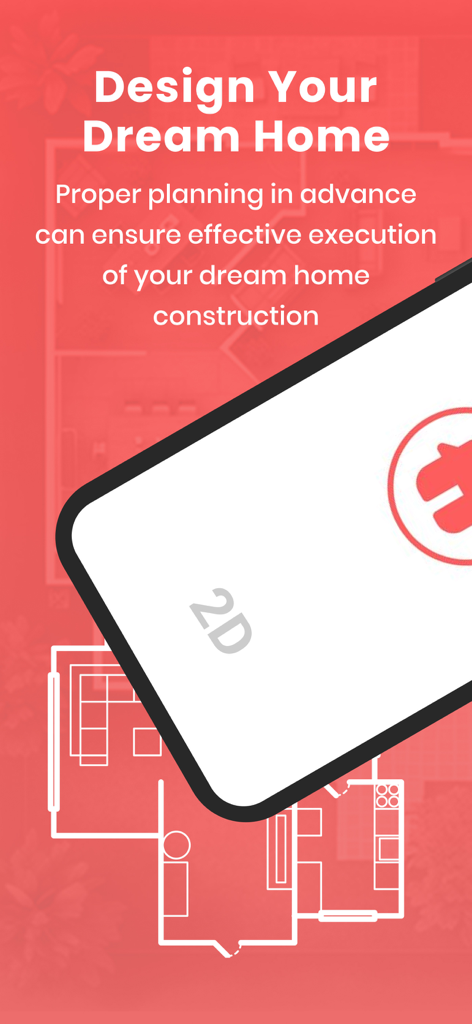
꿈의 집 건설을 위한 2D 평면도를 특징으로 하는 Abode 앱의 홍보 화면
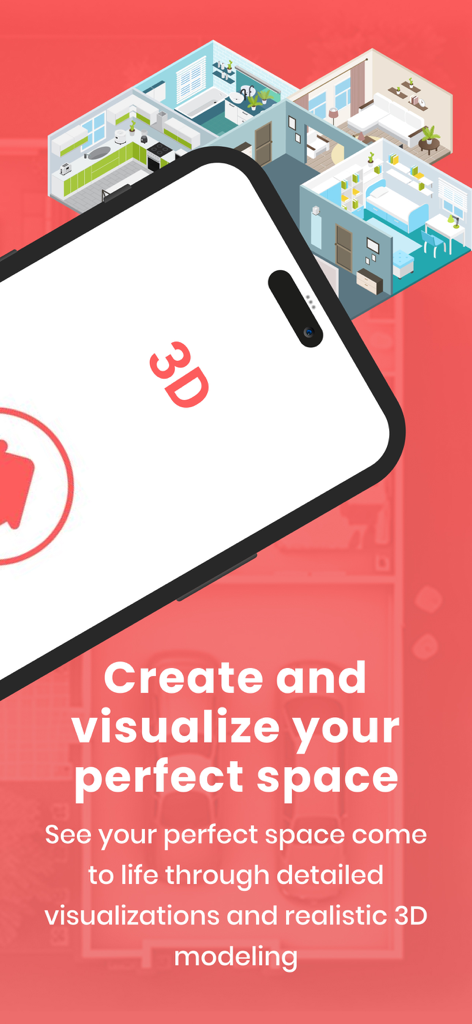
집 디자인 및 리모델링을 위한 3D 평면도 시각화를 표시하는 스마트폰
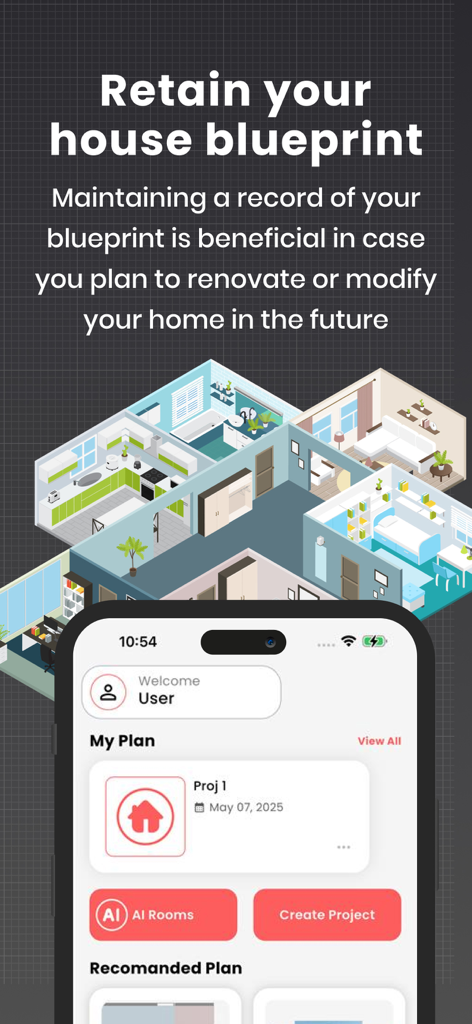
3D 주택 청사진 및 프로젝트 관리 대시보드를 보여주는 Abode 앱 인터페이스.
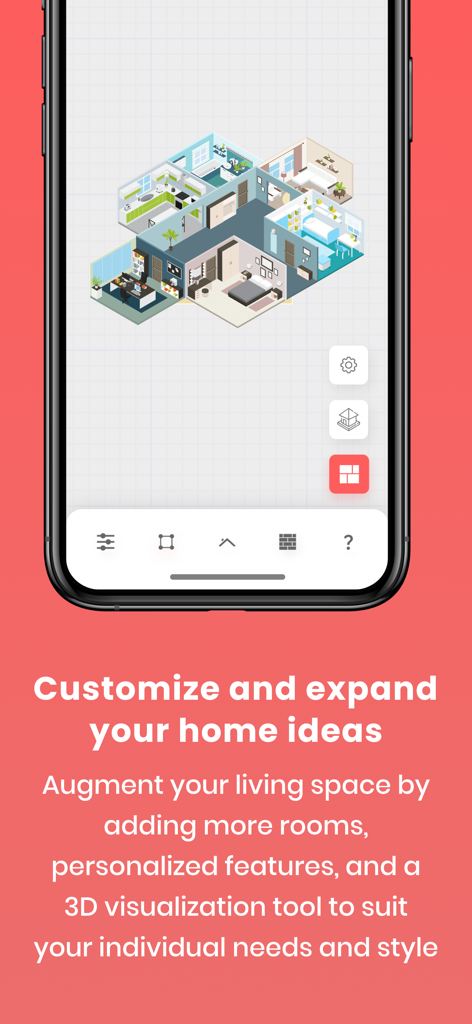
리모델링 및 디자인을 위한 3D 주택 평면도를 표시하는 스마트폰 화면
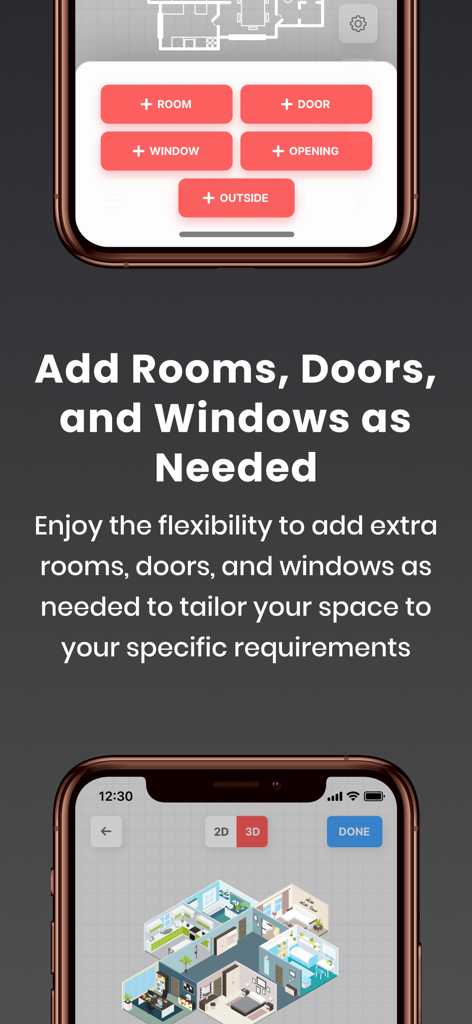
3D 평면도 미리보기와 함께 방, 문, 창문을 추가하는 옵션을 보여주는 Abode 앱의 인터페이스
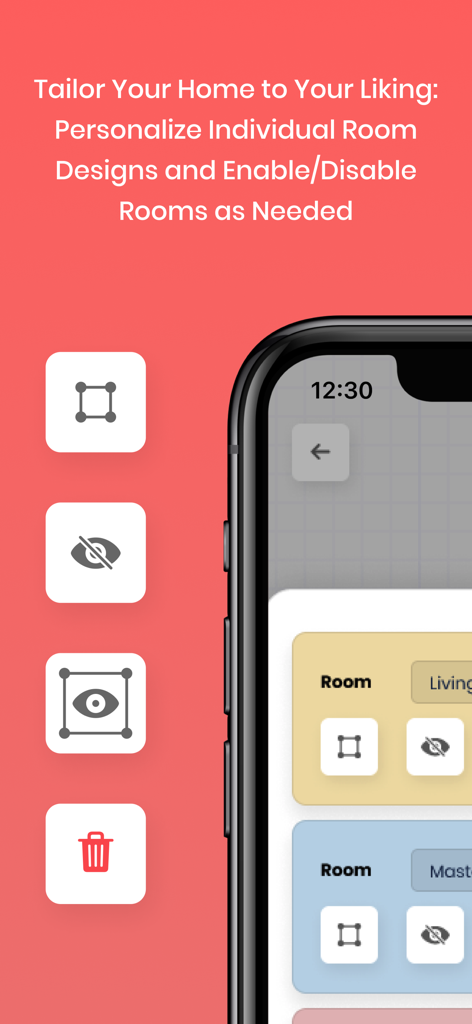
방을 편집, 숨기기 또는 삭제하는 도구와 함께 개별 방 디자인을 개인화하고 관리하는 방법을 보여주는 Abode 앱의 스마트폰 인터페이스
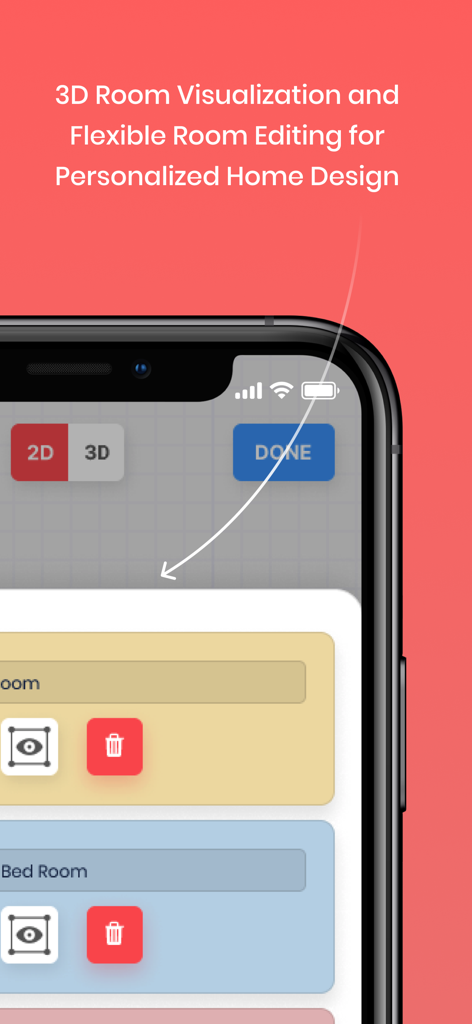
Abode 앱의 스마트폰 화면으로 3D 방 시각화 및 평면도 편집 기능을 표시합니다
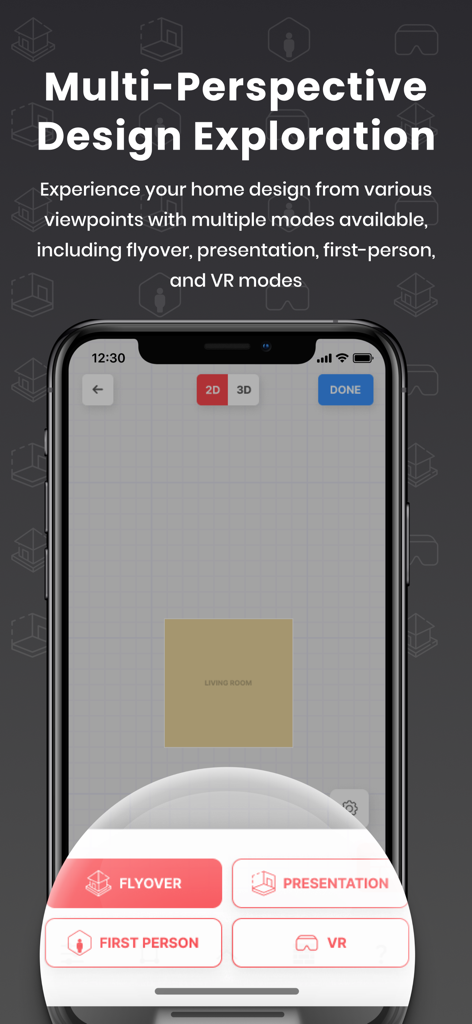
Abode 앱 인터페이스는 VR 및 플라이오버를 포함한 다중 관점 홈 디자인 탐색 모드를 보여줍니다.
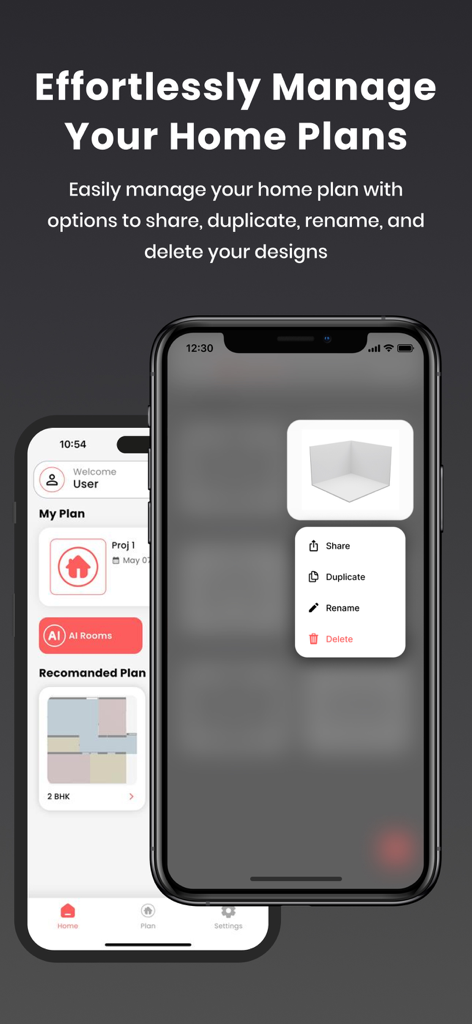
Abode 앱에서 공유, 복제 및 이름 바꾸기 옵션을 포함한 홈 플랜 관리 기능을 보여주는 iPhone 화면
설명
Download
비슷한 앱
유사한 기능과 사용자 경험을 가진 앱

Floor Plan & AI Home - CamPlan
CamPlan AI Ltd

SketchUp - 3D Modeling
Trimble Inc.

ArcSite: Floor Plans and CAD
Arctuition LLC

Morpholio Trace - Sketch CAD
Morpholio LLC

Keyplan 3D Lite - Home design
Quasarts LLC

Smart Home Design 3D
Sebastian Kemper

Keyplan 3D - Home design
Quasarts LLC

Home Design 3D: Draw & Plan
Anuman

Homestyler-3D Home Decor
Homestyler (Shanghai) Technology Co., Ltd.
이 페이지는 앱이나 개발자의 공식 페이지가 아니며, 정보 제공 및 논평을 목적으로 작성된 독립 편집 간행물입니다. 명시적으로 달리 언급되지 않는 한, 해당 앱이나 개발자는 MWM, Apple, Google Play, 앱 퍼블리셔 또는 앱 개발자와 제휴, 보증, 후원, 승인 또는 공식적으로 연결되어 있지 않으며, 이 페이지의 어떤 내용도 해당 앱이 MWM의 서비스를 사용하여 개발되었음을 의미하지 않습니다. 모든 상표, 로고, 스크린샷 및 기타 콘텐츠는 해당 소유자의 자산입니다.