AI Art - Private Diffusion Pro
다운로드: App Store

이 페이지는 앱이나 개발자의 공식 페이지가 아니며, 정보 제공 및 논평을 목적으로 작성된 독립 편집 간행물입니다. 명시적으로 달리 언급되지 않는 한, 해당 앱이나 개발자는 MWM, Apple, Google Play, 앱 퍼블리셔 또는 앱 개발자와 제휴, 보증, 후원, 승인 또는 공식적으로 연결되어 있지 않으며, 이 페이지의 어떤 내용도 해당 앱이 MWM의 서비스를 사용하여 개발되었음을 의미하지 않습니다. 모든 상표, 로고, 스크린샷 및 기타 콘텐츠는 해당 소유자의 자산입니다.


로고: AI Art - Private Diffusion Pro
다운로드: App Store

AI Art - Private Diffusion Pro

완전한 데이터 주권으로 고품질 AI 창의력을 발휘하세요. 인터넷이 필요 없으며, 구독도 없고, 기기 하드웨어만으로 무제한 생성이 가능합니다.

주요 수치

다운로드

1K+

사용자 평점

1.0/5

총 평가 수

0

개발사

昱旻 利

카테고리

Graphics & Design

지원 언어

1

최신 버전

1.5

크기

2.8 GB

출시일

2025년 6월 3일
기능

프라이버시를 기반으로 설계된 전문가 수준의 AI 아트

Apple 기기에서 Stable Diffusion XL의 모든 성능을 로컬에서 활용하세요. 인터넷, 구독, 절대적인 데이터 주권이 필요 없습니다.

100% 로컬 및 프라이빗

데이터는 기기를 벗어나지 않습니다. 생성은 전적으로 기기 내에서 이루어지므로, 프롬프트와 이미지는 다른 클라우드 서버로부터 안전하게 사용자의 것입니다.

전문가급 SDXL 결과물

M 시리즈 칩 또는 iPhone 14+의 성능을 최대한 활용하도록 특별히 최적화된 최신 Stable Diffusion XL 모델로 고품질, 시네마틱 아트를 경험하세요.

다음 스크린샷과 설명은 앱의 공식 스토어 목록에서 직접 가져온 것이며 앱 개발자의 자산입니다.

앱 스토어

스크린샷
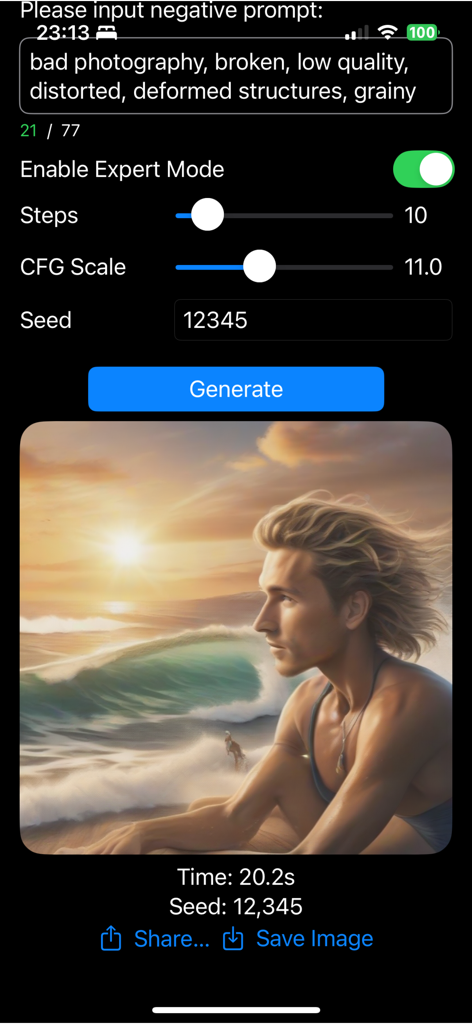
AI Art - Private Diffusion Pro - AI Art Private Diffusion Pro 앱 인터페이스가 전문가 생성 설정과 해변에 있는 남자의 고품질 AI 이미지를 보여줌
AI Art Private Diffusion Pro 앱 인터페이스가 전문가 생성 설정과 해변에 있는 남자의 고품질 AI 이미지를 보여줌

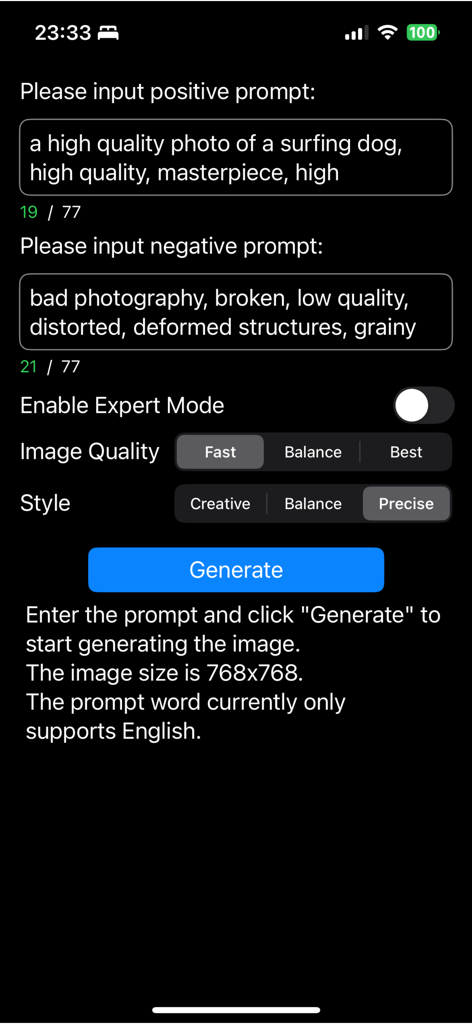
AI Art - Private Diffusion Pro - AI Art Private Diffusion Pro의 사용자 인터페이스가 긍정 및 부정 프롬프트 입력 필드와 생성 설정을 보여줌
AI Art Private Diffusion Pro의 사용자 인터페이스가 긍정 및 부정 프롬프트 입력 필드와 생성 설정을 보여줌

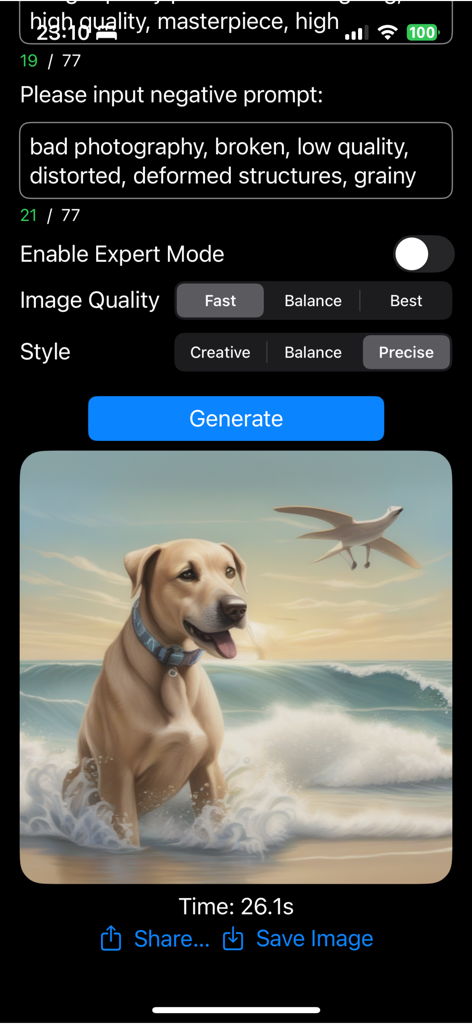
AI Art - Private Diffusion Pro - AI Art Private Diffusion Pro 앱 인터페이스가 프롬프트 설정과 해변에 있는 개의 생성 이미지를 보여줌

AI Art Private Diffusion Pro 앱 인터페이스가 프롬프트 설정과 해변에 있는 개의 생성 이미지를 보여줌

설명

If you are the kind of person who values privacy and wants to keep your generated images private, our software is the perfect solution for you. Run Stable Diffusion XL locally! No need to connect to the Internet, guarantee privacy, no ads, unlimited times! It is recommended to use iPhone 14 or above, or iPad/Mac with M2 or higher chip. In order to provide a smoother experience, iOS 17 / MacOS 14 or above is recommended. iOS 16 / MacOS 13 is the lowest supported version. If you use lower chips, the loading time will be longer. iPhone 14 will take about 3 minutes to load the model, but M1 will take about 12 minutes. The generation speed depends on your phone configuration. It takes about 26 seconds for iPhone 14 to generate an image under the default configuration. If you generate multiple times in a row, the phone may overheat and slow down the generation speed. If the generation effect is not good, you can repeat the generation several times to see. It is also recommended to learn prompt skills before you use this App. Note: This version of the app is powered by Stable Diffusion XL (SDXL), offerinThis app, named "Local AI Art Private Pro," features the latest Stable Diffusion XL (SDXL) model, delivering higher-quality and more detailed AI-generated art. It is designed for users with newer devices who seek premium performance and output. Please note this is a distinct app from our earlier release, "Local AI Art Private Diffusion," which uses the Stable Diffusion 2.1 (SD2.1) model. The earlier app targets users needing faster processing and compatibility with lower-end hardware. Both apps serve different user needs and hardware capabilities, so please choose the version that best suits your device and preferences.This version of the app is powered by Stable Diffusion XL (SDXL), offering enhanced output quality and larger model capabilities. It is optimised for newer devices and users seeking high-fidelity AI-generated art. For users with older devices or who prefer faster generation with smaller model size, please check out our SD 2.1-based app, which is separately available on the App Store. Each version is designed to serve different needs and performance requirements.

Download

다운로드: App Store

이 페이지는 앱이나 개발자의 공식 페이지가 아니며, 정보 제공 및 논평을 목적으로 작성된 독립 편집 간행물입니다. 명시적으로 달리 언급되지 않는 한, 해당 앱이나 개발자는 MWM, Apple, Google Play, 앱 퍼블리셔 또는 앱 개발자와 제휴, 보증, 후원, 승인 또는 공식적으로 연결되어 있지 않으며, 이 페이지의 어떤 내용도 해당 앱이 MWM의 서비스를 사용하여 개발되었음을 의미하지 않습니다. 모든 상표, 로고, 스크린샷 및 기타 콘텐츠는 해당 소유자의 자산입니다.







