AI-Camera
AI-Camera
다운로드: App Store

이 페이지는 앱이나 개발자의 공식 페이지가 아니며, 정보 제공 및 논평을 목적으로 작성된 독립 편집 간행물입니다. 명시적으로 달리 언급되지 않는 한, 해당 앱이나 개발자는 MWM, Apple, Google Play, 앱 퍼블리셔 또는 앱 개발자와 제휴, 보증, 후원, 승인 또는 공식적으로 연결되어 있지 않으며, 이 페이지의 어떤 내용도 해당 앱이 MWM의 서비스를 사용하여 개발되었음을 의미하지 않습니다. 모든 상표, 로고, 스크린샷 및 기타 콘텐츠는 해당 소유자의 자산입니다.


로고: AI-Camera
다운로드: App Store

AI-Camera

빠르고 오프라인 AI로 독립성과 발견을 가능하게 합니다. 100% 온디바이스 개인 정보 보호를 통해 어디서든 수천 개의 객체를 즉시 식별합니다.

주요 수치

다운로드

1K+

사용자 평점

4.4/5

총 평가 수

300

개발사

Markus Malik

카테고리

Photo & Video

지원 언어

1

최신 버전

3

크기

93.1 MB

출시일

2018년 3월 6일
기능

세상을 즉시 이해하세요

온디바이스 AI의 힘을 활용하여 객체를 식별하고, 설명을 듣고, 완전한 개인 정보 보호와 지연 없이 주변 환경을 탐색하세요.

순수한 온디바이스 AI

사진은 절대 iPhone을 떠나지 않습니다. 인터넷 연결 없이 숲 속 깊은 곳이나 집 안에서도 작동하는 번개처럼 빠른 식별을 즐기세요.

음성 안내 인식

음성 출력을 활성화하여 객체를 즉시 소리 내어 말하게 하세요. 이는 접근성을 위한 강력한 도구이며, 어린이가 탐색하고 학습할 수 있는 재미있고 상호작용적인 방법입니다.

다음 스크린샷과 설명은 앱의 공식 스토어 목록에서 직접 가져온 것이며 앱 개발자의 자산입니다.

앱 스토어

스크린샷
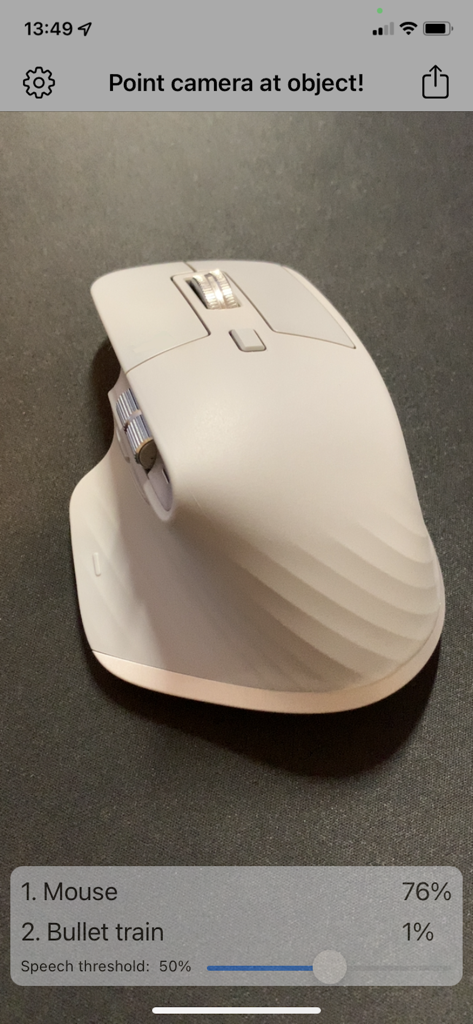
AI-Camera - AI-카메라 앱 인터페이스가 흰색 컴퓨터 마우스를 76% 신뢰도로 감지하는 모습
AI-카메라 앱 인터페이스가 흰색 컴퓨터 마우스를 76% 신뢰도로 감지하는 모습

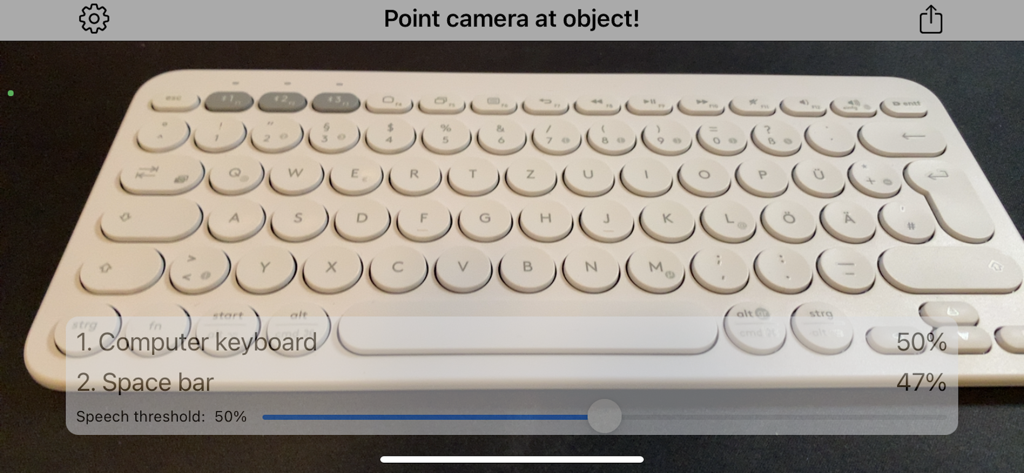
AI-Camera - AI-카메라 앱 인터페이스가 컴퓨터 키보드를 50% 신뢰도로 식별하는 모습
AI-카메라 앱 인터페이스가 컴퓨터 키보드를 50% 신뢰도로 식별하는 모습

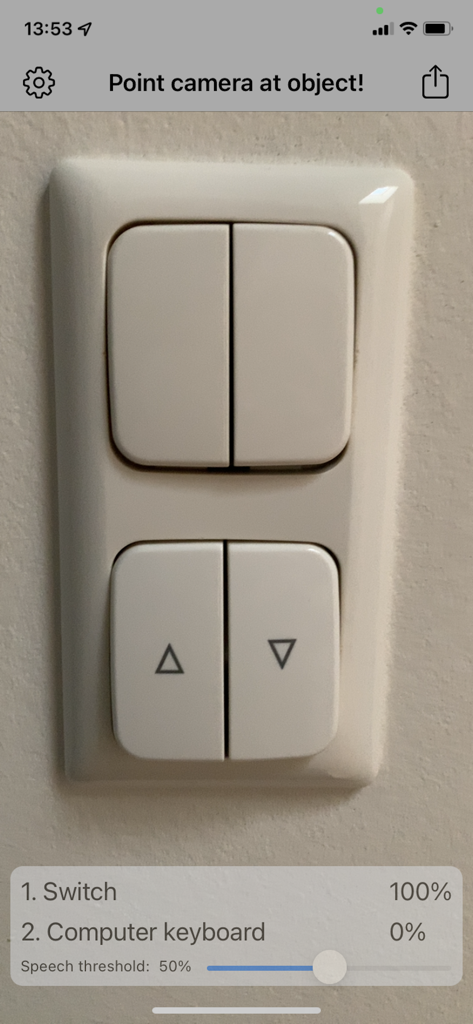
AI-Camera - AI-카메라 앱 인터페이스가 벽에 있는 전등 스위치를 100% 신뢰도로 감지하는 모습

AI-카메라 앱 인터페이스가 벽에 있는 전등 스위치를 100% 신뢰도로 감지하는 모습

설명

Point camera at objects and let iPhone detect and speak it out with Artificial Intelligence! - Detect objects and scenes - Voice output - Online connection not needed - everything runs locally - Share function General: After the first start you are in object detection mode. Point your camera to objects and the detection starts automatically. In the top left you can tap on the settings icon. The Share Button in the top right allows you to share the photos and informations you detected. When you press the Share Button the capturing is halted. After sharing and returning to the Main Screen simply press the ‘Continue’-Button in the center. Settings: Speech can be turned off completely. Tip: The detection works bests in lighted environments. You can also search photos of things or face in the internet and just point your iOS camera to the photos. Object detection: Point your camera to objects. The app will try to detect the object from more than 1000 categories. Try animals, furnishing, household objects, cars, fruits and vegetables. The 1st guess is the most likely object description with the highest confidence. The percentage value of confidence is stated right to the object description. The 2nd most likely guess is also stated. With the slider "Speech threshold" you can set an percentage value. When the confidence percentage is greater or equal as that value the object will be spoken. When you set the slider all way to the left speech is disabled. In the top banner in the camera feed the current machine learning model is on the left. The frames per second of detection on the right of the banner. Have fun with AI-Camera!

Download

다운로드: App Store

이 페이지는 앱이나 개발자의 공식 페이지가 아니며, 정보 제공 및 논평을 목적으로 작성된 독립 편집 간행물입니다. 명시적으로 달리 언급되지 않는 한, 해당 앱이나 개발자는 MWM, Apple, Google Play, 앱 퍼블리셔 또는 앱 개발자와 제휴, 보증, 후원, 승인 또는 공식적으로 연결되어 있지 않으며, 이 페이지의 어떤 내용도 해당 앱이 MWM의 서비스를 사용하여 개발되었음을 의미하지 않습니다. 모든 상표, 로고, 스크린샷 및 기타 콘텐츠는 해당 소유자의 자산입니다.








