이 페이지는 앱이나 개발자의 공식 페이지가 아니며, 정보 제공 및 논평을 목적으로 작성된 독립 편집 간행물입니다. 명시적으로 달리 언급되지 않는 한, 해당 앱이나 개발자는 MWM, Apple, Google Play, 앱 퍼블리셔 또는 앱 개발자와 제휴, 보증, 후원, 승인 또는 공식적으로 연결되어 있지 않으며, 이 페이지의 어떤 내용도 해당 앱이 MWM의 서비스를 사용하여 개발되었음을 의미하지 않습니다. 모든 상표, 로고, 스크린샷 및 기타 콘텐츠는 해당 소유자의 자산입니다.
AI Kitchen Designer & Budget
AI 기반 디자인과 즉각적인 품목별 예산 계획으로 몇 분 만에 주방을 변신시키세요. 일본식(Japandi)과 같은 큐레이션 스타일부터 기술적인 자재 목록까지, 망치를 들기 전에 미래의 공간을 보고 정확한 비용을 알아보세요.
주요 수치
다운로드
200
사용자 평점
1.0/5
총 평가 수
0
개발사
Ling Hwe Ming
카테고리
Graphics & Design
지원 언어
1
최신 버전
1.2
크기
48.2 MB
출시일
2025년 10월 15일
기능
주방 리모델링을 계획하는 가장 스마트한 방법
영감에서 품목별 예산까지 몇 분 안에 완성하세요. AI를 사용하여 미래의 주방을 보고 필요한 기술 목록을 얻어 현실로 만드세요.
즉각적인 시각적 변신
실제 공간 사진을 업로드하고 일본식(Japandi) 또는 스칸디나비아식 스타일로 재디자인된 모습을 사실적인 비교 화면으로 확인하세요.
자동 생성 예산 플래너
실시간 비용 추적으로 추측을 멈추세요. 가전제품, 레이아웃 변경, 마감재를 추가할 때마다 예산이 자동으로 업데이트됩니다.
다음 스크린샷과 설명은 앱의 공식 스토어 목록에서 직접 가져온 것이며 앱 개발자의 자산입니다.
앱 스토어
스크린샷
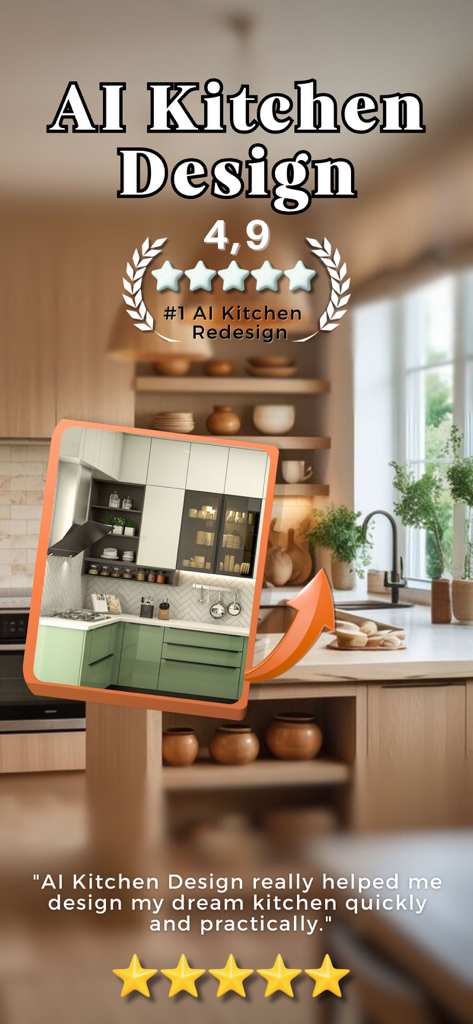
AI 주방 디자인 앱 홍보 화면. 4.9점의 높은 평점과 함께 현대적인 주방 재디자인 미리보기가 포함된 사용자 추천글이 표시됩니다.
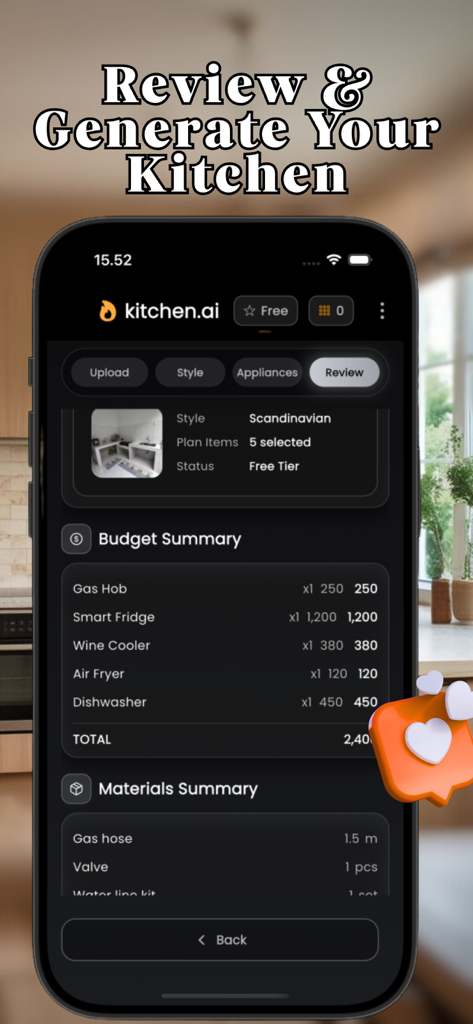
AI 주방 디자이너 앱의 스크린샷으로, 주방 리모델링에 대한 상세한 예산 및 자재 요약이 표시됩니다.
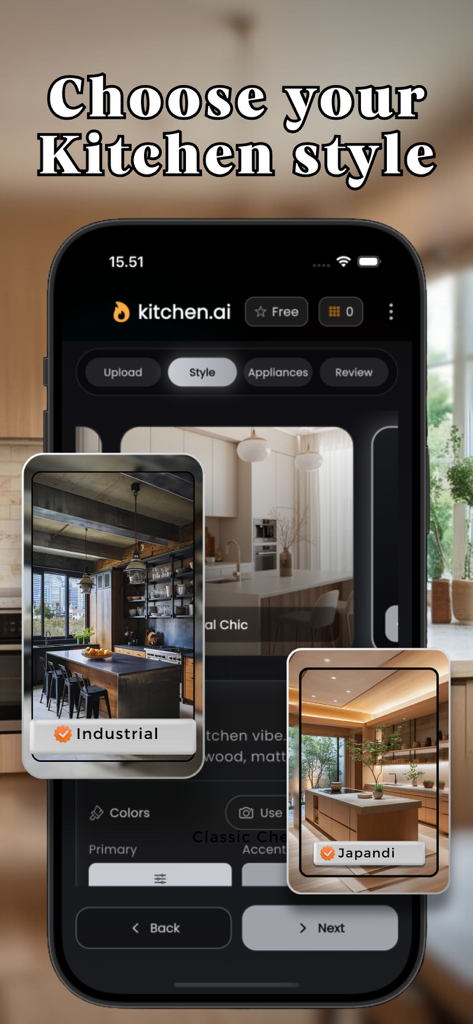
AI 주방 디자이너 앱의 인터페이스로, 산업 스타일 및 일본식(Japandi) 스타일 옵션이 표시됩니다.
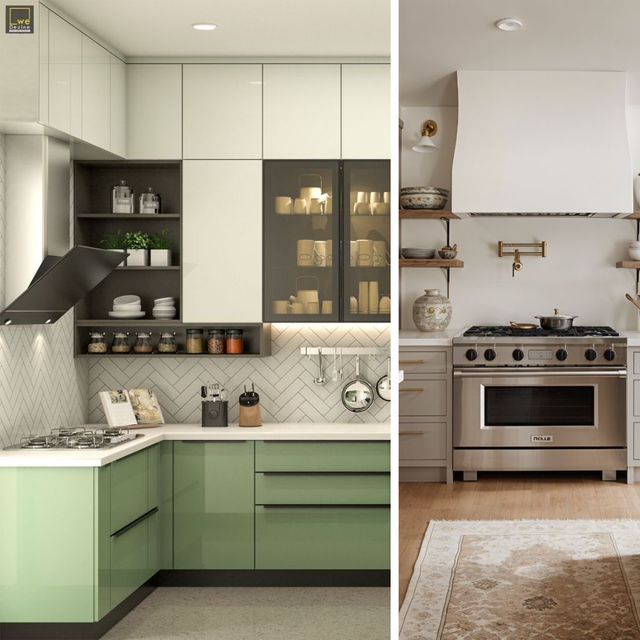
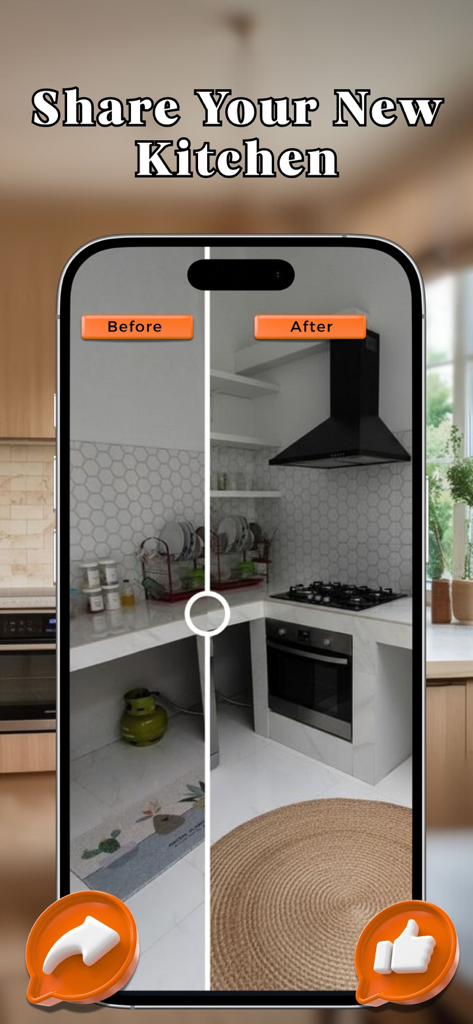
모바일 앱 화면에 AI 기반 재디자인 전후의 주방 비교 화면이 좌우로 표시됩니다.
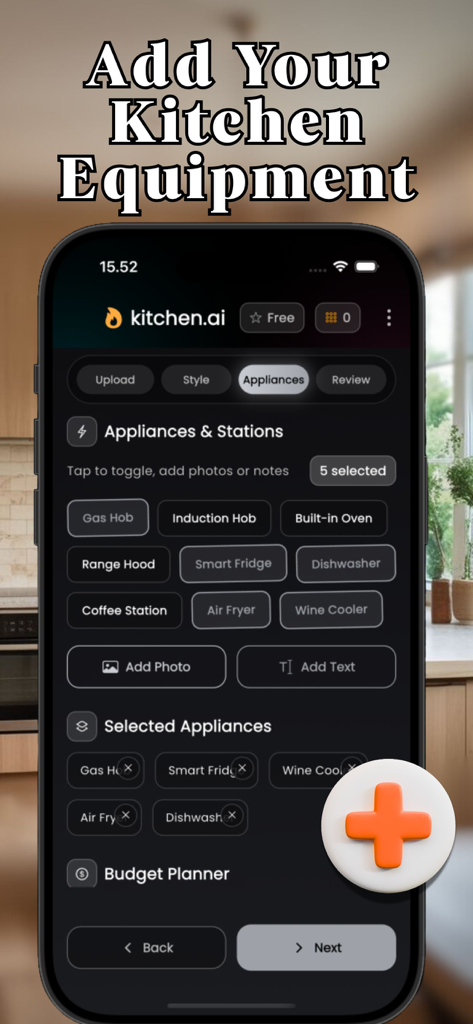
AI 주방 디자이너 앱에서 주방 가전 및 설비 스테이션을 선택하는 모바일 앱 인터페이스.
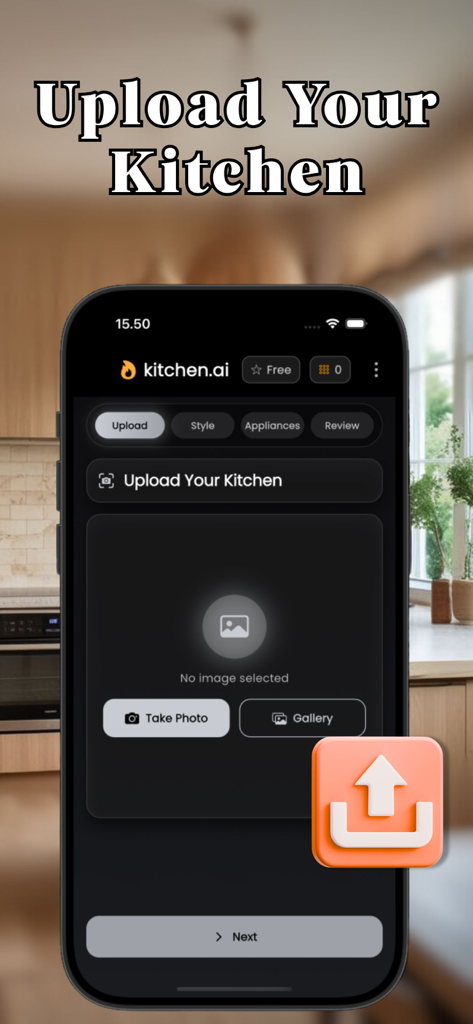
사진 촬영 및 갤러리 옵션과 함께 AI 디자인 프로젝트를 시작하기 위해 주방 사진을 업로드하는 모바일 앱 화면
설명
AI Kitchen Designer & Budget Planner
Design your dream kitchen in minutes—then plan the budget and materials like a pro. Upload a photo, pick a style, toggle appliances, and get an AI-powered redesign with a clear cost breakdown you can actually use.
Why you’ll love it
Instant before/after: See a realistic makeover of your kitchen, not a stock room.
Budget you can trust: Auto-builds a line-item budget as you add appliances and ideas.
Materials made simple: The app suggests hoses, cables, ducts, and fittings—auto-synced from your selections.
Style without guesswork: Choose curated looks (Scandinavian, Japandi, Industrial, etc.) or craft your own palette.
What it does
Upload & Compare
Import a kitchen photo, generate an AI redesign, and slide to compare before/after.
Style Picker
Try Scandinavian, Japandi, Industrial, Classic Chef’s, Minimal Chic—or write your Custom Style.
Use Use Photo Colors to auto-match a primary/accent from your image.
Layout & Finishes
Quickly set layout (Galley, L-shape, U-shape, Peninsula, Island), cabinet fronts, countertop, backsplash, handles, and lighting.
Appliances & Stations
Toggle essentials (Hob, Oven, Hood, Smart Fridge, Dishwasher, Coffee Station, Air Fryer, Wine Cooler). Add photos or notes for special requests.
Budget Planner (auto)
Each appliance adds a unit cost × quantity line—edit any value. The total updates instantly.
Materials (auto)
Get suggested parts (e.g., ducting Ø150mm, thermal cable, inlet/drain hoses, MCB 16A) with units & quantities. Add your own items too.
Review & Generate
See a clean summary of Style, Budget, and Materials before rendering your AI result.
History
Every render saved—share, save to gallery, or revisit details anytime.
Who it’s for
Homeowners planning a remodel with clear scope & cost.
Renters wanting low-commitment glow-ups.
Designers & contractors who need quick concepts + materials lists.
Key features (at a glance)
Realistic AI redesigns of your actual space
Custom color picker + “Use Photo Colors”
Layout presets & detailed finish options
Appliance toggles with photos/notes
Auto Budget Planner with line items & totals
Auto Materials list (units & quantities)
Side-by-side compare slider
Project History, share & save
Gentle, premium UI with glass & motion
How it works
Upload your kitchen photo.
Style it—pick a vibe, colors, and details.
Add appliances (or notes/photos).
Review budget & materials.
Generate and compare before/after.
Pricing
Weekly: $5
Monthly: $15
Yearly: $35 (best value)
Free users can explore; generation requires Premium or tokens (if supported in your region).
Pro perks
Daily premium renders (fair-use cap)
Access to all styles & advanced options
Faster generation and priority queue
Ongoing updates & pro-only themes
Transparency
Estimates only: Costs and quantities are planning guides; always verify locally.
Privacy first: Photos are used to generate your designs—delete anytime.
No CAD/engineering output: Visual + planning tool, not construction documents.
Privacy Policy: https://ultrazoom.site/privacy.html
Terms of Use: https://ultrazoom.site/term.html
이 페이지는 앱이나 개발자의 공식 페이지가 아니며, 정보 제공 및 논평을 목적으로 작성된 독립 편집 간행물입니다. 명시적으로 달리 언급되지 않는 한, 해당 앱이나 개발자는 MWM, Apple, Google Play, 앱 퍼블리셔 또는 앱 개발자와 제휴, 보증, 후원, 승인 또는 공식적으로 연결되어 있지 않으며, 이 페이지의 어떤 내용도 해당 앱이 MWM의 서비스를 사용하여 개발되었음을 의미하지 않습니다. 모든 상표, 로고, 스크린샷 및 기타 콘텐츠는 해당 소유자의 자산입니다.