
이 페이지는 앱이나 개발자의 공식 페이지가 아니며, 정보 제공 및 논평을 목적으로 작성된 독립 편집 간행물입니다. 명시적으로 달리 언급되지 않는 한, 해당 앱이나 개발자는 MWM, Apple, Google Play, 앱 퍼블리셔 또는 앱 개발자와 제휴, 보증, 후원, 승인 또는 공식적으로 연결되어 있지 않으며, 이 페이지의 어떤 내용도 해당 앱이 MWM의 서비스를 사용하여 개발되었음을 의미하지 않습니다. 모든 상표, 로고, 스크린샷 및 기타 콘텐츠는 해당 소유자의 자산입니다.

Air Conditioner・AC Remote App
당신은 더 이상 플라스틱 조각에 묶이지 않습니다. 이 앱은 당신의 스마트폰을 궁극적인 에어컨 마스터 키로 변모시킵니다.
다운로드
100k+사용자 평점
총 평가 수
1.0K개발사
카테고리
Utilities지원 언어
7최신 버전
1.4크기
10.3 MB출시일
2024년 12월 3일테크 분석가가 제시하는 스마트한 공기 조절 솔루션
에어컨・AC 리모트 앱' 핵심 기능 분석
스마트폰 기반 통합 제어
이 앱은 사용자의 스마트폰을 통해 에어컨의 모든 핵심 기능을 원격으로 제어할 수 있게 해줍니다. 물리적 리모컨 없이도 언제 어디서든 실내 환경을 조절할 수 있는 편리함을 제공합니다.
에너지 절약 및 비용 효율성
이 도구는 다양한 에너지 절약 모드를 제공하여, 사용자가 전력 소비를 줄이고 장기적으로 에너지 비용을 절감할 수 있도록 돕습니다.
필수 기능의 직관적 제어
이 앱은 온도 조절, 팬 속도, 절전 모드 등 에어컨의 핵심 기능을 빠르고 쉽게 조작할 수 있도록 지원합니다. 사용자는 쾌적한 실내 환경을 즉시 조성할 수 있습니다.
사용자 맞춤형 공기 조절
이 앱은 사용자의 개인적인 선호도와 필요에 맞춰 에어컨 작동 방식을 최적화할 수 있는 맞춤형 옵션을 제공합니다.
자주 묻는 질문
에 대해 알아야 할 모든 것 Air Conditioner・AC Remote App
What is the main function of the Air Conditioner・AC Remote App?
The Air Conditioner・AC Remote App provides universal control for your air conditioner directly from your smartphone. It offers quick access to essential functions like temperature, fan speed, and sleep mode settings.
Can the Air Conditioner・AC Remote App control temperature?
Yes, the Air Conditioner・AC Remote App controls temperature. Users adjust cooling settings to achieve a tailored atmosphere, displayed visually in degrees Celsius on the interface.
Does the Air Conditioner・AC Remote App include energy-saving features?
Yes, the Air Conditioner・AC Remote App includes energy-saving modes. These features enable users to customize settings, reducing energy costs while maintaining optimal climate control from their phone.
How does the Air Conditioner・AC Remote App handle subscriptions?
The Air Conditioner・AC Remote App charges subscription payments to the credit card linked to your iTunes Account. Subscriptions automatically renew unless cancelled 24 hours prior.
How can users manage their subscription for the Air Conditioner・AC Remote App?
Users manage their subscription and auto-renewal for the Air Conditioner・AC Remote App by navigating to their Account Settings after purchase. This allows cancellation before renewal.
Does the Air Conditioner・AC Remote App support multiple AC units in different rooms?
Yes, the Air Conditioner・AC Remote App supports controlling multiple AC units. It allows for quick connection and management of various devices across different rooms like bedrooms and living rooms.
How easy is it to connect a device with the Air Conditioner・AC Remote App?
Connecting a device with the Air Conditioner・AC Remote App is easy. The app scans for AC units, identifies them, and provides a clear option to connect directly from your phone.
Does the Air Conditioner・AC Remote App offer different operational modes?
Yes, the Air Conditioner・AC Remote App offers various operational modes. These include cooling, fan, and auto settings, accessible through dedicated icons and buttons within the app's interface.
Where can I find the Privacy Policy for the Air Conditioner・AC Remote App?
The Privacy Policy for the Air Conditioner・AC Remote App is located at https://sites.google.com/view/remote-app-privacy-policy. Users confirm consent to this policy by using the application.
Does the Air Conditioner・AC Remote App offer a free trial period?
Yes, the Air Conditioner・AC Remote App may offer a free trial. However, any unused portion of this trial is forfeited if a user purchases a subscription.
다음 스크린샷과 설명은 앱의 공식 스토어 목록에서 직접 가져온 것이며 앱 개발자의 자산입니다.
앱 스토어
스크린샷
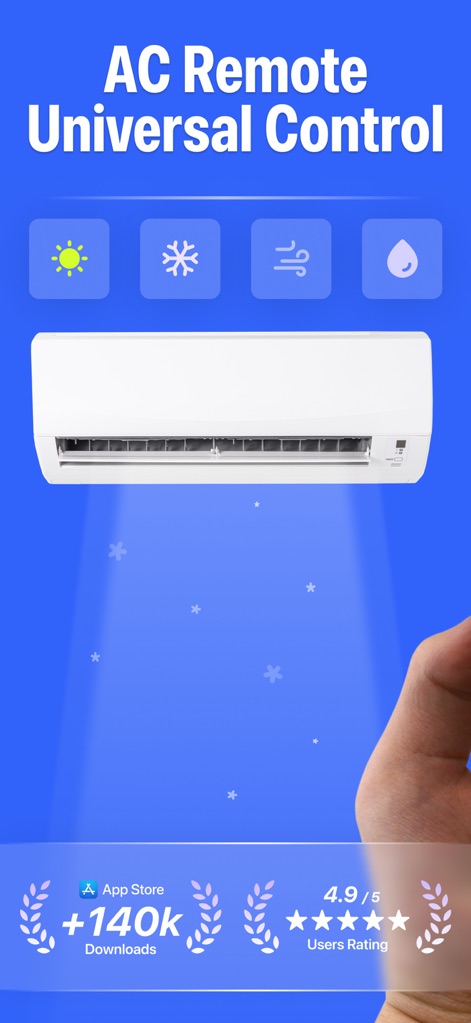
이 앱은 에어컨 유닛과 함께 햇살, 눈꽃 등의 직관적인 제어 아이콘을 통해 범용 원격 제어의 스마트함을 보여줍니다.
범용 제어, 스마트 경험
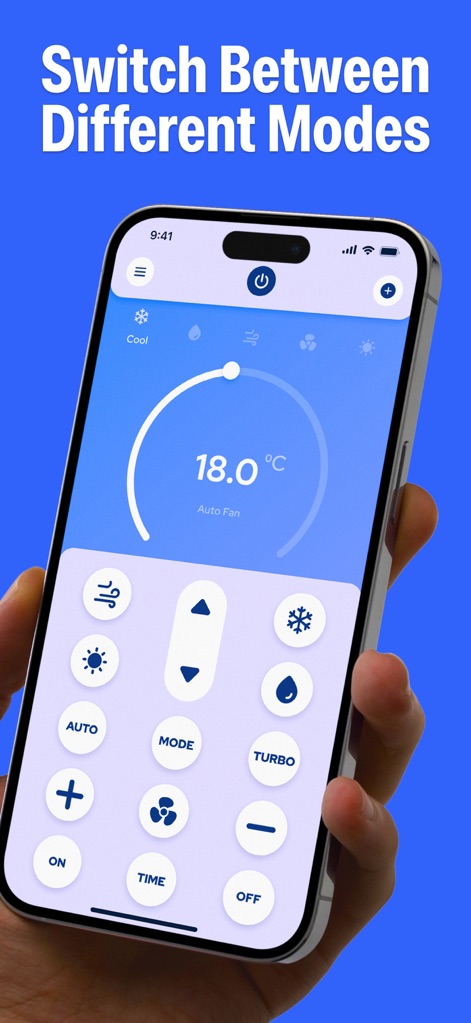
사용자는 스마트폰 화면에서 18.0°C의 온도 다이얼과 함께 냉방, 송풍 등 다양한 모드 전환 버튼을 활용하여 손쉽게 에어컨을 제어할 수 있습니다.
다양한 모드 전환
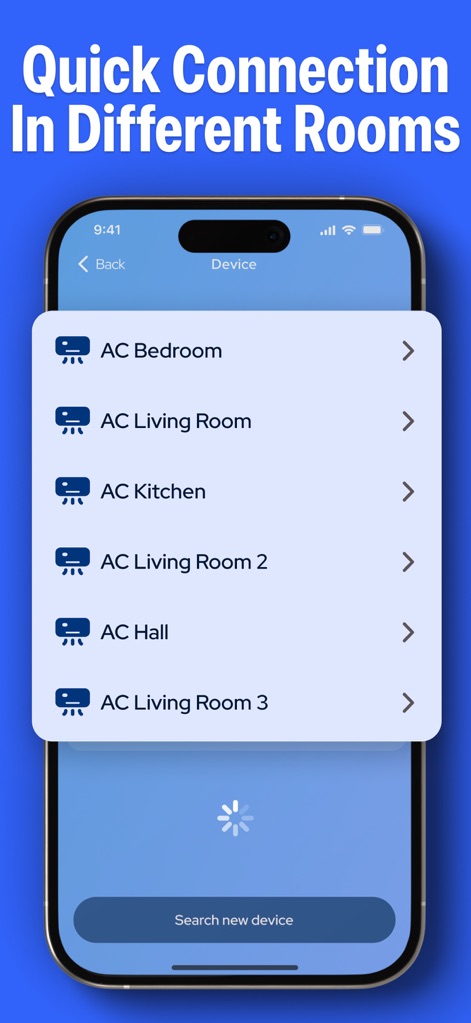
사용자는 이 화면에서 AC 침실, AC 거실과 같은 여러 에어컨 목록을 확인하고, 새로운 기기 검색 기능을 통해 손쉽게 연결을 관리할 수 있습니다.
여러 기기 연결 관리
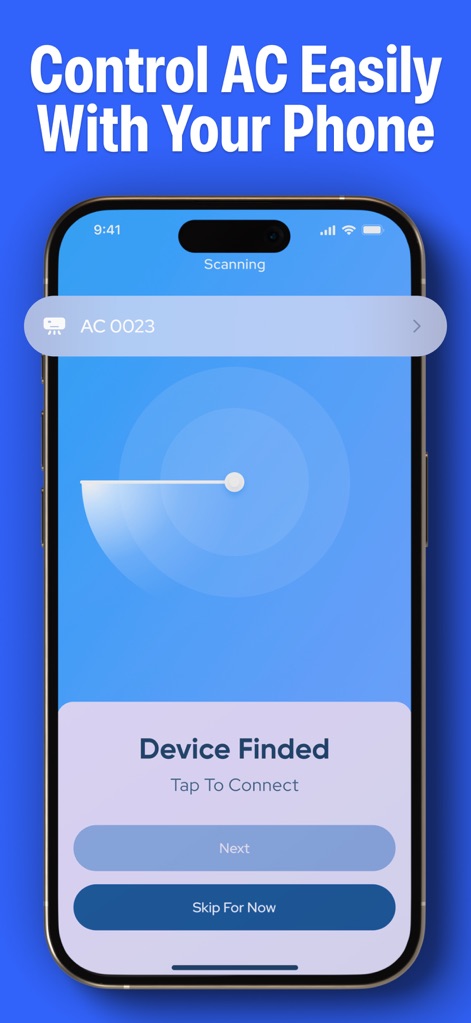
앱은 스캔 애니메이션을 통해 기기를 검색하고, "Device Finded" 메시지와 함께 '연결' 버튼을 제공하여 빠르고 간편한 기기 페어링을 지원합니다.
간편한 기기 연결
설명
Download
비슷한 앱
같은 카테고리의 상위 앱

Google LLC

Google Chrome
Google LLC

中国移动(手机营业厅)
China Mobile Online Services Co., Ltd.

Google Authenticator
Google LLC

CNH do Brasil
Servicos e Informacoes do Brasil

Cleanup: Phone Storage Cleaner
DEEP FLOW SOFTWARE SERVICES - FZCO

gov.br
Servicos e Informacoes do Brasil

中国电信-全国统一官方服务平台
CHINA TELECOM Corporation Ltd.

Microsoft Edge: AI Browser
Microsoft Corporation
이 페이지는 앱이나 개발자의 공식 페이지가 아니며, 정보 제공 및 논평을 목적으로 작성된 독립 편집 간행물입니다. 명시적으로 달리 언급되지 않는 한, 해당 앱이나 개발자는 MWM, Apple, Google Play, 앱 퍼블리셔 또는 앱 개발자와 제휴, 보증, 후원, 승인 또는 공식적으로 연결되어 있지 않으며, 이 페이지의 어떤 내용도 해당 앱이 MWM의 서비스를 사용하여 개발되었음을 의미하지 않습니다. 모든 상표, 로고, 스크린샷 및 기타 콘텐츠는 해당 소유자의 자산입니다.